Best Exclaimer Alternatives in 2026 (Ranked & Compared)
Compare Exclaimer alternatives ranked by price, platform fit, and features. See which one fits your team and why teams are switching.

Short answer
What are the top 3 Exclaimer alternatives?
3 alternatives stand out as complete, dependable replacements for Exclaimer, rather than niche point solutions.
Each centralizes signature management, deploys fast, and holds up across a full organization, not just one department or one narrow use case.
WiseStamp is the strongest all-around pick for both Mid-Market and Enterprise. It is provides full-strength support for Google Workspace and Microsoft 365, and Exchange, and offers fast deployment, robust design control, and a self-serve marketing workflow.
CodeTwo performs well for Mid-Market and Enterprise, with server-side enforcement guaranteed on every plan rather than gated to a premium tier. CodeTwo runs on Microsoft 365 and Exchange only, with no Google Workspace support.
Letsignit is most adequate for SMB and Mid-Market. It’s dependable for Microsoft 365-centric organizations, but its most advanced features are built primarily for Outlook, so its Google Workspace support is partial.
Comparison Table
How do the top Exclaimer alternatives compare?
The table below normalizes each vendor’s price to a 50-seat team, so you can compare like for like.
Prices reflect each vendor’s published pricing pages as of publication, logged next to the plan they apply to.
| Tool | Best for | Price per user at 50 seats | Platforms | Directory sync | Free trial | Contract flexibility |
|---|---|---|---|---|---|---|
| Exclaimer (baseline) | Entrenched incumbent, Microsoft/Google SSO | $0.90-$1.75/mo (Starter-Pro, Enterprise custom) | Microsoft 365, Google Workspace, Exchange | Yes (twice-daily polling, no SCIM) | 14 days | 30-day written cancellation notice, ~8% documented annual price uplift |
| WiseStamp | Easiest setup, best design control, dual GW + M365 | ~$1.38/mo (Basic plan, Grow at ~$1.98/mo adds campaigns and analytics) | Google Workspace + Microsoft 365 | Yes (daily sync, no SCIM) | 14 days, no card required | Cancel anytime, no long-term contract |
| CodeTwo | Microsoft 365-only IT teams, guaranteed server-side enforcement | ~$1.21/mo (annual billing) | Microsoft 365 / Exchange only | Partial (M365 only, ~20-min Entra ID cache sync, no SCIM) | 14 days, no card required | Cancel anytime |
| Opensense | CRM-native sales and marketing campaigns | $1-$5/mo, plus a $350/mo account minimum | Google Workspace + Microsoft 365 | Yes (daily sync, SCIM claim unconfirmed) | Sales-qualified, length not published | Annual, sales-led |
| Letsignit | EU data residency, multi-subsidiary brands | ~$2/mo | Microsoft 365-primary (Google Workspace supported but degraded) | Yes (SCIM confirmed for Entra ID) | Free trial available, length not published | Not publicly stated |
| Newoldstamp | Flat per-signature pricing | $1.80/mo flat, no volume discount | Google Workspace + Microsoft 365/Exchange | Partial (24-hour sync window, no SCIM) | 7 days, no card required | Annual billing |
| Rocketseed | Managed enterprise onboarding, on-premises/hybrid support | From ~$1.25/mo (confirm exact USD pricing with vendor) | Google Workspace + Microsoft 365 + on-premises/hybrid | Partial (group-based routing, not real-time) | 14 days (accounts of 50+ employees only) | 1-3 year contracts common |
| MySignature | Solo users and very small teams | Core $6/mo, Connect $7/mo (Teams tier is sales-gated) | Google Workspace + Microsoft 365 | Partial (Teams plan only) | Free tier available | Not publicly stated |
| SyncSignature | Budget-conscious mixed GW + M365 teams | $2/mo (5-seat minimum, drops to $1.40/mo at 100 seats) | Google Workspace + Microsoft 365 (cloud-only) | Yes (periodic sync, not SCIM) | 7 days, no card required | Cancel anytime |
Pricing sourced directly from each vendor’s public pricing page as of this article’s last update. Enterprise-tier and sales-led pricing (Opensense, Rocketseed, Letsignit, MySignature Teams) is not fully published, so figures above are the best publicly available estimate. Confirm current terms directly with each vendor before signing.
Why Change Vendor
Why are teams leaving Exclaimer?
Exclaimer is a capable, well-certified platform.
Its Mid-Market segment fit is rated Strong in independent feature scoring.
It also holds SOC 2 Type II, ISO 27001, ISO 27018, GDPR, HIPAA, and PCI DSS certifications across all plans.
The reasons teams still leave are specific, not vague dissatisfaction.
1. The price goes up every year, automatically
Exclaimer’s own pricing and knowledge base pages document an annual price uplift of roughly 8% built into renewal terms.
On a 50-seat Standard account starting at $1.45 per user per month, that compounding increase adds up to roughly $2,824 over 3 years.
That compares to about $2,484 for the same 50 seats on WiseStamp’s Basic plan, which doesn’t apply an automatic yearly increase.
That’s before any seat growth.
2. Cancellation requires a 30-day written notice before renewal
Miss the window and the account renews automatically at the new, higher rate.
Teams that don’t track their renewal date closely end up paying for another year they didn’t plan for.
3. Real features sit behind the Pro tier
Engagement analytics, A/B testing, the HubSpot and Salesforce integrations, and the login-activity audit log are all locked to Exclaimer’s Pro plan.
That’s $1.75 per user per month or higher, per Exclaimer’s own pricing page.
Teams that budgeted for Starter or Standard find out mid-evaluation that the feature they actually need costs more.
4. General SAML SSO and SCIM provisioning aren’t supported at any tier
Exclaimer’s own security FAQ states plainly that SAML SSO is not currently supported.
Directory sync also runs on a twice-daily polling schedule, not the event-driven SCIM protocol enterprise IT teams increasingly require.
Organizations using Okta or PingFederate as their primary identity provider hit this wall directly.
5. There’s a 10-user minimum
Small teams evaluating Exclaimer pay for seats they may not need just to get started.
Exclaimer Alternatives
What are the best Exclaimer alternatives in 2026?
This section is for mid-market and enterprise teams ready to shortlist a replacement for Exclaimer.
Each of the tools below gets the same profile: best-for summary, features, platform support, pricing, and honest pros and cons.
WiseStamp ranks first overall. CodeTwo, Opensense, and Letsignit follow, each strongest for a specific need.
Best Overall
1. WiseStamp
WiseStamp is the easiest, most design-forward Exclaimer alternative.
It’s the best overall pick for teams that want centralized signature management without a long implementation project.
It deploys across Gmail, Google Workspace, Outlook, and Microsoft 365 from one dashboard.
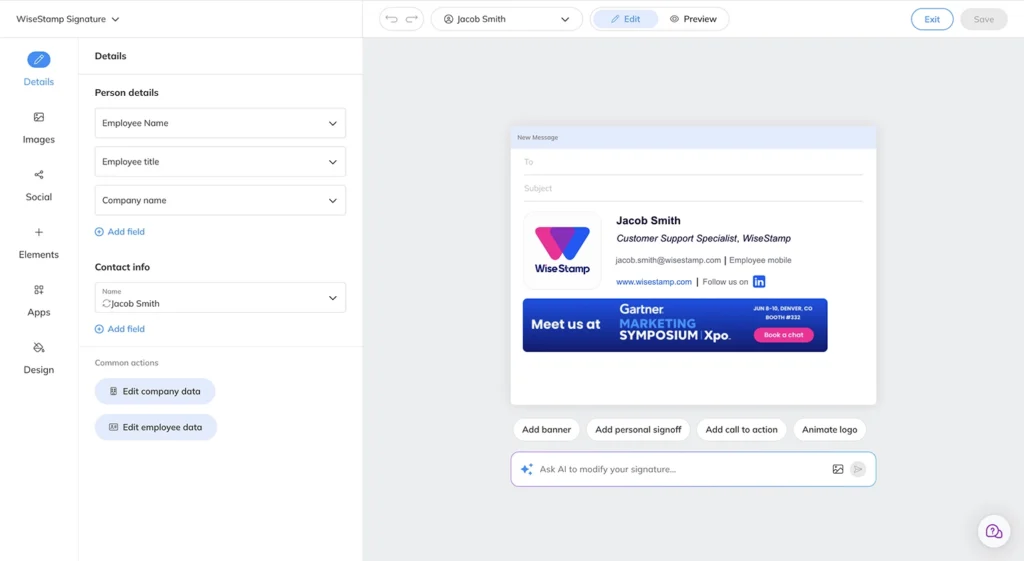
Its Signature Studio lets brand or marketing teams build and lock templates without writing HTML.
Features
- An AI signature designer that generates a signature from a screenshot or a text prompt
- A drag-and-drop Signature Studio with brand kits and field locking
- Signature banner campaigns with click analytics
- Native dual integration with both Google Workspace and Microsoft 365, with no MX record changes
- Role-based access control (RBAC) with delegated editing, available on the Platform plan and up
- SOC 2 Type II, ISO 27001, GDPR, and HIPAA-compliant infrastructure
Platform support
Google Workspace and Microsoft 365 are natively available at every plan tier.
Pricing
Basic starts at $19 per month plus $1 per employee per month.
Grow, which adds campaigns and analytics, is $49 per month plus $1 per employee.
Platform, which adds SSO and server-side enforcement, is $189 per month plus $1 per employee.
Enterprise is custom, and a 14-day free trial requires no credit card.
See WiseStamp’s current pricing.
Pros
- Fastest time to a working, on-brand signature
- Genuinely self-serve for marketing without IT tickets
- Works equally well for Google Workspace and Microsoft 365 shops
- Cancel anytime, no long-term contract
Cons
- No SCIM, so directory sync runs daily rather than in real time, a gap CodeTwo and Letsignit close
- The Enterprise audit log confirms signatures were processed, but can’t show which signature a specific user had on a specific date
- True enforcement that a user can’t override client-side requires the Platform tier, $189 per month and up
- No native Salesforce or HubSpot data sync, only trackable links
If you’re comparing WiseStamp directly against Exclaimer feature by feature, see the full WiseStamp vs Exclaimer comparison.
Best For Microsoft 365-Only Teams
2. CodeTwo
CodeTwo is the best Exclaimer alternative for Microsoft 365-only IT teams.
It’s the strongest choice for organizations running entirely on Microsoft 365 or Exchange.
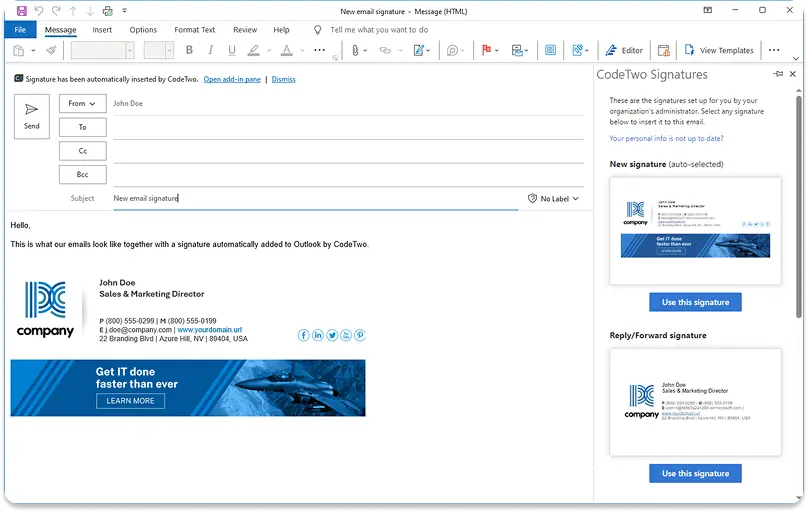
It builds signature enforcement into the mail flow itself, not layered on top of it.
Features
- Server-side signature injection at the Exchange Online transport layer, available on every plan rather than gated to a premium tier
- Granular role-based access control for delegated administration
- A rule engine that applies conditional templates by department, country, or recipient type simultaneously
- EU data residency across 9 Azure regions
Platform support
Microsoft 365 and Exchange only.
CodeTwo has no Google Workspace support at all, which rules it out for any organization with mixed platforms.
Pricing
Roughly $1.21 per user per month at 50 seats on annual billing, scaling down further at higher seat counts.
There’s a 10-seat minimum, and a 14-day free trial requires no card.
See CodeTwo’s current pricing.
Pros
- Enforcement is architectural, not a feature toggle, so it can’t be bypassed by a technically capable employee on any plan
- Microsoft 365 certified
- Genuinely cancel-anytime
Cons
- Zero Google Workspace support, a hard disqualifier for mixed-platform buyers
- No exportable audit trail beyond login activity
- No multi-brand architecture, each tenant is one deployment
- Its admin panel is built for IT, not for marketing self-service
Best For Crm-Native Campaigns
3. Opensense
Opensense is the best Exclaimer alternative for CRM-native sales and marketing campaigns.
It’s built for sales and revenue teams that want signature banners tied directly into their CRM.
That’s a real step up from a static image with a link.
Features
- Certified Salesforce AppExchange integration plus native connections to HubSpot, Marketo, Outreach, Salesloft, and Gong
- Real-time recipient-based banner targeting pulled from live CRM data
- Genuine HRIS integrations with Workday and BambooHR, not just directory sync
- GCC High environment support for government and defense accounts
Platform support
Google Workspace and Microsoft 365, both native.
Pricing
$1 to $5 per user per month depending on tier, plus a $350 per month account minimum.
That minimum is disclosed on Opensense’s own pricing page.
Trials are sales-qualified rather than self-serve.
See Opensense’s current pricing.
Pros
- The deepest CRM and sales-tool integration of any tool in this comparison
- Real HRIS connectors most competitors don’t have
Cons
- No published self-serve trial, and no drag-and-drop editor
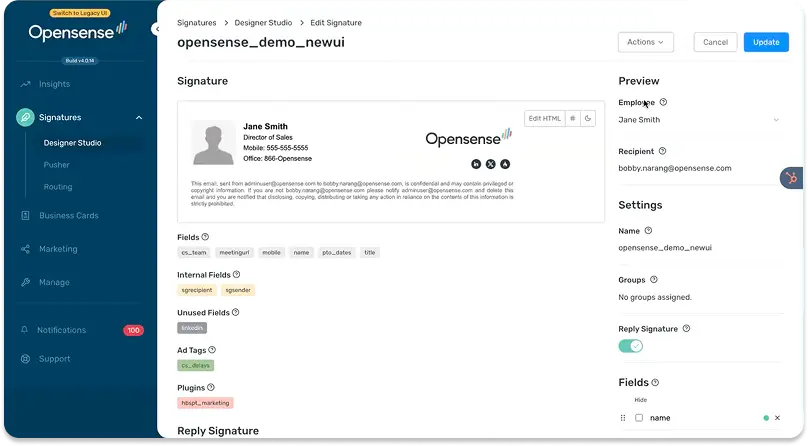
- Opensense’s Designer Studio is HTML-based, and onboarding typically involves an Opensense implementation engineer
- No documented EU data residency, a blocker for EMEA-based, GDPR-sovereignty-sensitive buyers
- Multiple domains are managed as separate linked accounts, not one unified multi-brand dashboard
Best For Eu Data Residency
4. LetSignIt
LetSignIt is the best Exclaimer alternative for EU data residency and multi-subsidiary brands.
It’s the strongest pick for EU-headquartered organizations.
It also fits any company with multiple independent subsidiary brands that each need their own templates, admins, and campaigns under one global account.
Features
- SCIM provisioning confirmed from Microsoft Entra ID
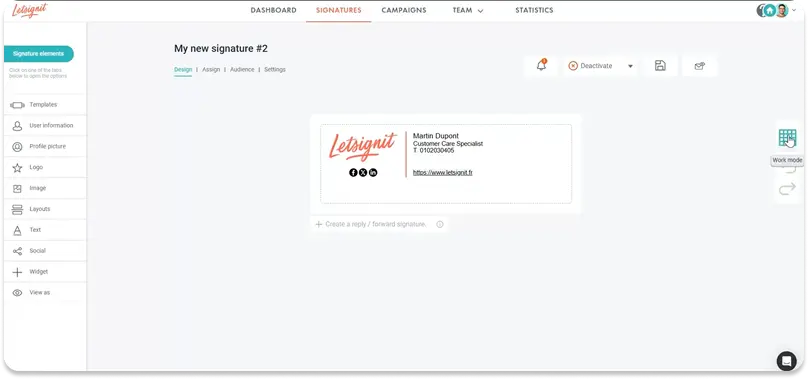
- An unlimited number of independent subsidiary brand environments, each with its own logos, templates, and campaign administrator
- A dedicated Campaign Administrator role that separates marketing access from IT
- Internal-versus-external audience routing at scale
Platform support
Microsoft 365-primary.
Google Workspace is supported, but the Add-in’s more advanced features (internal audience targeting, multi-signature switching, randomized campaigns) are Outlook-only.
Pricing
Roughly $2 per user per month on Letsignit’s current single signature plan.
The earlier Branding/Campaigns split has been retired, and Enterprise is custom.
Trial length isn’t publicly stated.
See Letsignit’s current pricing.
Pros
- Real SCIM directory sync, a genuine differentiator most alternatives on this list, including WiseStamp, don’t have
- Strong subsidiary and multi-brand architecture
Cons
- No server-side injection at any tier, enforcement is 100% client-side through the Outlook Add-in
- A technically capable user can bypass enforcement, and no higher plan closes this gap
- No audit trail and no provable signature state, both confirmed absent
- SAML SSO is limited to ADFS (Microsoft-specific federation), not general SAML
Best For Flat Predictable Pricing
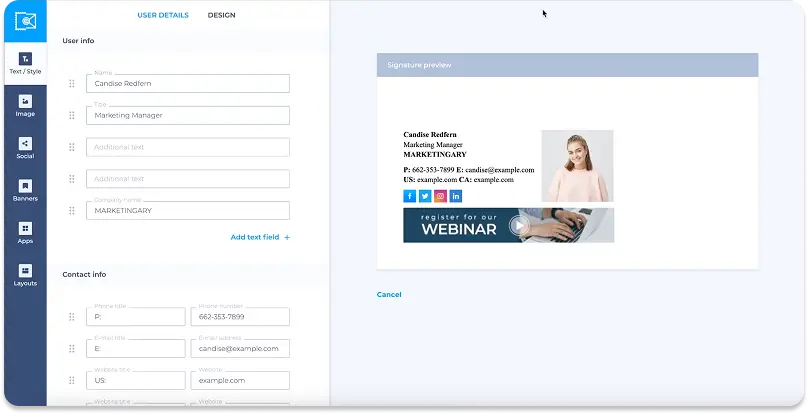
5. Newoldstamp
Newoldstamp is the best Exclaimer alternative for flat, predictable per-signature pricing.
It fits teams that want one flat rate they can budget against, with no per-tier feature gating to untangle.
Features
- A single flat rate per signature per month, regardless of how many seats you add
- Banner campaigns with start and end date scheduling
- Both Google Workspace and Exchange/Microsoft 365 integration paths
- Department-based master template duplication
Platform support
Google Workspace and Microsoft 365/Exchange.
Pricing
$1.80 per signature per month, flat, with no volume discount, billed annually.
A 7-day free trial requires no credit card.
See Newoldstamp’s current pricing.
Pros
- Pricing is genuinely predictable at any seat count, useful for budgeting
- Setup is fast and self-serve
Cons
- No SOC 2, ISO 27001, or GDPR documentation exists anywhere on Newoldstamp’s site, which fails most enterprise security reviews before evaluation even starts
- It supports one domain per account, so multi-brand organizations need entirely separate accounts
- No role-based access control, so marketing can’t get delegated access without full admin rights
- No SAML SSO, SCIM, or audit trail at any tier
- Better fit for very small teams than for the 250 to 5,000-employee audience this guide targets
Best For Managed Enterprise Rollout
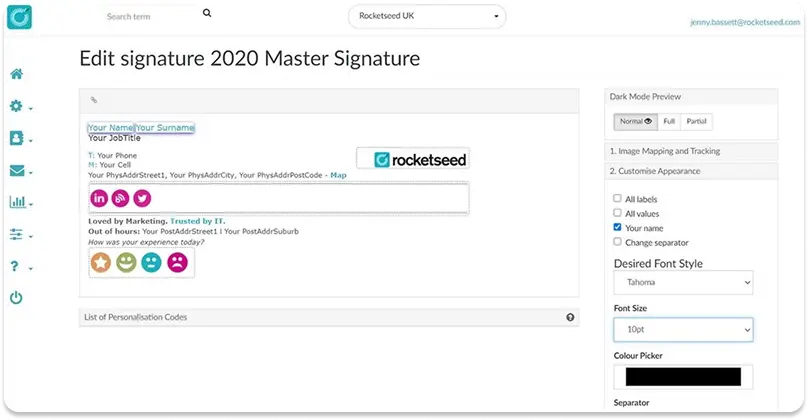
6. Rocketseed
Rocketseed is the best Exclaimer alternative for white-glove, fully managed enterprise onboarding.
It’s built for organizations that want a vendor team to design, deploy, and maintain their signatures rather than doing it themselves.
That includes on-premises Exchange environments most cloud-only competitors can’t touch.
Features
- Server-side enforcement as Rocketseed’s only delivery model, meaning it’s never plan-gated
- Genuine self-hosted and on-premises deployment options alongside cloud
- Multi-brand and multi-company support with a dedicated account manager
- Documented hybrid support for on-premises Exchange plus cloud in the same deployment
Platform support
Microsoft 365, Google Workspace, on-premises Exchange, and hybrid environments, the broadest infrastructure coverage of any tool in this comparison.
It’s delivered as a managed service rather than self-serve software.
Pricing
From roughly $1.25 per user per month.
Rocketseed’s public pricing page displays in local currency depending on region, so confirm exact USD terms directly with the vendor.
Free trials are limited to accounts of 50 or more employees, and contracts of 1 to 3 years are common.
See Rocketseed’s current pricing.
Pros
- Enforcement is architectural on every deployment
- Genuinely handles hybrid and on-premises Exchange, a real gap for most cloud-only alternatives including WiseStamp
Cons
- Not self-serve: a 50-user minimum, a separate setup fee, and no drag-and-drop editor mean Rocketseed’s own team designs your templates
- Per customer reviews, even small changes like renaming a signature may need account-manager assistance
- No SCIM, no audit trail, and no confirmed general SAML SSO
Best For Solo Users And Very Small Teams
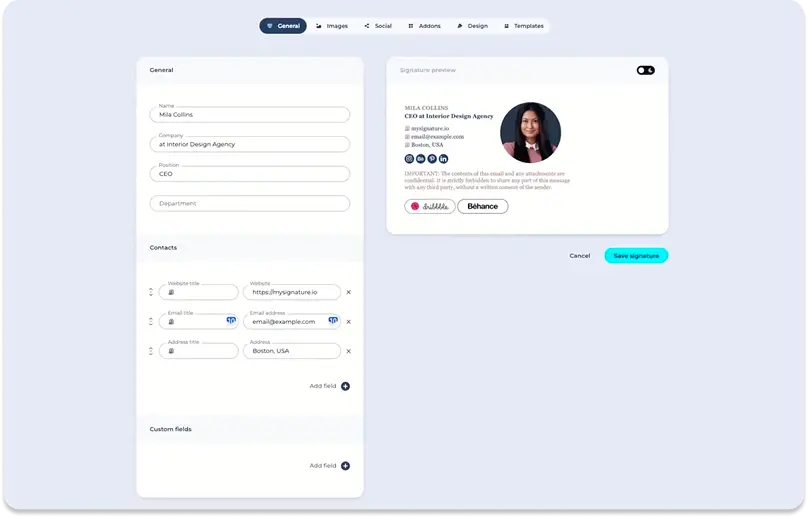
7. MySignature
MySignature is the best Exclaimer alternative for solo users and very small teams.
It fits freelancers and solo consultants who want a professional signature without paying for enterprise features they won’t use.
It also includes an Agency Hub for resellers managing multiple clients.
Features
- A drag-and-drop editor with AI-assisted enhancement of existing signatures
- A large template gallery
- Click analytics with daily and monthly reports
- The Agency Hub, for managing multiple client accounts from one place
Platform support
Google Workspace via Chrome extension and Microsoft 365 via Add-in.
Pricing
A free tier is available.
Paid plans are Core at $6 per user per month and Connect at $7 per user per month, billed yearly.
The Teams tier’s pricing is sales-gated and not published.
See MySignature’s current pricing.
Pros
- A genuine free tier
- Fast, simple setup
- The Agency Hub is a real differentiator for resellers that WiseStamp and most others on this list don’t offer
Cons
- No field locking and no signature enforcement at any tier, so employees can freely override or delete their signature
- No CRM integration of any kind
- No SAML SSO, no SCIM, and no server-side injection, everything is client-side
- Poor fit past roughly 50 employees, well short of this guide’s 250 to 5,000-employee audience
Best For Budget-Conscious Mixed-Platform Teams
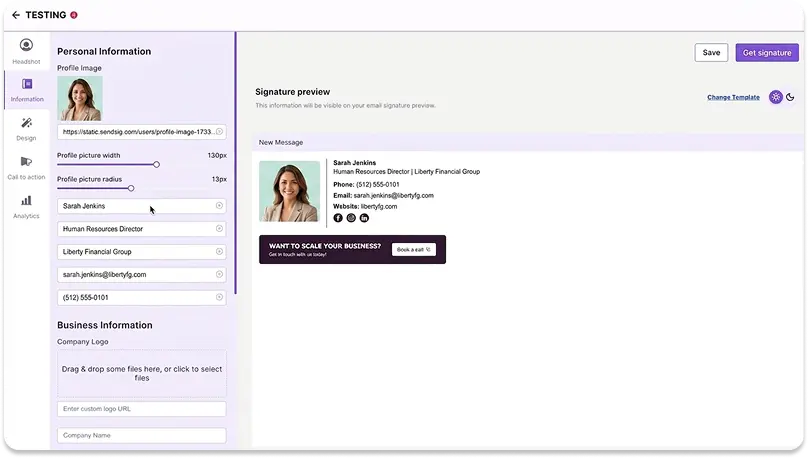
8. SyncSignature
SyncSignature is the best Exclaimer alternative for budget-conscious mixed Google Workspace and Microsoft 365 teams.
It’s the lowest-cost option on this list that still covers both platforms with directory sync.
It also includes every Team-plan feature at one price, with no feature-gated upsell tier.
Features
- Multi-brand and multi-tenant architecture built for merger and acquisition consolidation
- A transparent volume pricing curve with a built-in ROI calculator
- Setup documented at under 30 minutes for Google Workspace and under 15 minutes for Microsoft 365
- Periodic directory sync across both platforms
Platform support
Google Workspace and Microsoft 365, cloud-only, no on-premises or hybrid Exchange support.
Pricing
Solo is $6 per month.
Team is $2 per user per month with a 5-seat minimum, scaling down to $1.40 per user per month at 100 seats.
A 7-day trial requires no credit card, and the account can be cancelled anytime.
See SyncSignature’s current pricing.
Pros
- The lowest published per-seat price among tools that support both Google Workspace and Microsoft 365 (CodeTwo is cheaper per seat, but Microsoft 365 only)
- No tier-gating on the Team plan
Cons
- No SCIM endpoint and no server-side injection at any tier, a choice it markets as security-friendly but one that leaves enforcement fully client-side
- No CRM integration at all, and no on-premises or hybrid Exchange support
- Data residency is fixed to AWS India with no other region option, a hard blocker for EU or US residency-gated buyers
- Two claims on its own site contradict each other on SAML SSO and audit log export, confirm both directly with SyncSignature
Other Vendor Options
Other Exclaimer alternatives worth mentioning
A handful of other tools show up in Exclaimer searches but didn’t make the ranked 8 above, usually because they serve a narrower niche.
Templafy
Templafy fits large enterprises that already run a broader document-template platform and want signatures bundled into that stack.
It isn’t a dedicated ESM product though: there’s no drag-and-drop editor, and add-in changes can take up to 72 hours to propagate.
Its own audit log also can’t be exported, which fails legal-discovery requirements outright.
Xink
Xink suits mid-market Microsoft-centric IT teams that want a documented REST API and hybrid Exchange support without a managed-service model.
It has no drag-and-drop editor and no SAML SSO or SCIM at any tier, which stalls it in security-led enterprise evaluations.
Signitic
Signitic is a strong pick for EU-headquartered mid-market buyers who need in-region, France-only GDPR hosting and ISO 27001 certification.
It’s 100% client-side with no server-side injection option though, so enforcement is confirmed absent at enterprise scale.
Bybrand
Bybrand is cheap and simple, with genuinely good 30-day version history, a feature WiseStamp itself lacks.
It has no field locking, no signature enforcement, and no SCIM or SAML.
Its own Microsoft 365 directory sync is also still listed as coming soon, which makes it a fit only below roughly 50 employees.
How To Choose a Vendor
How do I choose the right Exclaimer alternative for my team?
Which Exclaimer alternative is right for you depends on 5 things.
These are your primary email platform, whether you need directory sync out of the box, and your current and 12-month seat count.
They also include how much contract flexibility matters, and whether you’re in a regulated industry.
Is your team on Google Workspace, Microsoft 365, or both?
If you’re all-in on Microsoft 365 with no Google Workspace users, CodeTwo gives you the lowest cost and the strongest server-side enforcement.
If you run both platforms, WiseStamp, Opensense, or SyncSignature all support Google Workspace and Microsoft 365 natively.
Letsignit and Rocketseed support both too, but skew toward a Microsoft-first or fully managed experience.
Do you need real directory sync, or is periodic sync good enough?
If your IT team requires SCIM-based, event-driven provisioning, Letsignit is currently the only tool in this comparison with SCIM confirmed.
Everyone else, including WiseStamp, Exclaimer, CodeTwo, Opensense, and SyncSignature, runs on a daily or twice-daily polling sync instead.
How many seats do you have now, and in 12 months?
Under 10 seats, most of these tools (Exclaimer, CodeTwo) impose a minimum that makes per-seat cost worse.
MySignature or SyncSignature’s Solo tier fit better at that size.
Above 250 seats, WiseStamp, CodeTwo, Opensense, and Letsignit all scale cleanly.
Rocketseed requires 50 seats minimum, and Newoldstamp and MySignature start to show real feature gaps at this scale.
How much does contract flexibility matter?
WiseStamp, CodeTwo, and SyncSignature all confirm cancel-anytime terms.
Exclaimer requires 30 days’ written notice before renewal, and Rocketseed commonly runs 1 to 3-year contracts.
If avoiding lock-in is a priority after an Exclaimer renewal surprise, weight this heavily.
Are you in a regulated industry, or does legal discovery matter?
No tool in this comparison, including Exclaimer itself, produces a true point-in-time report proving exactly which signature a specific user had on a specific date.
If that’s a hard requirement, flag it directly with your top 2 finalists before signing, rather than assuming it’s covered by a general audit log.
Preparing For Migration
How to prepare for migrating from Exclaimer?
Before you touch any production signatures, a few things are worth locking down.
Getting these right up front is what keeps the actual switch, covered next, free of surprises.
- Inventory your current Exclaimer templates, signature rules, and disclaimer text. Exclaimer’s own migration docs confirm there’s no automated export to third-party tools, so you’re rebuilding from scratch, not importing.
- Note your Exclaimer renewal date and set a reminder at least 45 days out. Exclaimer requires 30 days’ written notice before renewal, and missing it means paying another year at the higher rate.
- Confirm which plan or tier of your new tool you actually need before you start. Server-side enforcement, directory sync, and role-based access are often gated to a specific tier.
- Decide your directory sync expectations up front. If your new tool uses periodic sync rather than real-time SCIM, build that lag into your plan for new hires and departures.
- Identify a pilot group, one department or a handful of volunteers, before touching any production signatures. This is who you’ll test rendering and provisioning on before a company-wide rollout.
- Flag any compliance requirement early, especially a point-in-time report proving which signature a user had on a specific date. No tool here produces that today, so confirm directly with your finalist.
Safely Switching Vendor
How to switch from Exclaimer without disrupting my team?
Switching signature platforms doesn’t have to mean downtime.
The risk is almost always in the sequencing, not the tools themselves.
- Export or recreate your current templates. Exclaimer’s own migration docs confirm there’s no automated export to third-party tools. Budget time to rebuild templates in your new platform’s editor.
- Connect your platform and directory before touching production signatures. Set up Google Workspace or Microsoft 365 and directory sync first. Verify new-hire and offboarding automation in a test group.
- Pilot with a small group. Roll the new signature out to one department first. Check rendering across Outlook, Gmail, Apple Mail, and mobile before a company-wide push.
- Roll out company-wide. Once the pilot group confirms rendering and deployment work, expand to the full organization.
- Decommission Exclaimer before your renewal date, in writing. Exclaimer requires 30 days’ written notice ahead of renewal. Set a reminder at least 45 days out so you don’t get locked into another year at the higher rate.