Home / Guides / Best Email Signature Management Software (Evaluated May 2026)
Best Email Signature Management Software (Evaluated May 2026)
Learn what is the best email signature software for you. Get pros & cons and feature comparison for top email signature tools by company size
Reading time:
37 min
Author: Amotz Harari
Updated: August 25, 2026
Introduction
I spent a week processing the data behind this article and another week writing it.
This roundup covers 15 email signature management tools, evaluated across 7 capability categories and 105 features. I went through each tool’s full documentation and spent time in every product.
Thank god I had Claude to help with processing, structuring, and cross-checking the data, or it would have taken me a month.
I ran the evaluation separately for 3 business segments:
Best email signature software by particular situation and need
These 9 situations cover the most common buying triggers I hear from companies evaluating email signature tools. WiseStamp’s team hears hundreds of these every month.
I picked both a winner and the 2 most credible runner-ups for each use case, so you have a decision path rather than a single option.
WiseStamp covers Google Workspace from 5-person SMBs to multi-brand enterprises, with a no-code Studio Editor, AI-assisted signature creation.
Employee Hub self-service that genuinely removes the IT overhead Google Workspace teams expect to absorb.
I lean toward WiseStamp here for any Google-first team that doesn’t want signature management to become someone’s full time job.
Runner-up: Patronum
Best if you want email signatures as part of a broader Google Workspace management platform.
2nd runner-up: LetSignit
Full Google Workspace compatibility, SCIM provisioning, and multilingual support: a strong fit for international teams that are Google-first but want enterprise-grade governance.
Exclaimer was built for Microsoft 365, and it shows.
In-region data residency across 14 Azure data centers, the broadest Brand Kits library in the category.
A 100/100 Security Scorecard make it the first call for enterprise IT teams running Microsoft-centric infrastructure.
The gap to know: general SAML SSO is absent. Microsoft and Google SSO are fully supported, which covers most M365 and Google Workspace shops.
If your organization requires vendor-agnostic SAML (Okta, PingFederate, etc.), verify this before committing.
One consistent pattern in G2 reviews (which I can corroborate from experience): Exclaimer’s template editor is considered harder to use than most newer tools.
This means – fonts, custom styling, and anything beyond basic layouts take noticeably more effort. Design-heavy teams, or teams doing frequent signature edits by marketing should factor this in.
Runner-up: WiseStamp
Cross-platform (M365 and Google Workspace), SAML SSO, server-side injection, EU data residency, and a the easiest signature editor in the category.
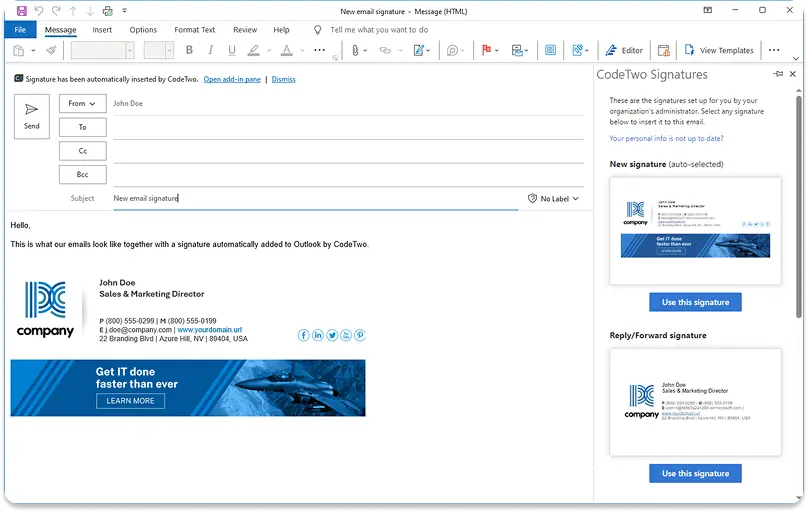
2nd runner-up: CodeTwo
Strongest Microsoft 365-native integration, only vendor with Microsoft 365 Certification. The product is a bit rough around the edges and hard to use for non-technical users.
This is best for marketing teams that want signature-as-channel.
Campaigns, analytics, rotating banners, trackable links. Without filing IT tickets will find WiseStamp’s feature set more purpose-built for them than anything else in this evaluation.
The Employee Hub gives marketing control over brand content while IT keeps governance.
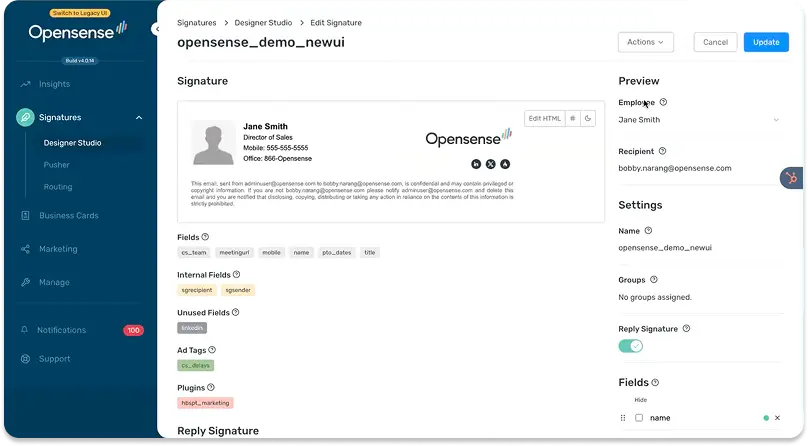
Runner-up: OpenSense
Strongest ABM-targeted banner and native CRM integration offering for US mid-size marketing teams.
2nd runner-up: LetSignit
Comparable campaign feature set: rotating banners, scheduling, and analytics, with stronger multilingual support and HRIS-linked personalization for international marketing teams.
Exclaimer’s compliance is the most complete for Financial services, healthcare, and legal organizations that need data residency, documented certifications, and reliable enforcement at scale.
Worth noting – Exclaimer’s template editor is consistently flagged as hard to use in G2 reviews.
If your compliance team is also your marketing team, design tasks will take longer here than elsewhere.
Runner-up: WiseStamp
EU data residency, SAML SSO, and server-side injection are present.
Note that neither WiseStamp nor Exclaimer have fully documented provable signature state per user per date.
A gap that legal teams in the most tightly regulated environments should verify before signing.
2nd runner-up: LetSignit
LetSignit provides SCIM provisioning via Entra ID, data residency options available, and has GDPR coverage in place. Verify provable-state requirements directly before committing.
CodeTwo holds a Microsoft 365 Certification. This means its security and privacy practices have been formally reviewed by Microsoft.
IT teams in organizations where vendor certification matters in procurement, such as financial services, government contractors, healthcare, should look at CodeTwo before anyone else.
Trade-off to flag: CodeTwo’s signature editor is widely cited in reviews as difficult and unintuitive, particularly for non-technical users.
Runner-up: Exclaimer
Comparable Microsoft 365 depth, broader marketing capability, but shares the same reputation for a complex editor.
2nd runner-up: WiseStamp
No Microsoft 365 Certification, but full M365 compatibility, SAML SSO, server-side injection, and a noticeably easier template design experience.
OpenSense’s native Salesforce and HubSpot integrations are the only ones in this evaluation that let signature banner clicks flow directly into CRM contact records.
If your sales team wants to know which prospects are engaging with their signature CTAs.
Not just overall click counts, but per-contact attribution.
OpenSense is the only tool with a clean answer.
Runner-up: Xink
Salesforce deployment integration (not attribution), plus the broadest multi-source directory sync.
2nd runner-up: LetSignit
Partial CRM integration with HubSpot and Salesforce targeting, a solid choice if you need CRM-aware signature routing but native per-contact click attribution isn’t the primary requirement.
Drag-and-drop signature editor with AI-led signature creation collapses the time needed to set up brand-consistent team signatures to less than 30 minutes for a 50-person organization.
The Employee Hub removes the recurring IT overhead of individual data updates.
I’ve heard from smaller companies how much this matters when the person doing setup is also managing everything else.
Runner-up: LetSignit
Genuinely intuitive interface, fast setup, 24/5 multilingual support.
2nd runner-up: Signitic
Drag-and-drop editor, fast setup, responsive support. Best option if ease-of-use is the priority and price sensitivity is also a factor.
LetSignit’s 24/5 multilingual support and subsidiary architecture make it the clearest choice for European mid-size organizations managing multiple brands or regional entities.
The French support team is specifically cited in reviews as a differentiator for European buyers.
Runner-up: Exclaimer
14 Azure datacenter regions for data residency, stronger enterprise positioning.
2nd runner-up: WiseStamp
EU data residency, multilingual template support, and deep Google Workspace integration with the easiest signature editor in the category.
Signitic delivers a genuinely competitive SMB feature set.
Drag-and-drop editor, HRIS sync, campaign scheduling, and click tracking at the lowest price point among Good-rated SMB tools.
The French support team is rated consistently as hyper-responsive.
For SMBs that want everything WiseStamp offers at a lower price point and don’t need the AI signature creation, Signitic is worth a close look.
Runner-up: NewOldStamp
Functional campaigns and central management at a comparable price point; fewer polish features.
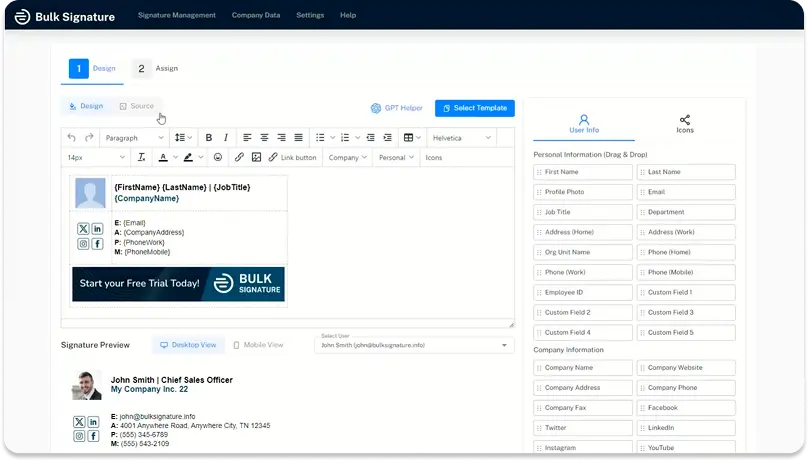
2nd runner-up: BulkSignature
The lowest price point among functional tools in this evaluation. Covers the basics for very small teams where budget matters more than feature depth.
Enterprise Email Signature Software
Which email signature software works best for enterprise?
At enterprise scale, signatures aren’t an admin task. They’re infrastructure.
Every rebrand, compliance requirement, and IT standard has to work across thousands of employees, automatically, without exceptions.
You’ve probably used some signature software before, and you’ve likely been burned. Maybe that tool is on my list.
An enterprise tool is a commitment. This list was made to reduce your margin of error.
Top 3 email signature managers for enterprise
WiseStamp – Good fit, composite score 76.10
Exclaimer – Good fit, composite score 73.95
CodeTwo – Good fit, composite score 57.70
A note on WiseStamp scoring above Exclaimer (why it’s unbiased)
If you know this category, that placement will raise an eyebrow.
Exclaimer has been the enterprise market leader for over 2 decades, founded in 2001, built for enterprise IT from day one, deeply embedded in the Microsoft ecosystem and the IT procurement community.
Their brand recognition in this space is genuine and earned.
The scores here were computed by an AI model against a structured 105-feature evaluation framework across 7 categories, with no editorial intervention in the ranking.
The model has no commercial relationship with any vendor on this list, including WiseStamp, which publishes this article.
What the score reflects is feature coverage breadth, not market position. Exclaimer scores strongly on IT governance and brand management.
It scores lower on usability, marketing self-service independence, and cross-platform coverage, categories that carry real weight in this framework.
WiseStamp only moved seriously upmarket in 2022, which means less enterprise pedigree but also a product designed with newer expectations around editor experience and marketing autonomy.
Market dominance and best fit are not the same thing. Exclaimer’s leadership position was built when the alternatives were worse.
A meaningful share of WiseStamp’s enterprise customer base are organizations that previously used Exclaimer and switched, most commonly citing the editor and ongoing IT dependency as the reasons they left.
Take both scores and the context together.
If your procurement criteria weight IT governance and Microsoft certification above all else, Exclaimer or CodeTwo may rank higher for your specific situation than these composite scores suggest.
How do the best email signature software for enterprise compare?
YES = fully covered. PARTIAL = partially covered or plan-gated. NO = absent. UNCLEAR = not verified in available documentation.
WiseStamp (Enterprise)
Enterprise fit: Good | Score: 76
WiseStamp is one of the best email signature management software for enterprises in this evaluation, combining the broadest feature coverage with a 98/100 SecurityScorecard and the lowest day-to-day operational overhead.
The clearest differentiator is WiseStamp’s three-role governance model: IT sets RBAC rules and multi-brand permissions once, then exits. Marketing runs campaigns, schedules banners, and creates signatures without raising a ticket.
The provisioning limitation is SCIM: WiseStamp runs a daily directory sync, not an event-driven protocol, so new-hire signatures appear at the next cycle rather than within minutes.
Pros
98/100 SecurityScorecard: near-perfect rating, competitive with the top-rated vendor in this evaluation.
Three-role governance model: IT governs and sets guardrails once, marketing and employees operate independently after.
EU data residency removes the GDPR data sovereignty blocker for EMEA enterprise procurement.
Multi-brand architecture with unlimited organizations on Enterprise.
SAML SSO, server-side injection, and automated lifecycle management all fully covered.
Full enterprise marketing channel: rotating banners, campaign scheduling, and click analytics.
Cons
SCIM absent: daily batch sync only, not event-driven protocol.
No provable signature state: regulated industries can’t export point-in-time compliance records.
A/B testing absent: no per-variant analytics for campaign optimization.
Public API deprecated: programmatic integrations are being discontinued.
CRM click attribution absent: deploys to 8 CRMs but can’t track per-contact engagement.
Prices change. Check the pricing page for current rates before budgeting.
WiseStamp’s value for different roles or departments
IT & Admin
WiseStamp’s security posture sits at 98/100 on SecurityScorecard, backed by a full certification stack: SOC 2 Type II, ISO 27001, ISO 27018, HIPAA (2024), GDPR, and CCPA.
EU data residency is available for EMEA deployments. The core enterprise access checklist is covered — SAML SSO, server-side injection, and automated provisioning and offboarding through Microsoft 365 and Google Workspace.
RBAC is granular: administrators lock brand elements globally, define per-role template permissions, and control what employees can personalize. Unlimited brand organizations on Enterprise, each with independent governance, managed from one console.
The honest limitation is SCIM. WiseStamp runs a full daily directory sync rather than event-driven protocol, so new-hire signatures appear at the next cycle rather than within minutes of directory creation.
For most organizations that gap is invisible in practice.
Marketing
IT sets the governance rules, marketing manages campaign content and brand updates, employees update their own contact fields.
The combination removes both IT gatekeeping and employee non-compliance from marketing’s workload. Campaigns, scheduling, rotating banners, and trackable UTM links all work at enterprise scale.
A/B testing is not currently available.
Enterprise marketing operations teams that want to statistically optimize banner variants will need to test variants sequentially and interpret click data manually.
Sales
Sales teams at enterprise companies benefit from WiseStamp’s trackable link infrastructure: UTM-compatible links, per-campaign click analytics, and coordinated banner campaigns across the entire sales organization.
WiseStamp integrates with Salesforce, HubSpot, and 6 other CRM platforms for signature deployment on CRM-sent emails.
The gap is per-contact click attribution. Signature engagement events don’t flow into CRM contact records.
Signature handoff for departed employees is also absent, which creates a relationship continuity gap in account-based sales motions.
HR & People Ops
New hire signature deployment is handled by automated provisioning via directory sync without HR action.
The signature appears at the next sync cycle after the employee is added to the Microsoft 365 or Google Workspace directory.
Automated offboarding removes the signature when the employee is deprovisioned.
The gap is direct HRIS integration.
WiseStamp syncs with Microsoft and Google directories but not with Workday, BambooHR, or Rippling directly.
Organizations where the HRIS is the system of record for employee data may see signature field accuracy drift.
Legal & Compliance
WiseStamp’s compliance posture is strong on certifications.
SOC 2 Type II, ISO 27001, ISO 27018, HIPAA (2024), GDPR, CCPA.
And the EU data residency environment removes the hard GDPR data sovereignty blocker for EMEA enterprises.
Legal disclaimer enforcement via server-side injection (Platform/Enterprise tiers) is reliable.
The unresolved gap for regulated industries.
The audit log records whether email was processed server-side or via add-in. It cannot answer “which exact signature was user X running on date Y.
Compliance teams in financial services, healthcare, or legal firms should treat provable-state reporting as a gap.
Exclaimer (Enterprise)
Enterprise fit: Good | Score: 74
Exclaimer is where I’d point enterprise organizations standardized on Microsoft 365 that need the strongest brand governance in the category and in-region data residency across Azure infrastructure.
I wouldn’t recommend Exclaimer if your organization requires vendor-agnostic SAML SSO (Okta, PingFederate, etc.). Microsoft and Google SSO are both supported, but general SAML is absent.
Pros
Unlimited Brand Kits per tenant: strongest multi-brand governance of any vendor in this evaluation.
14 in-region Azure data centers: broadest data residency coverage of any vendor here.
100/100 SecurityScorecard: top-rated security posture in this evaluation.
Full marketing feature set: rotating banners, campaign scheduling, and click analytics included.
Cons
General SAML SSO absent: Okta and PingFederate users should verify IdP compatibility before committing.
SCIM absent: provisioning runs through directory sync, not event-driven protocol.
Support escalation failures documented in a meaningful minority of reviews.
Editor friction on fonts and custom styling reported persistently in reviews.
Pricing
Plans: Core, Growth, Enterprise. Enterprise pricing is custom. View pricing
Prices change. Check the pricing page for current rates before budgeting.
Exclaimer’s value for different roles or departments
IT & Admin
Exclaimer’s IT story is strong on most dimensions.
In-region data residency across 14 Microsoft Azure datacenters, 100/100 SecurityScorecard, brand kits for unlimited tenants on the Enterprise plan.
A 2024 UI redesign that modernized the admin console.
Azure AD and Okta integration cover the major enterprise identity providers for provisioning.
The SSO picture is partially covered: Microsoft and Google SSO are fully supported and MFA-enforced.
General SAML SSO (for organizations using Okta, PingFederate, or Azure AD as a standalone SAML IdP) is absent. For M365-standardized environments (Exclaimer’s primary market), this is rarely a blocker.
Marketing
Exclaimer’s Brand Kits are the strongest brand governance feature in the category.
Unlimited brand environments with separate templates, logos, and content per brand, all managed from 1 console.
Campaign scheduling, click analytics, rotating banners, and a post-2024 drag-and-drop editor give marketing the core tools they need.
Marketing self-service without IT gatekeeping works once provisioning is configured.
The experience scorecard notes some font and styling friction in the editor that a minority of reviewers flag.
The practical implication: non-trivial design changes (new templates, custom fonts, structural layout edits) tend to route back to IT or a technically capable admin rather than staying fully in marketing’s hands after setup.
A meaningful cohort reports escalation failures in support.
Not the dominant experience, but worth noting for organizations evaluating based on support reliability.
Sales
Sales teams get banner CTAs, campaign analytics, and trackable links.
Native CRM integration that feeds signature click data into Salesforce or HubSpot contact records is not available. Exclaimer’s analytics stay within the platform.
For enterprise sales organizations that want to see prospect engagement in their CRM, this gap is practical.
For organizations primarily focused on brand consistency and coordinated outbound presence across the sales team, the absence of CRM attribution is less material.
HR & People Ops
Automated provisioning via Azure AD, Okta, and Google Workspace means new hires get signatures at the next sync without HR action.
Offboarding removes the signature when the employee is deprovisioned. HRIS integration is absent. The path runs through the Microsoft or Google directory.
For enterprises using Workday or BambooHR as the canonical employee data source, field accuracy depends on how well the HRIS feeds the directory.
Legal & Compliance
Exclaimer’s data residency coverage is the broadest in this evaluation.
14 in-region Azure datacenters, which satisfies most EMEA data sovereignty requirements and many regulated-industry frameworks.
Legal disclaimer enforcement with granular targeting by department, domain, and message type is fully functional.
The gap shared with most vendors: audit-ready compliance for regulated industries that require provable signature state per user per date is not fully documented.
Legal teams in financial services or healthcare should verify this directly.
LetSignit (Enterprise)
Enterprise fit: Moderate | Score: 62
I’d recommend LetSignit to European mid-size and lower-enterprise organizations that need SCIM provisioning from Entra ID, a 24/5 multilingual support model, and a subsidiary architecture that handles multi-entity brand management.
Skip this if your organization requires full SAML 2.0 SSO. LetSignit’s SSO is ADFS-only, which isn’t compatible with Okta or Azure AD SAML environments.
Pros
SCIM from Entra ID: event-driven provisioning that batch-sync competitors don’t match.
Subsidiary architecture: standalone brand environments per entity under one parent account.
24/5 multilingual support rated “hyper-responsive” and “instant” across multiple review sources.
Drag-and-drop editor accessible to non-technical admins without design background.
Cons
SAML SSO is ADFS-only: Okta and Azure AD SAML users will fail compatibility checks.
EU data residency absent: hard blocker for EMEA enterprise procurement.
Outlook Add-in requires periodic reinstallation: a recurring IT friction point.
Audit trail and provable signature state absent: regulated industries should not proceed.
Prices change. Check the pricing page for current rates before budgeting.
LetSignit’s value for different roles or departments
IT & Admin
LetSignit’s enterprise IT story has genuine strengths.
SCIM provisioning from Entra ID is available (not just a marketing claim), which separates it from several competitors at this tier.
The subsidiary architecture is a standout feature for enterprise holding companies.
Each subsidiary gets its own brand environment, templates, and admin access under a unified parent account.
The SSO limitation is worth flagging clearly: LetSignit documents SAML, but the actual implementation is ADFS-only.
This is not universal SAML 2.0 compatibility. IT teams using Okta, Azure AD SAML, or other SAML 2.0 identity providers should test this before committing.
Marketing
Marketing self-service via RBAC works well: IT configures delegated campaign access, marketing operates independently with scheduling, click analytics, and rotating banners.
The interface is rated as intuitive enough for non-technical marketing users.
“anyone can manage in minutes. One recurring friction point: the Outlook Add-in requires periodic reinstallation, which IT will need to handle reactively rather than proactively.
Sales
LetSignit provides campaign analytics, banner CTAs, and scheduling: the core tools sales teams need for a signature-as-channel strategy.
CRM integration is partial at best; native Salesforce or HubSpot data attribution is not a documented capability.
Sales teams primarily interested in consistent branding and campaign presence will be served; sales teams wanting per-contact engagement data in their CRM will hit limitations.
HR & People Ops
SCIM provisioning from Entra ID means new hire signature deployment is event-driven.
When IT adds a user to the directory, LetSignit receives the SCIM event and provisions the signature.
This is a meaningful operational difference from tools that run daily batch syncs. Offboarding works the same way.
HRIS integration is absent, so the Microsoft directory remains the source of truth for signature field accuracy.
Legal & Compliance
I didn’t find EU data residency support in LetSignit’s documentation. For EMEA-regulated enterprises, that’s a gap worth raising directly with the vendor.
Certifications and compliance posture beyond GDPR are not prominently documented. Legal disclaimer enforcement via server-side injection is functional.
The audit trail and provable-state capability is absent.
OpenSense (Enterprise)
Enterprise fit: Moderate | Score: 58
OpenSense is the one I’d bring to US-based enterprise evaluations where marketing and sales are driving the purchase and per-contact CRM attribution from signature banners is a strategic requirement. The ABM-targeted campaign capability is what separates it from the rest.
I’d look elsewhere if your organization has EU data residency requirements (absent here), or if your IT team needs a simple, low-friction onboarding experience.
Pros
Only tool with ABM-targeted banners driven by real-time CRM data.
Contact-level click attribution in Salesforce and HubSpot: no other tool does this.
Highest support score in this evaluation: compensates meaningfully for setup complexity.
Prices change. Check the pricing page for current rates before budgeting.
OpenSense’s value for different roles or departments
IT
OpenSense’s IT onboarding is the most consistently flagged challenge in the review data.
“difficult setup process, often requiring IT help and HTML knowledge,” “complex administration. The setup investment is real.
What compensates for it is the G2 Quality of Support score.
9.6/10, the highest sub-score of any vendor in this evaluation, reflecting a customer success model that assigns onboarding resources specifically to offset setup complexity.
Once deployed, the tool is consistently described as “just works.
IT teams that want a tool they can configure once and never think about will find OpenSense manageable post-setup.
IT teams with limited bandwidth for onboarding should plan for the up-front investment.
Marketing
OpenSense’s ABM-targeted banner capability is the most differentiated marketing feature in this evaluation.
Banners can be targeted using real-time CRM data.
Showing a prospect-specific offer when an employee emails a contact tagged with a specific campaign or persona in Salesforce or HubSpot.
This turns every sales and support email into an account-based marketing touchpoint, which no other tool in this list does.
Campaign scheduling, analytics, and the broadest native sales tool integrations (LinkedIn Sales Navigator, Outreach, Salesloft, Gong) round out the marketing story.
Sales
OpenSense is the clearest win for sales-driven organizations in this evaluation.
The native Salesforce and HubSpot integrations mean banner clicks flow into CRM contact records as engagement events.
A salesperson can open a Salesforce contact record and see that the prospect clicked their signature CTA.
This is the only vendor in the evaluation with this capability.
Sales tool integrations extend further: LinkedIn Sales Navigator, Outreach, Salesloft, and Gong are all documented.
For enterprise sales operations teams building a data-driven outbound motion, OpenSense is the strongest option.
HR
Directory sync handles automated provisioning and offboarding.
SCIM runs as daily batch sync. The Help Center documentation describes batch behavior, and the marketing claim of “Live” SCIM appears to be inaccurate.
HR teams evaluating OpenSense should verify SCIM compliance directly with the vendor before using it as a procurement criterion. HRIS integration is absent.
Legal
EU data residency is absent, which eliminates OpenSense from EMEA enterprise evaluations with data sovereignty requirements.
GDPR compliance is claimed but the documentation on certifications, audit trail, and provable state is thin.
For US-based enterprise organizations with standard compliance frameworks, OpenSense is workable. For regulated industries or EMEA-based organizations, the compliance posture requires additional verification before procurement.
CodeTwo (Enterprise)
Enterprise fit: Good | Score: 58
CodeTwo is the one I’d bring to IT-led enterprise evaluations on Microsoft 365 exclusively, particularly where Microsoft 365 Certification is on the procurement checklist and IT is running the decision.
This isn’t the right fit if your organization uses Google Workspace, expects marketing self-service, or needs a no-code editor.
Pros
Only ESM vendor with Microsoft 365 Certification: externally verified Microsoft-native integration.
Highest-rated support profile in the category: “outstanding, responsive, knowledgeable, and quick.”
Full SCIM provisioning via Azure AD: automated provisioning without batch-sync limitations.
Hybrid Exchange on-premises and cloud support on all plans, not just enterprise.
Product matches documentation exactly: no marketing overclaims, no surprise feature gaps.
Cons
Microsoft 365 only: Google Workspace, Gmail, and Apple Mail users are excluded.
No drag-and-drop editor: template editing requires M365 admin comfort.
Marketing self-service requires IT delegation configuration upfront: not autonomous out of the box.
No public API by design: custom integrations and programmatic workflows not possible.
Prices change. Check the pricing page for current rates before budgeting.
CodeTwo’s value for different roles or departments
IT & Admin
CodeTwo is the only email signature tool in this evaluation with Microsoft 365 Certification.
A formal security and privacy review by Microsoft that carries genuine weight in procurement processes for financial services organizations, government contractors, and healthcare providers.
SCIM provisioning via Azure AD, SAML SSO (Microsoft identity stack), server-side injection, automated lifecycle management, and hybrid Exchange on-premises support are all fully covered.
IT directors evaluating email signature tools under strict Microsoft governance requirements will find no comparable alternative.
The setup has a documented learning curve for non-M365-native admins, particularly around mail flow rules.
Marketing
Marketing is not CodeTwo’s primary buyer, and the product reflects this. Campaigns, scheduling, click analytics, and banner management all exist and are functional.
Marketing self-service requires IT to configure delegated access first. It’s achievable but not autonomous out of the box.
There’s no drag-and-drop design editor in the traditional sense, and no A/B testing.
Template changes after initial setup require the same Microsoft admin skills as setup. This isn’t a one-time configuration cost but an ongoing dependency for any team that needs to update signature designs, not just campaign content.
For organizations where marketing is a secondary stakeholder and IT owns the evaluation, this is acceptable.
For organizations where marketing is the primary driver of purchase, CodeTwo is likely to lose to more marketing-forward tools.
Sales
CodeTwo provides click analytics for signature campaigns but no native CRM integration. Signature banner clicks don’t flow into Salesforce or HubSpot contact records.
The product is positioned for IT-driven compliance and governance, not sales performance measurement.
Sales teams at Microsoft-only enterprises that primarily need a consistent, professionally deployed signature.
rather than a campaign channel with pipeline attribution, will be adequately served.
HR & People Ops
CodeTwo’s Azure AD integration drives fully automated provisioning and offboarding.
Add a user to the relevant Azure AD group, signature is deployed at the next sync.
Remove the user, signature stops.
The hourly sync cadence means provisioning isn’t instantaneous at the minute level, but the automation is genuine and HR involvement in signature management approaches zero.
HRIS integration is absent. The path from Workday or BambooHR to signature accuracy runs through the Microsoft directory, not directly.
Legal & Compliance
CodeTwo has the strongest compliance foundation of any Microsoft-focused vendor in this evaluation: Microsoft 365 Certification, SOC 2, GDPR, data residency within Microsoft Azure tenants.
Legal disclaimer enforcement via server-side injection is reliable and technically enforced, not advisory.
The gap affecting regulated industries is the same as most vendors.
Provable signature state (which exact signature was user X running on date Y) is absent. CodeTwo is not audit-ready for regulated industries requiring provable-state reporting.
Rocketseed (Enterprise)
Enterprise fit: Moderate | Score: 45
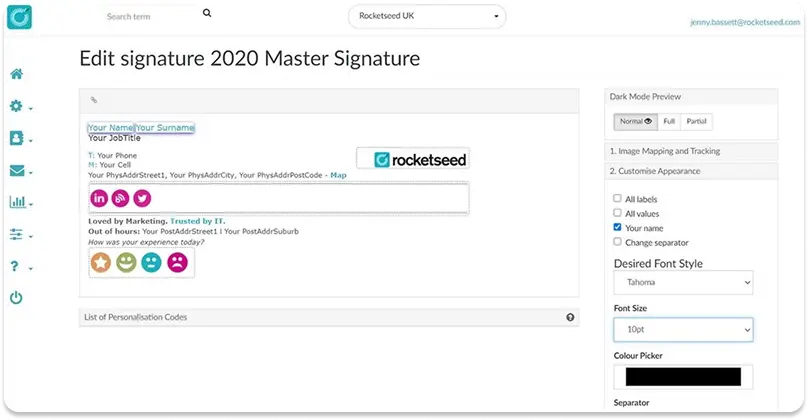
Rocketseed makes sense for enterprise brands that want signatures, campaigns, and banner design handled externally rather than managed in-house. Their team designs, deploys, and loads campaign creative. Your team monitors results and approves content.
I’d skip this if your team wants full self-service control or needs to make changes without going through a vendor first.
Pros
Dedicated account managers standard on all plans: not an upsell or enterprise-only add-on.
Managed service: your team never owns the tool, templates, or campaign operations.
Professional design team handles all creative: no internal design resources required.
Days to go-live: managed deployment is faster than self-serve onboarding.
Cons
No self-service: every change, campaign update, or new banner requires vendor involvement.
Pricing scales poorly: cost-efficiency deteriorates as headcount grows.
Compliance documentation (certifications, audit trail, data residency) not prominently published.
Pricing is customized per engagement. Expect account-manager-assisted scoping.
Rocketseed’s value for different roles or departments
IT & Admin
Rocketseed operates as a managed service.
IT’s role is to enable integration access and provide directory data. After that, Rocketseed’s account management team handles deployment, template setup, and campaign loading.
For IT teams that want signatures permanently off their plate with no internal tool ownership, this is attractive.
The tradeoff is dependency: any change, update, or campaign requires Rocketseed’s team involvement.
Turnaround is generally fast, but the autonomous self-service model that most IT buyers expect from software-as-a-service isn’t available here.
Marketing
Marketing teams interact with Rocketseed primarily through a dedicated account manager who handles campaign scheduling, creative uploads, and reporting.
The product delivers coordinated campaigns across the workforce with analytics and attribution.
The limitation is operational rhythm: marketing can’t log in and push a last-minute campaign update independently.
For brands that run planned quarterly campaigns with advance notice, this works.
For organizations that need the ability to push a banner change same-day in response to a product launch or market event.
The managed service model creates friction.
Sales
Rocketseed covers the core sales signature use case: consistent branded signatures with campaign CTAs and click analytics. Contact-level CRM attribution isn’t a documented capability.
The managed service handles sales team signature updates and campaign coordination at scale without requiring sales operations to manage a tool.
For enterprise sales organizations that primarily want brand-consistent signatures deployed reliably, Rocketseed is adequate.
HR & People Ops
The managed service model handles provisioning and offboarding as part of the deployment service.
New hires and leavers are managed through data feeds to the Rocketseed team.
HRIS integration isn’t documented as a native product feature. The process runs through whatever directory or HRIS feed the customer provides.
HR teams that want fully automated self-service lifecycle management may find the managed service model less predictable than a native directory sync.
Legal & Compliance
Rocketseed’s managed service structure means a professional team is responsible for ensuring legal disclaimers are correctly applied and current.
For organizations that want to outsource that responsibility rather than own it internally, this is a real benefit.
The compliance documentation (certifications, audit trail, data residency specifics) is not prominently published, and teams with formal compliance review requirements should request documentation directly.
Symprex (Enterprise)
Enterprise fit: Moderate | Score: 42
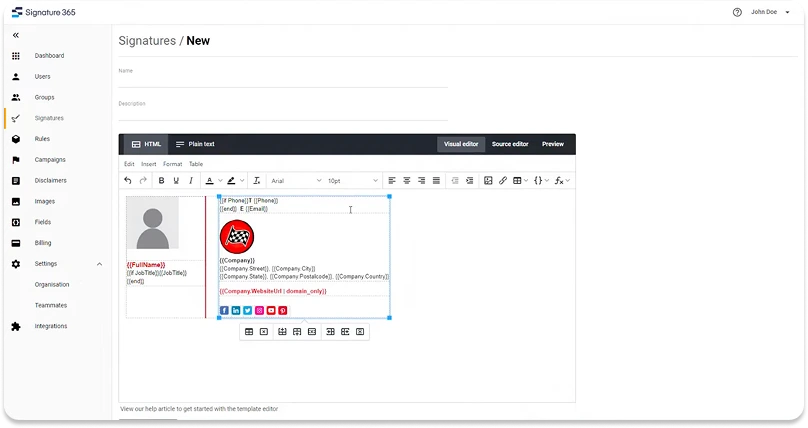
I’d send Symprex to Microsoft-only enterprises with hybrid on-premises Exchange environments, where IT owns the evaluation and technical depth matters more than usability or marketing features.
I wouldn’t put this in front of a team that requires SAML SSO for admin access (absent) or needs audit trail documentation (also absent).
Pros
20+ year Microsoft Partner: deepest Exchange and M365 native integration in the category.
Hybrid Exchange on-premises and cloud support on all plans.
Multi-tenant management from one account: correct structure for multi-subsidiary organizations.
Server-side injection on all plans without tier gating or additional cost.
ISO 27001, SOC 2, and HIPAA documentation all current.
Cons
SAML SSO absent: hard procurement blocker for Okta, Azure AD SAML, or similar IdP.
No Google Workspace support: Microsoft-only by architecture.
Audit trail and provable signature state absent: regulated industries face a hard compliance gap.
No public API: custom integrations and programmatic workflows are not possible.
Check the pricing page for current rates before budgeting.
Symprex’s value for different roles or departments
IT & Admin
Symprex has 20+ years of Exchange and Microsoft 365 experience, and it shows in the technical depth.
Hybrid on-premises Exchange and cloud support, multi-tenant management from a single account, deep Entra ID integration with dynamic security group support and custom attribute mapping.
Server-side injection on all plans without tier gating.
IT directors at large Microsoft-only organizations will find Signature 365 technically credible in ways that newer cloud-native tools aren’t.
The procurement-blocking gap is SAML SSO, absent from the feature set.
Enterprise IT teams with Okta, Azure AD SAML, or Ping Identity as their IdP will find this a hard blocker.
Marketing
The Campaigns module covers scheduling, group targeting, click and impression tracking, and multiple simultaneous banners. RBAC allows IT to delegate campaign management to marketing.
Where Symprex falls short for marketing buyers.
There’s no drag-and-drop editor (the ribbon-based HTML editor requires more technical comfort), A/B testing is absent, and CRM integration doesn’t exist.
Marketing-led buying committees at enterprises will find Symprex less compelling than marketing-forward alternatives.
Sales
Sales gets campaign click tracking and consistent signature deployment. CRM integration is absent. No UTM link support, no native Salesforce or HubSpot connection.
For sales-driven enterprises that want signatures as a pipeline intelligence tool, Symprex has nothing to offer in this dimension.
HR & People Ops
Entra ID group sync with hourly cadence means provisioning and offboarding are automated for all employees managed through Entra ID.
The automation is genuine and reliable. HRIS integration is not available. Entra ID is the source of truth.
Legal & Compliance
ISO 27001, ISO 27018, SOC 2, GDPR, CCPA, and HIPAA documentation are all current, providing a credible certification foundation for procurement review.
Email processed server-side stays within Microsoft Azure, which satisfies many security reviewers.
The compliance gap: audit trail and provable signature state are absent. Regulated-industry legal teams should treat this as a hard procurement blocker.
Templafy (Enterprise)
Enterprise fit: Moderate | Score: 38
Templafy belongs on the shortlist only if your organization already uses it for document and brand content management across Microsoft Office. It adds email signatures as a module within that existing investment, not as a standalone product.
I wouldn’t evaluate this as a standalone email signature purchase. In my view, the complexity, UX issues, and compatibility failures make it a poor fit for any organization that isn’t already a Templafy customer.
Pros
SAML SSO, SCIM, and enterprise data residency confirmed: strongest compliance credentials in the set.
Signatures, documents, and presentations under one roof: consolidates the brand content stack.
Auto-fires in Office apps without any end-user action required.
Cons
Documented compatibility failures in Teams, Outlook, and Solidworks: signatures may not appear at all.
Lowest UX and satisfaction scores in this evaluation: driven by real delivery failures.
Only viable if you’re already a Templafy customer: not competitive as a standalone tool.
Templafy does not publish pricing. Contact sales for a quote.
Templafy’s value for different roles or departments
IT & Admin
Templafy is a document management and brand compliance platform first; email signature management is one of many modules.
For IT teams already managing Templafy licenses for document templates, adding signature management to the same platform has logical appeal.
For IT teams evaluating email signature tools independently, the documented compatibility failures.
The tool firing incorrectly in Teams, Outlook, and other applications, requiring deactivation to work, are serious concerns.
“I had to manually deactivate it to even be able to work” is not an acceptable outcome for an enterprise IT deployment.
Marketing
Marketing teams evaluating Templafy for email signature management will find it constrained relative to purpose-built ESM tools.
The campaign and banner capabilities are present but limited compared to Exclaimer, OpenSense, or WiseStamp’s marketing feature set.
The value proposition for marketing is really about unified brand content management across Office documents, email, and presentations, not signature campaigns specifically.
Sales
Templafy delivers consistent signature deployment at scale, which benefits sales teams.
The absence of CRM integration, click tracking native to the signature tool.
Campaign analytics specific to email signatures means sales doesn’t gain the measurement layer that signature-as-channel tools provide.
HR & People Ops
Directory sync and provisioning work through the standard enterprise identity stack. HRIS integration is documented at the broader Templafy platform level.
The complexity of the tool means HR involvement in troubleshooting compatibility issues is a real risk.
Legal & Compliance
Templafy’s enterprise credentials, including SAML SSO, SCIM, data residency options, and certifications, are stronger than most ESM-specific tools.
If the primary buying criterion is compliance infrastructure, Templafy’s documented posture is solid.
The practical problem is that the delivery mechanism is unreliable.
Compatibility failures mean the signature may not appear, may appear incorrectly, or may prevent employees from working at all.
Mid-Size Email Signature Software
Which email signature software works best for mid-size teams?
Mid-size buyers are making 2 decisions at once.
IT wants to take signatures off the ticket queue forever, and marketing wants to use the channel without filing a ticket for every campaign.
The tools that win here are the ones where both sides can say yes.
The tools that lose are the ones that serve 1 side well and ignore the other.
Top 3 email signature managers for mid-size
Exclaimer – Strong fit, composite score 82.50
WiseStamp – Strong fit, composite score 81.45
OpenSense – Good fit, composite score 83.10
How do the top email signature software for mid-size compare?
For mid-size organizations on Microsoft 365, Exclaimer is hard to beat on brand governance, deployment reliability, and admin experience.
Microsoft and Google SSO are fully supported. General SAML SSO (for Okta-primary or PingFederate environments) is the 1 gap IT teams should verify before committing.
Pros
Unlimited Brand Kits: best multi-brand governance capability in the mid-size.
Broadest identity provider coverage: Azure AD, Okta, and Google Workspace all supported.
Modern admin UX post-2024 redesign: significantly more accessible than older versions.
14 in-region Azure datacenters: covers mid-size EMEA data residency requirements.
Cons
General SAML SSO absent: Okta and PingFederate users should verify compatibility before committing.
SCIM absent: provisioning is directory sync, not event-driven protocol.
Editor friction on complex fonts and custom styling.
Support escalation failures documented in a meaningful minority of reviews.
Cancellation and billing process draws specific criticism in reviews.
Prices change. Check the pricing page for current rates.
Exclaimer’s value for different roles or departments
IT & Admin
Exclaimer covers the mid-size IT checklist. Azure AD, Okta, and Google Workspace directory sync handle provisioning and offboarding. Server-side injection ensures enforcement.
RBAC separates IT governance from marketing campaign access.
The 2024 UI redesign significantly improved the admin experience. IT admins who evaluated Exclaimer before the redesign should re-assess.
Microsoft and Google SSO are fully supported with mandatory MFA. The gap is general SAML SSO: if your organization requires SAML-protocol compliance for all SaaS tools (Okta-primary environments), verify this before committing.
Marketing
Exclaimer’s Brand Kits are the strongest brand governance feature for mid-size marketing teams.
Marketing can build and manage unlimited brand environments with full visual control, push campaigns on schedule, and access click and impression analytics.
Routine campaign operations, including swapping banners, adjusting scheduling, and pulling analytics, are genuinely self-service post-setup.
The editor has friction points for complex styling (fonts and custom design elements), but the core campaign and brand management workflow is clean.
Where the independence breaks down: anything beyond routine content swaps (new template structures, font changes, custom layout edits) tends to pull IT back in. Marketing teams expecting full design ownership after handoff will find this limiting compared to tools with more accessible editors.
Sales
Campaign analytics and click tracking give sales teams visibility into banner performance. Native CRM attribution (seeing which specific contacts clicked) is not available.
For sales teams that primarily want branded, professional signatures across the team with basic campaign capability, Exclaimer is sufficient.
HR & People Ops
Azure AD and Okta sync drive automated provisioning and offboarding. New hires get signatures at the next sync cycle; departing employees are deprovisioned automatically.
HRIS integration isn’t directly available. Directory sync is the integration path.
Legal & Compliance
Legal disclaimer enforcement with granular targeting works reliably. Data residency across 14 Azure regions covers most mid-size EMEA compliance needs.
The full compliance posture for regulated industries should be verified directly.
WiseStamp (Mid-Size)
Mid-Size fit: Strong | Score: 81
WiseStamp is one of the strongest mid-size picks in this evaluation, and the clearest Exclaimer alternative for organizations that aren’t locked into Microsoft 365.
It works natively across both Google Workspace and Microsoft 365, includes full SAML SSO, server-side injection, and RBAC without enterprise-tier gating, and its Employee Hub resolves the core mid-size tension of “marketing wants campaigns, IT wants governance” structurally rather than through manual coordination.
Where Exclaimer’s SAML SSO is only partial and its editor is consistently flagged in reviews as harder to use, WiseStamp offers full SAML SSO and the easier signature editor of the two, at a composite score within a point of Exclaimer’s.
Real-time SCIM and native CRM attribution aren’t part of the package, which is worth flagging for IT-heavy organizations or sales-ops teams that specifically require them.
Pros
Employee Hub: marketing updates campaigns autonomously. IT sets governance once and walks away.
Google Workspace and Microsoft 365 both supported: no exclusions for mixed environments.
SAML SSO, server-side injection, and RBAC all available without enterprise-tier gating.
Full marketing channel: rotating banners, campaign scheduling, and click analytics included.
Fastest non-technical deployment path in this mid-size evaluation.
Cons
SCIM absent: daily batch sync only, not event-driven protocol.
A/B testing absent: no per-variant analytics for campaign optimization.
Signature enforcement is plan-gated: requires Platform tier or above.
CRM click attribution absent: deploys to 8 platforms but can’t track per-contact engagement.
Signature handoff for departed employees is absent.
Prices change. Check the pricing page for current rates.
WiseStamp’s value for different roles or departments
IT & Admin
WiseStamp’s IT story at mid-size is built around the Employee Hub governance model: IT sets template structure, field locks, and access rules.
Employees update their own contact fields through a self-service portal; marketing manages campaigns without opening tickets.
Directory sync, SAML SSO, and server-side injection (Platform tier and above) cover the mid-size IT checklist.
The gaps: SCIM is daily batch sync rather than event-driven protocol, and A/B testing is absent.
For most mid-size IT directors, the daily sync is operationally adequate; for organizations where the distinction matters, it’s worth raising.
Marketing
The Employee Hub combined with the campaigns module gives marketing mid-size’s most complete self-service brand management story.
Marketing controls campaign scheduling, rotating banners, click analytics, and brand content updates without involving IT for each change.
Signature enforcement on the Platform tier ensures brand consistency is maintained across the organization once IT configures the rules. The missing feature: A/B testing.
Data-driven marketing teams at larger mid-size organizations that want to scientifically optimize which banner variant drives more clicks will find this gap frustrating.
Sales
Trackable UTM links, banner CTAs, and campaign analytics give sales teams a functional signature channel.
WiseStamp integrates with Salesforce, HubSpot, and 6 other CRM platforms for signature deployment on CRM-sent emails.
The gap is per-contact click attribution. Signature engagement events don’t flow into CRM contact records.
Sales teams using UTM-based attribution via GA4 can track campaign performance; teams that need in-CRM engagement events cannot.
HR & People Ops
Automated provisioning and offboarding via directory sync work reliably.
The Employee Hub additionally reduces HR’s involvement in the recurring overhead of individual signature updates.
Employees maintain their own photos, titles, and contact details within whatever constraints IT sets.
HRIS integration is absent. Workday, BambooHR, and Rippling are not directly connected.
Legal & Compliance
Legal disclaimer enforcement via server-side injection (Platform tier), SOC 2 Type II, ISO 27001, and GDPR compliance cover most mid-size legal requirements.
The provable-state gap (no point-in-time signature query) affects regulated industries specifically. For mid-size organizations outside regulated industries, WiseStamp’s compliance posture is adequate.
OpenSense (Mid-Size)
Mid-Size fit: Good | Score: 83
OpenSense is my pick for US mid-size organizations where sales and marketing are driving the purchase and CRM integration is a strategic requirement.
The ABM-targeted banner capability is worth the setup complexity investment.
I’d steer clear if your team doesn’t have IT resources for onboarding, or if you’re in EMEA with data residency requirements.
Pros
Only tool with ABM-targeted banners driven by real-time CRM data.
Contact-level click attribution in Salesforce and HubSpot: no other mid-size tool matches this.
Highest support score in the evaluation: offsets the setup difficulty.
Sales tool integrations: LinkedIn Sales Navigator, Outreach, Salesloft, and Gong included.
SAML SSO present: meets the identity management standard for mid-size IT teams.
Cons
Setup consistently requires IT help and HTML knowledge: not self-sufficient for marketing teams.
No drag-and-drop editor: templates require HTML skills or design resources.
No EU data residency: excluded from any EMEA mid-size evaluation.
SCIM is daily batch sync, not live (marketing description is inaccurate).
Prices change. Check the pricing page for current rates.
OpenSense’s value for different roles or departments
IT & Admin
OpenSense setup is consistently described in reviews as more complex than alternatives.
“difficult setup process, often requiring IT help and HTML knowledge. The no-drag-and-drop-editor limitation means template creation requires HTML knowledge or design resources.
The compensation is the support model: G2 Quality of Support 9.6/10 means help is consistently available when the complexity bites. SAML SSO is present.
SCIM runs as daily batch sync per the Help Center. The “Live” marketing claim appears inaccurate.
Marketing
OpenSense’s ABM-targeted banner capability is the most differentiated marketing feature in this evaluation at any segment.
Banners can be served based on real-time CRM data: a prospect in a specific account list gets a different banner than a general contact.
For mid-size B2B teams running account-based programs, this is a genuine channel capability that no other tool provides.
Campaign scheduling, analytics, and coordination across the entire workforce all work.
Sales
Native Salesforce and HubSpot integrations (contact-level click attribution) make OpenSense the clearest choice for sales-driven mid-size organizations.
Sales reps can see in their CRM which prospects engaged with their signature CTA.
Beyond attribution, integrations with LinkedIn Sales Navigator, Outreach, Salesloft, and Gong cover the major sales tech stack tools.
HR & People Ops
Directory sync handles automated provisioning and offboarding.
The SCIM ambiguity noted above applies. HR teams relying on real-time provisioning events should verify the actual sync model before committing.
Legal & Compliance
EU data residency is absent, which eliminates OpenSense from EMEA mid-size evaluations with data sovereignty requirements.
For US-based mid-size companies, the compliance posture requires vendor-assisted verification for regulated industries.
LetSignit (Mid-Size)
Mid-Size fit: Good | Score: 74
I’d recommend LetSignit for mid-size organizations, particularly European teams, that need SCIM from Entra ID, a multi-entity brand architecture, and 24/5 multilingual support.
The SAML SSO limitation (ADFS-only) is the key gap to verify against your identity infrastructure.
Pros
SCIM from Entra ID: event-driven provisioning that batch-sync competitors can’t match.
Subsidiary architecture: independent brand environments per entity under one parent account.
24/5 multilingual support: specifically valued by European and international mid-size teams.
Intuitive interface: accessible to non-technical marketing users without training overhead.
Cons
SAML SSO is ADFS-only: test Okta and Azure AD SAML compatibility before committing.
Data residency options absent: European teams with sovereignty requirements face a hard blocker.
Outlook Add-in requires periodic reinstallation: a recurring IT friction point.
Prices change. Check the pricing page for current rates.
LetSignit’s value for different roles or departments
IT & Admin
LetSignit’s SCIM from Entra ID puts it ahead of most Good-tier mid-size tools on the provisioning dimension.
Server-side injection, RBAC, and central template management all work well. The drag-and-drop editor is accessible enough for non-technical admins.
The Outlook Add-in reinstallation requirement is a recurring friction point that IT will need to address reactively.
SAML SSO is documented as supported, but the actual implementation is ADFS-only.
Which means compatibility testing against Okta, Azure AD SAML, or other identity providers is essential before procurement.
Marketing
Marketing self-service is genuine: RBAC delegation lets marketing manage campaigns independently after IT setup. Rotating banners, scheduling, and analytics are all functional.
The interface is consistently rated as intuitive by marketing users.
One limitation: very specific brand styling requirements may run into constraints in the editor that less design-intensive teams wouldn’t encounter.
Sales
Campaign analytics and banner CTAs give sales teams visibility and a channel. CRM attribution is partial, not the native Salesforce integration that OpenSense provides.
For sales teams primarily interested in branding and presence rather than pipeline attribution, LetSignit is adequate.
HR & People Ops
SCIM from Entra ID means provisioning events are processed as they happen rather than on a daily batch cycle.
New hire signatures appear quickly after directory provisioning; offboarding is handled immediately on deprovisioning. HRIS integration is not documented.
Legal & Compliance
Data residency is absent. European mid-size teams with data sovereignty requirements should treat this as a blocker.
Legal disclaimer enforcement via server-side injection works. Compliance certification details beyond GDPR should be obtained from the vendor.
Signitic (Mid-Size)
Mid-Size fit: Good | Score: 72
Signitic is worth a close look for mid-size organizations, particularly European teams, that want a full-featured platform at a significantly lower price point than Exclaimer, WiseStamp, or LetSignit.
Signitic delivers drag-and-drop design, HRIS integration, SAML SSO, and campaign analytics at the lowest price point among Good-rated mid-size tools.
Not the right fit if your team relies on mobile Outlook. It’s not supported.
Pros
Lowest price-to-capability ratio of any Good-rated mid-size tool.
Native HRIS integration: signature fields sync directly from HR systems, not just directory.
SAML SSO confirmed: meets the IT procurement standard without additional configuration.
French support team rated “hyper-reactive”: a genuine differentiator across multiple review sources.
Cons
No Outlook on iOS/Android: confirmed gap for mobile Outlook users.
Outlook Add-in propagation after config changes takes up to 72 hours.
Template library not refreshed frequently: one reviewer cited 18 months unchanged.
Annual-only billing: no monthly payment option available.
Prices change. Check the pricing page for current rates.
Signitic’s value for different roles or departments
IT & Admin
Signitic provides SAML SSO, direct M365, Google Workspace, and HRIS sync (not just directory sync.
Actual HRIS integration is a documented differentiator), server-side injection, and RBAC.
The French support team is rated “hyper-reactive” and specifically cited as a differentiator over larger vendors.
Setup is described as fast and the onboarding process is smooth.
The documented IT limitation: Outlook on iOS and Android doesn’t work. Signitic explicitly acknowledges this.
For organizations with significant mobile Outlook usage, this is a practical gap
Marketing
Marketing gets drag-and-drop design, campaign scheduling, click tracking. Analytics at a price point that makes it accessible to teams that previously couldn’t justify ESM investment.
The template library hasn’t been refreshed in 18 months per reviewer feedback, which is worth noting for brand teams with high design standards.
Self-service without IT involvement is genuine.
Sales
Campaign analytics and banner CTAs are functional. Native CRM integration is partial, not the full Salesforce/HubSpot attribution that OpenSense provides.
For price-sensitive mid-size teams where the budget for a fully integrated sales signature platform isn’t available, Signitic’s campaign analytics are adequate.
HR & People Ops
Signitic’s HRIS integration is a genuine differentiator at this price point.
Direct sync from HRIS data, not just Microsoft/Google directory, means signature fields stay accurate as employee titles and details change.
For mid-size organizations where the HR system is the source of truth for employee data, this is a meaningful operational advantage.
Legal & Compliance
GDPR compliance is documented. The compliance posture for regulated industries should be verified directly. Legal disclaimer enforcement via server-side injection works.
CodeTwo (Mid-Size)
Mid-Size fit: Good | Score: 68
CodeTwo is my recommendation for IT-led mid-size organizations running exclusively on Microsoft 365, where deep Microsoft integration and Microsoft 365 Certification are on the procurement checklist.
Skip this if you have Google Workspace users or a marketing-led buying committee expecting a self-service campaign platform.
Pros
Only ESM vendor with Microsoft 365 Certification: externally verified integration quality.
Strongest support profile in this evaluation: “outstanding, responsive, knowledgeable, and quick.”
SCIM via Azure AD, SAML SSO, and server-side injection all confirmed.
Hybrid Exchange on-premises and cloud support: covers mixed Microsoft environments completely.
No marketing overclaims: feature-to-plan alignment is transparent and predictable.
Cons
Microsoft 365 only: Google Workspace organizations are structurally excluded.
No drag-and-drop editor: template work requires M365 admin skill.
Marketing self-service requires upfront IT delegation configuration: not autonomous out of the box.
No CRM integration: no contact-level attribution from signature clicks.
Prices change. Check the pricing page for current rates.
CodeTwo’s value for different roles or departments
IT & Admin
CodeTwo’s Microsoft 365 Certification, server-side injection on all plans, Azure AD sync.
Hybrid Exchange support make it the most technically credible Microsoft-only option in this evaluation at mid-size.
Setup has a learning curve for non-M365-native admins. Mail flow rules require genuine Microsoft admin familiarity.
On the infrastructure side (provisioning, enforcement, deployment), the product is largely hands-off post-setup.
“Set it up once, never touch it again” is a common review sentiment, and it’s accurate for that layer.
The distinction worth noting: template and campaign changes are a different story. Those still require Microsoft admin skills or HTML knowledge, which means IT stays in the loop whenever signature designs need updating, not just during initial setup.
Marketing
Marketing self-service requires IT to configure delegated access first, which means marketing isn’t autonomous out of the box.
Campaign scheduling, banner analytics, and click tracking all work once configured.
There’s no drag-and-drop editor in the traditional sense. Template creation requires Microsoft admin skills or HTML.
For marketing teams that expect to own their campaign workflow independently, CodeTwo will feel IT-dependent in a way that frustrates them.
Sales
Consistent branded signature deployment for the sales team, with campaign analytics. No native CRM integration. No contact-level attribution in Salesforce or HubSpot.
For sales teams primarily focused on branding and compliance rather than pipeline measurement, this is acceptable.
HR & People Ops
Azure AD sync drives automated provisioning and offboarding reliably. The hourly sync means new hire signatures appear quickly after directory provisioning.
CodeTwo’s support score means that when something goes wrong, it gets fixed quickly.
Legal & Compliance
Microsoft 365 Certification and Azure-native architecture provide a credible compliance foundation. Legal disclaimer enforcement via server-side injection is technically enforced.
Provable signature state per user per date is absent. CodeTwo is not audit-ready for regulated industries.
Xink (Mid-Size)
Mid-Size fit: Good | Score: 65
I’d send Xink to mid-size IT directors dealing with complex hybrid Microsoft environments, multi-source directory infrastructure, or on-premises Exchange still in production.
The deployment breadth and multi-source directory sync are genuine differentiators for organizations that other tools struggle to serve.
I’d skip this if your organization needs SAML SSO (absent) or expects a no-code template editor.
Pros
Widest directory support in the evaluation: on-prem AD, Entra ID, GWS, Workday, and Dynamics.
Hybrid Exchange and Exchange Online: covers on-premises environments competitors can’t.
Marketing self-service after 45-minute IT setup: marketing runs campaigns without IT involvement.
REST API for custom automation and integrations: rare in the mid-size tier.
Deployment breadth: Classic Outlook, New Outlook, iOS, Android, Citrix, RDS, and Azure VD.
Cons
SAML SSO absent: hard procurement blocker for Okta, Azure AD SAML, or similar.
No drag-and-drop editor or template gallery: requires design skills or HTML knowledge.
No version history or rollback: template update errors cannot be undone.
A/B testing absent: no way to optimize campaign banner performance.
CRM integration is deployment-only: no contact-level attribution from signature clicks.
Pricing
Plans: Small Business, Business, Agency. View pricing
Prices change. Check the pricing page for current rates.
Xink’s value for different roles or departments
IT & Admin
Xink’s multi-source directory sync is the product’s clearest IT differentiator.
On-premises Active Directory (ADExport), Entra ID (Azure AD) with group filtering and custom attribute mapping, Google Workspace with server-side filtering.
SQL-based HR systems including Workday and Dynamics 365 via the Sql2Xink tool.
No other tool in this evaluation comes close to this directory infrastructure breadth.
Add hybrid Exchange + Exchange Online support with documented hybrid mail flow configuration, and Xink wins IT-led evaluations at organizations managing complex Microsoft transitions.
The gaps: SAML SSO is absent (a hard procurement blocker for organizations with centralized identity).
There’s no version history or rollback if a template update is pushed incorrectly.
Marketing
Marketing self-service is designed into the product: IT does a documented 45-minute initial setup, then marketing operates the campaign tool entirely independently.
Campaign scheduling with start/end dates, priority stacking for simultaneous campaigns, segment targeting, click and impression analytics, and Google Analytics integration all work.
This is one of the cleaner marketing self-service implementations in the mid-size tier. A/B testing is absent.
Sales
Campaign analytics and Salesforce integration (deployment-based, not attribution-based) cover the core sales use cases.
The Salesforce integration deploys Xink-assigned signatures into the user’s Salesforce email signature field.
Useful for consistent branding when sending from Salesforce, but not contact-level click attribution
HR & People Ops
Multi-source directory sync, including Workday and Dynamics 365 via Sql2Xink.
Makes Xink a strong HR operations tool for organizations where the HRIS is the source of truth for employee data.
Automated provisioning and offboarding work via AD/Entra/GWS sync.
The Sql2Xink integration requires a Windows server running as a scheduled task. It’s a technical integration, not a native one-click HR connection.
Legal & Compliance
Legal disclaimer enforcement via the server-side Xink ReRouter is technically enforced at the mail transport layer.
Conditional template assignment by department, region, or field value handles different disclaimer requirements per group.
Audit trail documentation is absent. Legal teams in regulated industries should treat this as a hard gap.
Symprex (Mid-Size)
Mid-Size fit: Good | Score: 62
Symprex is a strong fit for mid-size IT directors at Microsoft-only organizations.
It specifically fits those with a hybrid Exchange IT environment who want deep Microsoft native integration, server-side enforcement on all plans, and multi-tenant management for subsidiaries.
SAML SSO is absent, the key gap for organizations with centralized identity management.
Pros
20+ year Exchange partner: deepest Microsoft-native integration in the mid-size evaluation.
Server-side injection on all plans without tier gating.
Multi-tenant management from one account: right structure for multi-subsidiary organizations.
ISO 27001, SOC 2, and HIPAA documentation all current.
Hybrid on-premises Exchange and cloud support on all plans.
Cons
SAML SSO absent: hard procurement blocker for centralized identity management environments.
No Google Workspace support: Microsoft-only by architecture.
No drag-and-drop editor: ribbon-based HTML interface requires technical comfort.
Marketing self-service requires IT delegation configuration: not autonomous out of the box.
No CRM integration: no contact-level attribution from signature clicks.
Prices change. Check the pricing page for current rates.
Symprex’s value for different roles or departments
IT & Admin
Symprex’s 20+ year Exchange heritage makes it technically credible for Microsoft-shop IT directors in ways that newer cloud-native tools aren’t.
Server-side injection is on all plans without tier gating.
Entra ID sync with hourly cadence, dynamic security group support, and hybrid Exchange support provide a complete Microsoft deployment story.
The ribbon-based HTML editor requires more technical comfort than drag-and-drop competitors.
SAML SSO is absent. If you’re using Okta or Azure AD SAML, this is a hard blocker.
Marketing
Campaigns with scheduling, targeting, and analytics exist. RBAC allows marketing delegation. The editor requires technical skill. A/B testing and CRM integration are absent.
Marketing-led buying committees will find Symprex less compelling than WiseStamp, Exclaimer, or OpenSense.
Sales
Campaign click tracking. No CRM integration. For sales teams primarily focused on branding, adequate.
HR & People Ops
Hourly Entra ID sync drives automated provisioning and offboarding. HRIS integration is absent. Entra ID is the source of truth.
Legal & Compliance
ISO 27001, ISO 27018, SOC 2, HIPAA all current. Legal disclaimer enforcement with granular targeting. Audit trail is absent.
Rocketseed (Mid-Size)
Mid-Size fit: Good | Score: 60
Rocketseed makes sense for mid-size brands that want signatures, campaigns, and banner design managed externally by their team rather than operated in-house.
This doesn’t work if your team needs to make campaign changes same-day without going through a vendor.
Pros
Dedicated account managers standard on all plans: not an upsell or enterprise-only add-on.
Professional design team handles all creative: no internal design resources required.
Days to go-live: managed deployment is faster than self-serve onboarding.
Fully managed service: your team never owns templates, campaigns, or technical operations.
Cons
No same-day autonomy: every change, campaign update, or new banner requires vendor involvement.
Pricing scales poorly: cost-efficiency deteriorates as headcount grows.
Not a self-service tool: the managed model requires different operational expectations.
Compliance documentation not prominently published: request certifications directly.
Contact for a scoped quote. Pricing is per engagement.
Rocketseed’s value for different roles or departments
IT & Admin
As with the enterprise entry above: IT connects the integration and provides directory data; Rocketseed handles the rest.
For mid-size IT teams that want signatures off their plate with zero internal tool ownership, this is an appealing model.
For mid-size IT teams that want an internally controlled tool they can configure themselves, the managed service structure is a mismatch.
Marketing
Marketing interacts with Rocketseed through the account manager. Campaign briefs, creative uploads, scheduling, and reporting all go through the service layer.
The turnaround is generally fast and the quality is professional.
The operational constraint is the same as enterprise: autonomy to make a same-day change independently isn’t available.
Sales
Consistent branded signatures and campaign CTAs are professionally managed. Analytics are provided through the service. No native CRM attribution.
HR & People Ops
Provisioning and offboarding run through the managed service. HR doesn’t manage a tool directly.
Legal & Compliance
Managed service responsibility for disclaimer accuracy and legal content consistency. Compliance documentation details should be requested from the vendor.
Templafy (Mid-Size)
Mid-Size fit: Moderate | Score: 40
Templafy belongs on the list only for mid-size organizations already using it for Microsoft Office document and brand content management that want email signatures consolidated into the same platform.
I wouldn’t evaluate it as a standalone tool. The compatibility failures and UX issues make it a poor choice for organizations that aren’t already Templafy customers.
Pros
Unified brand content platform: signatures, documents, and presentations under one roof.
SAML SSO and SCIM confirmed: strongest identity credentials in the mid-size evaluation.
Auto-fires in Office apps: no end-user action required.
Cons
Documented compatibility failures in Teams, Outlook, and other apps: signatures may not appear.
Lowest UX and satisfaction scores in this evaluation: driven by real delivery failures.
Requires programming skills: not accessible to non-technical mid-size teams.
Only viable as part of an existing Templafy investment: not a standalone tool.
Templafy’s value for different roles or departments
IT & Admin
The same compatibility and UX issues documented in the enterprise entry apply here. “Requires programming skills,” “complex usability challenging,” compatibility failures with Teams and Outlook.
If your organization is already a Templafy customer with an established implementation, adding signatures to that investment has administrative logic.
If you’re evaluating signatures independently, the friction isn’t justified when better-suited tools exist.
Marketing
Templafy’s mid-size marketing story is about brand consistency across document types, not email campaigns specifically.
The email signature module is present but limited compared to purpose-built mid-size ESM tools.
Sales
Sales teams get consistent signature deployment at scale.
The absence of click tracking, CRM integration, and campaign analytics specific to email signatures.
The channel measurement layer that purpose-built ESM tools provide is not available.
HR & People Ops
Directory sync and SCIM provisioning work through the standard enterprise identity stack.
The documented compatibility failures create a real risk of HR involvement in troubleshooting, a recurring support burden that self-service ESM tools avoid.
Legal & Compliance
Templafy’s compliance credentials, including SAML SSO, SCIM, and data residency, are stronger than most ESM tools on paper.
The practical problem is delivery reliability: a signature that fails to appear, or that fires incorrectly, creates a compliance risk that consistently-delivered signatures do not.
Small Business Email Signature Software
Which email signature software works best for small businesses?
SMB buyers have a different problem than enterprise or mid-size: they’re not managing IT infrastructure, they’re trying to look professional without becoming the signature admin.
The features that matter here are speed, design quality, and the ability to set up once without thinking about it again.
The delighters, including a drag-and-drop editor, AI-assisted creation, promotional banners, and click tracking, drive purchases more than security features or compliance certifications.
Top 3 email signature tools for Small Business
Exclaimer – Good fit, composite score 91.70
WiseStamp – Strong fit, composite score 91.65
Signitic – Good fit, composite score 88.55
How do the best email signature tools for Small Business compare?
Exclaimer is a solid pick for small businesses already on Microsoft 365 that want a familiar, Microsoft-adjacent tool with professional templates and reliable deployment.
The post-2024 redesign significantly improved the SMB experience.
I’d look elsewhere if your team is primarily on Google Workspace or if the fastest possible time-to-first-signature is the priority.
Pros
Post-2024 redesign significantly improved accessibility for non-technical SMB admins.
Brand Kits and locked templates: strong brand governance accessible to small teams.
Campaigns, click tracking, and scheduling included at the SMB tier.
Reliable and consistent deployment track record.
Cons
Setup has more friction than purpose-built SMB tools: expects more technical comfort.
No AI-assisted signature creation: each signature requires more manual effort.
No live social widget: static social links only, not live feed integration.
Editor friction on complex fonts and custom styling.
Prices change. Check the pricing page for current rates.
Exclaimer’s value for different roles or departments
IT & Admin
The 2024 UI redesign makes Exclaimer more accessible to SMB buyers than it was previously. Azure AD sync handles provisioning for Microsoft 365 teams.
The editor is functional and the template library covers standard professional styles. Setup is faster than before the redesign.
For the smallest teams (5-15 people), some IT admin comfort is still expected. It’s not the zero-friction SMB experience that purpose-built SMB tools offer.
Marketing
Campaign scheduling, click tracking, and rotating banners give SMB marketing the same core campaign toolkit available at enterprise. The post-redesign drag-and-drop experience is more accessible.
Brand Kits provide strong visual consistency even for small teams that care about getting the brand right.
Sales
Click tracking and banner CTAs for small sales teams. No native CRM integration.
HR & People Ops
Azure AD and Google Workspace sync handle automated provisioning and offboarding. Employee self-service exists but is less featured than WiseStamp’s Employee Hub.
Legal & Compliance
Legal disclaimers, SOC 2, GDPR compliance. Standard for the category at this tier.
WiseStamp (SMB)
SMB fit: Strong | Score: 92
I’d recommend WiseStamp to small businesses on Google Workspace or Microsoft 365 that want professional signatures deployed across the whole team in under an hour, without anyone becoming the de facto signature admin.
The Studio Editor with AI-assisted creation removes the designer dependency entirely.
If budget is the primary driver and feature depth is secondary, I’d point you toward Signitic instead.
Pros
AI-assisted signature creation: screenshot-to-signature and prompt-based editing without a designer.
Employee Hub: employees update their own details. Admins stop managing every field change.
Full marketing channel at SMB price: campaigns, banners, scheduling, and click tracking included.
Google Workspace and Microsoft 365 both supported: no platform exclusions.
Cons
Not the lowest-priced option: BulkSignature and Bybrand cost less for basic use cases.
CRM integration is UTM links only: no native Salesforce or HubSpot attribution.
Live social widget shows links, not live feeds.
Cross-client rendering preview not fully documented.
Prices change. Check the pricing page for current rates.
WiseStamp’s value for different roles or departments
IT & Admin
WiseStamp’s SMB IT story is genuinely zero-configuration for most small teams.
The Studio Editor creates a professional signature in minutes from a screenshot or prompt, directory sync handles team deployment automatically.
The Employee Hub means individuals update their own contact details rather than submitting a ticket.
For the IT-literate founder or first hire managing a sub-50-person company, this is the closest thing to “set it and forget it” available.
The only meaningful IT gap at SMB.
Cross-client screenshot preview is only partially documented, which means there’s some trust required that the signature looks right in Outlook without a formal QA step.
Marketing
WiseStamp’s marketing features at SMB go well beyond what most small teams expect from a signature tool.
Campaign banners with scheduling, click tracking, and time-based activation turn every outbound email into a passive marketing channel.
An upgrade from static signature footer to measurable campaign surface.
The Studio Editor’s template library and drag-and-drop experience let marketing professionals create polished signatures without design resources.
This is the feature set that generates the most consistent “I didn’t know it could do this” reactions from new WiseStamp customers.
Sales
Click tracking on banner CTAs and trackable links give small sales teams visibility into signature engagement.
UTM-compatible links connect to Google Analytics and basic attribution models.
WiseStamp integrates with Salesforce, HubSpot, and 6 other CRM platforms for signature deployment on outbound CRM emails.
Per-contact click attribution doesn’t flow into CRM contact records. Engagement data stays in WiseStamp’s dashboard and GA4.
For a 10-person sales team, the UTM approach is workable.
HR & People Ops
Automated provisioning via Google Workspace or Microsoft 365 directory sync handles new hire signature deployment without HR action.
Automated offboarding removes the signature when the employee is deprovisioned from the directory.
The Employee Hub allows employees to update their own profile fields.
Photo, title, and phone, within the constraints IT sets, reducing the recurring HR overhead that admin-only tools create.
Legal & Compliance
Legal disclaimers are supported through the signature editor and can be locked by the admin so employees can’t remove them.
For the compliance requirements of most small businesses (basic legal footer, GDPR-appropriate data handling), WiseStamp is adequate.
SOC 2 Type II and ISO 27001 certifications are in place for businesses whose suppliers conduct security reviews.
Signitic (SMB)
SMB fit: Good | Score: 89
Signitic is the one I’d recommend to small businesses, particularly in Europe, that want a full-featured tool at the lowest price point among the Good-rated SMB options.
For founders and small teams evaluating on value, Signitic delivers nearly everything WiseStamp does at the lowest price point among Good-rated SMB options.
Skip this if mobile Outlook is part of your team’s daily workflow. It’s not supported.
Pros
Best price-to-capability ratio of any Good-rated SMB tool in this evaluation.
Native HRIS integration: signature data syncs from HR systems, not just directory.
SAML SSO available: meaningful if you’re planning for growth beyond the SMB tier.
French support team rated “hyper-reactive”: a genuine differentiator in review sources.
Full marketing feature set: campaigns, scheduling, and analytics without price-tier compromise.
Cons
No Outlook on iOS/Android: confirmed limitation for mobile Outlook users.
Template library not recently refreshed: one reviewer cited 18 months unchanged.
Annual-only billing: no monthly payment option.
No AI-assisted signature creation: initial setup requires more manual effort.
Prices change. Check the pricing page for current rates.
Signitic’s value for different roles or departments
IT & Admin
HRIS sync is Signitic’s most surprising SMB differentiator at this price point. Direct HR system integration is typically a mid-size feature.
Setup is fast, the interface is rated as user-friendly, and the French support team’s responsiveness is a meaningful asset for small businesses without IT resources.
Mobile Outlook limitation applies: iOS and Android Outlook users don’t receive signatures, which is a practical gap for teams where sales reps are frequently mobile.
Marketing
Drag-and-drop editor, campaign scheduling, click tracking, and time-based activation all work at the SMB level. The template library hasn’t been refreshed recently per reviewer feedback.
For small teams focused on value, Signitic’s marketing feature coverage is genuinely competitive with tools that cost 3-5x more per seat.
Sales
Banner CTAs, click tracking, and scheduling. No native CRM integration. For small sales teams where UTM attribution is adequate, this covers the core needs.
HR & People Ops
HRIS sync at this price point is unusual. Signature fields can stay current with HR system changes rather than depending on directory data accuracy.
For small teams that have invested in an HRIS, this is a practical differentiator.
Legal & Compliance
GDPR compliance documented. Standard disclaimer support. Annual-only billing is worth noting for budget planning.
LetSignit (SMB)
SMB fit: Good | Score: 78
I’d point European small businesses and multilingual teams toward LetSignit for a polished, no-code experience with strong campaign features and responsive 24/5 support.
Good entry point for organizations that anticipate mid-size growth. The same platform scales well.
Pros
Genuinely intuitive interface: accessible to non-technical SMB buyers
24/5 multilingual support: meaningful for European SMBs
Full campaign feature set with clean UX
Scales to mid-size without platform migration
Cons
Pricing structure penalizes smaller teams: check per-seat cost at your headcount.
Outlook Add-in requires periodic reinstallation: a recurring IT friction point.
No AI-assisted signature creation: initial setup requires more manual work.
Data residency options absent: not suitable for EMEA teams with sovereignty requirements.
Prices change. Check the pricing page for current rates.
LetSignit’s value for different roles or departments
IT & Admin
LetSignit’s interface is consistently rated as intuitive enough for non-technical founders and admins (“anyone can manage in minutes”). Directory sync handles automated provisioning.
The Outlook Add-in reinstallation requirement is a recurring friction point even at SMB scale.
Pricing structure is noted as penalizing smaller teams, which is worth checking against your seat count.
Marketing
Campaigns, scheduling, click tracking, and drag-and-drop design all work at the SMB level. Marketing users specifically praise the ease of the campaign workflow.
Sales
Banner CTAs, click tracking. No native CRM integration.
HR & People Ops
Directory sync-based automated provisioning and offboarding. HRIS integration absent at SMB.
Legal & Compliance
Multilingual support is relevant for SMBs operating across language markets. Data residency for EMEA small businesses should be verified.
CodeTwo (SMB)
SMB fit: Moderate | Score: 56
CodeTwo makes sense for small Microsoft 365 shops with an IT-comfortable admin who values certification and reliability over design simplicity.
I wouldn’t hand this to a non-technical founder. The learning curve is real, and the template editor requires genuine M365 admin skill.
Pros
Only ESM tool with Microsoft 365 Certification: externally verified Microsoft integration.
Highest support scores in this evaluation: reliable, knowledgeable, and consistently praised.
SCIM via Azure AD: automated provisioning that scales with company growth.
Reliable Microsoft 365 native integration: no client-side workarounds or Add-in dependencies.
Cons
Designed for IT-led buyers: not suited to founder or marketing-led SMB teams.
No drag-and-drop editor: template work requires M365 admin skill.
No AI-assisted signature creation: more manual effort than SMB-first tools.
Google Workspace not supported: Microsoft-only by architecture.
Prices change. Check the pricing page for current rates.
CodeTwo’s value for different roles or departments
IT & Admin
The same Microsoft 365 Certification story applies at SMB: CodeTwo is the only certified Microsoft 365 ESM tool.
For a small professional services firm, law firm, or technology company where vendor certifications matter even at small scale, this is meaningful.
Setup requires genuine M365 admin comfort. Mail flow rules are the friction point.
For a founder or first hire without that background, CodeTwo will feel more demanding than competitors.
Marketing
Campaign scheduling, click tracking, and banner management all work. No drag-and-drop editor in the traditional sense. No AI-assisted creation.
For technically comfortable small teams, the marketing capability is present. For non-technical marketing teams, the friction is real.
Sales
Banner CTAs, click tracking. No native CRM integration at this tier.
HR & People Ops
Azure AD sync drives automated provisioning for Microsoft 365 teams. Clean, reliable, low-maintenance after setup.
Legal & Compliance
Microsoft 365 Certification, SOC 2, GDPR. The strongest compliance foundation in the SMB comparison at the price point where it matters.
Patronum (SMB)
SMB fit: Moderate | Score: 54
Patronum is worth a look for Google Workspace admins who want email signature management as one module within a broader platform, alongside drive management, user provisioning, org chart automation, and workspace governance.
I wouldn’t evaluate this as a standalone signature tool, and it’s completely incompatible with Microsoft 365 environments.
Pros
“Feels like a native Google app”: zero learning curve for Google-first SMB admins.
Near-real-time change propagation via GWS native integration: updates reach users without delay.
Automated provisioning and offboarding via GWS account lifecycle: no manual signature cleanup.
Signature management plus broader GWS admin tools in one platform.
Cons
Google Workspace only: zero compatibility with Microsoft 365 environments.
Signature management is one module within a broader platform: overkill if ESM is all you need.
Some automation workflows described as “unnecessarily complicated” with insufficient documentation.
API sync failures attributed to Google have been documented.
Prices change. Check the pricing page for current rates.
Patronum’s value for different roles or departments
IT & Admin
Patronum describes its product as “the Google Workspace manager,” and that’s accurate.
Email signatures are one of many modules alongside Google Drive policy enforcement, org chart management, automated user provisioning, and workspace governance rules.
For Google Workspace admins who find themselves managing multiple point tools for different aspects of GWS administration, Patronum’s all-in-one model has appeal.
The signature module “feels like a native Google app” per reviewer consensus.
The limitation: if you primarily want email signature management, buying a broader platform is over-engineering the solution.
Marketing
Campaign banners, scheduling, and basic analytics are present within the signature module.
The campaign capability is functional but not as deep as standalone signature tools purpose-built for marketing use cases.
Sales
Banner CTAs and basic click tracking. No CRM integration.
HR & People Ops
Google Workspace native provisioning is Patronum’s strongest HR use case: new hire’s GWS account creation triggers automatic signature assignment without HR action.
Offboarding is handled through GWS account deprovisioning. For Google-first SMBs, this is a genuinely clean lifecycle management model.
Legal & Compliance
Basic disclaimer support within the signature module. GDPR compliance documented. Standard for the category at this tier.
BulkSignature (SMB)
SMB fit: Moderate | Score: 52
BulkSignature is the right call for Google-first SMBs (10-40 employees) where budget is the primary driver and the team is comfortable with an admin-managed model without employee self-service.
The lowest per-seat price in this evaluation comes with a real trade-off: 24-hour change propagation and no employee self-service portal.
Pros
Lowest per-seat price in this evaluation
Real-time CTR analytics on campaign banners at this price point is genuinely competitive
AI signature designer included
Google Workspace native integration
Campaign scheduling and departmental targeting
Cons
24-hour change propagation: urgent updates may not reach users until the next day
No employee self-service: every personal field update requires admin action
Client-side only architecture: no server-side injection, no signature enforcement
No SAML SSO: not appropriate beyond informal small-team IT
Prices change. Check the pricing page for current rates.
BulkSignature’s value for different roles or departments
IT & Admin
BulkSignature uses Google Workspace’s Gmail API with a 24-hour sync cycle.
This is the product’s most significant architectural limitation: a signature update made today may not appear in employee inboxes until tomorrow.
For IT teams that need urgent disclaimer updates or post-rebrand enforcement, this is a meaningful operational risk.
The Google Workspace integration is genuine and the setup is fast. SAML SSO is absent, not appropriate for teams with centralized identity management requirements.
Marketing
The campaign manager is functionally competitive for this price point: scheduling, departmental targeting, real-time CTR analytics, and clickable banners.
For a small marketing team running quarterly campaigns across a small Google Workspace team, this is adequate. A/B testing is absent.
Native CRM integration is not available. UTM parameters only.
Sales
Banner CTAs, click tracking, UTM links. No native CRM integration.
HR & People Ops
The 24-hour sync cycle means new hire signature deployment depends on when the sync last ran.
Automated offboarding has the same 24-hour window, which creates a brief period where a departed employee’s signature remains active.
For most SMBs, this is an acceptable trade-off for the price.
Legal & Compliance
SOC 2 and GDPR compliance documented. Legal disclaimer text in templates is supported.
No server-side enforcement. Signatures are client-side only and can be bypassed by technically capable users.
NewOldStamp (SMB)
SMB fit: Moderate | Score: 50
NewOldStamp works for small businesses with a technically capable admin who primarily needs centralized template control and basic campaign banners without requiring a visual editor.
The form-based editor and one-time invite-to-create model make this more admin-centric than founder-friendly.
Pros
Campaign banners with scheduling and departmental targeting at a competitive price point.
Department-level click and impression analytics.
Google Workspace integration functional for Google-first small teams.
Hybrid Exchange support: covers Microsoft 365 alongside Google Workspace.
Cons
Single domain per account: hard structural limit for organizations with multiple domains.
Form-based editor only: no drag-and-drop, no HTML import, custom templates require paid service.
Employee self-service is one-time invite-to-create only: no ongoing portal for field updates.
No automated offboarding.
No GDPR documentation, no security certifications.
Prices change. Check the pricing page for current rates.
NewOldStamp’s value for different roles or departments
IT & Admin
Google Workspace sync with 24-hour cycle handles automatic provisioning for Google-first teams. Exchange mail flow rules provide server-side injection for Microsoft 365.
Central management via master signature templates is functional: 1 update propagates through the department hierarchy.
The limitations: a single domain per account means organizations with multiple domains or subsidiaries must create separate accounts.
No SAML SSO, no RBAC, no automated offboarding.
Marketing
Campaign banners with scheduling, click and impression analytics, and department targeting cover the basic marketing toolkit.
The one-banner-per-department constraint means simultaneous multi-campaign management requires separate departments.
No drag-and-drop editor. The form-based editor requires working within fixed template sections; HTML import is explicitly not supported.
Sales
Department-level click analytics. No per-rep tracking without a separate department per rep, which is impractical at scale. No CRM integration.
HR & People Ops
Automated offboarding is absent. Departed employees require manual removal.
New hire provisioning depends on whether Google Workspace sync has run since the employee was added. For Exchange/M365 users, provisioning requires manual admin import.
Legal & Compliance
Disclaimer app available and can be locked in master templates. Exchange mail flow rules provide genuine server-side enforcement for that path.
No GDPR compliance documentation, no audit trail, no security certifications documented. This is a meaningful gap even for small businesses whose suppliers run security reviews.
Bybrand (SMB)
SMB fit: Moderate | Score: 48
Bybrand is a reasonable pick for price-sensitive SMBs on Google Workspace, particularly Zoho CRM users, where budget is the primary driver and setup simplicity matters more than feature depth.
Bybrand has the lowest documented base pricing in the category, no DNS changes required.
A 4.9/5 Capterra rating that reflects genuine product quality within its scope.
Pros
Lowest documented base pricing in the category.
Truly frictionless setup: no DNS changes required.
Zoho CRM integration: niche differentiator for Zoho-based SMBs with no alternative here.
Portuguese language support: strong for Brazilian and Latin American SMBs.
Cons
Change propagation requires admin-initiated bulk sends: not automatic.
No campaign scheduling, no rotating banners, no native analytics.
M365 Entra ID sync is “coming soon”: M365 deployment is manual at time of evaluation.
No automated offboarding: departed employees require manual cleanup.
No time-based campaign activation.
Pricing
Plans: usage-based (Lite/Pro tiers, verify current names at pricing page). View pricing
Prices change. Check the pricing page for current rates.
Bybrand’s value for different roles or departments
IT & Admin
No DNS changes required. Setup is truly frictionless. Google Workspace integration via bulk-send workflow handles initial deployment.
The limitation: change propagation requires admin-initiated bulk sends rather than automatic push updates.
If an employee changes their title, someone has to push the change. There’s no live sync.
Microsoft 365 support via Outlook Add-in is present.
The Entra ID directory sync is “coming soon” at the time of this evaluation, meaning M365 deployment is manually managed.
Marketing
Static banners with clickable CTAs, Google Analytics UTM integration, and Zoho CRM connectivity are the marketing story.
There’s no campaign scheduling, no rotating banners, no native analytics dashboard beyond UTM attribution in GA4.
For SMBs whose marketing needs stop at “professional email footer with a clickable CTA,” Bybrand covers this adequately.
For SMBs that want to run campaigns with measurable results, the tool falls short.
Sales
Zoho CRM integration is a genuine differentiator for the subset of SMBs that use Zoho.
Two documented WiseStamp-to-Bybrand switchers cited Zoho connectivity as the primary reason. Salesforce and HubSpot users have no native integration available.
HR & People Ops
No automated offboarding. Departed employees’ signatures persist until manually removed. No HRIS integration. New hire provisioning requires admin bulk-send action.
Legal & Compliance
Disclaimer editor available on all plans. No enforcement mechanism, no audit trail. Basic GDPR compliance claim. Not appropriate for compliance-sensitive industries.
Symprex (SMB)
SMB fit: Moderate | Score: 46
Symprex is a fit for small Microsoft 365 shops run by IT-comfortable administrators. The ribbon-based editor and absence of drag-and-drop make it poorly suited to non-technical founders.
For a small IT-managed team that wants server-side enforcement and Entra ID sync at a reasonable price, it delivers.
Pros
Server-side injection on all plans without tier gating or additional cost.
Hourly Entra ID sync: automated provisioning without manual admin work.
ISO 27001 and SOC 2 documentation: credible security posture for supplier reviews.
Multi-tenant support scales with company growth.
Cons
No drag-and-drop editor: significant competitive gap for SMB buyers without technical skill.
Designed for Microsoft-shop IT buyers: not suited to non-technical founders.
No Google Workspace support: Microsoft-only by architecture.
No AI-assisted signature creation: more manual effort than SMB-first tools.
Prices change. Check the pricing page for current rates.
Symprex’s value for different roles or departments
IT & Admin
Server-side injection on all plans, hourly Entra ID sync, and hybrid Exchange support all apply at SMB scale.
Setup requires M365 admin comfort. Not a product for non-technical buyers.
The cloud version (Signature 365) has better SMB reviews than the on-premises version, where VPN dependencies create operational friction for remote teams.
Marketing
Campaign banners with scheduling and click tracking are available. No drag-and-drop editor. Template design requires the ribbon-based HTML editor or an existing design asset.
Sales
Campaign click tracking and consistent branded deployment are available. CRM integration is absent at the SMB tier.
For small sales teams primarily focused on branding rather than pipeline measurement, the campaign toolkit is adequate.
HR & People Ops
Hourly Entra ID sync drives automated provisioning and offboarding reliably. For a small Microsoft 365 team, signatures appear and disappear without HR involvement.
HRIS integration is not available at this tier.
Legal & Compliance
Legal disclaimer enforcement via server-side injection is available on all plans without tier gating, an unusual advantage at SMB price points.
SOC 2 and ISO 27001 documentation applies, which matters for small businesses whose suppliers run security reviews.
MySignature (SMB)
SMB fit: Moderate | Score: 44
I’d recommend MySignature to individual professionals, solopreneurs, and very small teams (1-10 people) who want a polished individual signature with click analytics and banner campaigns. It was built for individual use first; the team management features are a layer on top.
Prices change. Check the pricing page for current rates.
MySignature’s value for different roles or departments
IT & Admin
The Chrome extension automates Gmail signature updates for the most common use case.
The Teams product connects to Microsoft 365 and Google Workspace for small team deployment.
Change propagation is the practical limitation: non-Chrome Gmail users and Outlook users require manual reinstallation on updates.
For a 5-person team on Gmail + Chrome, the automation is adequate. For a 20-person team on Outlook, it breaks down.
Marketing
Banner campaigns with scheduling (Teams product), click analytics, and Canva integration for banner design cover the basic marketing toolkit. No A/B testing.
No self-service marketing module for teams. All campaign management requires admin access.
Sales
Click analytics on banners and CTAs. No CRM integration. For individual salespeople tracking their own signature engagement, the per-user click data is relevant.
For a team-level view of pipeline attribution, MySignature has nothing.
HR & People Ops
Automated offboarding is absent. Departed employees’ signatures persist until manually removed. Partial provisioning via directory sync. Not a tool built for HR operations.
Legal & Compliance
Disclaimer add-on available. No enforcement, no audit trail, no compliance certifications documented. Appropriate for SMBs with basic disclaimer needs only.
Xink (SMB)
SMB fit: Moderate | Score: 44
Xink makes sense for small IT-comfortable teams that already have a branded signature they want to centralize and automate. I’d skip it if you’re starting from scratch.
The absence of a template gallery and drag-and-drop editor.
SMB buyers who don’t have a pre-existing design asset will find Xink significantly harder to start with than purpose-built SMB tools.
Pros
Automated provisioning and offboarding via directory sync.
Campaign scheduling, analytics, and Google Analytics integration.
API for custom integrations.
Deployment breadth: Classic Outlook, New Outlook, iOS, Android, and Citrix.
Marketing self-service after initial IT setup: marketing runs autonomously once configured.
Cons
No template gallery, no drag-and-drop editor: assumes pre-existing design assets.
Starting from scratch requires HTML skills: significant barrier for non-technical SMBs.
No SAML SSO at SMB tier.
No self-service employee portal for personal field updates.
Built for a more technical SMB buyer than the typical founder profile.
Pricing
Plans: Small Business, Business, Agency. View pricing
Prices change. Check the pricing page for current rates.
Xink’s value for different roles or departments
IT & Admin
Xink’s directory sync handles automated provisioning and offboarding well. Campaign scheduling and targeting work.
The practical SMB barrier: there’s no template gallery, and the editor requires HTML knowledge to start from scratch.
A founder who wants to sign up, pick a template.
Have a branded team signature running in 30 minutes will not find that experience in Xink.
A technically capable admin who wants to import an existing company signature and automate management and campaigns around it will find Xink’s feature set strong.
Marketing
Campaign scheduling, click tracking, and Google Analytics integration are all present.
The marketing self-service model works. IT setup in ~45 minutes, then marketing operates independently.
The limitation is the editor: marketing teams that want to create or modify templates without technical help will struggle.
Sales
Salesforce deployment integration syncs Xink-assigned signatures into Salesforce email fields for branding consistency when sending from Salesforce.
This is deployment, not attribution. Banner clicks do not flow into CRM records. Banner CTAs and campaign scheduling cover the core channel use case.
HR & People Ops
Automated provisioning and offboarding via directory sync work reliably at SMB scale.
The Sql2Xink tool additionally connects to HR data sources for signature field accuracy.
Unusual at this price point but requiring a technically capable admin to configure.
Legal & Compliance
Legal disclaimer enforcement via the Xink ReRouter provides server-side enforcement at the mail transport layer, which is more reliable than client-side alternatives.
Standard disclaimer support through the template system. Compliance documentation requirements should be verified directly for regulated SMBs.
Full Vendor Directory
Email signature management vendor index
All 15 email signature software vendors covered in this evaluation, with segment fit ratings at a glance. Weak ratings indicate the vendor is not appropriate for that segment.
Vendors with Weak ratings in all 3 segments are not included in the segment sections above.
This evaluation took me about 3 weeks to complete. 1 week of research and data collection, 1 week of scoring, and 1 week of writing.
I’ll explain how it worked, what it can measure, and what it can’t.
The KANO framework and why I used it
I scored all 15 vendors against a 105-feature KANO reference framework covering every major email signature management capability across 3 buyer segments.
KANO classifies features into 3 tiers.
Basic (must-haves whose absence disqualifies a vendor), Performance (differentiators that improve satisfaction proportionally), and Delighters (aha moments whose presence drives purchase excitement).
The weights reflect what buyers in each segment actually care about.
Derived from 20 enterprise sales call recordings, 127 documented buyer pain points, and review-based research across G2, Capterra, and Trustpilot.
The highest-weight features tell you where each segment’s buyers draw the line.
At SMB, auto-provisioning (10 of 100 points) is the single biggest differentiator, the “set it and forget it” moment that drives purchase.
At enterprise, multi-brand architecture (7.3 points) reflects the aha moment that enterprise CMOs and IT directors respond to most strongly.
These weights aren’t arbitrary. They’re grounded in what buyers have said under research conditions.
Feature coverage scores
Each feature is scored YES (100% of feature value), PARTIAL (50%), NO (0%), or UNCLEAR (0%, treated as absent until verified).
I ran each of the 15 vendors through the full feature set using product documentation, vendor help centers, pricing page analysis, and published feature coverage assessments.
I flagged features where documentation was ambiguous or conflicting and noted those as UNCLEAR rather than inferring.
Experience scorecard
Feature coverage alone doesn’t capture the experience of using a product.
I separately scored each vendor on 3 dimensions.
User Experience (editor quality, setup friction, UI intuitiveness), Support Quality (responsiveness, documentation, escalation reliability). User Satisfaction from Results (whether users achieve what they came for).
Scores are 1–5 per dimension.
These scores are based on MM+Enterprise buyer reviews only.
Trustpilot and AppSumo are excluded because both platforms structurally over-represent individual and SMB self-serve subscribers whose commercial relationship concerns.
Billing disputes and cancellation friction are not representative of how mid-size or enterprise accounts are managed.
G2 is the primary source; Capterra is secondary with the acknowledgment that it includes some SMB buyers.
Segment fit ratings
Segment fit ratings (Strong / Good / Moderate / Weak) are not automatically derived from scores.
They incorporate the score plus product architecture considerations, buyer profile match, and competitive positioning.
A vendor can score 73 in enterprise.
Receive a Moderate fit rating because 2 of the features it’s missing are hard procurement blockers for the majority of enterprise buyers.
The fit rating is the human judgment layer on top of the math.
Segment ordering
Within each segment section, vendors are ordered by fit rating first (Strong → Good → Moderate), then by composite score within each tier.
This preserves the fit rating as the primary signal while differentiating within tiers.
The result is that in some cases a lower-scoring vendor ranks above a higher-scoring one, because their fit tier is higher.
I think this is the right call: a 91.70 Good-fit vendor shouldn’t rank above a 91.65 Strong-fit vendor just because the score is marginally higher.
What this evaluation can’t measure
I want to be direct about what this can and can’t tell you. I scored features, not UI aesthetics.
I scored support quality from reviews, not from a structured test of each vendor’s support team.
I used current pricing page plan names but not exact dollar amounts.
Those change frequently, and publishing a number that’s out of date within 3 months serves no one.
I didn’t evaluate roadmaps, sales negotiation flexibility, or implementation partner ecosystems, all of which matter in real buying decisions.
Functional and automated, but not the event-driven SCIM protocol.
I flagged this as a gap in WiseStamp’s entries above.
I’ve seen how much that distinction matters to enterprise IT buyers, and getting it right in a published evaluation is important.
Note:
Last updated: May 2026.
Feature data and pricing reflect research conducted in May 2026.
All pricing should be verified directly with vendors before budgeting.
Feature coverage status may change with product updates.
Table of Content
Deploy standardized email signatures company-wide in 24h