Home / Guides / 15 Best Office 365 Email Signature Software for 2026
15 Best Office 365 Email Signature Software for 2026
Compare the top Office 365 email signature managers on features, user experience, support, enforcement, and price. See which tool fits your team's needs.
Reading time:
25 min
Author: Dvir Gilboa
Updated: August 18, 2026
Short answer
What are the top 3 Office 365 email signature tools?
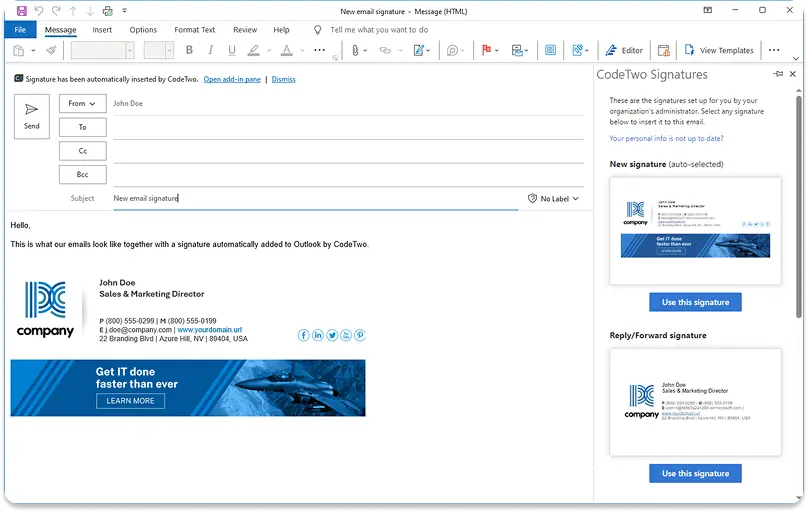
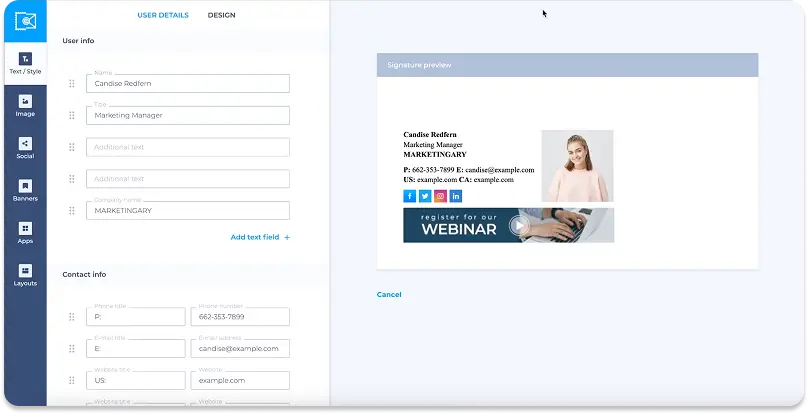
WiseStamp – Best for marketing autonomy with IT control
WiseStamp lets marketing run banners and campaigns through the Employee Hub, while IT sets directory sync and brand rules once.
Best for 100 to 1,000-employee teams.
Exclaimer – Best for deep signature rules and security
Exclaimer ships server-side enforcement on every plan, plus deep signature rules, native A/B testing, and the category’s strongest security certifications.
Best for IT and security-led teams.
CodeTwo – Best for the lowest price on Microsoft 365
CodeTwo bundles server-side enforcement, rules, and disclaimers into 1 flat per-user plan with no premium tier.
Best for cost-conscious, IT-led teams fully committed to Microsoft 365.
Research Process
How we evaluated the Office 365 signature tools on our list
We assessed all Office 365 signature managers in the category against a 105-feature framework built from the jobs mid-size and enterprise buyers actually evaluate on.
We narrowed the list to the top 15 software options.
Feature coverage was verified against vendor documentation, help centers, and trust portals.
Experience scores draw on G2, Capterra, and PeerSpot review data as of mid-2026.
Every rating below traces to data, not to opinion.
What is the best Office 365 signature software for my needs?
Use these when you already know your one hard requirement. Each names a winner and 2 credible runners-up.
Best for an easy-to-use interface any team can run without IT, not just an admin console: WiseStamp.
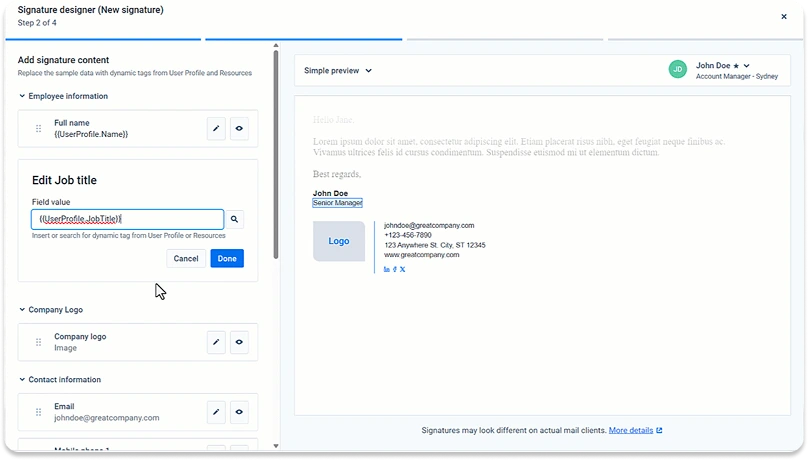
The drag-and-drop Studio Editor and Employee Hub need no HTML or ticket queue, unlike the more IT-oriented panels and workflows elsewhere in this comparison.
Runners-up: LetSignit, Exclaimer.
Best for clearing strict security and compliance reviews: Exclaimer.
Its certification stack is the widest here, including PCI DSS and Cyber Essentials, which no other tool in this comparison documents.
Runners-up: CodeTwo, WiseStamp.
Best for CRM and ABM banner targeting: Opensense.
Banners personalize per recipient from live Salesforce and HubSpot data.
Runners-up: Exclaimer, WiseStamp.
Best for A/B testing and campaign analytics: Exclaimer.
Native A/B testing and an engagement dashboard ship on the Pro tier.
Runners-up: Opensense, WiseStamp.
Best for compliance certifications and EU data residency: CodeTwo.
Microsoft 365 Certified, ISO 27001, and selectable EU Azure regions.
Runners-up: Exclaimer, WiseStamp.
Best for fully managed, done-for-you deployment: Rocketseed.
A dedicated account manager handles design, setup, and campaign loading.
Runners-up: Opensense, CodeTwo.
Full Tool Reviews
What are the 15 best Office 365 email signature tools?
Entries below are sequenced by feature coverage, not by fit for your specific situation.
*Confirm current rates on each vendor’s pricing page.
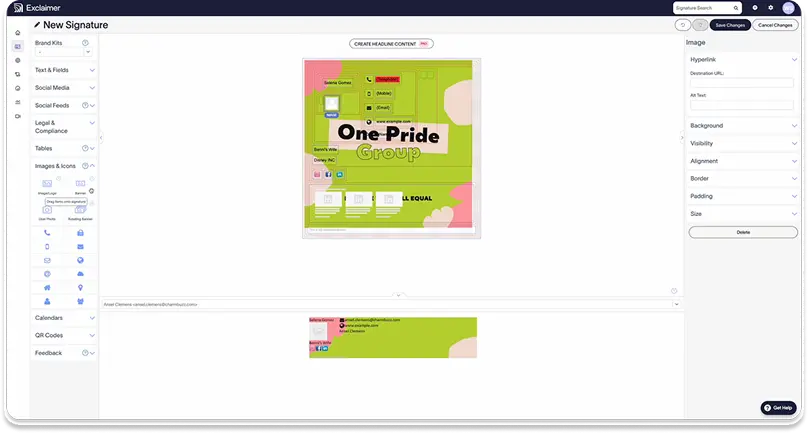
1. Exclaimer – best for deep rules and strong security
Exclaimer is the most feature-complete Office 365 signature platform here, and the strongest pick for IT and security-led teams.
Server-side stamping ships on every plan, signature rules and A/B testing run deep, and the certification stack is the category’s widest.
That administrative depth cuts against day-to-day ease. G2 reviewers specifically flag the editor’s font and styling controls as unintuitive for non-technical users.
IT admins praise the central console, but the friction shows up for marketers making frequent, hands-on signature edits.
Pros
Server-side enforcement on every plan, so signatures cannot be bypassed without paying for a premium tier.
Native A/B testing and an engagement analytics dashboard (Pro tier), which few competitors document.
Deepest certification stack here: SOC 2 Type II, ISO 27001/27018, HIPAA, PCI DSS, Cyber Essentials, plus in-region data residency across 14 Azure datacenters.
Brand Kits give multi-brand organizations asset-level governance; one logo update propagates everywhere.
One of the widest integration sets in the category: Salesforce, HubSpot, Salesloft, Outreach, and Calendly.
Cons
The editor’s font and styling controls are user-reported as fiddly, and legacy-UX complaints persist among longer-tenure reviewers.
No general SAML SSO; only Microsoft and Google SSO are supported, which blocks Okta- or Ping-primary environments.
No SCIM provisioning (twice-daily polling sync) and no migration tooling; legacy templates must be rebuilt.
The audit log records logins only, not signature change history, limiting legal-discovery value.
Pricing
Published per-user plans (Starter, Standard, Pro) with custom Enterprise. A/B testing and analytics begin at Pro; server-side deployment is on all plans. See live pricing.
What Exclaimer means for IT and admin teams
Exclaimer gives IT server-side enforcement without plan gating, directory sync across Entra ID, Google, and Okta, and hybrid Exchange support.
It also offers a certification stack that clears strict security reviews.
The 2 procurement blockers are the absence of general SAML SSO (a hard stop for Okta- or Ping-primary shops) and no SCIM.
As a result, provisioning runs on a twice-daily poll rather than real-time.
What Exclaimer means for marketing teams
Marketing gets the deepest toolkit here.
Campaigns, rotating banners, native A/B testing, social feeds, and per-element engagement analytics on the Pro tier are all manageable under an Editor role without IT.
The caveats: CRM integration targets recipient lists but does not push engagement events back into Salesforce or HubSpot records, and multiple G2 reviewers describe the editor’s font and styling controls as unintuitive, which slows down marketers making frequent, hands-on edits.
What Exclaimer means for sales teams
Sales benefits from clickable, trackable banner CTAs, domain-level engagement data useful for account prioritization, and CRM list targeting for account-based campaigns.
As with the marketing view, the integration stops short of a contact-level engagement feed into the CRM.
There is also no signature handoff for departing reps.
What Exclaimer means for HR and people ops
Directory sync drives automated provisioning and offboarding on all plans, and the User Details Editor lets employees maintain their own contact fields, reducing HR overhead.
The gap is HRIS integration. Exclaimer syncs from Microsoft, Google, and Okta directories, not directly from Workday or BambooHR.
What Exclaimer means for legal and compliance teams
Disclaimers are enforced server-side on every plan, and the certification stack is the strongest in the category, which carries real weight in security reviews.
The limitation is evidence.
The audit log captures logins only, and there is no documented way to prove which signature a specific user ran on a specific date.
That is a gap for regulated-industry discovery.
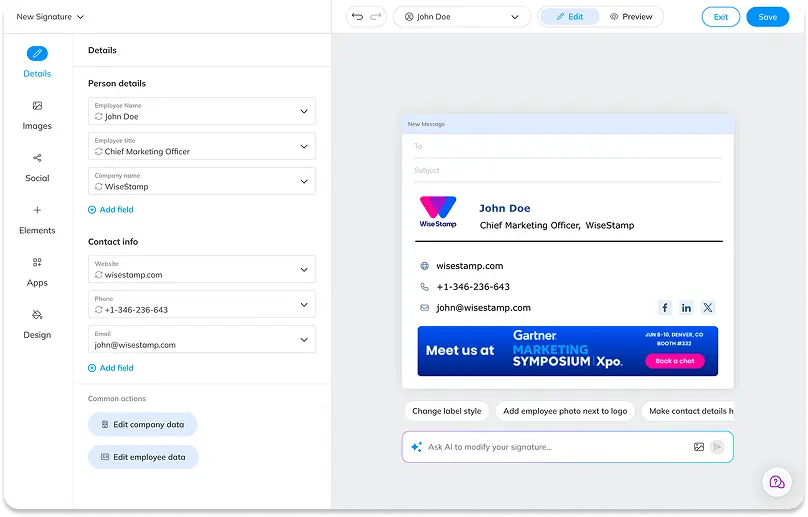
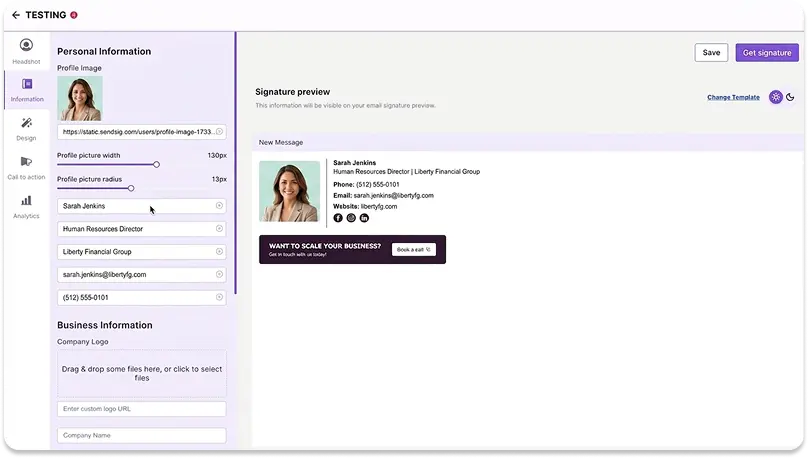
2. WiseStamp – best for marketing self-service under IT control
WiseStamp is built primarily for mid-size companies, roughly 100 to 1000 employees, where marketing wants to self-serve the signature channel and IT wants it off its plate.
The Employee Hub lets IT set directory sync, SSO, and brand rules once, then marketing runs campaigns without tickets.
Pros
Employee Hub splits control cleanly: IT locks brand fields, marketing runs campaigns, employees edit their own details, all without a ticket queue.
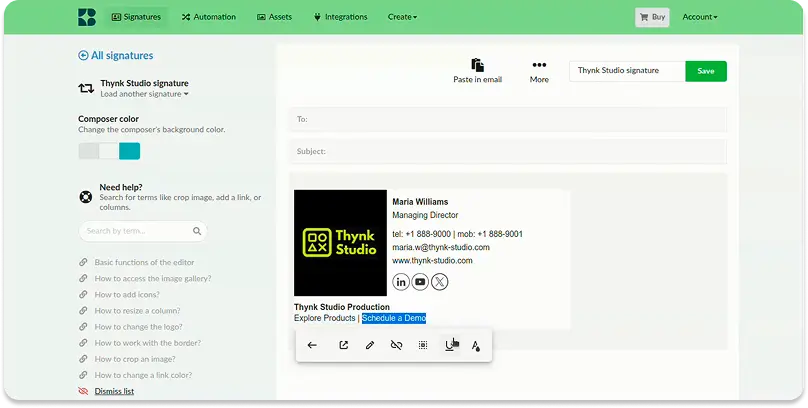
Drag-and-drop Studio editor with AI screenshot-to-signature needs no HTML, the fastest path to a live signature in this group.
Native Microsoft 365 and Google Workspace directory sync with automatic day-one provisioning for new hires.
Multi-org architecture handles holding companies and multiple brands from one account.
Banner campaigns, scheduling, click analytics, and trackable links are built in and marketing-owned.
Cons
Tamper-proof server-side enforcement, SSO, and RBAC require the Platform tier, which raises cost for a 100-plus-seat team whose top requirement is enforcement.
No native A/B testing; rotating banners exist but without per-variant performance tracking.
CRM integration is UTM-based, not a native Salesforce or HubSpot data sync (HubSpot integration is on the roadmap).
No SCIM provisioning and no point-in-time “provable signature state,” which regulated-industry compliance teams flag.
Pricing
Published per-seat plans (Basic, Grow, Platform) plus custom Enterprise. Server-side injection, SSO, and RBAC begin at Platform. See live pricing.
What WiseStamp means for IT and admin teams
IT gets signatures off the support queue.
SAML SSO, directory sync, server-side injection, and lifecycle automation are all supported, with server-side enforcement and RBAC on the Platform tier.
The setup-once-then-hand-off model is genuine, and read-only OAuth directory sync clears most mid-market security reviews.
Note the gaps: provisioning is daily directory sync, not SCIM, and the public API is being deprecated.
What WiseStamp means for marketing teams
Marketing is WiseStamp’s primary persona, and it shows. The tool gives easy entry and simple user experience for non-technical users.
The Campaigns module, scheduling, click analytics, and the Employee Hub let marketing launch and update banners across every mailbox without IT involvement.
The one gap for data-driven teams is A/B testing, which is absent; optimization relies on aggregate click data rather than controlled tests.
What WiseStamp means for sales teams
Sales gets trackable links, banner CTAs, and campaign targeting that make every email a measurable touchpoint.
The limit is CRM depth.
Engagement events do not flow natively into Salesforce or HubSpot contact records today.
There is also no signature handoff to route a departed rep’s relationships to a successor.
What WiseStamp means for HR and people ops
Automated provisioning and offboarding run off directory sync.
New hires get correct signatures on day one, and departed staff stop sending under the company brand without HR action.
The gap is HRIS integration. WiseStamp syncs from Microsoft 365 or Google directories, not directly from Workday, BambooHR, or Rippling.
What WiseStamp means for legal and compliance teams
WiseStamp enforces disclaimers server-side on the Platform tier.
It also carries SOC 2 Type II, ISO 27001, ISO 27018, HIPAA, and GDPR, with EU data residency live since May 2026.
The blocker for regulated buyers is evidence depth.
The audit log records processing method, not which exact signature a user ran on a given date, and no exportable compliance report exists.
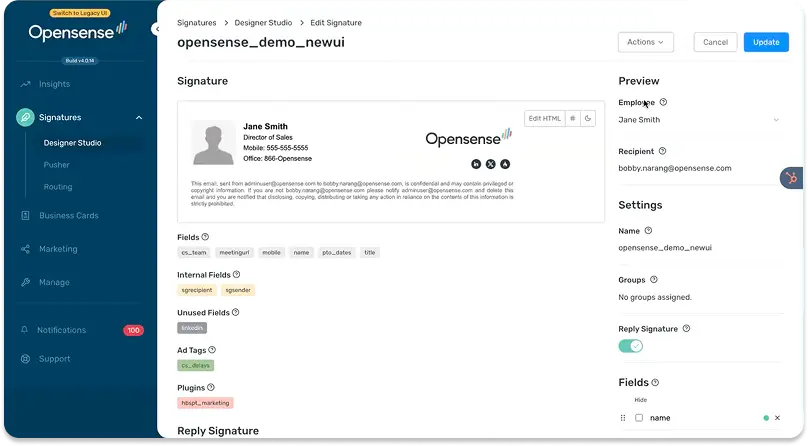
3. Opensense – best for CRM-driven revenue teams
Opensense is the strongest fit for marketing and revenue teams that treat employee email as an ABM channel.
Banners personalize per recipient from live Salesforce and HubSpot data, and the sales-tool integration set is the deepest here.
It is implementation-led, so it suits teams with marketing operations, not self-serve buyers.
Pros
Recipient-based banner targeting from live CRM and MAP data, the deepest ABM capability in this group.
Broadest revenue-tool integration set: Salesforce, HubSpot, Marketo, Outreach, Salesloft, Gong, and more.
Server-side stamping enforces signatures reliably, with a Marketing Admin role for full campaign independence.
Documented HRIS integrations (BambooHR, Workday, Paylocity) that directory-only tools lack.
GCC High support opens government and defense accounts most vendors cannot serve.
Cons
No drag-and-drop editor; templates are built in HTML or by the Opensense implementation team.
US infrastructure with no documented EU data residency, a hard blocker for EMEA buyers.
Directory sync runs daily, so provisioning and offboarding can lag up to 24 hours.
No public pricing; every evaluation starts with a sales conversation.
Pricing
No public pricing; contact sales for a quote. Vendor site.
What Opensense means for IT and admin teams
IT gets genuine server-side enforcement, SAML SSO via Okta, multi-directory sync, and GCC High support for regulated federal work.
The trade-offs are a daily sync cadence rather than real-time SCIM and no EU data residency.
There is also a multi-brand model that uses separate linked accounts rather than a unified console.
What Opensense means for marketing teams
Marketing is Opensense’s core strength.
The Marketing Admin role runs campaigns independently, and banners can be personalized to each recipient’s CRM attributes, account tier, or lifecycle stage.
The limits are no native A/B testing (a manual clone-and-compare workflow instead) and no drag-and-drop editor for template design.
What Opensense means for sales teams
This is the best sales fit in the group.
Native Salesforce and HubSpot integrations drive recipient-based targeting, and engagement replays show how prospects interacted before a follow-up call.
The one gap is signature handoff for departed reps, which is not documented.
What Opensense means for HR and people ops
Opensense stands out on HRIS integration.
BambooHR, Workday, and Paylocity are documented data sources, so signature fields reflect the HR system of record, not just the directory.
The caveat is the daily sync cadence, which can leave a new hire or a departure unreflected for up to a day.
What Opensense means for legal and compliance teams
A dedicated Email Compliance product enforces jurisdiction- and industry-specific disclaimers, backed by SOC 2 and GCC High support.
The gaps for a compliance review are undocumented audit-log content and export, and no confirmed EU data residency.
There is also a daily-sync window that briefly leaves deprovisioned users active.
4. Xink – best for hybrid Microsoft 365 and on-premises Exchange
Xink is built for IT teams running a mix of cloud and on-premises Microsoft environments. The Xink ReRouter applies signatures server-side at the mail transport layer, so enforcement holds regardless of client or device.
Directory sync reaches beyond Microsoft 365 and Google Workspace into on-prem Active Directory and SQL-based HR systems like Workday.
The gap is identity and access. No SAML SSO is documented anywhere, which is a hard blocker for security teams that centralize authentication through Okta or a similar provider.
Pros
Directory sync spans on-prem Active Directory, Entra ID, Google Workspace, and SQL-based HR systems like Workday, broader than most mid-market ESM tools.
The Xink ReRouter enforces signatures server-side at the mail transport layer, so enforcement holds regardless of client or device.
Marketing can manage campaign scheduling, banner priority, and click analytics independently after a roughly 45-minute IT setup.
Hybrid Exchange (on-premises) and cloud mail flow are both explicitly supported, a real advantage for organizations mid-migration to the cloud.
A documented REST API with OAuth2 covers employees, signatures, images, server-side rerouting, and shared mailboxes for custom IT automation.
Cons
No SAML SSO is documented anywhere, a hard procurement blocker for IT departments centralizing identity through a third-party provider.
No drag-and-drop visual editor or template gallery exists; signatures are built from an uploaded design or in an HTML editor.
Enterprise basics are absent: no SCIM provisioning, no documented MFA for admin access, no audit trail, no provable per-user signature state.
CRM integration pushes signatures into Salesforce or Zendesk but does not link clicks back to CRM pipeline activity, and A/B testing is absent.
Pricing
Two-tier structure (Brand and Campaign) plus a partner/MSP tier for multi-company management; no public per-seat rate is published, and pricing is calculated through an online tool rather than listed plans. See live pricing.
What Xink means for IT and admin teams
Xink gives IT server-side enforcement through the ReRouter, plus directory sync across on-prem Active Directory, Entra ID, and Google Workspace.
The blocker is identity. No SAML SSO is documented, which rules out Okta- or Ping-centralized environments, and there’s no SCIM provisioning either.
What Xink means for marketing teams
Marketing runs campaign scheduling, banner priority, and click-through analytics independently once IT completes the initial setup.
The gap is attribution. CRM integration deploys signatures into Salesforce or Zendesk but doesn’t feed clicks back into pipeline records, and there’s no A/B testing.
What Xink means for sales teams
Sales gets branded signatures pushed into Salesforce and Zendesk email, plus click tracking on banner CTAs.
There is no signature handoff for departed reps, and CRM engagement doesn’t sync back as contact-level activity.
What Xink means for HR and people ops
Directory sync from on-prem Active Directory or Entra ID drives day-one signature assignment for new hires, and Xink’s SQL connector can pull attributes from HR systems like Workday.
There’s no automated offboarding, so departing employees must be removed manually.
What Xink means for legal and compliance teams
Legal disclaimers deploy server-side through the ReRouter, making them tamper-proof regardless of client.
The gap is evidence. No audit trail or provable per-user signature state is documented, which is a blocker for regulated-industry discovery.
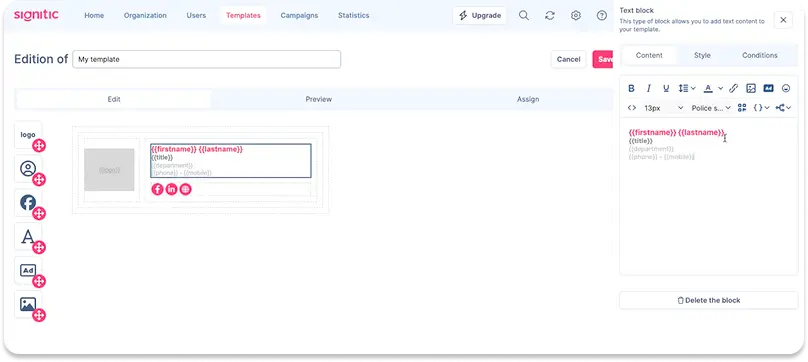
5. Signitic – best for EU data residency and marketing-led teams
Signitic is built for marketing-led teams in the EU that need signature data to stay on European soil. All data is hosted in France on ISO 27001-certified infrastructure with a formal data processing agreement, a genuine differentiator versus mostly US-hosted competitors.
Directory sync, A/B testing, and campaign self-service are all included from the entry paid tier, with no marketing feature gated behind a higher plan.
Enforcement is the trade-off. Deployment is entirely client-side, so a user who removes the add-in can send email without the signature.
Pros
Directory sync for Google Workspace and Microsoft 365 ships on every plan, including Free, driving automatic day-one provisioning.
A/B testing for campaign banners is included at the entry paid tier, ahead of many competitors that gate it behind higher plans.
Field-level template locking lets admins protect brand-critical fields while leaving personal fields open to self-edit.
All data is hosted in France on ISO 27001-certified, GDPR-native infrastructure with a formal data processing agreement.
Marketing can run campaign banners, scheduling, and UTM tracking independently of IT as core product positioning, not an add-on.
Cons
Signature enforcement is architecturally client-side only; a user who removes the add-in or extension can send email unsigned.
No server-side injection option exists at any tier, and template version history or rollback is entirely absent.
Granular role permissions beyond Admin/Co-admin, full CRM engagement sync, and HRIS integrations all require the Custom, contact-sales plan.
Hybrid on-premises Exchange environments are unsupported, since the product is cloud-native only.
Pricing
Free for up to 19 users (1 template, 1 campaign, Signitic branding); Standard at €1 per user per month with a 20-license minimum (unlimited templates, campaigns, and A/B testing); custom Enterprise pricing adds RBAC, CRM list targeting, and HRIS connectors. See live pricing.
What Signitic means for IT and admin teams
IT gets directory sync for Google Workspace and Microsoft 365 on every plan, with Google- and Microsoft-certified partnerships.
The gap is enforcement. Deployment is client-side only, so a removed add-in means an unsigned email, and there’s no server-side injection option at any tier.
What Signitic means for marketing teams
Marketing owns campaign banners, scheduling, and A/B testing from the entry paid plan, without waiting on a higher tier.
The one limit is that CRM list targeting for campaigns requires the Custom plan, not the standard per-user tier.
What Signitic means for sales teams
Sales gets clickable banner CTAs and UTM-tracked links baked into every signature.
Native CRM engagement sync, beyond basic install compatibility, sits behind the Custom plan, and there’s no signature handoff for departed reps.
What Signitic means for HR and people ops
Directory sync drives automatic day-one provisioning and same-day offboarding without IT overhead, on every plan including Free.
HRIS integration is limited to Lucca and Eurecia, and only on the Custom tier.
What Signitic means for legal and compliance teams
Locked template fields keep disclaimer content consistent, and the France-hosted, ISO 27001-certified infrastructure is a real differentiator for EU compliance reviews.
The rating is Weak for enterprise, though: no SCIM, no server-side injection, and no audit trail create real procurement blockers at that scale.
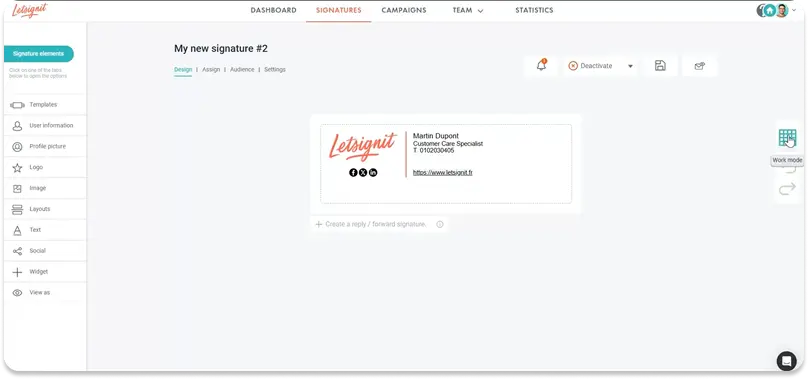
6. LetSignit – best for Microsoft-native multi-brand structures
LetSignit fits Microsoft-native companies managing multiple subsidiaries, regions, or brands.
Its subsidiary architecture gives each unit its own templates, admins, and campaigns under one console.
Confirmed SCIM provisioning from Entra ID is also a real differentiator.
Enforcement is client-side, so compliance-led buyers needing server-side guarantees should look elsewhere.
Pros
Subsidiary architecture manages multiple brands and regions cleanly under a single Global Admin.
Confirmed SCIM provisioning from Entra ID, documented rather than aspirational.
Drag-and-drop designer plus a Campaign Administrator role for marketing self-service.
Internal-versus-external audience routing serves different signatures to internal and external recipients.
Co-developed Outlook add-in gives a strongly native Microsoft 365 experience.
Cons
Enforcement is client-side via the Outlook add-in; no server-side injection, so technical users can bypass it.
No audit trail and no provable-state reporting, a hard blocker for regulated industries.
Google Workspace and Apple Mail are second-class; the full feature set is Outlook-only.
No public pricing and no A/B testing, and SAML SSO is limited to ADFS.
Pricing
No public pricing; contact sales for a quote. Vendor site.
What LetSignit means for IT and admin teams
IT gets confirmed SCIM provisioning from Entra ID, a 3-tier admin model, and hybrid on-prem and cloud support.
A public API rounds this out, all purpose-built for Microsoft environments.
The blockers are client-side-only enforcement (no server-side injection), SAML limited to ADFS, and ambiguous EU data residency documentation.
What LetSignit means for marketing teams
The Campaign Administrator role lets marketing own the full campaign lifecycle, and random banner rotation turns every email into a touchpoint without per-user setup.
The gaps are no A/B testing and a Salesforce connector whose depth is unconfirmed, with no HubSpot integration documented.
What LetSignit means for sales teams
Sales gets click tracking, banner CTAs, and external-audience routing for prospect-facing campaigns.
The recently launched Salesforce connector may close the CRM gap, but its scope is unconfirmed, and HubSpot is absent.
There is also no signature handoff for departed reps.
What LetSignit means for HR and people ops
Directory and SCIM sync drive automated provisioning, so new hires inherit correct signatures from Entra ID.
The limits are no documented HRIS integration and offboarding that is implied by the sync architecture rather than spelled out as a dedicated workflow.
What LetSignit means for legal and compliance teams
Locked template fields enforce consistent disclaimer content, and ISO 27001/27018 certifications provide a baseline.
The rating is weak for regulated buyers, though.
No audit trail, no provable state, client-side enforcement, and unconfirmed EU data residency together fail most compliance reviews.
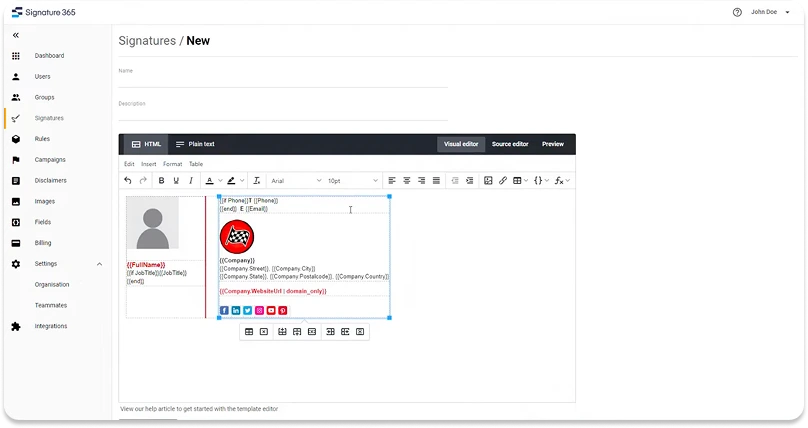
7. Symprex (Signature 365) – best for Microsoft-only IT shops
Symprex has been a Microsoft partner since 2002 and builds exclusively for Microsoft 365 and Exchange, including genuine hybrid support for on-premises Exchange alongside Exchange Online in the same deployment.
Server-side injection ships on every plan with no tier-gating, and template management includes locking, version history, and rule-based routing.
The trade-off is platform breadth. There is no Google Workspace support at any tier, and general SAML SSO is absent, only Microsoft 365 OAuth-based sign-in.
Pros
Deep, mature Microsoft 365 and Exchange integration, including full hybrid support for on-premises Exchange alongside Exchange Online in the same deployment.
Server-side injection is available on every plan without tier-gating, enforcing signatures regardless of user device or action.
Central template management includes field locking, version history and rollback, and rule-based routing by group, department, or domain.
Multi-tenant management from a single account supports organizations with multiple subsidiaries or brands running independent signature environments.
A Campaigns module supports scheduled, targeted rotating banners with click and impression tracking as a built-in marketing channel.
Cons
Microsoft 365 and Exchange exclusive; no Google Workspace directory sync or client experience at any tier.
SAML 2.0 SSO is not supported, only Microsoft 365 OAuth-based sign-in for the management account, a blocker for SAML-mandated enterprises.
No CRM integration for HubSpot or Salesforce, and no A/B testing for campaigns, limiting attribution and optimization.
No drag-and-drop visual editor; the template editor is ribbon-based HTML, and audit trail/provable signature state are undocumented.
Pricing
Single all-inclusive plan with volume discounts (more licenses, lower per-user rate); calculated through an online pricing tool rather than published flat tiers; custom terms above 500 users. See live pricing.
What Symprex means for IT and admin teams
IT gets server-side injection on every plan, hybrid on-prem Exchange and Exchange Online support, and multi-tenant management from one account.
The constraint is identity: no SAML SSO beyond Microsoft 365’s own OAuth sign-in, and no Google Workspace path at all.
What Symprex means for marketing teams
Marketing runs scheduled, targeted rotating banners with click and impression tracking as a built-in campaign channel.
The gaps are no A/B testing and no CRM integration, so campaign optimization relies on aggregate analytics rather than attribution.
What Symprex means for sales teams
Sales gets branded, rule-routed signatures by department or region, with banner CTAs tracked for clicks and impressions.
There is no native CRM data sync and no signature handoff for departed reps.
What Symprex means for HR and people ops
Directory sync from Entra ID or on-prem Active Directory drives provisioning, with rule-based routing by department or group.
HRIS integration is absent; employee data comes from the Microsoft directory only.
What Symprex means for legal and compliance teams
Symprex carries ISO 27001, ISO 27018, and SOC 2 certification, and disclaimers deploy server-side on every plan.
The gap is evidence: audit trail and provable per-user signature state are undocumented.
8. SyncSignature – best for fast, low-cost self-service setup
SyncSignature is built for price-sensitive SMB and lower mid-market teams that want to be live fast without an implementation project. Setup is documented at under 30 minutes for a 50-person Google Workspace rollout and under 15 minutes for Microsoft 365.
Every Team-plan feature, including directory sync, group templates, and banner campaigns, ships in a single tier with no feature-gated upsell.
The trade-off is depth. There is no CRM integration at any tier, and enforcement is architecturally client-side only.
Pros
Lowest published price point among the comparison’s self-serve tools, with every Team-plan feature included at one tier and no upsell.
Documented fast setup, under 30 minutes for a 50-person Google Workspace rollout and under 15 minutes for Microsoft 365.
Directory sync with Google Workspace and Microsoft Entra ID drives automatic day-one provisioning and same-day offboarding.
Marketing self-service via delegated access lets marketing or HR run banner campaigns with scheduling and click analytics without IT.
Multi-domain, multi-tenant architecture is explicitly built for agencies and post-acquisition consolidation across multiple Microsoft 365 tenants.
Cons
No CRM integration exists at any tier; the pricing page’s own capability table states plainly that it isn’t offered.
Signature enforcement is architecturally client-side only, with no server-side or transport-level stamping option at any price.
SAML SSO status is inconsistent across the vendor’s own site, and no audit-log export is confirmed to exist.
No on-premises or hybrid Exchange support, no SCIM provisioning, and single-region hosting with no data-residency options.
Pricing
Solo $6/month (single user); Team from $2/user/month with a 5-seat minimum on annual billing, scaling down to roughly $1.40/user/month at 100 seats; custom Enterprise/Agency pricing for multi-workspace management. See live pricing.
What SyncSignature means for IT and admin teams
IT gets directory sync for Google Workspace and Microsoft 365, automatic day-one provisioning, and same-day offboarding at setup times under 30 minutes.
The gaps are no SCIM, no on-prem Exchange support, and single-region hosting with no data-residency choice.
What SyncSignature means for marketing teams
Marketing runs banner campaigns independently through delegated access, with scheduling and click analytics included on the base Team plan.
The limit is no CRM-linked attribution and no A/B testing.
What SyncSignature means for sales teams
Sales gets trackable banner CTAs as part of the standard signature.
There is no CRM data sync and no signature handoff for departed reps.
What SyncSignature means for HR and people ops
Directory sync drives day-one provisioning for new hires and automated removal on next sync after offboarding.
No HRIS integration exists beyond the Google Workspace or Microsoft 365 directory itself.
What SyncSignature means for legal and compliance teams
Legal disclaimers are supported, but enforcement is client-side only, so a removed add-in bypasses them.
SAML SSO and audit-log claims are inconsistent across the vendor’s own site, worth confirming directly before relying on either for a compliance review.
9. CodeTwo – best for lowest price
CodeTwo is the lowest-cost way to run fully enforced signatures if you are all-in on Microsoft 365.
Every feature is included in 1 flat per-user plan, so enforcement and rules never cost extra.
It is built for IT, not marketing, and is Microsoft 365 Certified with no Google Workspace support.
Pros
Single all-inclusive plan: server-side enforcement, rules, and disclaimers are included, with no premium-tier upsell.
Microsoft 365 Certified (the only tool here) with EU data residency across multiple Azure regions and ISO 27001/27018.
Highest support and satisfaction scores in the category (G2 4.8, Capterra 4.9), with support rated a genuine standout.
Deep, enterprise-grade rule engine for conditional signatures by department, region, and recipient type.
Migration tooling that automates cutover from CodeTwo’s legacy on-premises product.
Cons
Microsoft 365 and Exchange Online only; no Google Workspace support at all.
Marketing is a secondary use case: no in-product analytics (UTM to Google Analytics only) and no A/B testing.
HTML-based editor rather than a true drag-and-drop canvas, which raises the bar for non-technical users.
No exportable audit trail, no multi-brand admin layer, and provisioning is a 20-minute poll rather than SCIM.
Pricing
1 flat per-user subscription, all features included, minimum 10 licenses, billed monthly or yearly. See live pricing.
What CodeTwo means for IT and admin teams
CodeTwo is the most IT-aligned tool here.
Server-side enforcement is architecturally tamper-proof, OAuth means no stored credentials, and the rule engine is deep.
Microsoft 365 Certification plus a “no public endpoints” design also ease vendor risk review.
The constraints are the Microsoft-only scope, no standalone SAML SSO beyond Microsoft identity, and a 20-minute polling sync instead of SCIM.
What CodeTwo means for marketing teams
Marketing can run scheduled banner campaigns with clickable CTAs, but this is the weakest marketing fit among the featured 3.
There is no in-product analytics dashboard (tracking routes through Google Analytics via UTM) and no A/B testing.
Campaign management also lives in an IT-oriented admin panel rather than a marketing-native interface.
What CodeTwo means for sales teams
Sales gets brand-consistent signatures on emails sent from HubSpot, Salesforce, and Dynamics, plus UTM-trackable links.
The gap is measurement. Click events do not sync back to CRM records as contact-level activity, and there is no signature handoff for departed reps.
What CodeTwo means for HR and people ops
Provisioning and offboarding follow Entra ID membership, so signatures apply and stop based on directory state.
Because sync is a 20-minute poll rather than an event-driven trigger, changes propagate quickly but not instantly.
There is also no direct HRIS integration beyond the Microsoft directory.
What CodeTwo means for legal and compliance teams
Server-side enforcement makes disclaimers tamper-proof, and the compliance credentials (Microsoft 365 Certified, ISO 27001/27018, HIPAA, EU data residency) are strong.
The hard gap is evidence. There is no exportable audit log of signature changes and no point-in-time provable-state report, which regulated industries require for discovery.
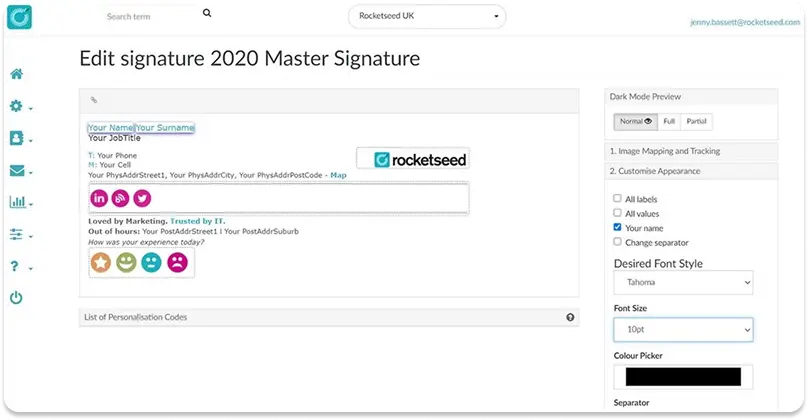
10. Rocketseed – best for fully managed deployment
Rocketseed is the pick when you want a done-for-you managed service rather than a self-serve tool.
A dedicated account manager handles design, setup, and campaigns, and server-side branding makes enforcement architecturally guaranteed across Microsoft 365, Exchange, and Google Workspace.
The trade-offs are limited self-service and a 50-user minimum with a setup fee.
Pros
Server-side enforcement at the transport layer cannot be bypassed by any client or device.
Managed service with a dedicated account manager included, not an upsell.
Works across Microsoft 365, Exchange, hybrid, and Google Workspace, with a self-hosted option.
Strong banner campaigns, scheduling, real-time click alerts, and analytics.
Dynamic legal disclaimers routed by sender and recipient rules.
Cons
No self-serve editor and no employee field editing; routine changes route through the account manager.
50-user minimum plus a separate setup fee, which rules out smaller teams.
No SCIM, no audit trail, and no provable-state reporting for regulated industries.
No A/B testing, and directory provisioning relies on manual routing-group management.
Pricing
Per-user, per-month with a 50-user minimum and a separate setup fee; custom pricing above 200 users. See live pricing.
What Rocketseed means for IT and admin teams
IT gets architecturally guaranteed enforcement, hybrid and on-prem support, a self-hosted option, and 24/7 support with an account manager.
The gaps are legacy provisioning (distribution-group routing rather than SCIM), an ambiguous “supported environments” SSO claim, and no public API.
What Rocketseed means for marketing teams
Marketing gets multi-step banner campaigns, scheduling, targeting, and real-time click analytics as a managed channel.
The ceiling is self-service. Reviews note that some changes, including signature renaming, require account-manager help, and there is no drag-and-drop editor or A/B testing.
What Rocketseed means for sales teams
Sales gets trackable CTAs, real-time click alerts, and a Salesforce mail-relay integration that brands outbound CRM email.
The integration is a routing configuration, not a native data sync, so click events do not flow into CRM records.
There is also no signature handoff.
What Rocketseed means for HR and people ops
Provisioning and offboarding work by adding or removing users from routing groups, which achieves the outcome but is not event-driven from the directory.
There is no HRIS integration, so employee data is managed through the central branding model rather than an HR system of record.
What Rocketseed means for legal and compliance teams
Server-side injection makes disclaimer delivery reliable and tamper-proof, and ISO 27001, HIPAA, and GDPR are in place.
As with its peers here, the blocker is evidence.
No audit trail and no provable-state reporting exist, which regulated industries need to prove disclaimer presence on a given date.
11. Newoldstamp – best for simple branded signatures with banner campaigns
Newoldstamp fits small and mid-size teams that want branded signatures and marketing banners without a heavy IT project. A master signature update propagates to every department’s signature with no per-user editing required.
Two deployment paths exist for Microsoft 365: a client-side Outlook add-in, or server-side mail-flow rules through Entra ID for true enforcement.
The catch is per-account platform limits. Each account connects to only one Google Workspace or one Microsoft 365 domain at a time, which complicates multi-brand organizations.
Pros
Central master-signature management propagates one brand update to every department signature with no per-user editing required.
Field locking lets admins fix brand elements while unlocked fields stay editable through a self-service “Invite to create” link.
Banner Campaigns support scheduled start and end dates with department-level click and impression analytics.
Native integration with both Google Workspace and Microsoft 365/Exchange, including a genuine server-side mail-flow-rules deployment option.
The Exchange mail-flow-rules path supports both on-premises and cloud Exchange with true server-side signature injection.
Cons
No SAML SSO, RBAC, or SCIM provisioning is documented; the product runs on a single-admin model with no delegated access.
Signature enforcement is bypassable on the Google Workspace and Outlook add-in paths; only the Exchange mail-flow-rules path is server-side.
Each account connects to only one Google Workspace or one Microsoft 365 domain, forcing multi-brand organizations into separate accounts.
No automated offboarding, version history, or A/B testing is documented, and CRM integration is limited to install compatibility, not data sync.
Pricing
Per-signature, per-month subscription starting around $1.80/signature/month on annual billing (calculator-based, scales with volume); custom pricing above 200 signatures. See live pricing.
What Newoldstamp means for IT and admin teams
IT gets two deployment paths for Microsoft 365: a client-side add-in, or server-side mail-flow rules through Entra ID that also support on-premises Exchange.
The gaps are no SAML SSO, no RBAC, and no SCIM provisioning at any tier.
What Newoldstamp means for marketing teams
Marketing runs Banner Campaigns with scheduled start and end dates and department-level click and impression analytics.
The limits are no CRM-linked tracking and no A/B testing.
What Newoldstamp means for sales teams
Sales gets banner CTAs on every signature, but click events don’t sync to CRM records as contact-level activity, and there’s no signature handoff for departed reps.
What Newoldstamp means for HR and people ops
New hires inherit signatures automatically through directory sync on the mail-flow-rules path.
Offboarding isn’t automated; removing a departed employee’s signature is a manual step.
What Newoldstamp means for legal and compliance teams
The Exchange mail-flow-rules path enforces disclaimers server-side, making them tamper-proof on that deployment option.
The Google Workspace and add-in paths remain bypassable, and no audit trail or provable signature state is documented on any path.
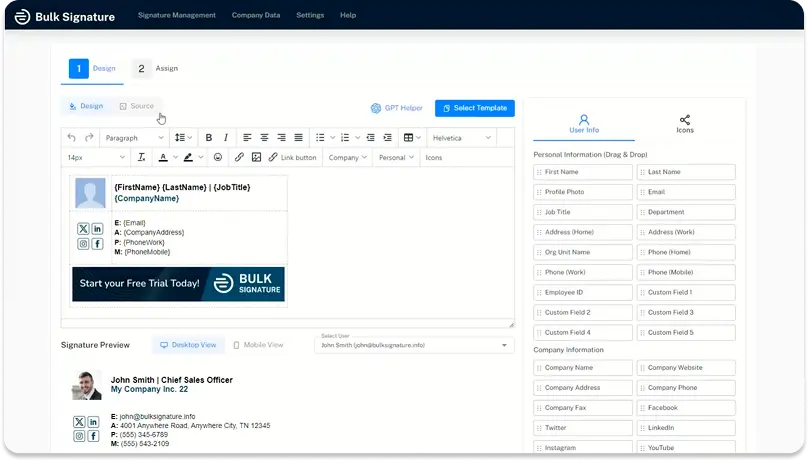
12. BulkSignature – best for price-sensitive Google Workspace teams
BulkSignature targets price-sensitive small teams, particularly those on Google Workspace. Pricing is published transparently rather than gated behind a sales call, among the lowest per-seat rates in the category.
A campaign manager lets marketing schedule banners and see real-time click and impression analytics without IT involvement.
The catch is self-service and enforcement. There’s no employee self-service portal, and deployment is client-side only, so a user can override or remove their signature.
Pros
Among the lowest published per-seat pricing in the category, with no plan gated behind a “contact sales” wall.
Native Google Workspace integration, listed in the Google Workspace Marketplace, with directory sync across org units, groups, and users.
A working campaign manager supports banner scheduling, department and date targeting, and real-time click and impression analytics.
Central template management with an AI signature designer lets one admin push a signature change across the whole organization.
Confirmed GDPR and SOC 2 compliance, plus documented legal-disclaimer enforcement by org unit, group, and department.
Cons
No employee self-service portal exists; every personal field change requires an admin action, with no field-locking model.
Deployment is purely client-side with no server-side injection option, so it cannot technically prevent a user from removing their signature.
Directory sync runs on a 24-hour batch cycle rather than event-driven, so onboarding and offboarding cleanup can lag up to a day.
No SAML SSO or SCIM provisioning is documented anywhere in BulkSignature’s product or trust materials.
Pricing
Basic at roughly $1.90/seat/month and Plus at roughly $2.30/seat/month (Plus adds a dedicated onboarding specialist and customer success manager); custom Enterprise pricing above that. See live pricing.
What BulkSignature means for IT and admin teams
IT gets Google Workspace Marketplace-listed directory sync and a Microsoft 365 App Marketplace add-in, both centrally pushable.
The gaps are a 24-hour sync cycle rather than real-time, and no SAML SSO or SCIM at any tier.
What BulkSignature means for marketing teams
Marketing runs the campaign manager independently: banner scheduling, department and date targeting, and real-time click and impression analytics.
There’s no A/B testing or CRM-linked attribution, so optimization relies on aggregate click data.
What BulkSignature means for sales teams
Sales gets brand-consistent signatures with clickable, trackable banner CTAs.
CRM integration is UTM-based only, with no native data sync and no signature handoff.
What BulkSignature means for HR and people ops
Directory sync assigns new-hire signatures automatically, though on a 24-hour batch cycle rather than instantly.
There’s no employee self-service portal, so personal-field updates route through an admin.
What BulkSignature means for legal and compliance teams
Legal disclaimers are enforced by org unit, group, and department, backed by confirmed GDPR and SOC 2 compliance.
Enforcement itself is client-side only, so a technically capable user can bypass it, and no audit trail is documented.
13. Templafy – best for enterprises already standardizing documents on Templafy
Templafy is not a dedicated email signature tool. It’s an enterprise document and brand-governance platform, primarily for Word, PowerPoint, and Excel templates, that delivers email signatures as a secondary capability through its Outlook add-in.
Central template management syncs signatures near-real-time, and its Email Signature Server applies signatures server-side for Microsoft 365 at send time.
Buyers choosing Templafy for signatures alone are adopting a platform whose primary value sits elsewhere. Marketing self-service is a confirmed gap: every campaign update runs through IT.
Pros
Central template management syncs hourly, so one admin change propagates to every user without per-person edits.
The Email Signature Server applies signatures server-side at send time for Microsoft 365, enforcing compliance regardless of client or user action.
Conditional template targeting combines department, region, email type, recipient type, domain, and validity date for granular assignment.
Legal disclaimers are a first-class signature-part type, targetable by user group, domain, and recipient type with validity periods.
Native integration with both Microsoft 365 and Google Workspace, without requiring MX record changes.
Cons
No marketing self-service: the Admin Center requires technical skill, so every campaign update is IT-mediated.
No native banner analytics; UTM codes in campaign URLs are the only tracking mechanism, with no A/B testing.
Setup is slow, not fast: tenant provisioning and add-in propagation via the Microsoft 365 Admin Portal can take up to 72 hours.
The audit log cannot be exported and omits HTML-edit detail, a gap for legal discovery and compliance audits.
Pricing
Templafy is sold through an enterprise, sales-led motion with no published self-serve tiers; pricing and scope are set per contract and cover far more than email signatures. See live pricing.
What Templafy means for IT and admin teams
IT gets a mature enterprise governance platform: conditional targeting, server-side enforcement via the Email Signature Server, and native Microsoft 365 and Google Workspace integration.
Setup is slow, with add-in propagation through the Microsoft 365 Admin Portal taking up to 72 hours.
What Templafy means for marketing teams
Marketing has no self-service path here; the Admin Center is built for IT, and every campaign or banner update runs through it.
There’s no native analytics dashboard; UTM-tagged links are the only tracking option.
What Templafy means for sales teams
Sales signatures are IT-managed and consistent, but there is no CRM-linked tracking and no signature handoff for departed reps.
What Templafy means for HR and people ops
Directory-driven provisioning covers Microsoft 365 and Google Workspace.
No HRIS integration is documented; employee data comes from the directory only.
What Templafy means for legal and compliance teams
Legal disclaimers are a first-class, targetable signature element with validity periods, well-suited to jurisdiction-specific rules.
The audit log can’t be exported and omits HTML-edit detail, a real gap for legal discovery.
14. MySignature – best for solo professionals and micro-teams
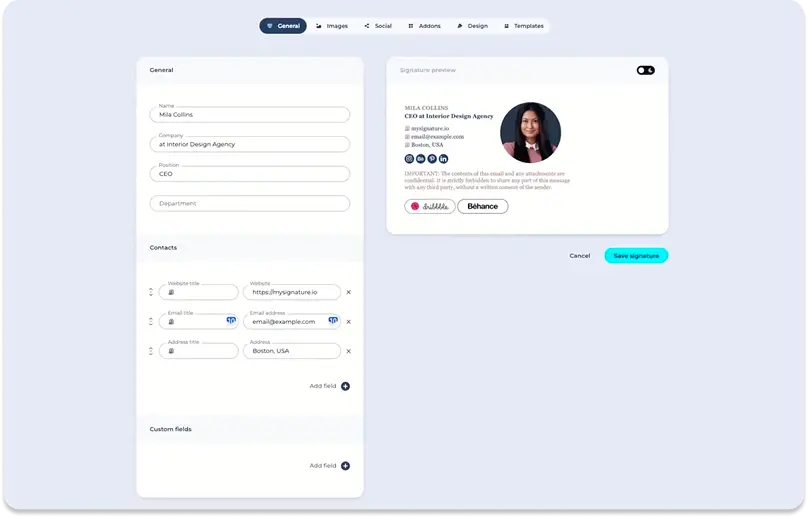
MySignature is built for individuals, freelancers, and micro-teams who want a polished signature fast, not a governed enterprise rollout. A large template gallery pairs with a drag-and-drop editor and an AI layout assistant, requiring no design skill.
Both Google Workspace and Microsoft 365 are supported, including bulk import from directory groups for small-team rollouts.
The ceiling shows up quickly past a few dozen employees. There is no field-level locking, no CRM integration, and no SAML SSO.
Pros
A large gallery of professional templates paired with a drag-and-drop editor and an AI-assisted layout feature, no design skill needed.
Native, documented integrations with both Google Workspace and Microsoft 365, including bulk import from Entra ID groups.
Built-in click analytics track engagement on links, banners, and social icons, with daily and monthly reports.
Banner Campaigns let admins schedule time-boxed marketing banners by segment, with Canva integration for banner design.
Agency Hub is a dedicated white-label product for agencies managing multiple client companies, a use case competitors often lack.
Cons
No field-level locking and no signature enforcement mechanism; deployed signatures are client-side and can be edited or overridden by users.
No CRM integration of any kind and no SAML SSO for admin access, both confirmed absent across all documentation.
Change propagation is not real-time; some installs need manual reinstallation, and template deployment can take up to 24 hours.
No HTML signature import or migration tooling, no cross-client screenshot preview, and no automated offboarding.
Pricing
Free (1 signature, MySignature branding); Pro (single user, no branding); Teams (multi-user, sold by number of signatures); Agency Hub (white-label, per-signature, annual); custom pricing for 100+ signatures. See live pricing.
What MySignature means for IT and admin teams
IT gets directory sync for both Google Workspace and Microsoft 365, including bulk import from Entra ID groups.
The gaps are no SAML SSO, no signature enforcement mechanism, and no automated offboarding.
What MySignature means for marketing teams
Marketing runs Banner Campaigns with segment scheduling and Canva-designed creative, plus click analytics with daily and monthly reports.
There’s no A/B testing and no CRM integration, so optimization relies on aggregate click data.
What MySignature means for sales teams
Sales gets a polished, template-based signature fast, but there’s no CRM data sync and no signature handoff for departed reps.
What MySignature means for HR and people ops
Bulk import from directory groups speeds up onboarding for small teams.
Change propagation isn’t guaranteed real-time; some installs require manual reinstallation, and there’s no automated offboarding cleanup.
What MySignature means for legal and compliance teams
Legal disclaimers can be added to templates, but there is no enforcement mechanism, no audit trail, and no signature-state evidence, all of which limit fit for regulated buyers.
15. Bybrand – best for small teams on Zoho CRM
Bybrand fits small, price-sensitive teams, particularly those already using Zoho CRM. It’s the only tool in this comparison with a native Zoho integration, letting dynamic signature fields pull from CRM contact data.
Entry pricing is transparent and low, with no DNS changes required for setup.
The product is architecturally light on governance. There’s no field-locking model and no server-side enforcement, so signatures are fully client-side and bypassable.
Pros
Native Zoho CRM integration lets Zoho-based teams populate dynamic signature fields from CRM contact data, the only native CRM integration here.
Transparent, low entry pricing with predictable per-signature and per-employee add-ons, and setup requires no DNS changes.
Version history lets admins preview and restore past signature versions within 30 days.
Unlimited send-to-self test emails allow QA of a signature in any inbox before deployment.
Automation groups support assigning different templates by segment, such as sales or support teams.
Cons
No field-locking model exists; there’s no way to lock brand elements while allowing personal edits, a gap at the mid-market tier.
Signature enforcement is architecturally absent: the product is client-side only, so signatures are bypassable in both Gmail and Outlook.
Microsoft 365/Entra ID directory sync is listed as “coming soon,” so full directory-driven M365 deployment isn’t yet live.
No campaign infrastructure exists: banner analytics, campaign scheduling, and A/B testing are all undocumented.
Pricing
Base plan $8/month (up to 10 signatures); +$0.80/month per additional signature, or +$0.50/month per employee added via automation. See live pricing.
What Bybrand means for IT and admin teams
IT gets native Google Workspace directory sync today; Microsoft 365/Entra ID sync is listed as coming soon, not yet delivered.
There’s no field-locking model and no server-side enforcement at any tier.
What Bybrand means for marketing teams
Marketing gets a working signature editor with version history and multiple creation methods, but no campaign infrastructure exists: no banner scheduling, no analytics, no A/B testing.
What Bybrand means for sales teams
Sales gets native Zoho CRM field population, the only native CRM integration in this comparison, but no HubSpot or Salesforce support and no signature handoff.
What Bybrand means for HR and people ops
Automation groups can assign different templates by department, imported from Google Workspace, Microsoft 365, or Zoho CRM.
No HRIS integration or automated offboarding is documented.
What Bybrand means for legal and compliance teams
Version history gives a 30-day rollback window, useful for correcting an accidental disclaimer edit.
There’s no server-side enforcement, no audit trail, and no SSO, which limits this to the least regulated end of the market.
Scoring Breakdown
How do these Office 365 email signature tools score?
This scorecard shows fit by company size alongside overall feature depth.
Office 365 usage skews toward mid-market and enterprise, so most readers here fall into those two columns, though every tool is also rated for SMB.
Raw feature-coverage score is one composite number; segment fit shows how that same coverage lands for a specific company size.
Tool
SMB fit
Mid-market fit
Enterprise fit
Raw feature-coverage score
Best for
Exclaimer
Good
Strong
Moderate
83 / 100
Deep rules and security depth
Opensense
Weak
Good
Moderate
83 / 100
CRM and ABM revenue teams
WiseStamp
Strong
Good
Good
82 / 100
Marketing self-service under IT control
Xink
Moderate
Good
Weak
77 / 100
Hybrid Microsoft 365 and on-premises Exchange
Signitic
Good
Good
Weak
76 / 100
EU data residency and marketing-led teams
LetSignit
Good
Good
Moderate
74 / 100
Microsoft-native multi-brand structures
Symprex
Moderate
Good
Moderate
69 / 100
Microsoft-only IT shops
SyncSignature
Strong
Moderate
Weak
66 / 100
Fast, low-cost self-service setup
CodeTwo
Moderate
Good
Good
65 / 100
Lowest price on fully enforced signatures (M365 only)
Rocketseed
Weak
Good
Moderate
64 / 100
Fully managed, done-for-you deployment
Newoldstamp
Moderate
Weak
Weak
60 / 100
Simple branded signatures with banner campaigns
BulkSignature
Moderate
Weak
Weak
57 / 100
Price-sensitive Google Workspace teams
Templafy
Weak
Moderate
Moderate
56 / 100
Enterprises standardizing documents on Templafy
MySignature
Moderate
Weak
Weak
37 / 100
Solo professionals and micro-teams
Bybrand
Moderate
Weak
Weak
35 / 100
Small teams on Zoho CRM
Match the fit column for your own company size rather than the total score alone; a lower-scoring tool can still rate Strong for your specific segment.
Scores below use the documented mid-market weighting: Brand and template management (25), deployment and provisioning (20), and marketing and campaigns (20).
The remaining weight covers setup and usability (10), IT governance and security (10), integrations (10), and compliance (5).
Category (weight)
WiseStamp
Exclaimer
CodeTwo
Brand and template management (25)
22
22
24
Deployment and provisioning (20)
20
20
11
Marketing and campaigns (20)
16
18
9
Setup and usability (10)
7
6
6
IT governance and security (10)
9
9
8
Integrations and data (10)
4
4
3
Compliance and content quality (5)
4
4
4
Total
82
83
65
The category table shows where each tool’s points come from.
Exclaimer’s edge over WiseStamp is narrow and comes mostly from marketing depth (A/B testing) and IT governance, not from brand and template management, where the two are effectively tied.
CodeTwo actually edges ahead on brand and template management, but trails significantly on deployment, marketing, and integrations, which is what keeps its total the lowest of the 3.
Methodology
How was this Office 365 comparison scored and ranked?
Who this guide is for. Any organization running Office 365 (Microsoft 365), from small teams to global enterprises. Office 365 adoption skews toward mid-market and enterprise, so that’s where this guide’s depth is greatest, though SMB fit is rated throughout too.
What we measured. Each tool was scored against a 105-feature framework grouped into 7 weighted categories, with weights set to what mid-market buyers evaluate on. Feature coverage was rated YES, PARTIAL, or NO from vendor documentation, help centers, and trust portals; PARTIAL counts as half credit.
How the segment fit ratings work. Each tool is rated Strong, Good, Moderate, or Weak separately for SMB, mid-market, and enterprise, because the same feature set lands differently depending on company size. Match the rating for your own segment rather than the total score alone; a lower-scoring tool can still rate Strong for your size.
What we did not score. Pricing is described by plan structure and linked out, not scored, because it changes too often. Editor and UI quality are treated qualitatively in each entry rather than as a number.
Honest limits. No tool here offers point-in-time “provable signature state,” so none is a clean fit for the strictest regulated-industry audits. CodeTwo does not support Google Workspace. WiseStamp’s server-side enforcement and SSO are Platform-tier features. Last reviewed July 2026; we re-score when a vendor ships a material change.
Feature By Feature Comparison
Which features does each Office 365 signature tool support?
Every tool that supports Office 365 in this guide, across the features that most often decide a purchase. Yes / Partial / No only.
Feature
WiseStamp
Exclaimer
Opensense
Xink
Signitic
LetSignit
Symprex
SyncSignature
CodeTwo
Rocketseed
Newoldstamp
BulkSignature
Templafy
MySignature
Bybrand
Beyond Microsoft 365 (Google Workspace / Exchange)
Yes
Yes
Yes
Yes
Yes
Partial
No
Yes
No
Yes
Yes
Yes
Yes
Yes
Partial
Server-side stamping / enforcement
Yes (Platform)
Yes (all plans)
Yes
Yes
No (client-side)
No (client-side)
Yes (all plans)
No (client-side)
Yes
Yes
Partial (Exchange path only)
No (client-side)
Yes (M365)
No (client-side)
No (client-side)
Entra ID directory sync
Yes
Yes
Yes (daily)
Yes
Yes
Yes
Yes
Yes
Yes
Partial
Yes
Yes
Yes
Yes
No (coming soon)
SCIM provisioning
No
No
Partial
No
No
Yes
No
No
No
No
No
No
No
No
No
SSO
Yes (SAML, Platform)
Partial (MS/Google)
Yes (Okta SAML)
No
No
Partial (ADFS)
No (M365 OAuth only)
Partial
Partial (MS identity)
Partial
No
No
No
No
No
Drag-and-drop editor
Yes
Yes
No
No
No
Yes
No
No
Partial
No
No
No
No
Yes
No
Marketing self-service
Yes
Yes
Yes
Yes
Yes
Yes
Yes
Yes
Partial
Partial
Yes
Yes
No
Yes
No
A/B testing
No
Yes
Partial
No
Yes
No
No
No
No
No
No
No
No
No
No
Banner / click analytics (in-product)
Yes
Yes
Yes
Yes
Yes
Yes
Yes
Yes
No
Yes
Yes
Yes
No
Yes
No
Native CRM targeting
Partial
Partial
Yes
Partial
Partial
Partial
No
No
Partial
Partial
No
No
No
No
Yes (Zoho)
Legal disclaimers
Yes
Yes
Yes
Yes
Yes
Partial
Yes
Yes
Yes
Yes
Yes
Yes
Yes
Partial
Yes
Exportable audit trail
Partial
Partial
Partial
No
No
No
No
No
No
No
No
No
No
No
No
Multi-brand architecture
Yes
Yes
Partial
No
No
Yes
Yes
Yes
No
Yes
No
No
Yes
Partial
No
EU data residency
Yes
Yes
No
No
Yes
Partial
No
No
Yes
Partial
No
No
No
No
No
Published pricing
Yes
Yes
No
No
Yes
No
No
Yes
Yes
Partial
Yes
Yes
No
Partial
Yes
Coverage as of July 2026, from vendor documentation and trust portals. Verify current capabilities and pricing on each vendor’s site.
FAQ
It depends on what your organization weights most, and on your company size. Exclaimer posts the highest raw feature-coverage score and rates Strong at mid-market; it suits IT- and security-led teams that prioritize deep signature rules, A/B testing, and certifications. WiseStamp rates Strong at SMB and Good at mid-market and enterprise, and suits teams where marketing wants to self-serve campaigns after a one-time IT setup. CodeTwo is the lowest-cost route to fully enforced signatures for Microsoft 365-only organizations.
Microsoft 365 can apply a basic organization-wide disclaimer or signature through an Exchange transport rule, but it has no template editor, no per-department targeting, no analytics, and no reliable client-side rendering. Dedicated Office 365 email signature software adds central templates, directory-driven personalization, campaign banners, and enforcement that the native transport rule cannot provide.
Server-side signatures are applied to email as it passes through the mail server, so users cannot remove or alter them; Exclaimer, Opensense, Xink, Symprex, CodeTwo, Rocketseed, and Templafy enforce this way, and Newoldstamp does on its Exchange mail-flow-rules deployment path. Client-side signatures are applied in the user’s mail app, which is easier to deploy but can be bypassed. WiseStamp offers server-side enforcement on its Platform tier, while LetSignit, Signitic, SyncSignature, BulkSignature, MySignature, and Bybrand are client-side only.
Among free or near-free entry points, Signitic and MySignature both offer a free tier, and Bybrand starts at $8/month for up to 10 signatures. For fully enforced, server-side signatures specifically, CodeTwo remains the lowest-cost route, at a single flat per-user rate with every feature included and no premium-tier upsell. Exclaimer’s Starter plan is also low-cost but limits templates and self-service, and WiseStamp’s base plans are inexpensive but gate server-side enforcement and SSO to the Platform tier.
Yes, with the right tool. WiseStamp’s Employee Hub, Exclaimer’s Editor role, Opensense’s Marketing Admin role, and the campaign tools in Xink, Signitic, Symprex, SyncSignature, Newoldstamp, BulkSignature, and MySignature all let marketing run campaigns and banners after IT completes the initial setup. CodeTwo and Rocketseed can delegate to marketing but through IT-oriented interfaces, so the experience is less marketing-native. Templafy and Bybrand have no marketing self-service layer at all; every update runs through an admin.
WiseStamp, Exclaimer, Opensense, Xink, Signitic, SyncSignature, Rocketseed, Newoldstamp, BulkSignature, Templafy, and MySignature support both Microsoft 365 and Google Workspace. CodeTwo Email Signatures 365 is Microsoft 365 and Exchange Online only, as is Symprex. LetSignit and Bybrand support both, but each has one platform’s integration documented as partial or not yet live.
WiseStamp, Exclaimer, CodeTwo, and Signitic all offer EU data residency and hold major certifications such as SOC 2 Type II or ISO 27001; Signitic hosts all data in France by default rather than as an optional region. No tool in this comparison offers point-in-time provable signature state, so organizations in heavily regulated industries that must prove which signature a user ran on a given date should confirm audit capabilities directly with the vendor.
Table of Content
Deploy standardized email signatures company-wide in 24h