Automate Signatures from Onboarding to Offboarding

Reclaim your time by setting email signatures to run automatically, no matter the scale.

No credit card needed • Get started in minutes
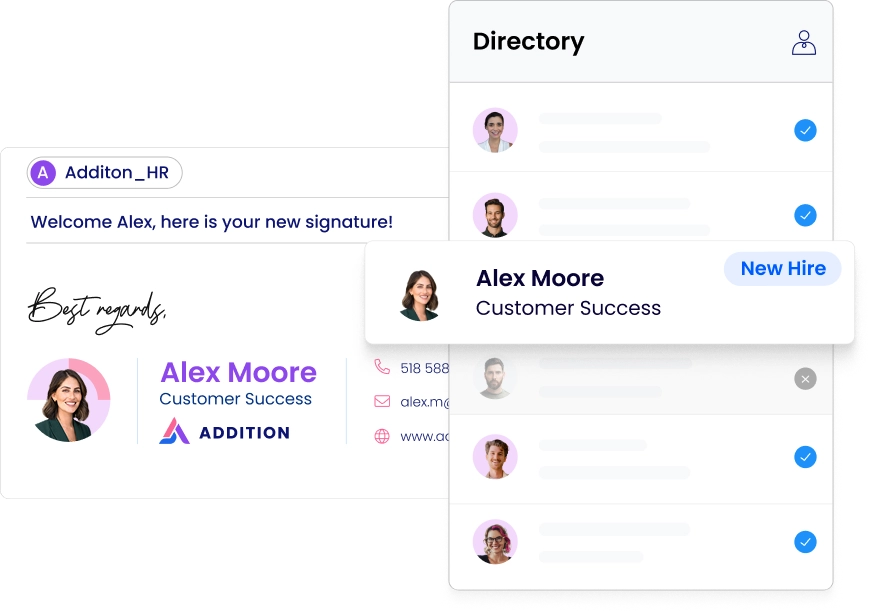
Email signature automation tool for IT managers

Get every signature running on autopilot

Email signature automation is the set of tools that keep employee email signatures current and correctly assigned without IT manual entry, from onboarding to offboarding.

link blue icon

Connect WiseStamp to your directory

Sync with your directory (Google Workspace/Entra ID) fully or partially

New hire blue icon

Set new-hire and offboarding defaults

Automate activation, group assignment, and invites for all new hires and departing employees

Signature rules blue icon

Implement your email signature rules

Add rules assigning signatures by sender, recipient, and email type, with set priorities

Sync blue icon

Turn on daily sync

WiseStamp automatically syncs daily, or you can trigger manual resyncs as needed.

automation blue icon

Let automation run

Automate same-day signature updates for new hires, role moves, and departing employees.

Make email signature hassle a thing of the past

blue tick

No more manual detail entry into email signatures

blue tick

No more IT tickets for a change in job title and role

blue tick

No need to switch off a departing employee’s signature

blue tick

No need to manually set up a signature for new employees

WiseStamp automated signature template
One directory sync for automating email signatures

Automate your email signature with one directory sync

blue tick

Sync any employee field from Google Workspace, Microsoft Entra ID, or your HRIS

blue tick

Sync your entire directory, or select departments and organizational units

blue tick

Set daily automatic sync, or trigger a manual resync as your directory changes

blue tick

Override any field with custom mapping when needed

One directory sync

Assign signatures on hire & retire on exit

blue tick

New hires are automatically assigned to the right group

blue tick

New hires get an invite email to personalize their signature

blue tick

Departing employee signatures are deleted automatically

blue tick

Re-syncing the directory maintains offboarding records

WiseStamp automatically assigned signature to new employees
WiseStamp auto archive signatures to past employees

Auto-retire signatures when someone leaves

blue tick

Signature auto-deleted when employee is removed from directory

blue tick

Manually archive employees from active lists to preserve their data

blue tick

Archived employees do not consume subscription seats

blue tick

Resyncing your directory restores records’ accuracy over time

WiseStamp auto archive signatures to past employees

Set email signature automation rules that run themselves

blue tick

Set signature rules based on sender, email type, and recipient

blue tick

Target rules to all employees, specific groups, or specific individuals

blue tick

Set different signatures for new messages vs replies, or internal vs external

blue tick

Set a priority for every rule to resolve conflicting rules

WiseStamp signature automation rules
WiseStamp email signature automation for CRM

Automate signatures across every email your company sends

blue tick

Deploy server-side across Google Workspace, Microsoft 365, and Exchange

blue tick

Route emails from your CRM through your automated path

blue tick

Keep signatures consistent when employees send from their device or app

WiseStamp email signature automation for CRM

Take signature admin off your to-do list

Join 80,000+ companies using WiseStamp to automate email signatures from the moment someone joins to the day they leave, without a manual update in between.

No credit card needed • Get started in minutes

Automated user management rules for email signatures

FAQ

Email signature automation is the set of tools that keep employee email signatures current and correctly assigned without manual entry, from the moment someone joins a company to the day they leave. WiseStamp provides email signature automation through directory sync with Google Workspace or Microsoft Entra ID, automatic new-hire provisioning, automatic offboarding, and server-side signature rules that assign the right signature based on sender, recipient, and email type.

Start by connecting your Google Workspace or Microsoft Entra ID directory from Settings, then Sync & Automations. From there, configure your new-hire defaults (initial status, default group, invite email, Auto Inject), turn on daily sync, and, if your plan includes it, build server-side signature rules to assign signatures by condition.

Yes. IT completes a one-time directory connection and, on eligible plans, sets up server-side signature rules; from that point, marketing manages groups, templates, and default assignments without filing new tickets for every hire, move, or departure. Directory sync settings are not available on WiseStamp’s Basic or Pro+ plans, and server-side signature rules require a Platform or Enterprise plan.

Yes. WiseStamp automates signature sync and deployment for both platforms:

  • Google Workspace, with directory sync and Auto Inject to Gmail
  • Microsoft 365 and Microsoft Entra ID, with directory sync and Microsoft Security Group synchronization on Enterprise plans
  • Microsoft Exchange and Exchange Online, through server-side deployment

All three route email through WiseStamp’s server-side host, so signatures apply consistently regardless of which platform an employee sends from.

Connecting your directory takes minutes, since WiseStamp authorizes with Google Workspace or Microsoft Entra ID directly. Configuring new-hire defaults and signature rules is a one-time setup in Sync & Automations, and once daily sync is turned on, new hires, moves, and departures are handled automatically going forward.

Yes. WiseStamp holds SOC 2, ISO 27001, GDPR, and HIPAA-aligned certifications and standards. Directory sync only reads the employee fields needed for signatures, such as name, title, phone, and department, and Microsoft Security Group synchronization requires an explicit, IT-granted permission scoped to group membership.

A new employee’s signature can activate automatically the moment they appear in your synced directory. WiseStamp can also assign them to a default group, send them an automatic invite email to review their details, and, for Google Workspace, inject the signature directly into Gmail on activation, all without manual setup per hire.

WiseStamp automatically deletes an employee’s information from the platform once they are removed from a connected directory such as Google Workspace or Microsoft Entra ID. Administrators can also archive an employee manually to deactivate their signature without deleting their data or consuming a subscription seat; archived employees don’t count against your seat total.

Yes. WiseStamp’s server-side signature rules assign signatures automatically based on:

  • Sender (all employees, specific groups, or specific individuals)
  • Email type (new message or reply)
  • Recipient (internal, external, or a mix)

Each rule carries a priority, so when more than one rule applies to the same email, WiseStamp uses the rule with the higher priority. This feature is available on WiseStamp’s Platform and Enterprise plans.

Yes. WiseStamp lets you choose “Sync specific” instead of syncing your entire directory, then select the departments, organizational units, or cost centers you want imported. Employees outside the selected groups are excluded from sync, and WiseStamp prompts you before removing anyone already in the system who falls outside your new selection.

Yes. WiseStamp routes email sent from connected CRM platforms, including Salesforce, HubSpot, Marketo, Salesloft, Pipedrive, and NetSuite, through the same server-side signature path used for regular email. The message passes from the CRM to your organization’s email server, then to WiseStamp’s server-side host for signature injection, then on to the recipient, with no manual tagging per CRM message.

Yes. WiseStamp supports directory sync at scale, Groups for organizing employees by department or location, and, on Enterprise plans, Microsoft Security Group synchronization to scope automation to a specific named group of employees. 

Yes, with some features tiered by plan. Directory sync and new-hire automation are available above WiseStamp’s entry tier, while server-side signature rules require a Platform or Enterprise plan and Microsoft Security Group synchronization is Enterprise-only. Small teams still get automatic new-hire provisioning and offboarding without the more advanced rule-based or security-group features.

WiseStamp is built specifically to remove manual signature administration, tying directory sync, new-hire provisioning, offboarding, and conditional signature rules into one automated system rather than a manual per-employee process.

Manually managing signatures means every hire, promotion, department change, and departure requires someone to update a signature by hand, typically through a support ticket. Native Outlook and Gmail signature settings have no directory sync, no automatic provisioning, and no conditional rules, so consistency depends entirely on individual employees remembering to update their own signature. WiseStamp replaces that manual process with directory-driven automation that runs without repeated intervention.

Yes. Because WiseStamp applies signatures server-side, after the email is sent rather than on the device itself, automated signatures appear consistently on mobile apps, webmail, and desktop clients alike, with no separate mobile configuration required.

Yes. Synced fields such as name, title, phone, and department populate automatically from the directory, and administrators can override the default mapping with custom field mapping when directory data doesn’t match WiseStamp’s pattern. Employees who receive an automatic invite email on activation can review and personalize their own signature details unless the administrator restricts editing.