Control Email Signature Security Across Your Company

WiseStamp applies every employee’s signature server-side, across every mailbox, and never stores, reads, or logs the messages it touches to do it.

No credit card needed • Get started in minutes
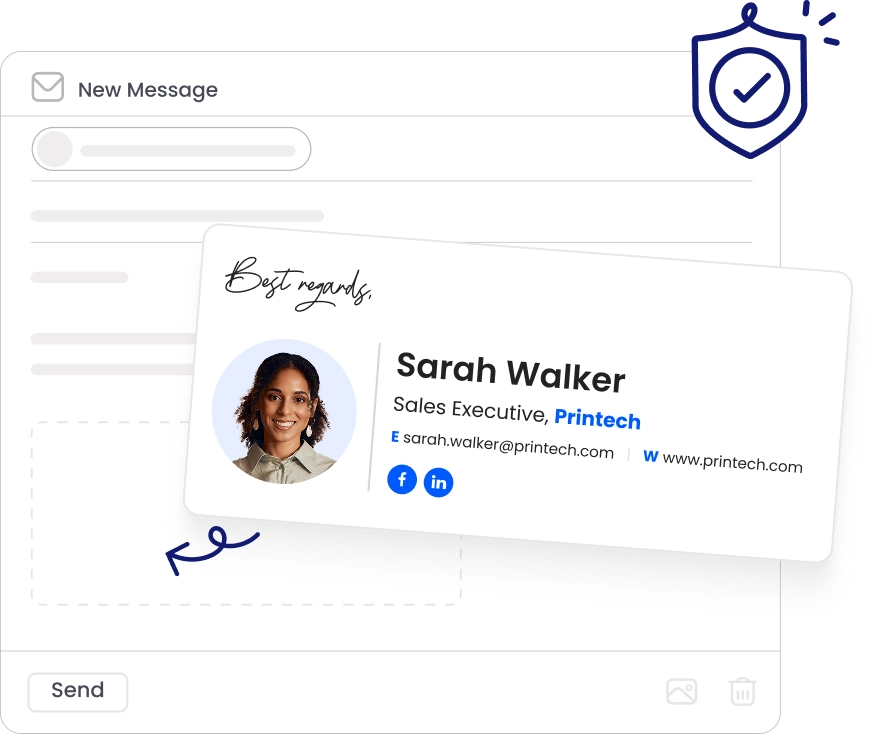
email signature security for IT professionals managing company email signatures
email signature legal disclaimer settings

Enforce & prove email signature compliance

blue tick

Enforce required disclaimers on every email, so no one can skip them

blue tick

Keep a record of admin actions and changes on Enterprise accounts.

blue tick

Apply different signatures to internal and external emails.

blue tick

Hand auditors the evidence, instead of chasing it down.

email signature disclaimer settings

See  what touches your email

WiseStamp reads directory data to build signatures, then injects them server-side, in transit. It never stores or reads message content.

See the architecture in our Trust Center

WiseStamp security badges ensuring enterprise-grade email signature security

Every claim, verifiable

blue tick

All communications are encrypted in transit using the TLS 1.3 in transit and AES-256 at rest.

blue tick

AWS and Google Cloud infrastructure meet SOC 2 Type II, ISO 27001, ISO 27018 and more.

blue tick

GDPR and HIPAA supported, with a BAA available for healthcare organizations.

blue tick

Reports and certificates available in our Trust Center.

WiseStamp security badges ensuring enterprise-grade email signature security

Control who can change what

blue tick

Sign in through SAML 2.0 identity providers, including Okta, OneLogin, Microsoft Entra ID, and Google Workspace.

blue tick

Assign one role per user, from Account Owner and Admin to specialized campaign, employee, or signature design roles.

blue tick

Scope admin and specialist roles globally or per organization to align access with responsibility.

blue tick

Connect your company directory through a Global or super admin

admin decide on user edit permissions with email signature role based access control
EU data residency and HIPAA compliant (not certified)
blue tick

GDPR and CCPA-compliant, backed by a signed DPA.

blue tick

HIPAA-compliant (not certified) – WiseStamp operates strictly as a conduit.

blue tick

Dedicated EU environment: EU storage, EU-only subprocessors.

blue tick

Published subprocessor list, no surprises in your audit.

EU data residency and HIPAA compliant (not certified)

Remove access when employees leave

blue tick

Integrated accounts sync with your directory for automatic updates.

blue tick

Removing employees from the directory deletes them from WiseStamp.

blue tick

Archived and inactive employees do not consume seats.

Automated provisioning for email signatures ensures security and compliance when an employee leaves the company
WiseStamp email signature security enforcement

Email signature security you enforce

blue tick

Automatically deploy signatures server-side to every email

blue tick

Set rules by sender, type, and recipient with priority ordering for overlaps.

blue tick

Applies across desktop, mobile, webmail, and CRM email

blue tick

Centralize signature management for M365, Exchange, Google Workspace, and Gmail.

WiseStamp email signature security enforcement

Reliable uptime and support

blue tick

99.999% uptime with 24/7 support, including weekends and after-hours.

blue tick

Native integrations for Microsoft 365, Google Workspace, and Microsoft Exchange.

blue tick

Meets Microsoft AppSource security requirements for enterprise peace of mind.

blue tick

Reduces infrastructure burden with a fully managed, hands-off service.

WiseStamp dedicated support person and near 100% uptime

Secure your email signature channel today

link blue icon

Connect your directory

Provision automatically via Global or super admin.

fingerprint blue icon

Set identity and access

Enable SSO, assign roles, scope permissions.

signature blue icon

Build templates and rules

Set disclaimers by sender, type, recipient.

click blue icon

Deploy server-side

One activation, every mailbox, no installs.

Audit blue icon

Monitor and prove it

Pull logs, stay audit-ready.

Most teams connect, configure, and go live within the day.

Take email signature security off your risk register

Join 80,000+ companies that manage email signatures as a secure, governed channel rather than an unmonitored one. Enforce every signature, protect every mailbox, and prove compliance when asked.

No credit card needed • Get started in minutes

Ensure email signature security with Wisestamp

FAQ

Email signature security is centralized control over what every employee’s email sign-off contains and how that content is enforced. It typically includes:

  • Required disclaimers that cannot be edited or removed
  • Locked or read-only signature fields
  • Role-based admin access
  • Automatic removal of access when an employee leaves the company

No, an email signature and a digital signature are different things. An email signature is the sign-off block at the bottom of a message. A digital signature is a cryptographic credential, such as S/MIME, that verifies a message was not altered in transit. Server-side signature deployment can break S/MIME because it modifies the message body after signing.

Yes. WiseStamp never accesses, stores, or reads email content, and protects all traffic with TLS in-transit encryption.

WiseStamp also runs built-in spam detection, cyber attack prevention, and routine penetration testing, and processes each account in complete isolation.

No. WiseStamp never accesses, reads, or stores email message content.

For server-side deployment, WiseStamp processes each account in isolation and keeps only basic signature fields (name and job title). Analytics track signature impressions and clicks only.

WiseStamp ranks best overall for security-conscious teams evaluating email signature tools.


  1. WiseStamp: SOC 2 Type II, ISO 27001, ISO 27018, GDPR, CCPA, and HIPAA compliant, with a public Trust Center and a data-minimization architecture
  2. SyncSignature: GDPR compliant, standard AWS-hosted security, narrower certification coverage
  3. Badex Signature: CSA STAR listed and GDPR compliant, built for SMTP and hosting-panel setups rather than enterprise directory sync

Yes, employee-managed email signatures create three specific risks:

  • No audit trail of what was actually sent
  • No guarantee a required legal disclaimer stayed in place
  • No automatic removal of signature access when someone leave

Self-managed signatures also make phishing easier, since a convincing fake internal signature is simple to create without an enforced standard to compare it against.

Six things determine whether an email signature tool meets enterprise security requirements:

  • Independent audit certifications such as SOC 2 Type II and ISO 27001
  • Encryption both in transit and at rest
  • Explicit GDPR, CCPA, and HIPAA posture, not a vague compliance claim
  • Single sign-on and role-based access control
  • A clearly stated deployment model and its effect on data flow
  • A published subprocessor list available without an NDA request

SOC 2 Type II, ISO 27001, and HIPAA each verify a different part of a vendor’s security posture.


  • SOC 2 Type II confirms an independent auditor verified the vendor’s controls operated correctly over several months
  • ISO 27001 certifies the vendor runs a formal, annually reassessed information security management system
  • HIPAA compliance means the vendor’s handling of health-adjacent data meets required safeguards, though it is worth checking whether the vendor signs a BAA or operates only as a conduit

These certifications confirm that the vendor’s operational discipline was independently checked, not that a specific product feature was tested.


WiseStamp and Exclaimer hold comparable core security certifications, including SOC 2 Type II, ISO 27001, GDPR, and HIPAA compliance. The most useful comparison is not certification tier, since both meet that bar, but deployment architecture and how much of each vendor’s security posture is independently verifiable without an NDA request.

A standard confidentiality notice includes three elements:


  • The message is intended only for the named recipient
  • It may contain privileged information
  • It should be reported and deleted if received in error


Finance, healthcare, and legal organizations often require specific disclaimer language by law. The real challenge is not writing this text. It is guaranteeing every employee’s outgoing mail actually carries the disclaimer.

Yes, an antivirus badge or security seal can be added as an image in an email signature template. This kind of badge is a visual convention, not a verifiable security claim. It does not substitute for actual enforcement mechanisms, including:


  • Single sign-on
  • Role-based access control
  • Server-side deployment
  • Audit logs

Yes. For Enterprise accounts, WiseStamp maintains a record of admin actions and configuration changes, showing who made a change and when.

This record is not a self-service report. Request it from WiseStamp support or your Customer Success Manager for a security or compliance review.

Most organizations connect, configure, and go live within the same business day, because WiseStamp connects via API with no MX record changes. Setup steps:

  1. Connect your directory (Microsoft Entra ID or Google Workspace)
  2. Configure SSO and roles
  3. Build templates and server-side signature rules
  4. Deploy company-wide

Native Outlook and Gmail signatures let each employee set and change their own signature, which creates security gaps. Key limits:

  • No central enforcement or bypass prevention
  • No protection against off-policy content
  • No automatic removal when an employee leaves

WiseStamp closes these gaps with server-side enforcement and directory-driven deprovisioning.

WiseStamp connects through the standard admin consent flow and requests only the permissions it needs.

A Microsoft Global Admin or Google super administrator reviews and authorizes the connection. Microsoft Security Group sync requests only the GroupMember.Read.All permission, not broad access.