8 Best Newoldstamp Alternatives for Email Signatures 2026
Compare the best Newoldstamp alternatives for email signature management. Pricing, platforms, deployment mode, and who each tool suits.

Short answer
What are the top 3 Newoldstamp alternatives?
WiseStamp – best for marketing-led teams that want real design control.
A drag-and-drop template editor, banner campaigns, and click analytics come bundled from the Grow plan up, instead of scattered across gated tiers.
It also offers Google Workspace and Microsoft 365 support, server-side enforcement on the Platform tier, and cancel-anytime billing.
Exclaimer – best for Microsoft 365 estates that need signatures enforced at the domain level.
Server-side deployment is available on every plan, alongside the widest verified certification set here: SOC 2 Type II, ISO 27001 and 27018, HIPAA, PCI, and GDPR.
CodeTwo – best for Microsoft 365-only IT teams chasing the lowest per-seat server-side cost.
Signature enforcement is built into the Exchange Online mail flow itself, so it can’t be skipped client-side.
Newoldstamp has no server-side or domain-level deployment option at any plan — its dashboard pushes signature settings into each employee’s email client rather than injecting them at the mail-server level.
If centrally enforced signatures regardless of device or client are a hard requirement, only WiseStamp, Exclaimer, and CodeTwo in this list provide that.
Comparison Table
How does Newoldstamp compare to its competitors?
This Newoldstamp alternatives comparison will help you benchmark against how you run email signature management today.
| Tool | Deployment mode | Platforms | Marketer-editable | Directory sync | Banners | RBAC | Click analytics | Certifications | Starting price |
|---|---|---|---|---|---|---|---|---|---|
| Newoldstamp | Client-side only | Google Workspace, M365, Exchange | Yes | Yes (AD / GW Directory, provisioning only) | Yes | Not documented | Yes | Not publicly listed | $1.80/signature/mo |
| WiseStamp | Both (server-side on Platform+) | Google Workspace, M365, Exchange | Yes | Yes | Yes (Grow+) | Yes (Platform+) | Yes (Grow+) | SOC 2, ISO 27001, GDPR | $19 + $1/employee |
| Exclaimer | Both | M365, Exchange, Google Workspace | Yes | Yes | Yes | Yes | Partial (Pro tier) | SOC 2 II, ISO 27001/27018, HIPAA, PCI, GDPR | $0.90 |
| CodeTwo | Both (Azure relay or add-in) | M365 / Exchange Online only | Partial (HTML for precise edits) | Partial (Entra ID) | Yes | Yes | Partial | M365 App Certified | $0.73 to $1.36 |
| SyncSignature | Client-side | Google Workspace, M365 (Team+) | Yes | Yes (Team+) | Yes (Solo+) | Yes (Team+) | Yes | Not publicly listed | $2/user (5-seat min) |
| MySignature | Client-side | Gmail, M365 (individual/small-team focus) | Yes | Not documented | Not documented | Not documented | Basic | Not publicly listed | $6/user/mo |
| Letsignit | Client-side (native add-in) | M365, Google Workspace, CRM | Yes | Yes | Yes | Yes | Yes | ISO 27001, 27018 | $2/user |
| Bybrand | Client-side | Google Workspace, M365 | Yes | Yes | Not documented | Yes | Not documented | Not publicly listed | $8/mo (10 signatures) |
| Signitic | Client-side (cloud only) | M365, Google Workspace | Yes | Yes | Yes | Partial | Yes | ISO 27001, GDPR | Free to €1 |
Feature information comes from each vendor’s own pricing and feature pages, checked August 2026.
If you’re unsure about your preferred deployment model, see our guide on server-side vs client-side signature deployment.
Newoldstamp Dealbreakers
Why do companies leave Newoldstamp?
These are reported user experiences, not Newoldstamp’s documented behavior, ordered by how often they recur across G2, Trustpilot, and Capterra.
Choosing A Newoldstamp Alternative
How to choose a Newoldstamp alternative?
All the questions below trace to real Newoldstamp failure modes.
- Does the plan auto-renew, and how many days of notice do you actually get before it charges you again?
- Is there a written, unconditional refund window, or does the vendor decide refunds case by case?
- Does per-seat or per-signature pricing stay predictable as your team grows, or does cost creep in unpredictably?
- Do you need signatures enforced at the domain or server level regardless of device, or is client-side deployment enough?
- Can a marketer adjust fonts, layout, and banners without HTML or a design ticket?
- Do you need banner-campaign analytics detailed enough to prove ROI to a manager?
- Does the vendor support your exact platform mix (Google Workspace, Microsoft 365, Exchange) without gaps?
- What is support’s real response time, and in what time zone do they operate?
See the full list of considerations in the IT guide to choosing signature software.
Full Newoldstamp Alternatives Review
What are the best Newoldstamp alternatives?
Newoldstamp’s auto-renewal billing, missing server-side enforcement, and rigid templates drive switches.
Every alternative below solves at least one gap, matched to your platform and team.
Newoldstamp vs WiseStamp
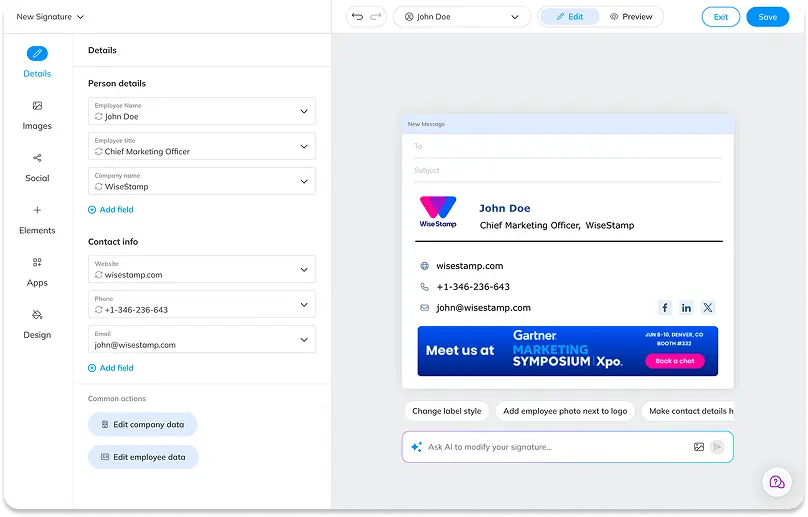
WiseStamp differs from Newoldstamp on how much design control a marketing team gets and on billing transparency.
Where Newoldstamp locks font and layout choices into its template gallery, WiseStamp’s drag-and-drop Studio lets a non-technical admin adjust fonts, spacing, and branding directly, backed by cancel-anytime terms instead of an annual auto-renewal.
Choose WiseStamp if design flexibility and predictable billing matter more than flat per-signature pricing. Stay with Newoldstamp if your signature needs are simple and you don’t mind an annual, auto-renewing plan.
Who should switch
Marketing-led teams, roughly 50-250 employees, that got burned by a renewal charge or want more control over template design than Newoldstamp’s gallery allows.
Where WiseStamp beats Newoldstamp
- A visual Studio editor with custom fonts and full layout control, against Newoldstamp’s fixed template gallery.
- Cancel anytime, plus a 14-day money-back guarantee, against Newoldstamp’s annual auto-renewal and case-by-case refund decisions.
- Server-side deployment on the Platform tier, which Newoldstamp does not offer at any tier.
Where Newoldstamp still wins
- Banner campaigns and analytics are included on every paid plan, where WiseStamp gates them to the Grow tier and up.
- A flat per-signature rate is simpler to budget against than WiseStamp’s base fee plus per-employee pricing.
| Newoldstamp | WiseStamp | |
|---|---|---|
| Deployment | Client-side only | Client-side, server-side on Platform+ |
| Billing | Annual auto-renewal | Cancel anytime, 14-day money-back |
| Campaigns + analytics | Included on every plan | Grow tier and up |
| Price | $1.80/signature/mo | $19 + $1/employee/mo |
For the feature-by-feature view, see the full WiseStamp vs Newoldstamp comparison.
Newoldstamp vs Exclaimer
Exclaimer differs from Newoldstamp mainly in enforcement and certification depth. Newoldstamp pushes signature settings into each employee’s email client, so a determined user can still remove or edit it.
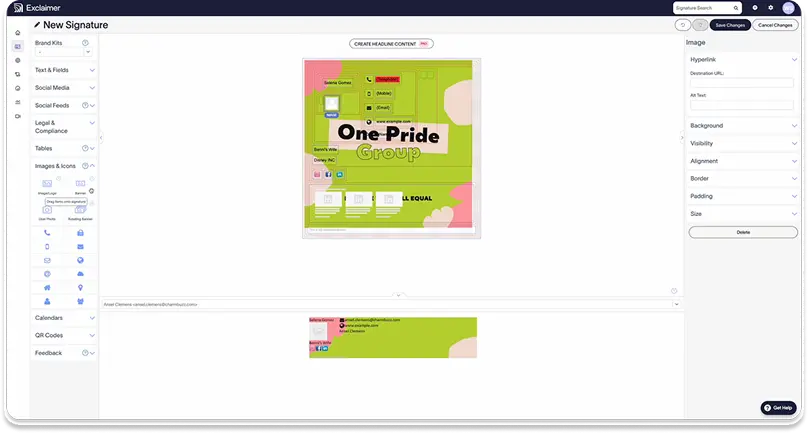
Exclaimer injects signatures at the mail-server level on every plan, and backs that with the widest compliance certification set in this list.
Choose Exclaimer if you need signatures enforced company-wide regardless of device, or a documented compliance certification for a security review. Stay with Newoldstamp if client-side deployment and flat pricing are good enough for your team’s size.
Who should switch
Microsoft 365-first IT teams, and any regulated buyer that needs HIPAA, SOC 2, or ISO 27001 in writing before signing.
Where Exclaimer beats Newoldstamp
- Server-side enforcement on every plan, closing the domain-level gap Newoldstamp’s own users report.
- SOC 2 Type II, ISO 27001 and 27018, HIPAA, PCI, and GDPR — Newoldstamp publishes none of these.
- Role-based permissions and a rule engine for department- or region-specific templates.
Where Newoldstamp still wins
- Lower entry cost for small teams: no 10-user minimum, against Exclaimer’s.
- Banner analytics ships on every plan, where Exclaimer gates click analytics to the Pro tier.
| Newoldstamp | Exclaimer | |
|---|---|---|
| Deployment | Client-side only | Server-side or client-side, every plan |
| Certifications | Not publicly listed | SOC 2 II, ISO 27001/27018, HIPAA, PCI, GDPR |
| Minimum seats | None published | 10 users |
| Price | $1.80/signature/mo | $0.90/user/mo annual (Starter) |
Newoldstamp vs CodeTwo
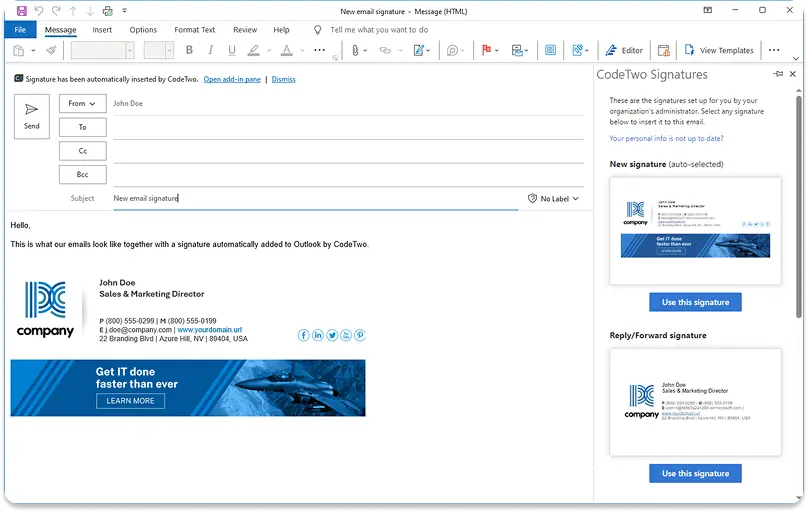
CodeTwo differs from Newoldstamp in architecture and cost at scale. CodeTwo enforces signatures inside the Exchange Online mail flow on every plan, while Newoldstamp deploys client-side only.
CodeTwo’s per-seat rate also drops sharply with volume, undercutting Newoldstamp’s flat per-signature price well before 100 seats.
Choose CodeTwo if your organization is pure Microsoft 365 and you want guaranteed server-side enforcement at the lowest per-seat cost. Stay with Newoldstamp if you also run Google Workspace, since CodeTwo drops that entirely.
Who should switch
Microsoft 365/Exchange-only IT teams that want enforcement architecture, not a feature toggle, and are prepared to trade Google Workspace support for it.
Where CodeTwo beats Newoldstamp
- Server-side signature injection on every plan, not a higher-tier upsell.
- Per-seat pricing that scales down to $0.73 at volume, cheaper than Newoldstamp’s flat $1.80 per signature at most team sizes.
- Microsoft 365 App Certified, a verification Newoldstamp does not publish.
Where Newoldstamp still wins
- Native Google Workspace support; CodeTwo covers Microsoft 365 and Exchange Online only.
- A visual, no-HTML editor for precise template changes, against CodeTwo’s HTML-dependent fine edits.
| Newoldstamp | CodeTwo | |
|---|---|---|
| Platforms | Google Workspace, M365, Exchange | M365 / Exchange Online only |
| Deployment | Client-side only | Azure relay or add-in |
| Price | $1.80/signature/mo flat | $0.73 to $1.36/user/mo |
Newoldstamp vs SyncSignature
SyncSignature differs from Newoldstamp on directory automation for mixed-platform teams. Newoldstamp syncs directory data to populate signatures but still pushes them out client-side.
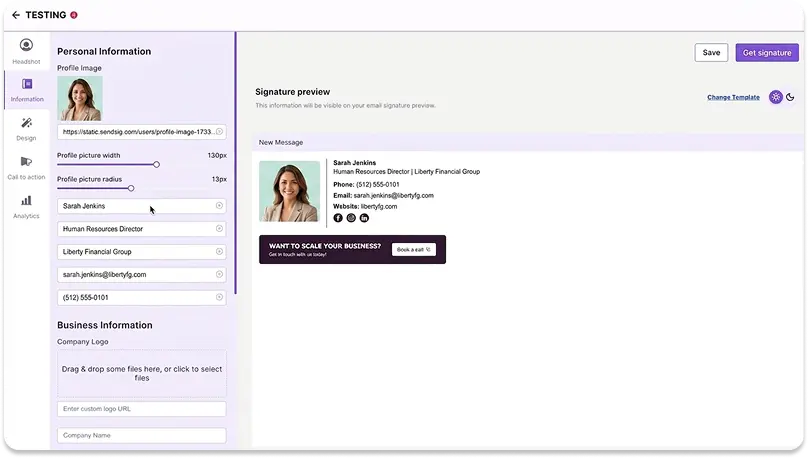
SyncSignature’s Team plan adds Google Workspace directory sync and department-based routing at a lower entry price than Newoldstamp’s flat per-signature rate.
Choose SyncSignature if you run both Google Workspace and Microsoft 365 and want directory-driven provisioning without a tier-gated upsell. Stay with Newoldstamp if you’re already invested in its banner-campaign workflow and don’t need directory automation.
Who should switch
Lean IT/ops teams on a mixed Google Workspace and Microsoft 365 stack who want the Team plan’s full feature set at one price.
Where SyncSignature beats Newoldstamp
- A genuinely free single-signature plan and a $6/mo Solo tier below Newoldstamp’s lowest published price.
- Department-wise signature routing and directory sync on the Team plan, with no separate feature-gated upsell.
- A 7-day free trial with no credit card, matching Newoldstamp’s trial length without the auto-renewal surprise.
Where Newoldstamp still wins
- A longer track record and a much larger review base (435+ G2 reviews against SyncSignature’s smaller footprint).
- Broader native email-client support beyond Gmail, Outlook, and Apple Mail, including Thunderbird and mobile mail apps.
| Newoldstamp | SyncSignature | |
|---|---|---|
| Directory sync | Provisioning only, client-side push | Team plan, Google Workspace + M365 |
| Free tier | No | Yes (1 signature) |
| Trial | 7 days | 7 days, no card |
| Price | $1.80/signature/mo | $2/user/mo (5-seat min) |
Newoldstamp vs MySignature
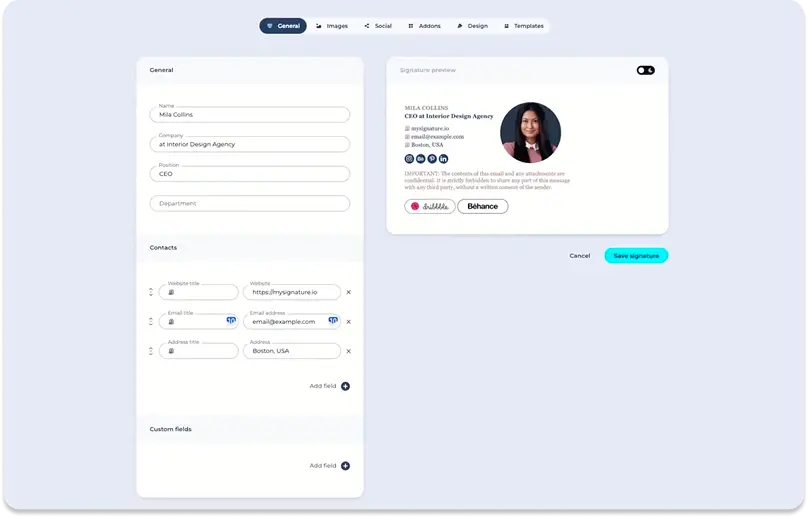
MySignature differs from Newoldstamp on who it’s built for.
Newoldstamp is priced and designed for teams running department-wide campaigns, while MySignature targets individuals and very small teams with a genuine free tier and a lighter, faster setup that doesn’t assume you need centralized banner campaigns.
Choose MySignature if you’re a freelancer or a team under 10 people and don’t need banner campaigns or directory sync. Stay with Newoldstamp if you’re already running multi-department signature rollouts.
Who should switch
Solo consultants and micro-teams that find Newoldstamp’s per-signature pricing and campaign tooling like overkill for their size.
Where MySignature beats Newoldstamp
- A genuine free tier for individual users, which Newoldstamp does not offer.
- Lower entry pricing at small scale: Core at $6/user/mo against Newoldstamp’s $1.80 per signature, which adds up faster once campaigns are involved.
Where Newoldstamp still wins
- Department-based master templates and segmentation for multi-team rollouts, which MySignature isn’t built for.
- Banner campaign scheduling and analytics included by default; MySignature’s campaign tooling is far lighter.
| Newoldstamp | MySignature | |
|---|---|---|
| Best for | Departmental rollouts with campaigns | Solo users, teams under 10 |
| Free tier | No | Yes |
| Directory sync | Yes (provisioning) | Not documented |
| Price | $1.80/signature/mo | $6/user/mo (Core, yearly) |
Newoldstamp vs Letsignit
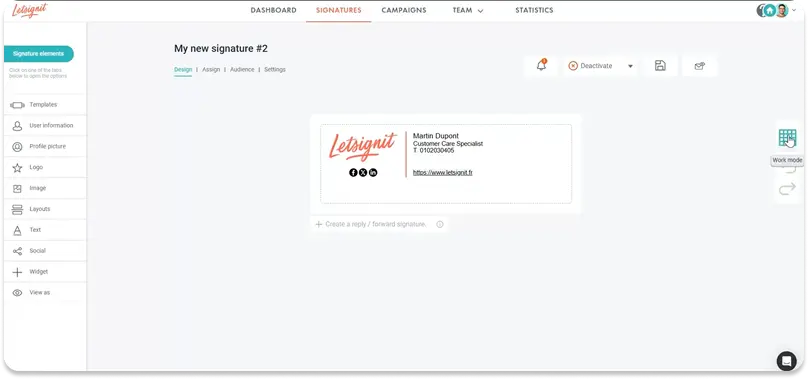
Letsignit differs from Newoldstamp on compliance documentation and Microsoft-native depth.
Both deploy client-side, so neither enforces signatures server-side, but Letsignit publishes ISO 27001 and 27018 certification and syncs directly from Microsoft Entra ID and Google Directory, where Newoldstamp’s compliance posture isn’t documented anywhere on its site.
Choose Letsignit if you’re an EU-based or Microsoft-native team that needs ISO certification in writing. Stay with Newoldstamp if compliance documentation isn’t a requirement for your buyer.
Who should switch
EU-headquartered or Microsoft 365-primary teams where a security or procurement review requires a named certification.
Where Letsignit beats Newoldstamp
- ISO 27001 and 27018 certification, against nothing publicly listed for Newoldstamp.
- Confirmed directory sync from Microsoft Entra ID and Google Directory, not just provisioning at setup.
- A dedicated Outlook add-in with A/B testing on banner campaigns.
Where Newoldstamp still wins
- Native Google Workspace support at full strength; Letsignit’s most advanced features are built primarily for Outlook.
- Simpler, single-rate pricing against Letsignit’s per-user rate that can climb with add-ons.
| Newoldstamp | Letsignit | |
|---|---|---|
| Certifications | Not publicly listed | ISO 27001, 27018 |
| Directory sync | Provisioning only | Entra ID + Google Directory |
| Platform strength | GW + M365 equally | M365-primary |
| Price | $1.80/signature/mo | $2/user/mo |
Newoldstamp vs Bybrand
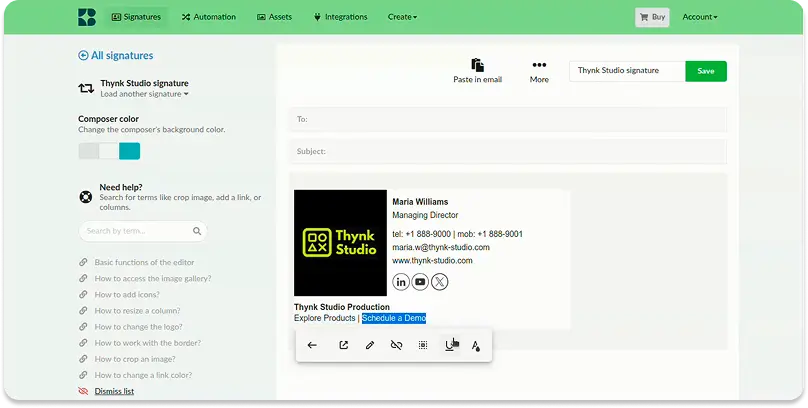
Bybrand differs from Newoldstamp on cost at small scale and on delegated editing.
Bybrand’s base plan covers 10 signatures for less than 6 Newoldstamp signatures would cost, and its editor and manager roles let a marketer make changes without full admin access, a permission layer Newoldstamp doesn’t document.
Choose Bybrand if you’re a small Google Workspace or Microsoft 365 team that wants role-based editing at a lower entry price. Stay with Newoldstamp if you need mature banner-campaign scheduling, which Bybrand doesn’t clearly publish.
Who should switch
Small teams (roughly 10-50 employees) that want a cheaper entry point and don’t need heavy campaign tooling.
Where Bybrand beats Newoldstamp
- Lower cost at small scale: $8/mo covers 10 signatures, against $18 for the same count on Newoldstamp’s flat rate.
- Editor and manager roles for delegated access, which Newoldstamp doesn’t document.
- A 14-day trial with no credit card and a 30-day money-back guarantee, against Newoldstamp’s 7-day trial and case-by-case refunds.
Where Newoldstamp still wins
- Documented banner-campaign scheduling and analytics; Bybrand doesn’t publish equivalent campaign features.
- A larger, longer-standing review base across G2 and Capterra.
| Newoldstamp | Bybrand | |
|---|---|---|
| Entry price | $1.80/signature/mo | $8/mo (10 signatures) |
| Refund policy | Case-by-case | 30-day money-back |
| Trial | 7 days | 14 days, no card |
| RBAC | Not documented | Editor / manager roles |
Newoldstamp vs Signitic
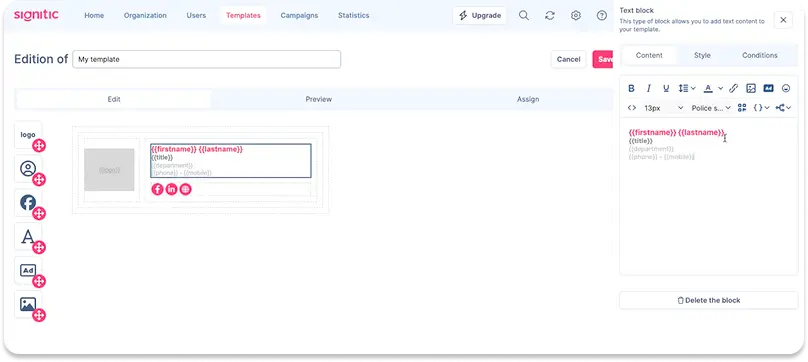
Signitic differs from Newoldstamp mainly on entry cost: a genuinely free tier for up to 19 employees, then roughly €1 per user per month, undercutting Newoldstamp’s flat per-signature rate at almost any team size once you’re past the free threshold.
Choose Signitic if your team is under 20 people and campaign features matter more than a big feature set. Stay with Newoldstamp if you’re already past that size and need multi-department master templates.
Who should switch
Small teams under 20 employees where price is the deciding factor and campaign analytics still matter.
Where Signitic beats Newoldstamp
- A real free tier up to 19 employees, with 1 template and 1 campaign included.
- ISO 27001 and GDPR-focused positioning, against nothing publicly listed for Newoldstamp.
- Roughly €1 per user per month past the free tier, cheaper than Newoldstamp’s $1.80 flat rate at most seat counts.
Where Newoldstamp still wins
- No confirmed on-premises Exchange gap; Signitic is cloud-only by design.
- A broader native email-client list, including Thunderbird and several mobile mail apps.
| Newoldstamp | Signitic | |
|---|---|---|
| Free tier | No | Yes, up to 19 employees |
| Certifications | Not publicly listed | ISO 27001, GDPR |
| Price | $1.80/signature/mo | Free to €1/user/mo |
Free & Native Options
Free and native alternatives to Newoldstamp
Gmail and Outlook can both apply a company-wide signature without a paid tool, at a real cost in flexibility.
In Google Workspace, admins can push an HTML “Append footer” to an organizational unit from Apps > Google Workspace > Gmail > Advanced settings.
It has real limits: only one template per organizational unit, no auto-populated per-user contact details, no visibility while composing (it’s added server-side on send), and it appends below any signature a user has already set, so employees can end up with two signature blocks.
Microsoft 365 offers the equivalent through org-wide signatures and disclaimers in the admin center, with 3 documented limits on Microsoft’s own support page:
- You can’t insert the signature directly under the latest reply or forward
- Users can’t see server-side signatures in Sent Items
- You can’t embed images
Those limits are what a dedicated tool like Newoldstamp or any alternative above is actually for.
Migrating From Newoldstamp
How do I switch from Newoldstamp to another provider?
- Export or screenshot every master template and department variant before you touch anything.
- Inventory who has which signature and which department, since segmentation accumulates and some of it is usually stale.
- Confirm the new vendor’s deployment mode and whether it needs any directory reconnection.
- Pilot with one department first, ideally one that sends externally all day.
- Verify rendering on Gmail, Outlook, Apple Mail, and mobile, including a reply from a phone.
- Check banner campaign continuity, since scheduled campaigns don’t carry over automatically.
- Cancel Newoldstamp in writing well before your renewal date, not after. Given the recurring auto-renewal and refund complaints above, get written confirmation of cancellation, not just a submitted request.
- Keep both tools live for one overlap billing cycle where budget allows. A parallel month costs less than fighting a renewal charge afterward.