Email Signatures Deployemnt – Server-Side vs Client-Side
Compare server-side and client-side email signature deployment for Microsoft 365 and Google Workspace. See coverage gaps and compliance risks
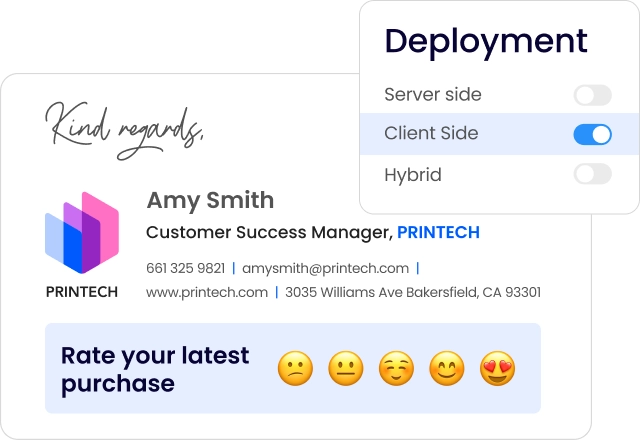
Short answer
What’s the difference between server-side and client-side email signatures?
- Server-side email signature management appends signatures to outgoing emails at the mail server level, after the user clicks Send.
- Client-side management injects the signature into the email compose window, before sending, using a local application or browser extension installed on the user’s device.
Compliance and coverage risk
Why email signature deployment model is an IT governance problem
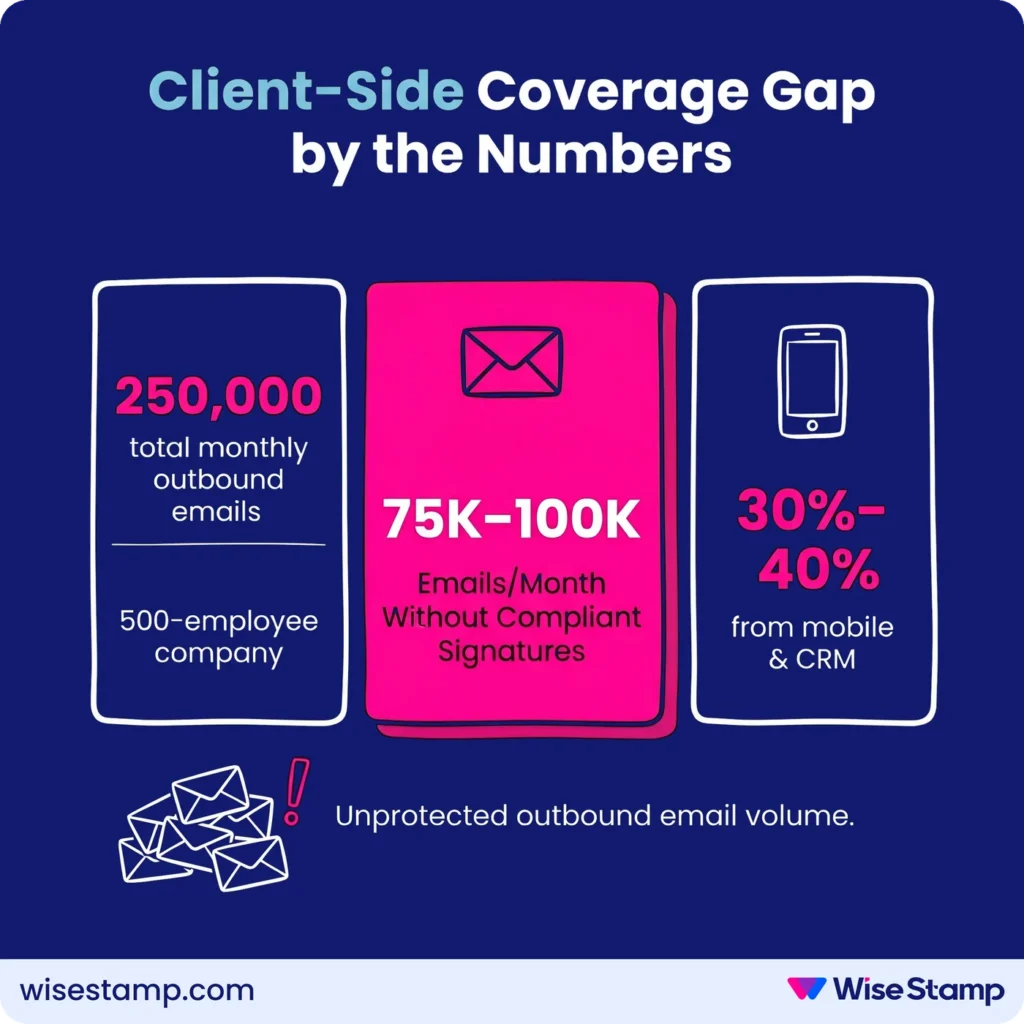
Your deployment model determines whether every outbound email carries the correct signature, or only the ones sent from a managed desktop. A 500-person company sends roughly 250,000 emails a month.
Mobile devices, CRM platforms, and shared mailboxes are where coverage breaks, and where compliance failures happen.
For legal disclaimers and compliance footers in Microsoft 365, Google Workspace, or Exchange environments, that gap isn’t cosmetic. It’s a liability.
Server-side deployment
How does server-side email signature deployment work?
Server-side signature deployment intercepts outgoing emails after the user clicks Send, before the email reaches the recipient.
The message passes through a signature layer where the correct template is appended based on sender identity, then delivered normally.
In Microsoft Exchange and Exchange Online, this uses mail flow rules, also called transport rules. In Google Workspace, it uses compliance rules configured from the Admin Console.
Many platforms also offer a third-party hosted relay service that handles signature injection on behalf of the organization.
WiseStamp’s server-side mode routes email through WiseStamp’s hosted service post-send. The signature is appended and delivered.
WiseStamp never stores or reads the email content. Per-account tenant isolation is enforced throughout.
Server-side pros
What are the advantages of server-side email signature management?
Server-side deployment delivers universal signature coverage. Every outgoing email, regardless of device or client, carries the correct signature.
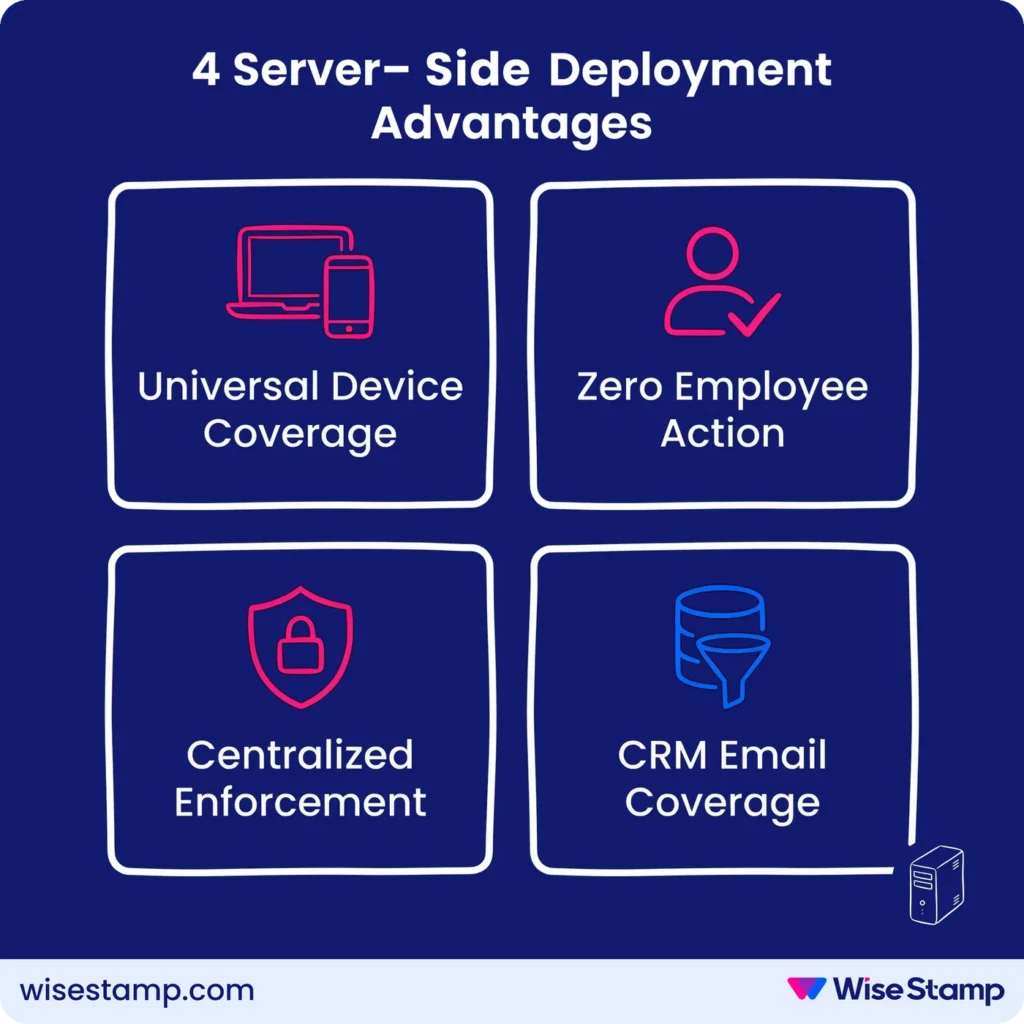
4 server-side signature deployment advantages:
- Universal device coverage: signatures appear from mobile, desktop, CRM, and any email client, with no software required on each device
- Zero employee action required: deployment needs nothing from end users after initial server-level configuration
- Centralized enforcement: brand standards and compliance footers are applied at the server level, not per user
- CRM email coverage: emails sent from Salesforce, HubSpot, Pipedrive, or Zoho CRM carry consistent signatures when routed through the mail server
Server-side is the default choice for organizations where legal disclaimers or compliance footers must appear on every outgoing email.
Server-side limitations
What are the limitations of server-side email signature management?
Server-side signatures have 3 consistent pain points in production.
The first is sender invisibility: signatures appended server-side don’t appear in the compose window before sending.
One IT professional I came across in an online forum put it plainly: “Users couldn’t see the signature while composing, so they kept adding their own and breaking everything.”
The result is duplicate signatures in threaded email chains. Suppressing this requires additional transport rule logic to exclude replies and forwards from injection.
The second concern is third-party email routing. Hosted server-side services route email through an external platform before delivery, which triggers security review.
The concern is resolvable. Vendors need to provide SOC 2 Type II and ISO 27001 attestation artifacts before an enterprise security review concludes.
The third issue is reply chain clutter: without scoped mail flow rules, server-side deployment appends a full signature to every reply and forward, not just first-sent messages.
Client-side deployments
How does client-side email signature deployment work?
Client-side signatures are injected into the compose window by an application running on the sender’s device or browser. The sender sees the signature before clicking Send.
Common client-side deployment methods include:
- Outlook Add-In: supports Outlook Web App and Outlook Desktop on Windows and Mac; centrally deployable via MDM or Group Policy Object (GPO)
- Chrome Extension: supports Gmail, Outlook Web, and Yahoo Mail; includes a multi-signature side panel for per-email selection
- Desktop App: supports Outlook Desktop and Mac Mail; deployable via MDM or GPO
- Google Workspace Auto-Inject: pushes signatures directly into Gmail settings and the iOS Gmail app from the admin console
Client-side pros
What are the advantages of client-side email signature management?
Client-side deployment gives senders full visibility into their signature before the email leaves their device.
The 3 main advantages are:
- Pre-send visibility: the sender sees the live signature in the compose window, which eliminates the double-signature problem common in server-side-only setups
- Signature switching per email: employees select from multiple assigned templates per message, for example a short reply signature vs. a full external signature with a campaign banner
- No third-party email routing: email stays within your existing Microsoft 365 or Google Workspace infrastructure, which simplifies security reviews considerably
Client-side limitations
What are the limitations of client-side email signature management?
Client-side deployment creates coverage gaps wherever the required app or extension isn’t installed. That includes most mobile devices, all CRM platforms, and email clients outside the supported set.
If mobile and CRM emails account for 30-40% of outbound volume in a 500-person company, between 75,000 and 100,000 emails leave every month without a compliant signature.
For organizations with legal disclaimer requirements, that’s a serious compliance exposure.
Client-side also creates an enforcement gap. Employees who uninstall an extension or modify their Outlook settings can alter or remove their signature. Server-side has no equivalent vulnerability.
Full comparison
Server-side vs client-side email signatures: how do they compare?
| Factor | Server-side | Client-side |
|---|---|---|
| All-device coverage | Yes | No |
| Mobile coverage | Yes | No (typically) |
| CRM email coverage | Yes | No |
| Sender signature visibility | No | Yes |
| Signature switching per email | No | Yes |
| Employee software required | No | Yes |
| Third-party email routing | Usually | No |
| Duplicate signature risk | Yes (in threads) | Low |
| Centralized brand enforcement | Complete | Partial |
| Legal disclaimer coverage | Complete | Incomplete |
Hybrid deployment
What is hybrid email signature deployment, and when does it make sense?
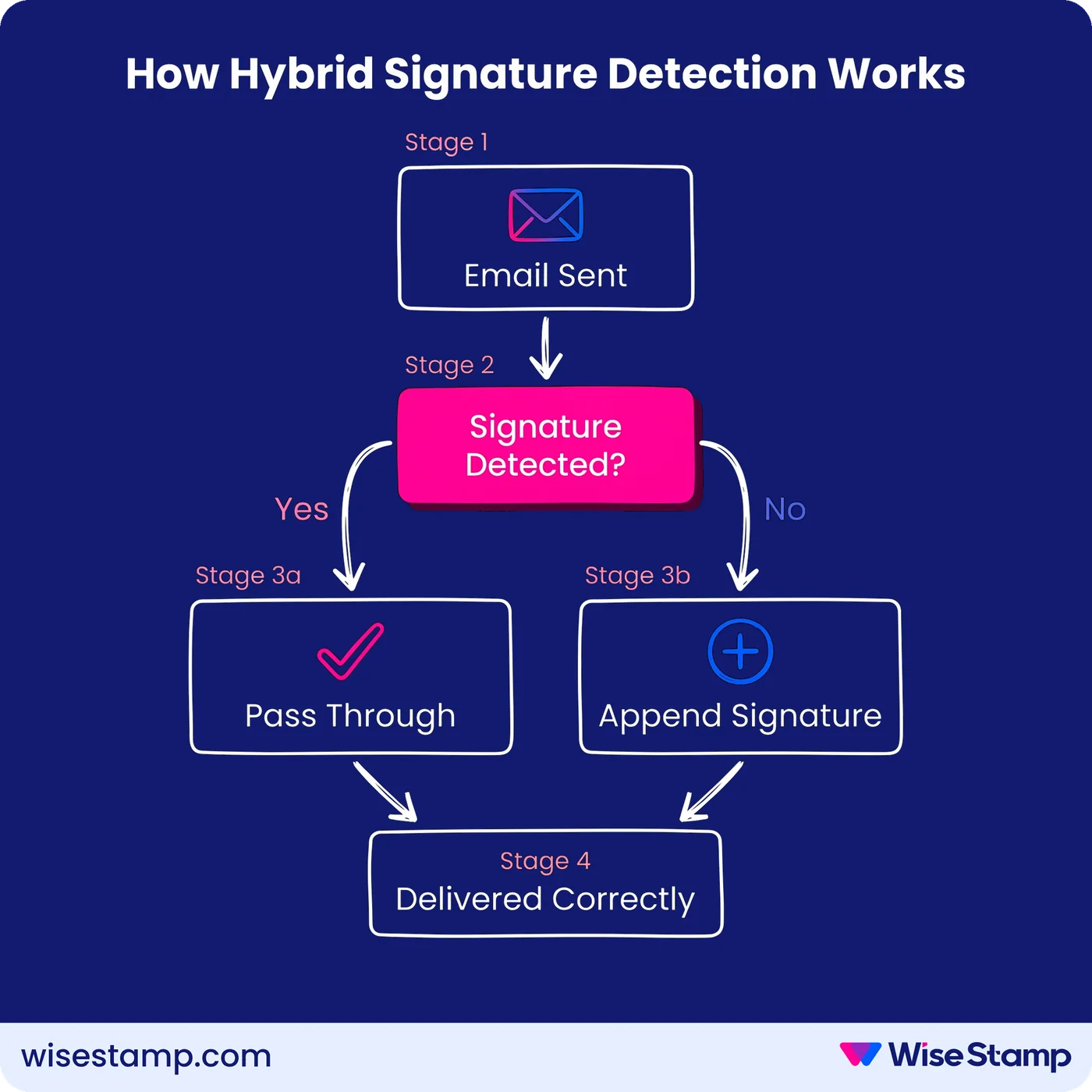
Hybrid deployment combines client-side for supported desktop clients with a server-side layer that covers everything else.
The server-side component detects whether a client-side signature is already present in the outgoing email.
If present, the email passes through unchanged. If absent (mobile, CRM, or unsupported client), the server-side layer appends the correct signature.
I hear this from IT teams who’ve moved to hybrid after fighting coverage gaps with client-side-only setups.
“Mobile and desktop signatures finally looked the same. That alone sold it for us.”
Hybrid delivers compose-time visibility for desktop senders and guaranteed coverage everywhere else, without forcing a choice between them.
WiseStamp handles hybrid automatically: when both deployment modes are configured, the server-side layer includes duplicate signature detection and skips any email that already carries a WiseStamp client-side signature.
No extra rule configuration is needed.
Choosing your approach
Which deployment approach is right for your Microsoft 365 or Google Workspace environment?
The right approach depends on 3 variables: compliance requirements, device diversity, and security posture.
If your organization requires legal disclaimers on every outgoing email, including mobile and CRM-sent messages, server-side or hybrid is not optional.
Client-side alone will leave gaps that compliance audits will surface.
If your security team has concerns about routing email through a third-party hosted service, evaluate the vendor’s certification posture first.
WiseStamp holds SOC 2 Type II, ISO 27001, HIPAA, and GDPR compliance, with per-account tenant isolation and a privacy-first architecture that stores no email content.
If your workforce operates across Windows, Mac, iOS, and Android, with employees sending from Salesforce or Microsoft Dynamics 365, hybrid is the right architecture.
It’s the only deployment model that closes all coverage gaps without forcing a trade-off between visibility and reach. Most enterprise environments end up here, often after discovering the mobile coverage gap during a compliance review.
Verdict
Hybrid deployment gives the best coverage
Server-side email signature management delivers universal coverage across all devices, clients, and CRM platforms. It requires server-level mail routing and gives senders no compose-time preview.
Client-side management provides pre-send visibility and avoids third-party routing, but leaves gaps wherever the required app isn’t installed.
For most enterprise environments running Microsoft 365, Google Workspace, or Exchange, hybrid deployment is the architecture that closes both gaps.