How to Manage Email Signature Brand Reputation Risk
Unmanaged employee email signatures put your brand at risk with every email sent. Learn how to enforce brand governance centrally and turn risk into asset
Short answer
How do you protect your brand across all employee email signatures?
Email signature brand protection requires centralized control: one template pushed across the organization through Google Workspace or Microsoft 365, role-based access control (RBAC) that locks brand elements while letting employees update approved personal fields, and directory sync with Microsoft Entra ID or Google Workspace that keeps data current automatically.
Signature Chaos Brand Exposure
What do unmanaged company email signatures look like?
A 100-person company sends roughly 100,000 emails per month. Each carries an email signature that is, in the absence of any system, whatever the employee decided to put there.
Some have last year’s logo. Some have motivational quotes. Some have opinions about current events.
Michael Yehoshua, our CMO, described the pattern in a LinkedIn post that stuck with me:
“There’s a gap most companies don’t notice until it’s a problem — the gap between their brand and their inbox. Brand guidelines live in a deck. Employee signatures live in the wild.”
— Michael Yehoshua, CMO, WiseStamp
That gap is a brand reputation risk that compounds with every email your team sends.
Email Signature Brand Risk
What kinds of brand damage do unmanaged email signatures create?
Unmanaged email signatures produce 4 distinct categories of brand risk:
- Visual inconsistency: mismatched fonts, colors, logo versions, and layouts across employees, sometimes visible in the same email thread with a client
- Outdated information: old logos, discontinued product names, changed job titles, or incorrect phone numbers reaching clients and prospects
- Off-policy personal expression: political statements, personal causes, emojis, motivational quotes, or links to personal projects that conflict with brand standards
- Compliance gaps: missing required legal disclaimers, regulatory footers, or privacy notices that create legal exposure in regulated industries
Political statements and personal causes get underestimated.
Most brand teams think about logo consistency and color compliance. Few have a plan for what happens when an employee adds a political cause, a religious message, or a personal fundraising link to their company signature.
Those messages reach clients. They go into thread chains. They appear next to your company logo with no warning and no review process, because there is no review process.
I’ve heard this described from enterprise brand managers we work with:
“We get a lot of people where I see this and show them, like, how did you even end up with that? Like, who approved that? Who let you do that?”
— Enterprise brand manager, WiseStamp customer
Nobody had. There was simply no system in place to prevent it.
Reasons For Policy Failure
Why do email signature policies consistently fail to protect brands?
Email signature policies fail for three specific reasons:
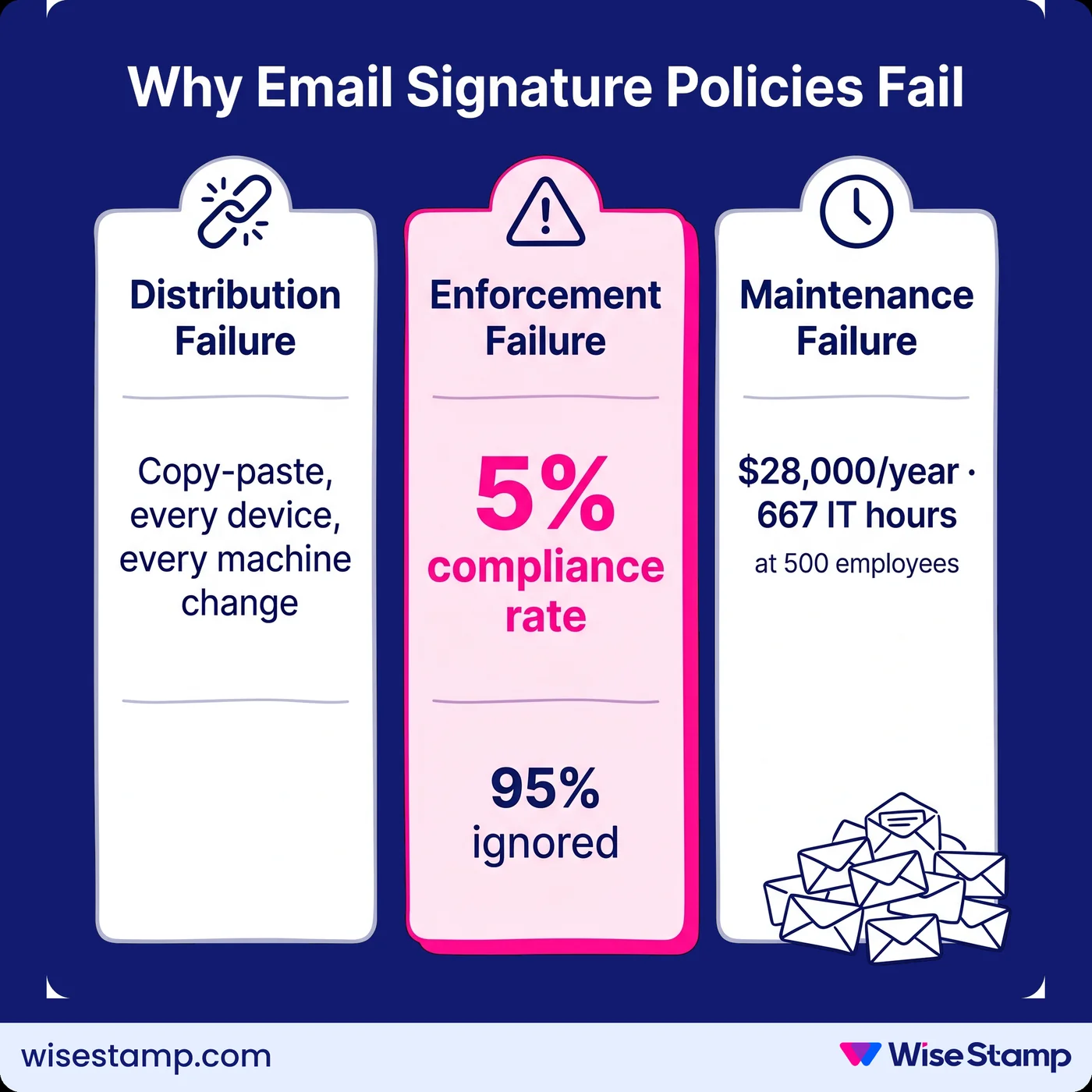
- Distribution failure: most organizations send a signature template by email or shared wiki and ask employees to copy-paste it manually into their email client, on every device, every time they get a new machine or change roles
- Enforcement failure: there’s no mechanism to verify compliance; when one marketing team asked employees to add a newsletter link to their signatures, 5% did it; the other 95% ignored the request entirely (WiseStamp enterprise sales data)
- Maintenance failure: manual signature management at 500 employees costs over $28,000 annually and consumes 667 hours of IT time (Salesso, 2025), and that figure doesn’t account for the brand damage from thousands of off-brand emails that reached clients in the same period
One of our enterprise clients described the result before they came to us:
“It’s like the wild, wild west of email signatures currently, and we’re trying to rein that all in.”
— Enterprise client, WiseStamp
This is the most consistent pain we hear from brand teams that have grown past 50 employees.
Brand Governance Requirements
What does brand governance over email signatures require?
Brand governance over email signatures means defining which elements are under company control and which employees can personalize.
The distinction must be enforced technically, not through a policy document.
Elements that must be locked for email signature governance:
- Company logo (current version, correct format, correct sizing)
- Approved brand fonts and colors
- Legal disclaimers and regulatory footers
- Company-approved social links and URLs
- Campaign banners and promotional assets
Email signature elements employees can personalize within guardrails:
- Their direct phone number and mobile
- Their profile photo
- A second language version of their signature (for multilingual organizations)
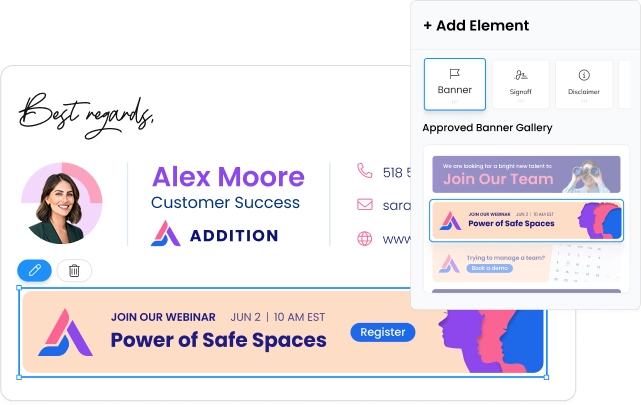
If you choose to use WiseStamp, you have Role-based access control (RBAC) that enforces what signature elements employees can and cannot edit at scale.
Admins define which fields are editable and by whom. Locked fields cannot be modified by individual employees, regardless of their email client or device.
If an employee wants to edit their signature, they can do it on their own through WiseStamp’s Employee Hub, without having to go through anyone.
Employees see their assigned signature, update the fields they’re permitted to edit, and install in one click.
Brand elements are locked by the admin. Employees get autonomy over their own details without the ability to break the template.
IT gets fewer tickets. Marketing gets one consistent standard everywhere.
Centralized Signature Control
How does centralized email signature management eliminate brand risk?
Centralized email signature management eliminates brand risk by removing the dependency on employee compliance entirely.
Instead of distributing templates and hoping for adoption, admins design signatures once in a central platform and push them across the organization through Google Workspace, Microsoft 365, or Exchange.
The signature appears automatically in every outgoing email. There is nothing for employees to copy and paste, and therefore nothing to get wrong.
A change to the template (a new logo after a rebrand, an updated legal disclaimer, a seasonal campaign banner) publishes instantly to every assigned employee the moment it goes live.
Employee data stays current through daily directory sync with Microsoft Entra ID or Google Workspace, with no manual entry required.
New hires receive a correct, on-brand signature from their very first email. Departures are removed automatically.
That shift from manual onboarding to automatic provisioning removes one of the most persistent sources of off-brand signatures in growing organizations: the new employee who sent 200 emails before anyone noticed their signature had the wrong logo.
Noncompliance Legal Risks
What legal risks do unmanaged email signatures create for businesses?
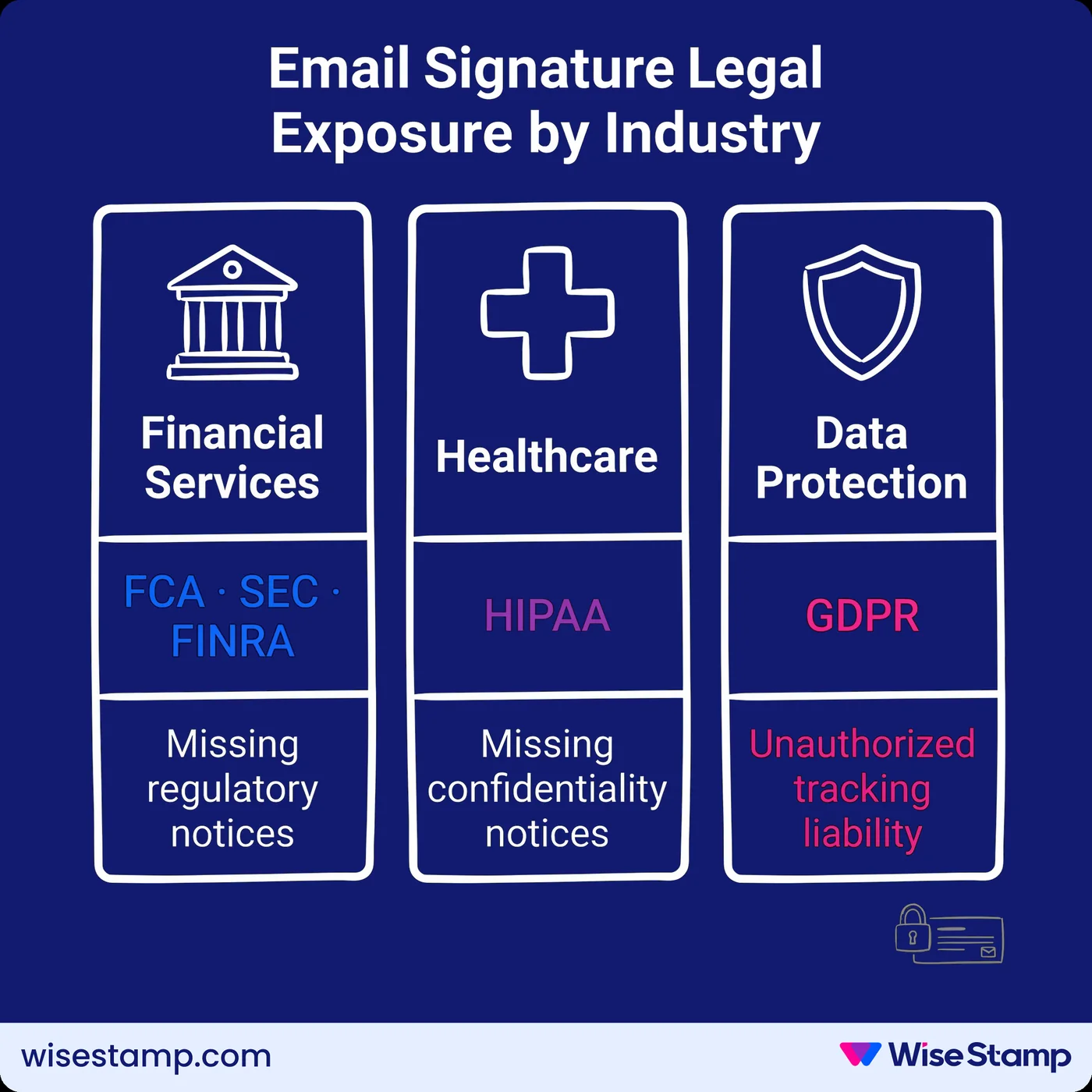
Unmanaged email signatures create legal exposure across 3 regulatory categories:
- Financial services: the FCA, SEC, and FINRA require specific regulatory notices on client-facing communications. Missing or modified disclaimers on broker or advisor emails can result in regulatory censure and direct fines
- Healthcare: HIPAA requires that communications involving protected health information include compliant confidentiality notices. An employee sending from a personal device with a missing or altered disclaimer creates direct organizational liability
- Data protection: GDPR requires that recipient data is handled lawfully. Signatures linking to non-compliant pages or containing unauthorized tracking can implicate the organization regardless of whether the employee acted intentionally
Without centralized control, each of these requirements depends on every individual employee maintaining the correct disclaimer version on every device they use.
That’s not a governance system. It’s a liability.
You can effectively mitigate these risks by using email signature management software.
In WiseStamp’s case, admins can lock legal disclaimers and regulatory footers as immutable template elements.
Compliance overhead is greatly reduced since disclaimer content is set once and applied universally, regardless of email client, device, or user.
Enterprise security review is satisfied with SOC 2, ISO 27001, HIPAA, and GDPR compliance certifications, combined with RBAC and audit log capabilities.
Turn Risk To Asset
How does email signature management turn brand risk into brand performance?
Email signature management prevents brand damage and builds brand equity. It earns brand trust with email signature consistency, builds brand recognition through visibility, and turns everyday email into a measurable marketing channel.
- Email signature standardization: When every signature is consistent, current, and on-brand, clients and prospects receive a uniform brand impression across every interaction: sales outreach, customer support, billing.
- Measurable marketing channel: Signature banner campaigns, CTAs, and trackable links in controlled signatures drive lead generation through everyday email.
I’ve seen the transition from risk to asset many times, when signature chaos turns to signature management.
One of our cybersecurity clients linked their WiseStamp signature banner to an event landing page and booked demos at both Black Hat and RSA conferences directly from email signature traffic.
Takeaway
What does email signature brand reputation management require?
Email signature brand reputation management is the discipline of centrally controlling the design, content, and deployment of employee email signatures to prevent off-brand, non-compliant, or inappropriate content from reaching clients and prospects.
The 4 requirements for brand-safe email signatures across any organization:
- Centralized template control: one design source of truth, deployed automatically through Google Workspace or Microsoft 365, with no copy-paste dependency
- Role-based permissions (RBAC): brand elements locked, employee-editable personal details explicitly permitted
- Directory sync: automatic provisioning from Microsoft Entra ID or Google Workspace, so new hires and departures are handled without manual work
- Compliance enforcement: legal disclaimers locked as immutable elements with audit logs for enterprise governance
Manual signature management at scale is not viable.
Organizations with more than 50 employees that rely on shared templates and email guidelines are accepting ongoing brand risk with every message their team sends.
Get expert advice on managing email signature compliance risk