Email Signature Management Privacy Review: Audit Guide
Step-by-step guide for IT and compliance officers to audit signature management platforms for GDPR, HIPAA, data residency & access controls
Short answer
How do I run an email signature management privacy review?
An email signature management privacy review covers 2 parts: auditing the personal data inside your signature templates, and evaluating the platform managing them. For the platform, verify a valid Data Processing Agreement (DPA), data security certifications (SOC 2 Type II, ISO 27001), role-based access controls (RBAC), and a documented data retention policy.
Compliance Blind Spot
Why unreviewed signature management tools expose you to compliance risk
Every email signature management platform processes employee personal data. Under GDPR, CCPA, and HIPAA, this makes the platform a data processor and your organization the controller.
I’ve heard this from one of our enterprise clients managing regulated environments:
“We do have people internally who collect payments, and we need to make sure that compliance-wise, we’re checking all the boxes signature-wise.”
That mindset should extend to the signature tool itself, not just the content it delivers.
If you haven’t formally reviewed your platform, you’ve accepted regulatory exposure without knowing its scope.
Email Signature Data Scope
What personal data does email signature management actually process?
Email signature management platforms handle more employee personal data than most IT reviews account for. Standard signature fields include:
- Name, job title, work email, direct phone, and mobile number
- Department, pronouns, and profile photo
- Social media profile links (LinkedIn, Twitter, Instagram)
- Company logo, office address, and website URL
Server-side deployment tools also process IP address metadata and email routing headers when appending signatures to outgoing messages.
Platforms with signature analytics collect impression data via tracking pixels, recording how often a signature loads in outgoing email.
Every field in that list qualifies as personal data under GDPR Article 4. Each falls within the definition of personal information under CCPA Section 1798.140.
Applicable Regulations
Which privacy regulations apply to email signature data?
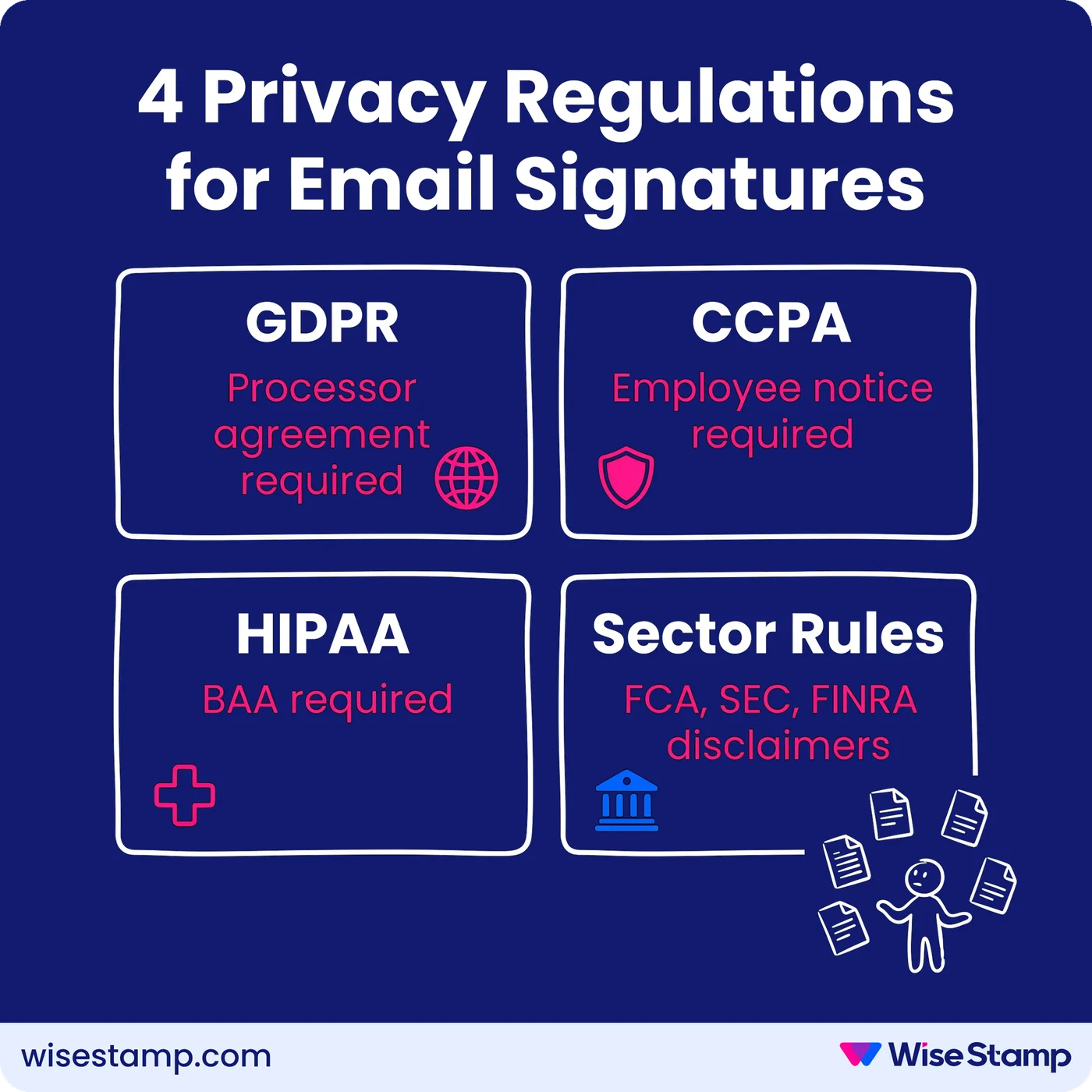
Email signature data is personal data under every major enforcement framework. The obligations vary by jurisdiction and industry:
- GDPR (EU/EEA): requires a lawful basis for processing employee personally identifiable information (PII), a Data Processing Agreement with any third-party signature platform, and data minimization — only collect fields the signature actually needs
- CCPA (California): requires employee notice about what data is collected, stored, and shared with third-party processors
- HIPAA (US healthcare): applies when signature data is processed alongside protected health information (PHI); healthcare organizations need a Business Associate Agreement (BAA) with their signature platform — WiseStamp achieved HIPAA compliance in late 2024 and now supports BAAs for enterprise accounts
- Sector-specific: UK Financial Conduct Authority (FCA), US Securities and Exchange Commission (SEC), and FINRA mandate specific disclosure language in client-facing email communications, making disclaimer enforcement a direct compliance obligation tied to signature template governance
Signature Content Review
How to audit email signature templates for personal data compliance
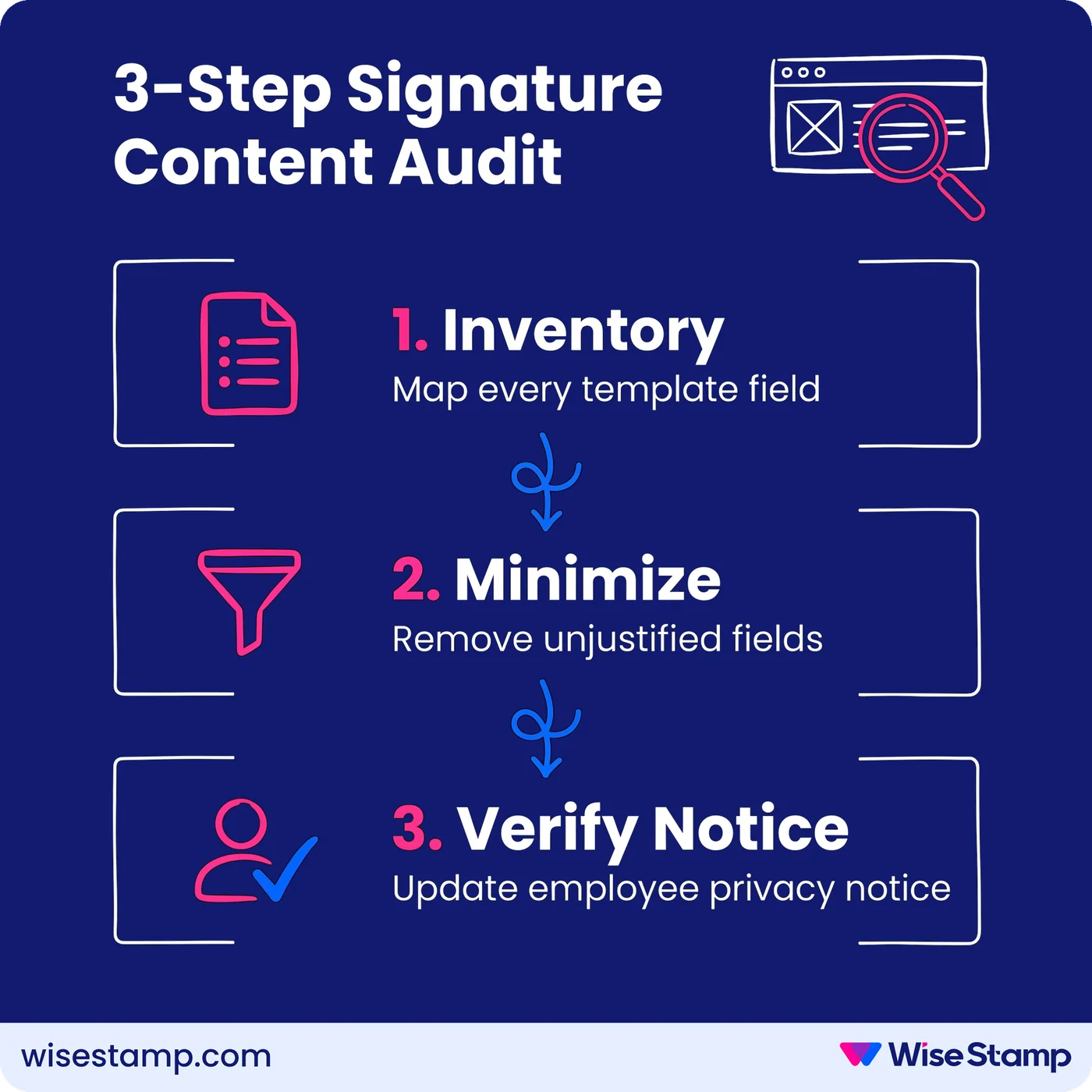
Signature template auditing starts with a systematic field inventory across every template in use. Work through 3 steps before moving to the platform review.
Step 1: Inventory every active signature template
List all templates in use, segmented by department, region, or group. For each template, document every field that renders: name, job title, phone, photo, social links, and any custom data fields.
This complete field list is your personal data inventory.
Step 2: Apply data minimization
For each field, ask whether the signature needs that data to serve its business purpose. A support email signature doesn’t need the sender’s mobile number. A sales signature probably does. Remove fields you can’t justify. Data minimization is a legal requirement under GDPR Article 5(1)(c), not an optional cleanup.
Step 3: Verify employee transparency
Employees must know their personal data is stored in a third-party system and understand what it’s used for. Check whether your employee privacy notice covers email signature data specifically.
This is one of the most consistently overlooked gaps in enterprise signature programs. If it’s missing, add it before the next review cycle.
For the broader compliance checklist beyond personal data, see how to run a compliance review.
Vendor Data Practices
How to evaluate a signature platform’s data processing practices
Signature management vendors are data processors under GDPR. That means 4 things you must verify before any procurement decision or contract renewal.
1. Data Processing Agreement
A DPA is a legal requirement for using any data processor under GDPR. The DPA defines what data the vendor processes, their security obligations, and how they handle data when the contract ends. Request this document before signing. If the vendor can’t produce one quickly, treat that as a finding.
2. What data the platform actually processes
Ask for the vendor’s data inventory. The correct scope is: name, job title, email address, phone, and routing metadata. Any platform that processes financial data, health information, or email body content warrants immediate escalation.
3. Whether email content is read or stored
Server-side signature tools route outgoing email through a third-party host to append the signature. The critical question for your privacy review: does the platform read or retain the content of those emails?
“Routing emails through a third party raised security and privacy concerns internally.”
It’s a legitimate concern and one your vendor must address on record.
WiseStamp’s server-side deployment processes each account in complete tenant isolation, never reads or stores email content, and only accesses the sender metadata required to select the correct signature. Employee data is encrypted at rest using AES-256 and stored on Google Cloud Platform’s US Central data center. A Data Processing Agreement is available on request.
4. Security certifications
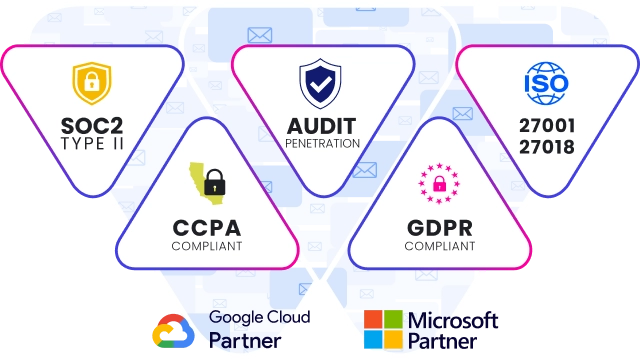
Request copies or attestations for: SOC 2 Type II, ISO 27001, ISO 27018 (cloud PII protection), HIPAA, and GDPR compliance documentation. WiseStamp holds all 5. A platform that can’t produce these documents is not ready for enterprise procurement review.
Access Controls
How to assess access controls and admin permissions in an email signature platform
Access control evaluation covers 3 areas: who has admin access to your signature platform, what each admin role permits, and whether authentication is centrally managed through your identity provider.
Role-based access control. A well-structured platform assigns distinct permissions by function. IT configures directory sync and deployment. Marketing manages templates and campaigns. HR manages employee data. These must be distinct, scoped roles — not a shared admin account with unlimited access to employee PII.
WiseStamp’s RBAC system provides 7 distinct roles: Owner, Admin, Organization Manager, Marketer, HR, Designer, and IT. Non-admin roles can be restricted to specific organizational units.
Field-level permissions control which signature data fields each employee can edit in their own profile, keeping governed content (legal disclaimers, logos, department titles) locked regardless of device or client.
Single sign-on (SSO). Most enterprise security policies require all SaaS platforms to authenticate through the corporate identity provider. Verify whether your platform supports SAML 2.0 integration with Okta, Google Workspace, Microsoft Entra ID, or OneLogin. WiseStamp’s Enterprise tier supports SSO via SAML 2.0 across all 4 providers.
Data Retention And Offboarding
How to verify data retention and employee offboarding in an email signature tool
Data retention and offboarding is where many signature programs have a documented gap. It’s also where regulators look first during a privacy audit.
The questions to put to your vendor directly:
- Does a documented data retention policy exist?
- Are departed employees’ records removed from the platform automatically or manually?
- Can you request deletion of specific employee data after offboarding?
- Do you support GDPR’s right to erasure and CCPA information requests?
WiseStamp handles offboarding through directory sync with Google Workspace and Microsoft Entra ID. When an employee is removed from the corporate directory, WiseStamp reflects the change on the next daily sync cycle. Archived employee records are removed from active signatures without consuming a subscription seat. Data deletion requests are handled via the support team under WiseStamp’s Data Retention and Destruction Policy.
Disclaimer Enforcement
How to confirm legal disclaimer enforcement in email signature templates
Legal disclaimer enforcement is the compliance obligation most directly tied to how your signature template is built. For regulated industries, it carries direct enforcement risk if it fails.
Verify 2 things in your review:
1. Are required disclaimers locked at the template level?
Employees must have no ability to remove or modify legal footers, confidentiality notices, or regulatory disclosures. In WiseStamp, disclaimers added via the Disclaimer app are rendered as locked template elements. Employees cannot override them regardless of their email client or device. A single disclaimer update from the admin console propagates instantly to every assigned employee.
2. Are department-specific disclaimers applied correctly?
Finance, healthcare, and legal teams typically require different disclosure language than the rest of the organization. Group-based template assignment enforces different disclaimer content per department without managing it per individual employee. This is the mechanism that closes the FCA, SEC, and FINRA disclaimer compliance gap at scale.
Privacy Review Checklist
What does a complete email signature management privacy review cover?
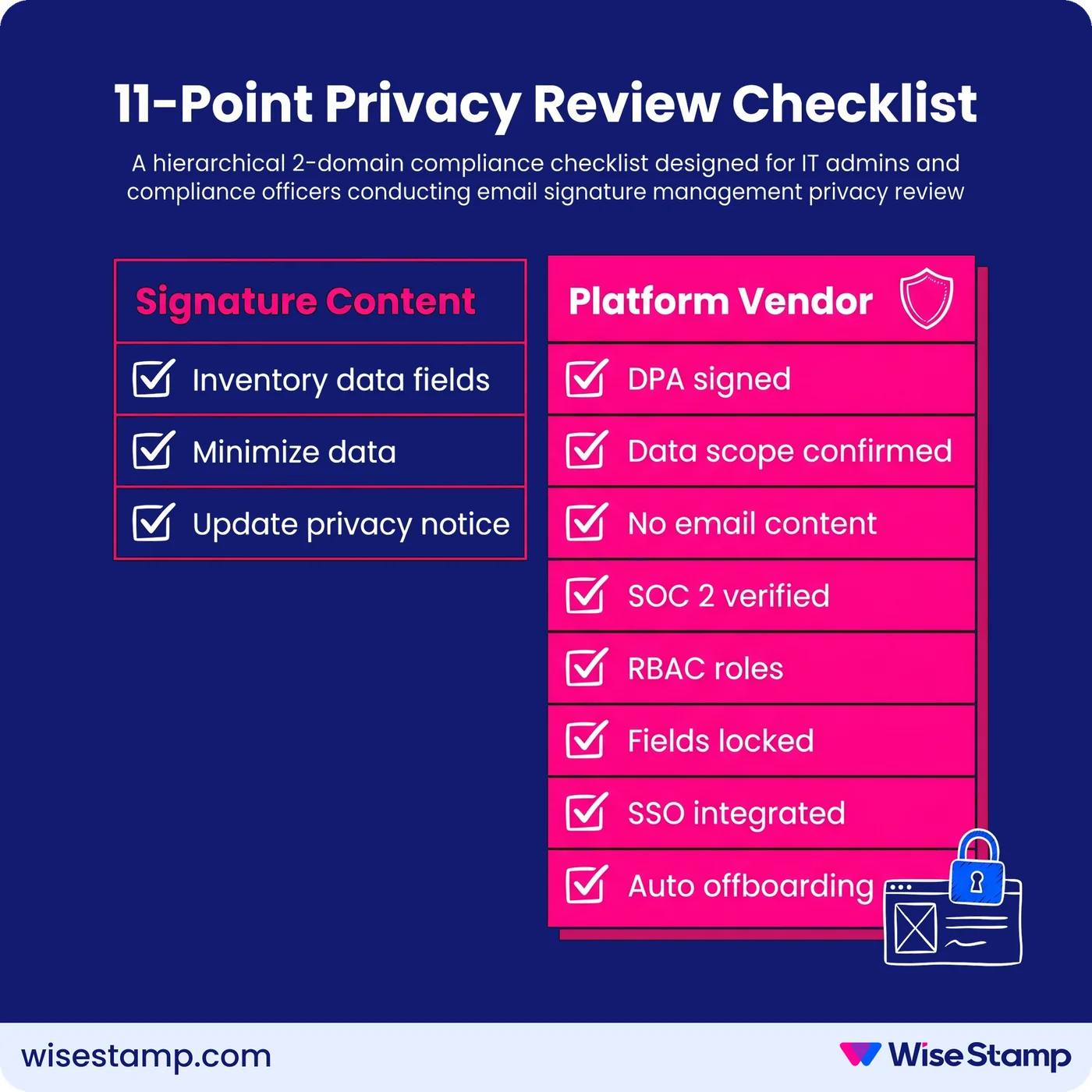
A complete email signature management privacy review checks 11 criteria across 2 domains. Use this as a working checklist for IT and compliance teams running the audit together.
Signature content (3 criteria):
- All active templates inventoried with a complete field-level data map
- Data minimization applied — fields without a documented business purpose removed
- Employee privacy notice updated to cover email signature data and third-party storage
Platform vendor review (8 criteria):
- Valid Data Processing Agreement in place and reviewed by legal
- Vendor data inventory confirmed (name, title, email, phone, metadata only)
- Email content confirmed as not read or stored by the platform
- SOC 2 Type II and ISO 27001 certifications verified (request current attestations)
- Role-based access control (RBAC) confirmed with distinct admin roles, not shared accounts
- Field-level permissions configured — brand and legal elements locked
- SSO via SAML 2.0 integrated with corporate identity provider (Okta, Microsoft Entra ID, Google Workspace, or OneLogin)
- Data retention policy documented; automatic offboarding confirmed through directory sync
Takeaway
Email signature management privacy review
Email signature management privacy review is a 2-part audit: what personal data lives in your signature templates, and whether the platform processing that data meets your organization’s legal and security requirements.
Start with the platform vendor review if you’re in a procurement or renewal cycle. The Data Processing Agreement, SOC 2 Type II and ISO 27001 certifications, access control documentation, and data retention policy should all exist before you deploy a single signature.
If legal needs a checklist to run alongside this, see our legal review checklist for signature software.