Home / Guides / Email Signature Policy: How to Build and Enforce It
Email Signature Policy: How to Build and Enforce It
Learn how to create an email signature policy that ensures brand consistency, meets legal disclaimer requirements, and actually gets enforced across your organization.
Reading time:
7 min
Author: Amotz Harari
Updated: August 17, 2026
Short answer
What is an email signature policy?
An email signature policy is a company standard that defines what information appears in employee email signatures, how signatures must be formatted, and who is responsible for maintaining them. It covers required fields, design standards, legal disclaimers, and enforcement.
Why unmanaged email signatures become a brand and compliance liability
Without a policy, every employee designs their own signature. The result is different fonts, outdated logos, missing legal disclaimers, no connection to your current brand.
A 500-person company sends roughly 250,000 emails a month. That’s 250,000 brand impressions, completely uncontrolled.
Industries operating under GDPR, HIPAA, or the Financial Conduct Authority (FCA) require specific disclaimers in every business email. No policy means regulatory risk on every send.
What A Policy Covers
What does an email signature policy cover?
An email signature policy covers 4 areas: what information every signature must include, how signatures must look, what legal language they must carry, and who is responsible for keeping everything current.
The document itself doesn’t need to be long. A 1-2 page standard that lives in your employee handbook and links to approved templates is enough for most organizations.
What a policy replaces is the informal expectation that employees will figure it out.
It’s like the wild, wild west of email signatures currently, and we’re trying to rein that all in.
Enterprise client managing multiple brands
Required Signature Elements
What information should every employee email signature include?
Required information in an email signature policy typically covers these fields:
Full name with standardized formatting (First Last, not first name only or nicknames)
Job title using HR-approved titles, not informal variations
Company name and approved logo
Phone number (direct line, department line, or both, depending on your structure)
Email address (valuable in forwarded messages where email headers are stripped)
Company website URL
Physical address (legally required for commercial email in the US, EU, UK, and other jurisdictions)
Legal disclaimer (see below)
Optional fields that Marketing typically wants to control:
Approved social media accounts (company profiles only)
Campaign banners or CTAs
Scheduling links (Calendly or similar)
Certifications, awards, or accreditations
One thing Operations teams consistently underestimate: job titles are a compliance issue, not just a formatting preference.
A title that doesn’t match the regulatory record creates legal exposure in financial services, healthcare, and legal sectors.
Signature Design Standards
How do I define email signature design standards for my company?
Email signature design standards protect brand consistency. Without them, signatures drift, and they drift fast.
Your design standard should define:
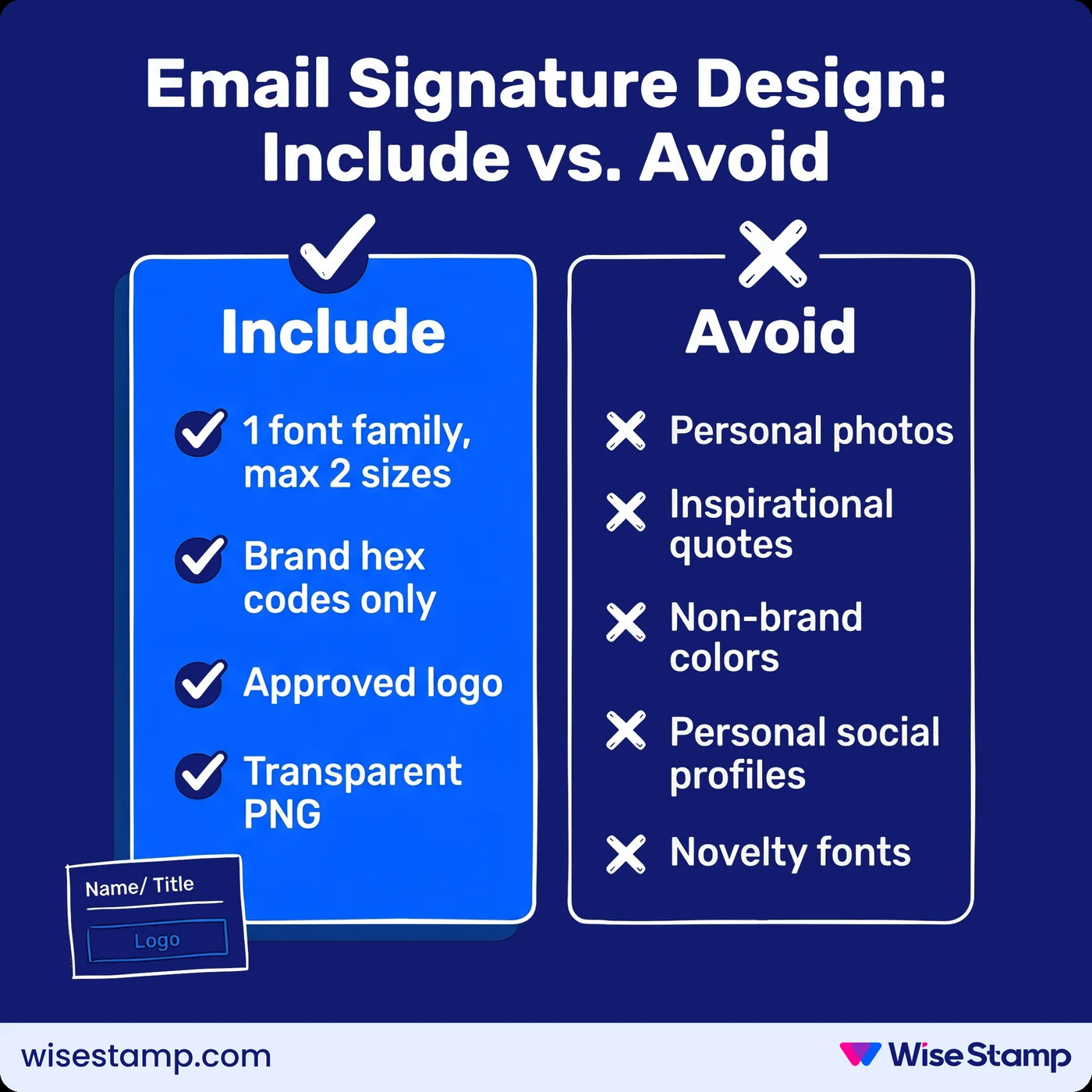
Font family and size: 1 font family, maximum 2 sizes. Specify fonts that render reliably across Outlook, Gmail, and Apple Mail.
Color palette: Hex codes for primary and secondary brand colors, with no substitutions.
Logo specifications: Approved version, minimum and maximum dimensions, and placement within the layout.
Image format: Transparent PNG for logos, to prevent white-box artifacts when recipients use dark mode.
The prohibited list matters as much as the required list. State it explicitly:
No personal photos unless Marketing-approved
No inspirational quotes, personal mottos, or social commentary
No custom backgrounds or non-brand color schemes
No personal social media profiles (LinkedIn, Instagram, etc.)
No novelty fonts
I see this in IT forums constantly.
Everyone had different fonts, different layouts, different information. It looked completely unprofessional.
Sysadmin describing their pre-policy situation
A clear prohibited list is the only thing that prevents it.
Signature Legal Disclaimers
What legal disclaimers does a company email signature policy need?
Email signature disclaimers exist to limit liability and meet regulatory requirements. The right language depends on your industry and operating geography.
Confidentiality disclaimer: Almost every company should include one. It states that the email is intended only for the named recipient and may contain confidential or privileged information.
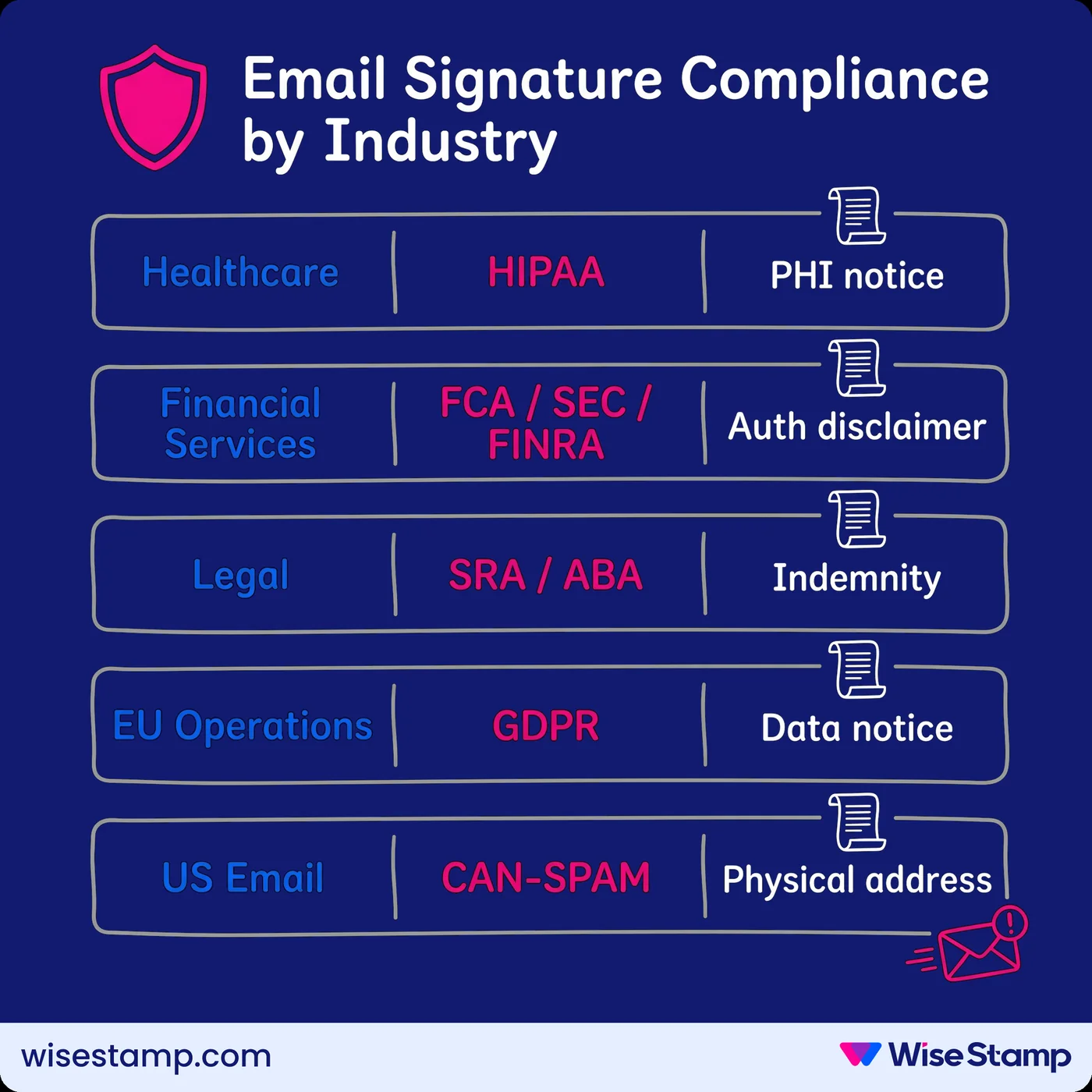
Beyond that baseline, industry-specific requirements vary significantly:
Industry
Regulatory framework
Required signature content
Healthcare
HIPAA (US)
PHI handling notice
Financial services
FCA (UK) / SEC / FINRA (US)
Regulatory authorization, investment disclaimer
Legal
SRA (UK) / ABA (US)
Professional indemnity, regulatory notice
EU-operating businesses
GDPR
Data processing notice, contact data use disclosure
All commercial email (US)
CAN-SPAM Act
Physical address, unsubscribe mechanism for marketing sends
The disclaimer text in your policy must be approved by your legal counsel or compliance officer before you publish the policy. Don’t write this section without them.
Writing The Policy Document
How do you write a company email signature policy document?
An email signature policy document should be concise and actionable. Aim for 1-2 pages.
Recommended structure:
Purpose and scope: Who the policy applies to, what platforms it covers, and why it exists
Required signature elements: The mandatory fields every employee signature must include
Design standards: Approved fonts, colors, logo specifications, and the prohibited list
Legal disclaimer text: Approved language, pre-cleared by Legal, ready to copy
Approved template(s): A direct link to the templates employees or admins use
Enforcement mechanism: How signatures are deployed and what happens if an employee doesn’t comply
Ownership and review cadence: Named owners for each section, plus a scheduled review date
The signature template and the policy document serve different functions. The policy defines the standard. The template enforces it. Both are necessary. The policy without a template is just a memo. The template without a policy has no authority.
Signature Rollout And Enforcement
How do I get employees to actually follow an email signature policy?
The only reliable enforcement mechanism is centralized deployment. That means the signature is applied at the admin level, and employees don’t need to take any action.
See, most email signature policy rollouts fail the same way…
The company sends an email with instructions and a template, most employees ignore it, the ones who try get it wrong, and within a month you’re back to inconsistency.
The failure isn’t an employee behavior problem. It’s a process design problem.
Asking people to self-configure an HTML email signature and keep it current through manual effort produces compliance rates well below what most organizations accept.
One marketing manager shared with us on a call that when she asked her whole team to add a simple newsletter blurb to their signatures, “like, 5% did.”
The best way to avoid this is by deploying signatures from a single admin dashboard.
You can do this with platforms like WiseStamp that connect directly to Google Workspace and Microsoft 365 via directory integration.
Marketing designs the template. IT sets it up once. Every employee gets a compliant signature without doing anything themselves.
For organizations that want to give employees limited flexibility, locked fields solve this cleanly.
Admins can lock brand elements (logo, disclaimer, font, colors) while leaving approved personal details (direct phone number, pronouns, headshot) editable.
The brand stays consistent. Employees have just enough ownership that they don’t feel ignored.
How to deploy an email signature policy across Google Workspace
Install the WiseStamp app via Google Marketplace (requires Super Admin)
Configure directory sync to pull employee records from Google Directory
Set sync scope: full organization or specific departments/OUs
Build your signature template in WiseStamp’s Studio Editor
Assign the template to employee groups
Publish: signatures deploy to every assigned mailbox instantly
Signatures appear in Gmail automatically. Employees don’t install anything. New hires added to Google Directory are synced and assigned on the next daily sync cycle.
How to deploy an email signature policy across Microsoft 365
Grant WiseStamp permissions in Microsoft Entra ID (requires Global Admin)
Configure sync scope: full directory or specific Security Groups or departments
Build your signature template in WiseStamp’s Studio Editor
Assign the template to employee groups
Deploy the WiseStamp Outlook Add-In to employees via Microsoft 365 Admin Center
Publish: signatures deploy to all assigned Outlook accounts
Employee data (name, title, department, phone) syncs daily from Entra ID. No manual entry. No per-user configuration by IT.
Governance And Ownership
Who should own an email signature policy inside your organization?
A policy without a named owner gets abandoned within months. Assign clear ownership before you publish.
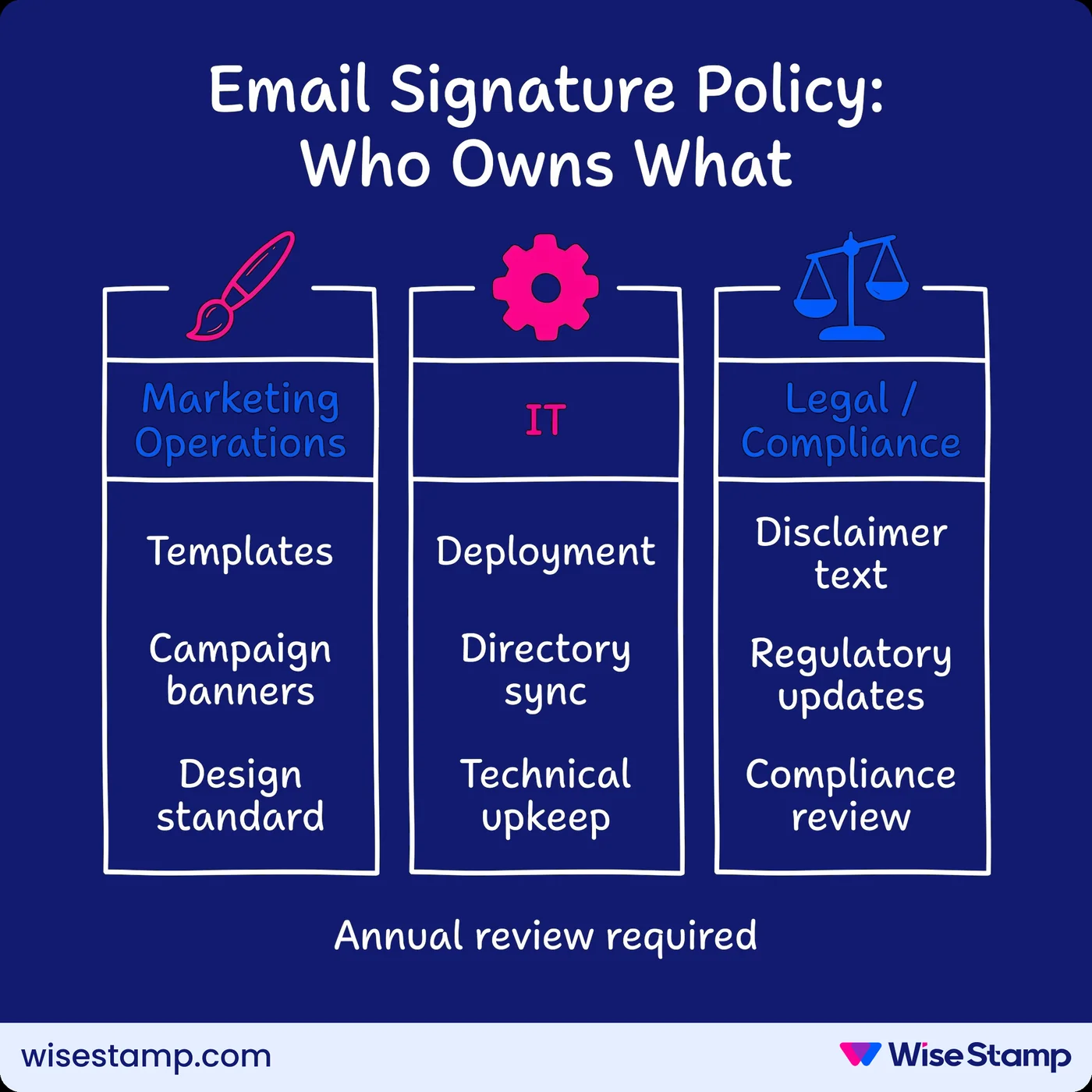
For most companies, the responsibility splits across 3 teams:
Marketing Operations owns the design standard, approved templates, and any campaign elements running in signatures
IT owns deployment, directory integration, and technical maintenance
Legal or Compliance owns the disclaimer language and handles any regulatory updates
What belongs in the governance section of your policy:
Named owner for each element
Review schedule (annually at minimum; triggered immediately by a rebrand, acquisition, office move, or new regulatory requirement)
Process for employees to request approved changes to their personal details
Escalation path when employees deviate from the policy
Rebrands are where unmanaged signature processes collapse most visibly. When you’ve centralized signatures, a rebrand is a template update that propagates to every mailbox the moment you publish it.
When we rebranded last year the WiseStamp team were amazing. They changed the logo and the look so quickly for us. It was ready within 24 hours.
Amanda Gratz, Design Operations Manager at Bizzabo
That’s the difference between a centralized policy with tooling behind it, and one that lives only in a PDF.
Next Steps
Building an email signature policy: where to start
An email signature policy doesn’t need to be complicated. Start with 4 decisions:
What information every signature must include
What the signatures must look like (fonts, colors, logo specs, prohibited elements)
What legal disclaimers are required for your industry and operating geography
Who owns each element of the policy and how it gets reviewed
The harder part isn’t writing the policy. It’s making sure it sticks.
A policy document without a deployment mechanism behind it is a memo.
If your company runs on Google Workspace or Microsoft 365, centralized signature management removes self-configuration from the equation entirely and gives you the governance infrastructure to enforce the policy you write.
Build and deploy email signature policies across your organization.
An email signature policy covers 4 areas: required information (name, title, contact fields), design standards (fonts, colors, logo rules), legal disclaimers (confidentiality, regulatory requirements by industry), and governance (who owns the policy, how it’s enforced, and when it’s reviewed).
Every employee email signature policy should require:
Full name and HR-approved job title
Company name and approved logo
Phone number and company email address
Company website URL
Physical address (legally required for commercial email in the US, EU, and UK)
Legal disclaimer
Optional: approved social media profiles, campaign banners, scheduling links, and certifications.
Every company should include a confidentiality disclaimer stating the email is for the named recipient only. Additional requirements by industry: HIPAA (US healthcare), FCA/SEC/FINRA (UK/US financial services), GDPR (EU-operating businesses), SRA/ABA (legal firms), and CAN-SPAM Act (US commercial email). Disclaimer language must be approved by your legal counsel before publishing the policy.
The only reliable email signature policy enforcement mechanism is centralized deployment. Sending instructions and templates via company email produces compliance rates well below what most organizations accept — one marketing manager found only 5% of her team added a simple newsletter blurb when asked. Centralized platforms like WiseStamp deploy signatures at the admin level via Google Workspace or Microsoft 365 directory integration, requiring zero action from employees.
Email signature policy ownership should split across 3 teams. Marketing Operations owns design standards and templates. IT owns deployment, directory integration, and technical infrastructure. Legal or Compliance owns the disclaimer language and handles regulatory updates. Assign named owners and a scheduled review date before publishing the policy.
An email signature policy is the document that defines the rules: what’s required, what’s prohibited, who owns each element. An email signature template is the designed file used to implement those rules in Gmail, Outlook, or Apple Mail. The policy sets the standard. The template enforces it. Both are necessary for consistent compliance.
A primary email signature should cover 4-6 lines: name, title, contact details, logo, and disclaimer. Reply and forward signatures should be shorter, containing only name, title, and direct number. Long reply signatures clutter email threads, and most email signature policies specify a reduced reply template separately from the primary one.
Email signature policies should be reviewed annually at minimum. Out-of-cycle reviews should be triggered by:
A company rebrand or visual identity update
An acquisition, merger, or office address change
New or updated regulatory requirements (GDPR, HIPAA, FCA updates)
Significant changes to products, services, or brand positioning
Assign a named policy owner to manage this review schedule.
Yls. Most email signature policies allow or require multiple signature designs per employee. The standard configuration includes a primary signature for new emails and a shorter reply signature for threaded conversations. Some policies add role-specific, multilingual, or campaign-specific signatures. WiseStamp supports assigning multiple signatures per employee or group from a single admin dashboard.
Email signature policies should specify a distinct reply signature, shorter than the primary. Best practice is to include only name, title, and direct number in reply signatures, with no logos, banners, or disclaimers. Most centralized email signature platforms, including WiseStamp, allow admins to assign separate reply and forward templates per group or individual employee.
Yes. An email signature policy applies to all outbound business email regardless of device. Enforcing it on mobile is harder without a centralized tool, as manual HTML signatures break frequently on iOS and Android native mail apps. Centralized signature management platforms like WiseStamp address this through Outlook Add-Ins, Google Workspace integration, and automatic deployment that covers all devices.
Yls. Many email signature policies explicitly allow campaign banners and CTAs as a controlled marketing channel. The policy should specify who can change banner content, how often, and through what approval process. Without central control, employee-added promotional content creates brand and compliance risk. A managed campaign banner controlled by Marketing Operations is the correct approach.
During a rebrand, email signature policies should be updated immediately to reflect the new logo, brand colors, and any revised legal disclaimers. Organizations using centralized signature management platforms like WiseStamp can publish a rebrand to all employee mailboxes in a single template update. Without centralized deployment, a rebrand requires a manual update for every employee and takes weeks to propagate fully.
When an employee changes roles or departments, their email signature should update to reflect the new title, department, and contact information. Organizations using directory-synced platforms like WiseStamp handle this automatically: when a role change is made in Google Workspace or Microsoft Entra ID, the signature updates on the next daily sync without any manual intervention from IT or Marketing.
Yes, if contractors communicate externally using a company email address. The policy should define whether contractors receive the same signature standard as employees, a modified version, or a designated contractor template. At minimum, contractors representing the company in email should carry the correct legal disclaimer and brand elements to avoid confusion or compliance risk with clients and partners.
Client-side deployment installs signatures in each email client locally, giving direct control but requiring per-device management. Server-side deployment applies signatures at the mail server, covering all devices automatically. Enterprise email signature policies typically rely on server-side or centralized admin deployment through platforms like WiseStamp to guarantee consistent compliance across every device and mail client, including mobile.
Missing email disclaimers carry real legal risk in regulated industries. In financial services regulated by the FCA (UK) or SEC and FINRA (US), missing authorization statements can result in regulatory fines. In the EU, GDPR non-compliance in email data handling can carry penalties up to 4% of annual global turnover. Healthcare organizations in the US missing HIPAA-required notices risk federal civil and criminal penalties.
Table of Content
Deploy standardized email signatures company-wide in 24h