How to Enrforce Email Signature Compliance Org-Wide
Enforce email signature standards across every mailbox without chasing employees. Covers Google Workspace, Microsoft 365, disclaimers, and role-based controls
Short answer
How do I ensure email signature compliance across my organization?
The only scalable approach for email signature compliance for 50 employees and above is to use a central email signature management platform. Manual enforcement takes IT 30 to 45 minutes per employee – this does not scale.
Signature management software locks compliant templates across Google Workspace, Microsoft 365, and Exchange Online ensuring every employee email carries the correct brand identity, approved legal disclaimers, and current contact information.
Cost Of Noncompliance
What is the cost of unmanaged email signatures?
Unmanaged email signatures create 3 simultaneous risks: brand drift, legal exposure, and IT overhead.
None of them surface until the damage is done.
WiseStamp’s user research estimates a 500-person company sends roughly 250,000 emails a month.
Without central control, each one goes out with whatever signature the employee last wrote. That’s a compliance failure, repeated 250,000 times a month.
Compliance Layers
What does email signature compliance actually cover?
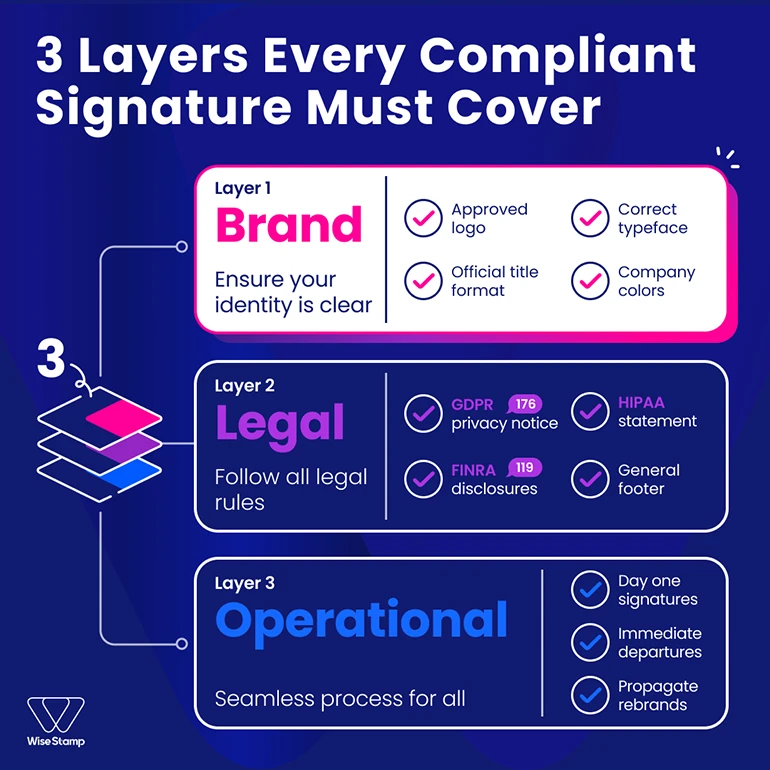
Email signature compliance has 3 distinct layers, and most organizations only address one of them consistently.
Brand compliance means every signature uses the approved logo, current typeface, official job title format, and correct company colors.
No Comic Sans, no personal headshots from 2018, no self-designed layouts from a previous rebrand that nobody told anyone to stop using.
Legal compliance means required disclaimers are present and accurate on every outgoing email.
Depending on your industry and jurisdiction, this includes GDPR privacy notices, HIPAA confidentiality statements, FINRA disclosures, financial regulatory footers, or standard confidentiality language.
Missing or outdated disclaimers create regulatory exposure that accumulates silently with every email sent.
Operational compliance means signatures stay accurate as your organization changes. New hires get a correct, on-brand signature on day one.
Departures are removed from active distribution immediately. Rebrands propagate across every mailbox at once, not over a 3-week window of inconsistency.
Most organizations address brand compliance reactively, legal compliance inconsistently, and operational compliance almost not at all.
Why Manual Compliance Fails
Why manual email signature enforcement always breaks at scale
Manual enforcement works for a team of 10. It doesn’t work for 100, and it collapses entirely at 1,000.
I’ve seen this described in online forums and heard it directly from marketing people on calls.
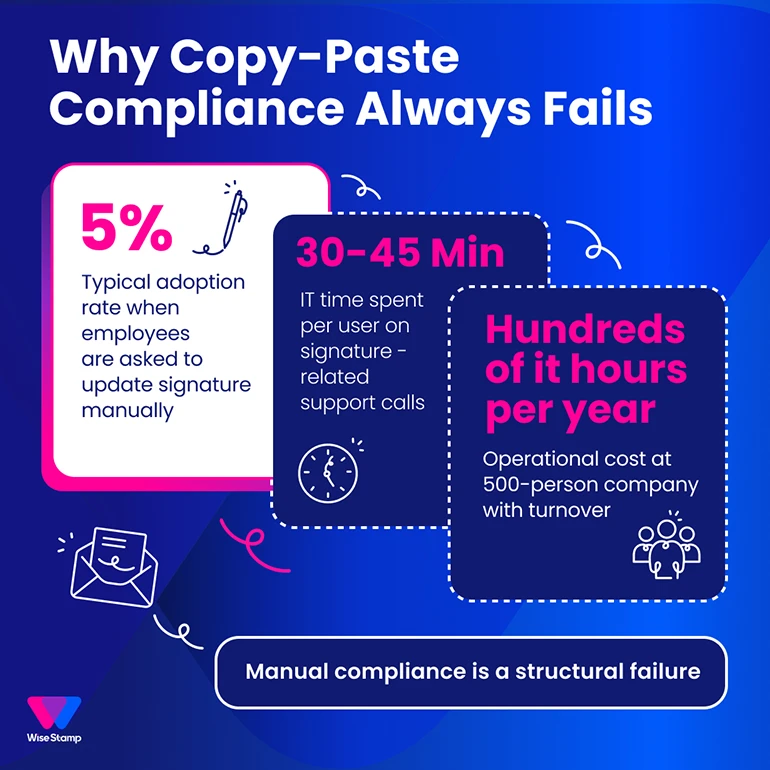
“I actually asked the whole team to just add, like, a little subscribe to newsletter blurb in their signature, and like, 5% did.”
That’s the real compliance ceiling of a copy-paste approach. Not malice. Competing priorities.
IT teams bear the operational fallout. Enterprise clients routinely tell us IT spends between 30 and 45 minutes per user on signature-related support calls.
At a 500-person company with any meaningful turnover, that’s hundreds of hours a year redirected from infrastructure, security, and actual IT work.
There’s also a structural tension between departments.
Marketing wants to push updates on their own timeline: new campaign banners, updated logos, seasonal CTAs. IT wants stability with minimal manual work.
Without a central enforcement mechanism, someone always has to chase someone else. And the person getting chased rarely responds on deadline.
“It’s like the wild, wild west of email signatures currently, and we’re trying to rein that all in.”
Centralized Enforcement
How does centralized email signature management enforce compliance?
The best way to enforce compliance is through centralized signature management, which removes the human-compliance dependency entirely.
Instead of sending instructions and hoping for adoption, an admin creates one master template and publishes it to every employee simultaneously.
The compliant signature appears automatically, no employee action required.
WiseStamp works exactly this way. Admins build templates in the Studio Editor, assign them to employee groups organized by department, region, or role, and publish in one click.
Locked fields prevent employees from editing the elements that must stay consistent: logo, legal disclaimer, brand colors, company address.
Optional fields like direct phone numbers, pronouns, or personal social links remain editable for the employee.
“Being able to update a signature once and have it roll out to the entire company instantly was huge.”
That’s the difference between chasing compliance and having it.
This approach closes all 3 compliance layers simultaneously:
- Brand: every signature renders from the same approved template
- Legal: disclaimers are locked, required, and uniform across all employees
- Operations: employee data syncs daily from Google Workspace or Microsoft Entra ID
How To Deploy
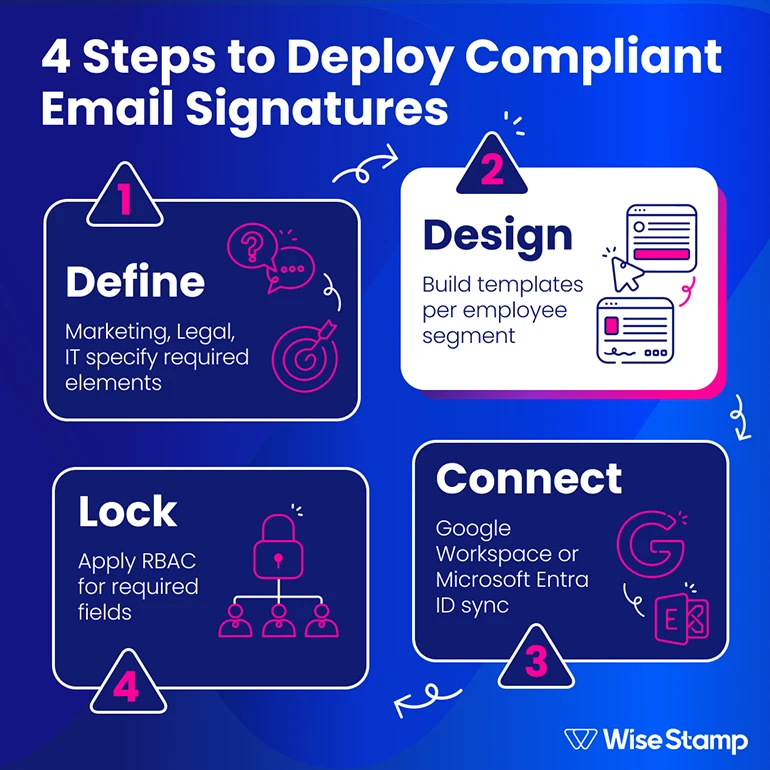
How to deploy a compliant email signature standard: a 4-step framework
Deploying a compliant email signature standard follows a consistent sequence regardless of company size.
Step 1: Define what compliant means. Work with Marketing, Legal, and IT to specify required elements: approved logo, name format, job title style, legal disclaimer text, and approved social links.
Specify prohibited elements too: personal quotes, non-standard fonts, and unofficial images. A one-page signature policy document is enough. Specificity now prevents disputes later.
Step 2: Design templates per employee segment. Most organizations need 2 to 4 templates: general staff, sales, executive, and sometimes a version for departments with specific legal requirements such as finance or healthcare.
With a drag-and-drop editor like WiseStamp’s Studio Editor, you can build compliant templates without design or HTML skills. Start from a pre-built template gallery and customize from there.
Step 3: Connect your employee directory. Integrate with Google Workspace or Microsoft Entra ID (formerly Azure AD).
This automatically imports your employee list, maps names, titles, and departments to the correct template, and handles provisioning for every new hire automatically. No manual data entry at any scale.
Step 4: Apply role-based access controls (RBAC). Lock every field that must stay compliant: logos, legal footers, company address, and CTA banners. Restrict those fields to admins only.
Personal contact fields can stay user-editable through WiseStamp’s Employee Hub, which gives each employee a self-service portal within the guardrails you define. Employees can update their direct number or pronouns. They can’t touch the logo.
How To Maintain
How to maintain email signature compliance over time
Email signature compliance doesn’t stay compliant on its own. Deployment is the easy part. Maintenance is where most programs quietly break down.
3 practices keep compliance intact after launch.
Automate the employee lifecycle. New hires should receive a correct signature on day one without admin work. Departures should trigger immediate removal from active distribution.
Both happen through continuous sync with Active Directory, Microsoft Entra ID, or Google Workspace. Configure it once, and it runs continuously without manual management.
Use audit logs for accountability. Every template change and employee record update should generate a traceable log entry. Audit logs tell you who changed what, when, and what the prior state was.
This is essential for internal compliance reviews, legal audits, and regulated-industry reporting. Without them, compliance is self-reported rather than provable.
Push rebrands and policy updates centrally. When your logo changes, a legal disclaimer gets updated, or a compliance requirement shifts, the fix should happen in one template.
It propagates to every mailbox instantly.
“When we rebranded last year the WiseStamp team were amazing. They changed the logo and the look so quickly for us. It was ready within 24 hours.”
— Amanda Gratz, Design Operations Manager at Bizzabo
One admin action. Every mailbox. Same day.
Note:
Note for regulated industries: If your organization operates in healthcare, financial services, or legal services, verify that your signature management platform meets your compliance requirements.
WiseStamp holds SOC 2, ISO 27001, HIPAA, and GDPR compliance certifications. Signatures deploy without WiseStamp accessing email content, through a privacy-first architecture built for enterprise security review.
Takeaway
Email signature compliance is an enforcement problem, not a policy problem
Policies fail when they depend on employee action at scale.
Enforcement works when it’s automated: one template, deployed centrally, locked where it matters, synced automatically to your employee directory.
The 3 elements that make compliance sustainable are a centralized template system, an automated directory sync, and RBAC controls.
The template system removes the dependency on individual employees. The directory sync with Google Workspace or Microsoft Entra ID keeps signatures accurate as your organization changes.
The RBAC controls lock what must stay consistent while giving employees self-service control over what can be personal.
When those 3 things are in place, compliance stops being something you chase and starts being something you have.
Consult a professional about implementation →