Email Signature Management Data Protection: IT Admin Guide
IT admins and CISOs face real data security risks from email signature management tools. Discover the controls, certifications, and architecture that matter.
Short answer
What data security risks does email signature management software introduce?
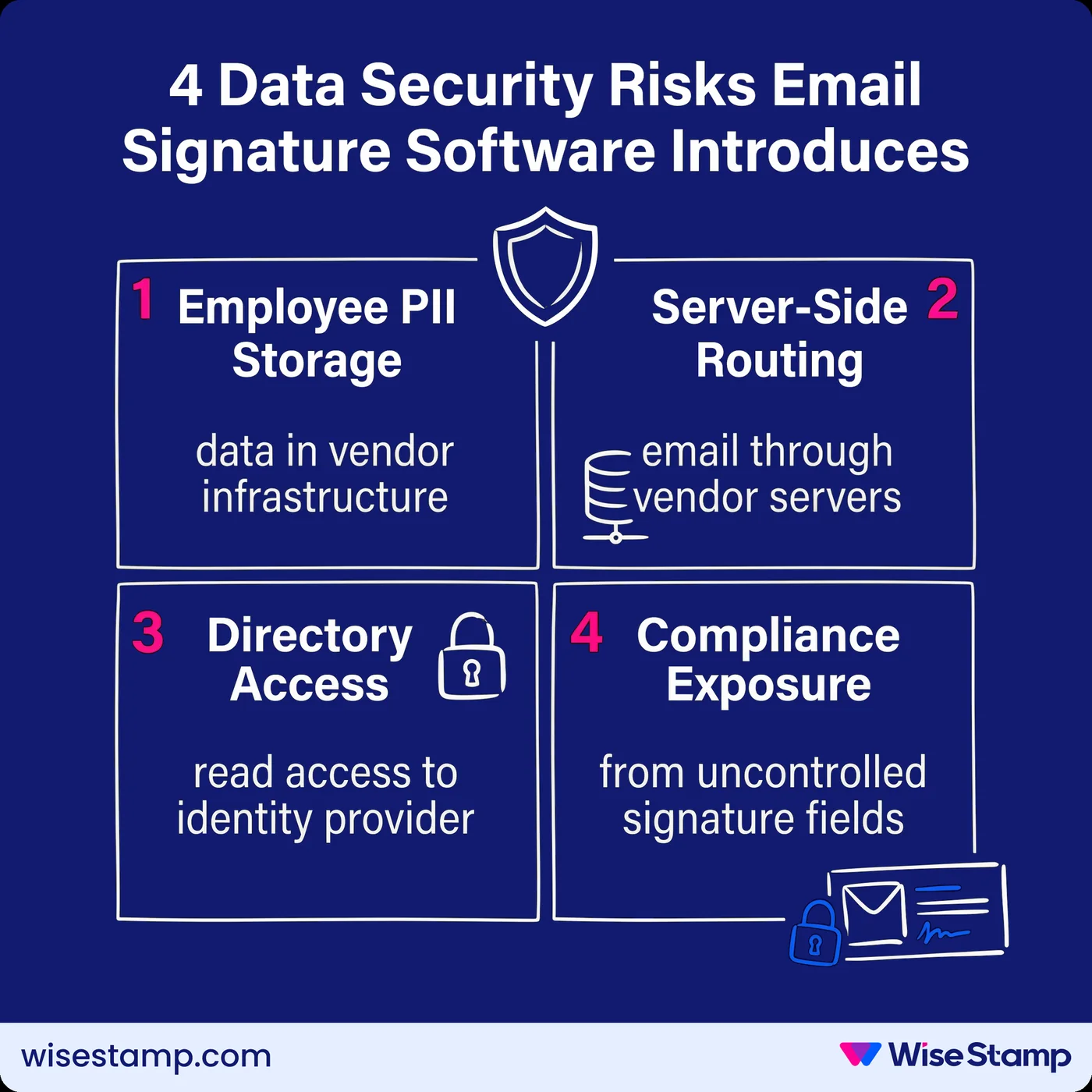
Email signature management software introduces 4 risk categories:
- Employee PII stored in third-party infrastructure
- Server-side email routing through vendor systems
- Directory integration access to your identity provider
- Compliance exposure from unlocked signature fields
Get expert advice on email signature software security and compliance →
Security Blind Spot
Why email signature security risk grows with every employee you add
At 10 employees, a signature policy is a conversation. At 500, it’s an unenforceable document that most employees ignore.
By the time you’re at 1,000 users, you’re not managing signatures — you’re managing a sprawling liability.
Every email that leaves the building is potential evidence in a compliance audit, and every employee’s signature is a potential attack surface.
The solution most organizations reach for is email signature management software. That solves the governance problem. But it also introduces a new set of risks that most IT teams don’t evaluate before signing the contract.
Employee Data Exposure
What personal data does email signature management software collect and store?
Employee PII is the core input of any email signature management platform. Before evaluating a vendor, you need to know exactly what data enters their environment and where it lives.
Most email signature platforms collect and store the following information:
- Full name, email address, job title, and department
- Direct phone and mobile numbers
- Profile photos and headshots
- Social media profile URLs
- Company address and domain data
This is standard directory data, but once it’s in a vendor’s infrastructure, your data protection obligations don’t pause.
GDPR, CCPA, and ISO 27001 compliance all require that PII in third-party environments meets the same standards as internal systems.
The questions to ask any vendor: where is that data stored, how is it logically separated between customers, and who within the vendor organization has access to it.
WiseStamp stores all PII in Google Cloud’s US Central data center.
Data is logically separated at the account level using row-level access controls, and a dedicated Data Protection Team monitors ongoing GDPR and CCPA compliance. Customer data is never reused across accounts.
Server-Side Routing Risk
What data security risks does server-side email signature deployment create?
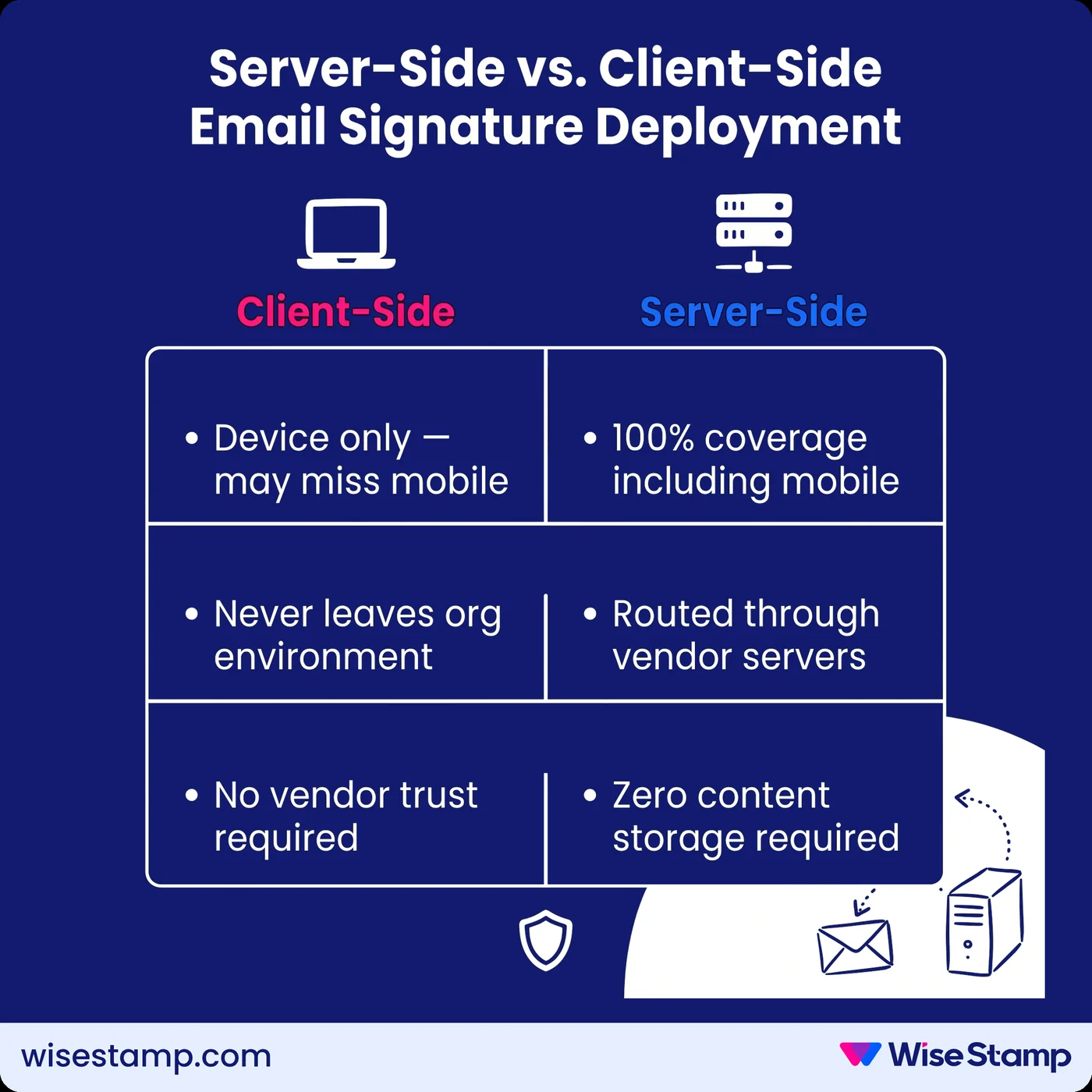
Server-side deployment is the most common method for achieving 100% signature coverage across all devices, including mobile. It’s also the configuration that generates the most legitimate security questions.
In a server-side model, your outbound email routes through the vendor’s infrastructure before delivery.
The vendor appends the signature and forwards the email. The risk is clear: the vendor’s servers are in the path of every email your organization sends.
I’ve seen this concern surface consistently with security-conscious IT teams.
Routing emails through a third party raised security and privacy concerns internally.
— IT professional
That concern is valid. The question is whether the vendor’s architecture makes it a theoretical risk or an actual one.
The controls to require from any server-side email signature vendor:
- Zero email content storage: vendor servers must not retain email content after processing
- Zero email content reading: processing must be fully automated, with no human access to content
- Per-account tenant isolation: each customer’s email processing must occur in a completely separate environment
WiseStamp’s server-side architecture processes each account in complete isolation. Email content is never stored or read — the system appends the signature and delivers the email without retaining any content.
This is documented in WiseStamp’s Data Security and Privacy documentation and supported by SOC 2 Type II audit.
Directory Integration Access
What access does email signature software require to your identity provider?
Directory integration is how email signature management software keeps employee data current at scale. Without it, every title change, new hire, and departure requires manual intervention. With it, the vendor holds a read connection to your identity provider.
For organizations running Google Workspace, this means WiseStamp connects via OAuth, requiring Super Admin approval. For Microsoft 365, it connects via Microsoft API with Global Admin authorization.
The scope of that access matters. A well-designed integration should:
- Request only the directory fields required to populate signature data
- Support daily automated sync rather than requiring continuous real-time access
- Allow admins to scope sync to specific departments, organizational units, or Microsoft Security Groups — rather than pulling the entire directory
For enterprises with strict provisioning standards, Microsoft Security Group synchronization limits the WiseStamp integration to users within designated groups only. This reduces the footprint of vendor access to the subset you explicitly authorize.
Compliance Exposure
What compliance gaps do unmanaged email signature fields create?
Unmanaged email signatures are a compliance liability that compounds quietly. Without locked, centrally controlled signature fields, regulatory compliance depends on each individual employee getting it right, on every device, in every email client, in every email they send.
From a compliance standpoint — titles, roles, that kind of stuff. We do have people internally who collect payments, and we need to make sure that compliance-wise, we’re checking all the boxes signature-wise.
— Enterprise client in a regulated function
That box-checking is impossible at scale when employees control their own signatures.
The compliance categories most affected:
- GDPR: missing data handling notices or privacy links in customer-facing emails
- HIPAA: communications from healthcare teams lacking required confidentiality notices
- Financial services: FCA, SEC, and FINRA each require specific regulatory disclaimers on client-facing communications from registered professionals
A policy document in a shared wiki is not a compliance mechanism. The reliable fix is field-level locking in a centralized platform.
WiseStamp enables central deployment of legal disclaimers, regulatory footers, and required notices.
These are configured once by the admin and propagated to every assigned employee as immutable elements.
Employees cannot modify them regardless of which device or email client they use. Compliance doesn’t depend on individual behavior because there’s no individual decision to make.
Access Controls
What role-based access controls should email signature software enforce?
A mature RBAC model separates responsibilities cleanly:
- IT configures directory integrations and manages deployment
- Marketing manages signature designs and campaigns
- HR manages employee data and group assignments
- Compliance or legal locks disclaimer fields as immutable
RBAC is critical to prevent the compliance erosion that can arise when a designer can inadvertently modify a legal disclaimer, or a marketing manager can alter directory integration settings.
WiseStamp implements 7 distinct roles:
- Owner
- Admin
- Organization Manager
- Marketer
- HR
- Designer
- IT
Each role is scoped to specific platform sections. Organization-level access can be restricted so that role holders see only the entities relevant to their function.
For identity management, SSO integration via SAML 2.0 connects WiseStamp to Okta, Google Workspace, OneLogin, or Microsoft Entra ID.
Admin access to the platform is governed by your existing identity provider, not a separate credential set.
This closes a common access control gap where SaaS applications sit outside the corporate identity perimeter.
Certifications Required
What security certifications should email signature management software hold?
Security certifications are the primary verifiable signal available to IT and procurement teams evaluating a vendor. Without them, vendor security claims are assertions — not evidence.
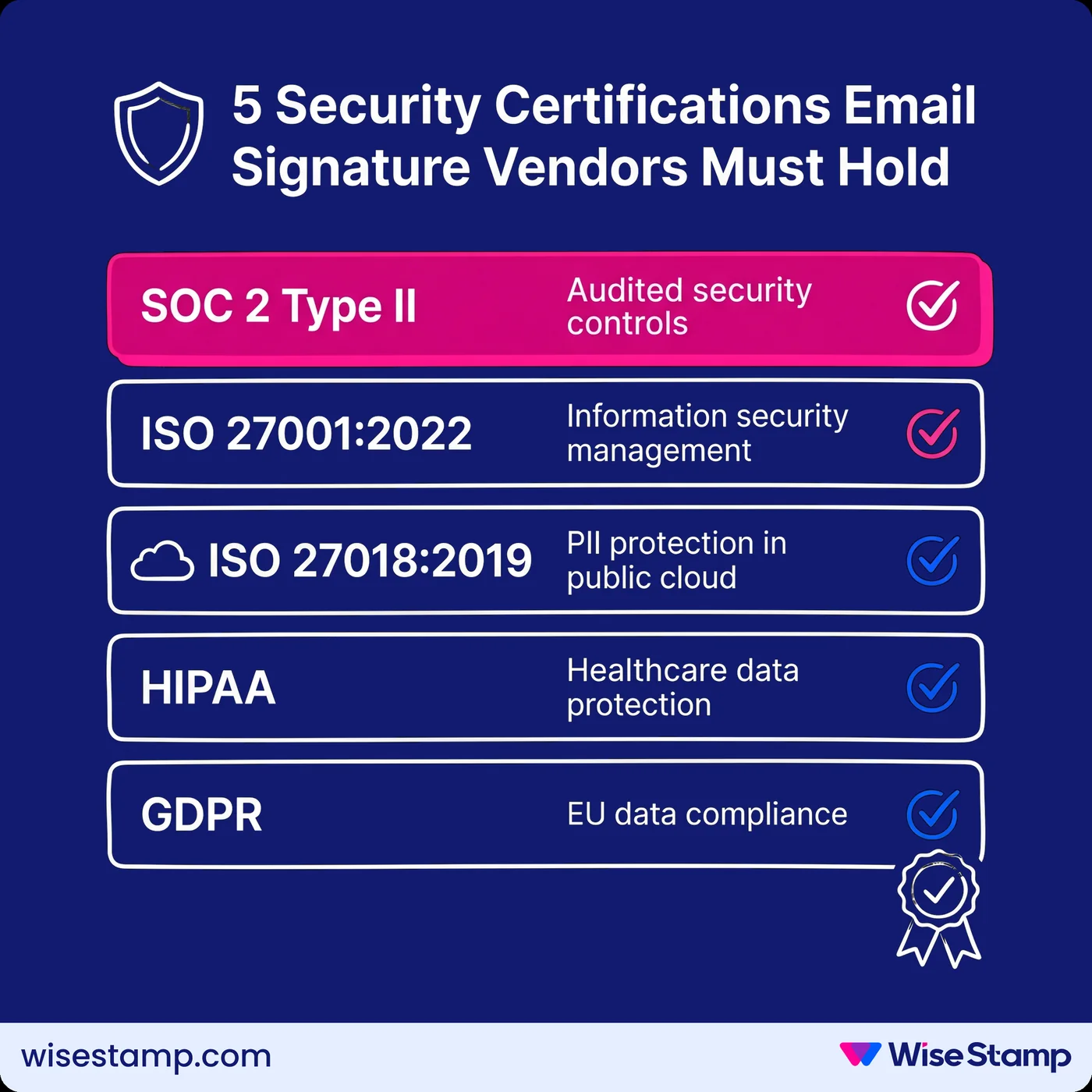
The certification set to require before deploying email signature management at scale:
| Certification | What it covers | Why it matters for ESM |
|---|---|---|
| SOC 2 Type II | Security, availability, and confidentiality controls | Third-party audited; proves controls work in practice, not just on paper |
| ISO 27001:2022 | Information security management system (ISMS) | International standard; demonstrates a mature, documented security program |
| ISO 27018:2019 | Protection of PII in public cloud environments | Directly relevant to employee data stored in SaaS infrastructure |
| HIPAA | Protection of protected health information (PHI) | Required for healthcare deployments or regulated adjacent environments |
| GDPR | EU data protection compliance | Required for organizations with EU employees or customers |
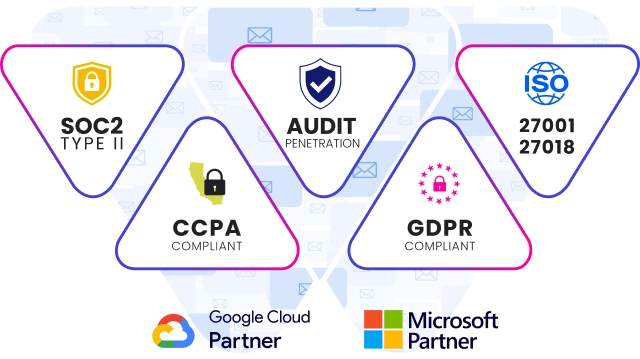
WiseStamp holds SOC 2 Type II, ISO 27001:2022, ISO 27018:2019, HIPAA (achieved late 2024), and full GDPR compliance, with a Data Processing Agreement (DPA) available on request.
Security is governed by a dedicated CISO who reports directly to the CEO, COO, and SVP — not buried inside IT operations.
The executive team reviews annual risk assessments and approves security budget directly.
Audit Trail
How do audit logs reduce data protection risk in email signature management?
Audit logs in an email signature management platform should capture:
- Template changes: who changed which signature element, when
- Employee data modifications: who updated employee records and what changed
- Permission changes: role assignments, revocations, and admin additions
- Directory sync events: what data was pulled, when, and from which source
Audit logs are the traceability layer that makes security claims verifiable during compliance audits and incident reviews.
A signature management platform without comprehensive change history is a governance gap — and a gap that regulators and auditors will find.
For organizations undergoing SOC 2, ISO 27001, or HIPAA audits, this traceability is often a direct control requirement.
For CISOs evaluating vendor operational maturity, it’s a baseline signal.
WiseStamp maintains audit logs and change history for all signature template modifications and account changes, supporting export for compliance documentation.
Phishing And Spoofing Risk
How do corporate email signatures create a phishing and spoofing attack surface?
Corporate email signatures are designed to be consistent, recognizable, and trusted. That’s exactly what makes them valuable targets for phishing and Business Email Compromise (BEC) attacks.
A spoofed signature copies the exact layout, logo, fonts, and contact information of a known sender.
When recipients see a familiar signature, they extend trust to the email — including to embedded links and attachments.
This attack vector is active across both external phishing campaigns and internal BEC attempts targeting finance and HR teams.
Unmanaged signatures compound this risk.
When employees control their own signatures, there is no consistent baseline. Variations in format, logo, and layout make it harder for recipients to distinguish a real signature from a forged one.
Centralized signature management directly reduces this attack surface.
When every employee in the organization sends the same standardized signature, enforced through a management platform, any deviation becomes immediately visible. Inconsistency signals tampering.
Takeaway
What data protection controls should you require from email signature management software?
Email signature management software is not a passive tool. It stores employee PII, integrates with your identity provider, and in server-side configurations, processes your outbound email. Treating vendor selection as a security evaluation — not just a feature comparison — reflects the actual risk profile.
The data protection checklist for email signature management:
- PII storage and segregation: certified cloud infrastructure with per-account logical isolation
- Server-side architecture: zero email content storage, zero reading, per-account tenant isolation
- Directory integration scope: controlled access limited to necessary fields and organizational units
- RBAC: field-level locking that enforces compliance without depending on individual employee behavior
- SSO: SAML 2.0 integration with your existing identity provider (Okta, Microsoft Entra ID, OneLogin, Google Workspace)
- Certifications: SOC 2 Type II, ISO 27001, ISO 27018, GDPR, and HIPAA where applicable
- Audit logs: change history and event logs exportable for compliance reporting
Manual signature management isn’t just an operational burden. At scale, it’s a data protection liability.
Every employee managing their own signature is a compliance gap — in every email they send, to every recipient they reach.
Pair this with our security review checklist for signature software to close both gaps at once.