How to Manage Multi-Brand Email Signatures
Step-by-step guide to centralizing email signatures across multiple brands. Covers org structure, directory sync, RBAC, and deployment
Short answer
How do I centrally manage email signatures across multiple brands?
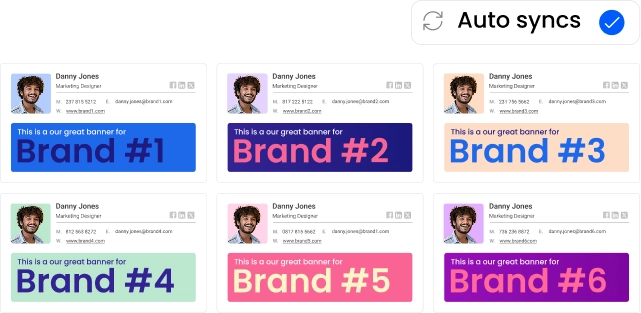
Multi-brand email signature management works by creating a separate, isolated signature environment per brand (each with its own templates, employee directory, and domain settings) inside one admin account. You deploy, update, and govern every brand centrally, without cross-contaminating brand identities.
Unmanaged Multi-Brand Signatures
What happens when multi-brand email signatures have no owner
Multi-brand email signatures without central governance drift and fracture independently, one brand at a time.
Logos go stale. Compliance footers disappear. Design elements bleed across entities. The corporate parent has no visibility into what any subsidiary is actually sending.
Without a central owner, every brand becomes its own signature liability.
A 500-person organization sends roughly 250,000 emails a month. Multiply that across 3 or 4 brands, each running on their own Google Workspace or Microsoft 365 instance, and the governance problem becomes immediately visible.
Every brand is producing thousands of emails a day with no consistent standard in place.
Multi-Brand Signature Management
What is multi-brand email signature management?
Multi-brand email signature management is the practice of designing, deploying, and governing brand-specific email signatures for 2 or more distinct brands from a single centralized admin account.
Companies that need multi-brand email signature management:
- Holding companies managing subsidiaries across multiple domains
- Companies that have grown through M&A and need to integrate acquired brands
- Franchise organizations with regional brand variations
- Parent structures running distinct customer-facing brands
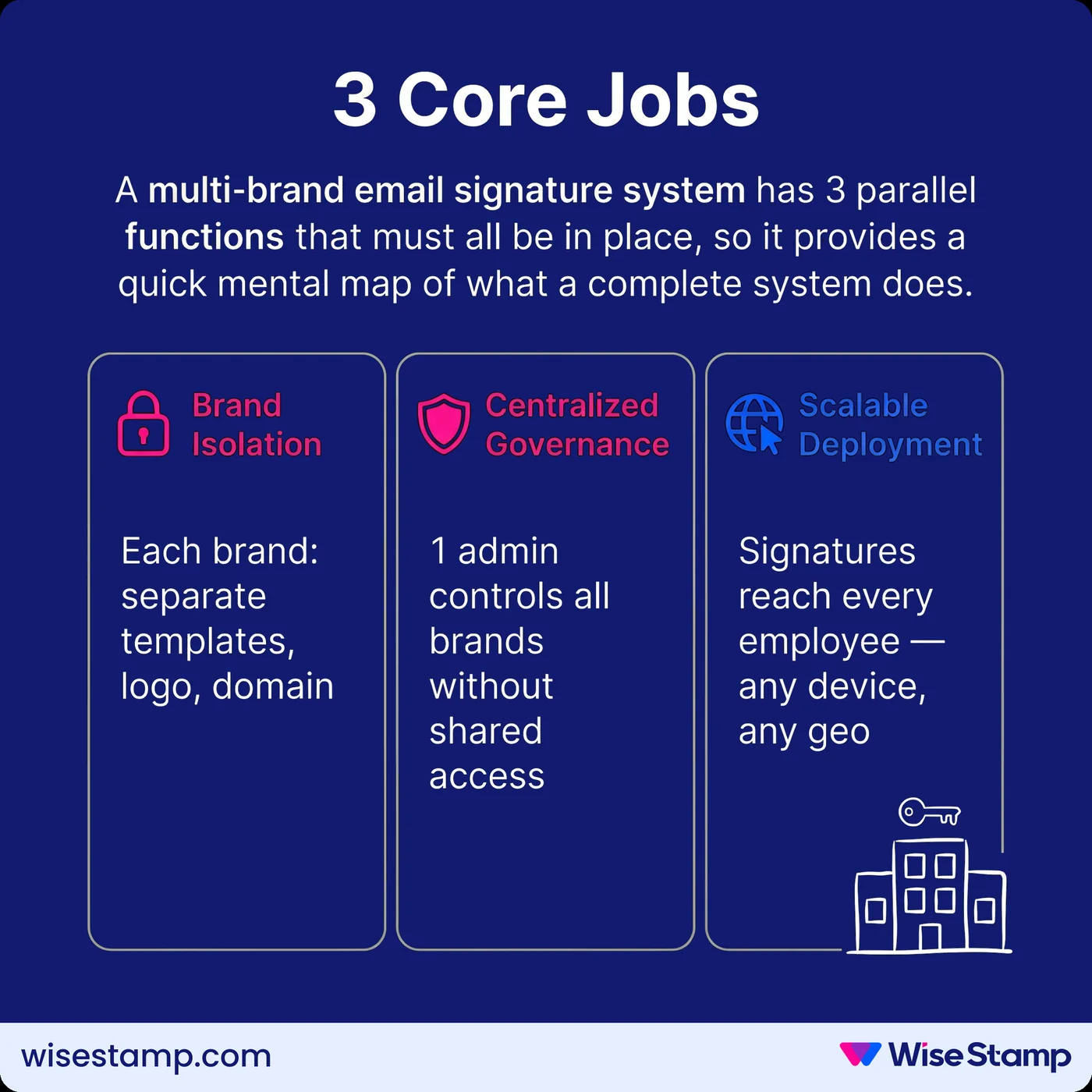
A working multi-brand email signature system covers 3 core jobs:
- Brand isolation: each brand’s logo, color system, templates, and contact details are contained separately, with no cross-contamination between entities
- Centralized governance: one admin team controls all brands without exposing any entity’s settings to unauthorized users
- Scalable deployment: signatures reach every employee in every brand automatically, regardless of how many domains, email platforms, or geographies are involved
Multi-Brand Signature Chaos
Why does multi-brand signature management break down without a system?
Multi-brand organizations run into failure modes that single-brand companies don’t face at the same scale.
1. Brand identities blur without enforcement
When employees manage their own signatures, design standards erode fast.
The acquired brand’s old logo stays in half the team’s emails. The parent company’s branding shows up where it shouldn’t.
One of our enterprise clients, managing multiple brands, described the situation this way:
“It’s like the wild, wild west of email signatures currently, and we’re trying to rein that all in.”
2. Ownership falls in the gap between teams
IT doesn’t know which brand’s standards apply to which employees. Marketing can’t enforce guidelines across subsidiaries it didn’t build.
The accountability disappears into the space between departments.
3. Compliance failures compound per brand
Each brand may carry different regulatory requirements, legal footers, or department-specific disclaimers. Without centralized policy control, enforcement across all entities becomes impossible.
Multi-Brand Account Structure
How do you structure multi-brand email signature management in a single account?
Multi-brand signature management starts with account architecture. The right structure separates each brand at the environment level while keeping billing and admin access unified at the top.
What does a separate organization per brand give you?
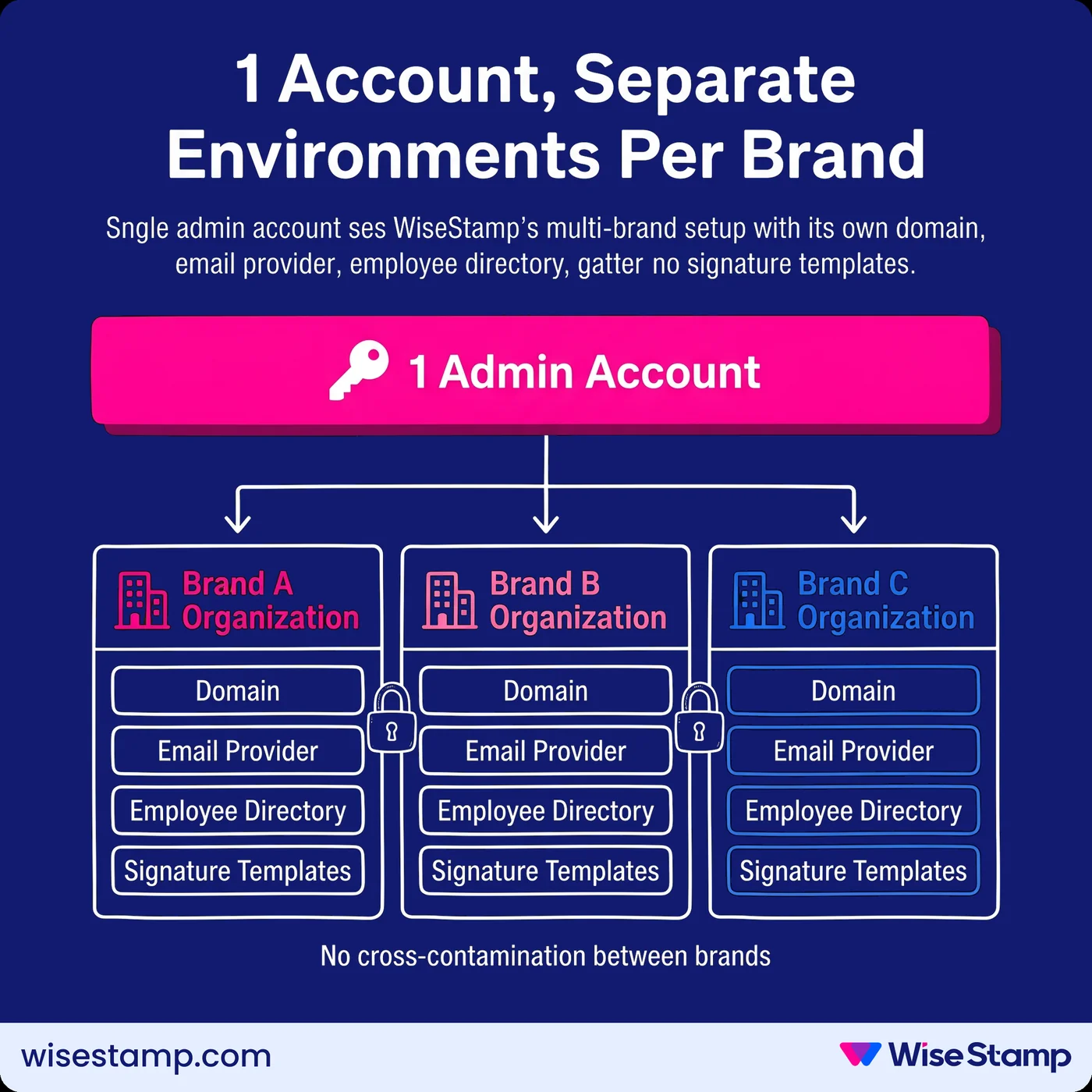
In WiseStamp, an Organization is a self-contained signature environment with its own domain, email provider, employee list, and signature templates.
For example, a holding company with 4 brands creates 4 organizations inside one account. The account owner switches between them, copies templates across them, and manages billing centrally.
Each brand’s settings stay isolated from the others.
Each organization also carries its own campaign time zone setting.
One of our enterprise clients managing 4 brands across the US, UK, Australia, and New Zealand, put it this way:
“We’ve got 4 brands that operate in these geo’s, and in some of them, they compete against each other.”
Separate organization configs handle exactly that complexity: different templates, different employee pools, different campaign schedules per brand, all governed from one login.
How do employee groups add granularity within each brand?
Employee Groups inside each organization let admins assign different signature templates to different departments without creating separate accounts.
- Sales gets a design with a CTA button
- Legal gets a version with a compliance footer
- Customer success gets a clean template without promotional banners
One organization. One brand. Multiple targeted signature variants.
Group-based assignment means bulk changes to any segment take seconds, not hours of per-user work.
Multi-Brand Signature Deployment
How do you deploy signatures to employees across multiple brands?
Deployment gets operationally complex across brands: multiple email providers, multiple directories, and employees spread across different devices and email platforms.
How do you connect each brand’s employee directory?
Each brand’s directory connects separately. WiseStamp integrates with Google Workspace and Microsoft Entra ID (formerly Azure AD) via daily automated sync.
Each organization connects to its own directory instance.
Employees import automatically, profile data stays current, and new hires get their brand-correct signature from day one without any admin action.
Directory sync removes what’s otherwise a full-time coordination job.
“Active Directory sync was critical. We didn’t want to manage user data in another system.”
How do you guarantee signature coverage on mobile and CRM-sent emails?
Signature coverage across mobile devices and CRM-sent emails requires server-side deployment.
Server-side appends the correct signature to every outgoing email at the mail server level, after send and before recipient delivery, regardless of device or email client.
Hybrid mode fills coverage gaps automatically: client-side deployment via the Outlook Add-In or WiseStamp Chrome Extension handles desktop users.
Server-side acts as the fallback for mobile and emails sent from platforms like Salesforce or HubSpot.
On privacy: WiseStamp’s server-side deployment works across Google Workspace and Microsoft Exchange without routing emails through a third-party reading layer.
We never store or read email content, which matters for multi-brand enterprises where data residency, SOC 2 Compliance, and GDPR obligations come up in every procurement review.
Multi-Brand Signature Updates
How do you keep multi-brand signatures current as brands and campaigns change?
Multi-brand organizations rebrand more often than single-brand ones. An acquired entity needs a new logo. A parent company refreshes brand standards and needs to cascade changes across all subsidiaries.
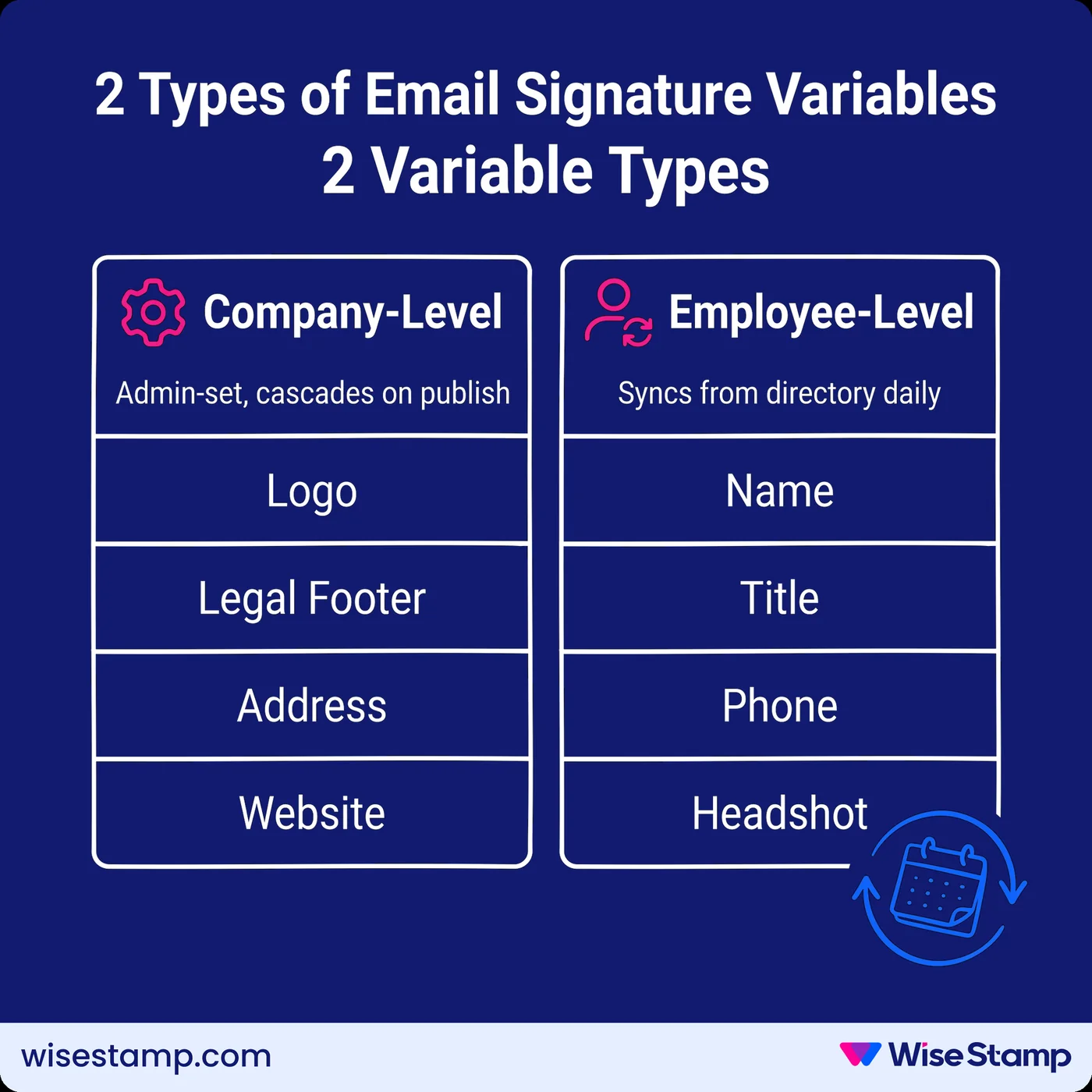
Company-level variables are the mechanism
Each organization holds its own variables: logo, legal footer, address, website.
Change the logo for Brand A and it updates across every Brand A employee on publish, without touching Brand B’s templates at all.
Employee-level variables pull from the directory on a daily sync
Every title change, phone number update, or new headshot propagates automatically, with no admin intervention required between sync cycles.
Amanda Gratz, Design Operations Manager at Bizzabo, told us what a rebrand looks like with centralized management in place.
“When we rebranded last year the WiseStamp team were amazing. They changed the logo and the look so quickly for us. It was ready within 24 hours.”
The cascade to every employee happened from there.
Brand-specific campaigns run per organization
A promotional banner for Brand A’s product launch goes to Brand A’s employees only. Brand B’s team keeps their standard signature.
Campaign scheduling, targeting, and analytics are all scoped to the organization they belong to.
Multi-Brand Permission Control
How do you give brand teams control without exposing other brands?
Brand team autonomy starts with scoped access. Each stakeholder should see exactly what they’re responsible for, and nothing more.
RBAC scoped per organization
WiseStamp’s role-based access control (RBAC) includes an Organization Manager role that grants full management access to one organization only.
A brand manager at a subsidiary can manage their own employees, templates, and campaigns without seeing other brands’ employee data or signature settings.
IT retains Owner or Admin access across all organizations.
Locked and unlocked fields via the Employee Hub
Within each organization, the Employee Hub lets employees self-serve their own details, including mobile number, headshot, and pronouns, within limits the admin defines.
Brand-critical fields (logo, legal disclaimer, title format) are locked and can’t be overridden by anyone below admin level.
This means no IT tickets for routine data updates, and no brand drift from employee edits.
“WiseStamp is fantastic for when we acquire new businesses. It helps us transition branding smoothly.”
Leanne G., Marketing Support
Takeaway
What does a working multi-brand signature system look like?
Multi-brand email signature management works when each brand has its own isolated environment (separate templates, separate employee pool, separate domain configuration) while a single admin account provides unified visibility, governance, and deployment across all of them.
Core multi-brand signature setup:
- Create one organization per brand inside a single account
- Connect each organization to its own Google Workspace or Microsoft Entra ID directory
- Use employee groups to assign different signature variants within each brand
- Set company-level variables per brand so logo, footer, and contact details update org-wide on publish
- Lock brand-critical fields to prevent employee overrides
- Assign RBAC roles so each brand’s team manages only what belongs to them
Explore multi-brand email signature management with WiseStamp