How to Use Email Signatures for Branding
Learn how to turn company email (your largest untapped asset) into a brand and marketing channel - launch centralized campaigns within hours
Short answer
How do I turn email signatures into a branding channel?
Email signatures are a brand touchpoint on every outbound message from every employee.
To turn them into a branding channel, you need 3 things: a consistent locked template, centralized governance that prevents brand drift, and campaign tools to run banners and measure reach.
Missed branding opportunity
Why are email signatures a bigger branding opportunity than most marketers realize?
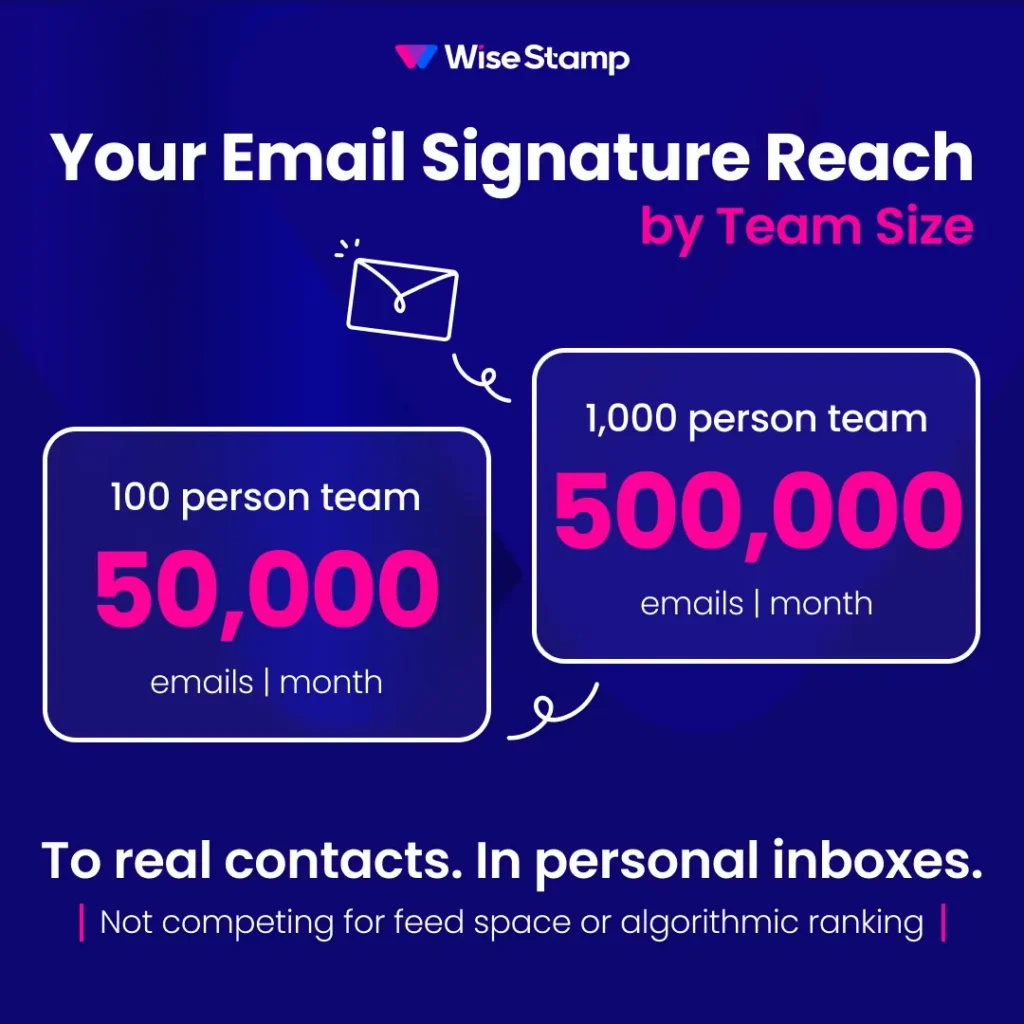
Email signatures appear on every outbound message from every employee. A 1,000-person company sends 500,000 emails a month to real contacts: customers, prospects, and partners who already have a relationship with your business.
Most marketing teams don’t control this channel. IT sets signatures up once. Employees edit freely, and brand consistency erodes.
Amanda Gratz, Design Operations Manager at Bizzabo: “Our nice new Bizzabo logo is now very visible in every email we send, which considerably increases our brand recognition.”
Signature design
What should a branded email signature include?
A branded email signature should contain 4-5 elements maximum. Restraint is the design principle here. A signature trying to include everything communicates nothing clearly.
The core elements:
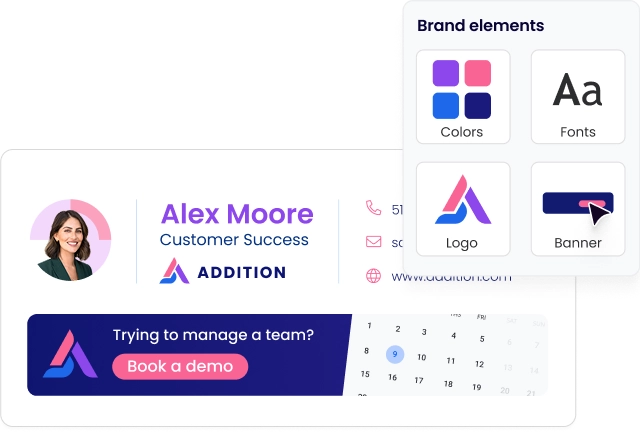
- Company logo: correct brand colors, consistent sizing, renders cleanly across Gmail, Outlook, and Apple Mail
- Employee name, title, and department: pulled automatically from your identity directory so it never goes stale
- Primary contact method: a direct line or email; include what’s actionable, skip what isn’t
- Website or social links: 2-3 maximum; more dilutes attention and lowers CTR
- Campaign banner: a clickable visual that marketing rotates for product launches, events, or active campaigns
Mobile rendering matters more than most design teams assume. Over 60% of email is opened on mobile (Litmus Email Analytics, 2024).
A signature that looks polished on desktop and breaks on an iPhone is a brand liability, not a brand asset.
WiseStamp’s Studio Editor handles this automatically: templates that render correctly across Gmail, Outlook, Apple Mail, and all major mobile clients, without any HTML or design tools.
Brand consistency
How do you keep email signature branding consistent across your whole team?
Email signature consistency breaks down the moment employees can edit their own. Without a governance layer, every person becomes a brand variable, and visual consistency erodes with every outbound email.
The drift gets documented by anyone managing email at scale. I came across an IT professional in an online forum who put it bluntly:
“Everyone had different fonts, different layouts, different information. It looked completely unprofessional.”
Someone else in the same thread captured it even more directly.
“It’s like the wild, wild west of email signatures currently, and we’re trying to rein that all in.”
Brand governance at the signature level means locking what employees shouldn’t touch. Role-based access controls (RBAC) handle this at the field level: admins lock brand elements (logo, colors, legal text, required disclaimers) and employees update only what they’re permitted to. The template itself stays untouched.
WiseStamp enforces this split without IT involvement:
| Signature element | Controlled by |
|---|---|
| Logo, colors, legal text | Admin (locked) |
| Campaign banner | Marketing team |
| Phone number, pronouns, headshot | Employee via Employee Hub |
When brand guidelines change, marketing updates the master template once. It publishes to every employee’s outbox in minutes.
Brand agility
How do email signatures speed up a rebrand or campaign launch?
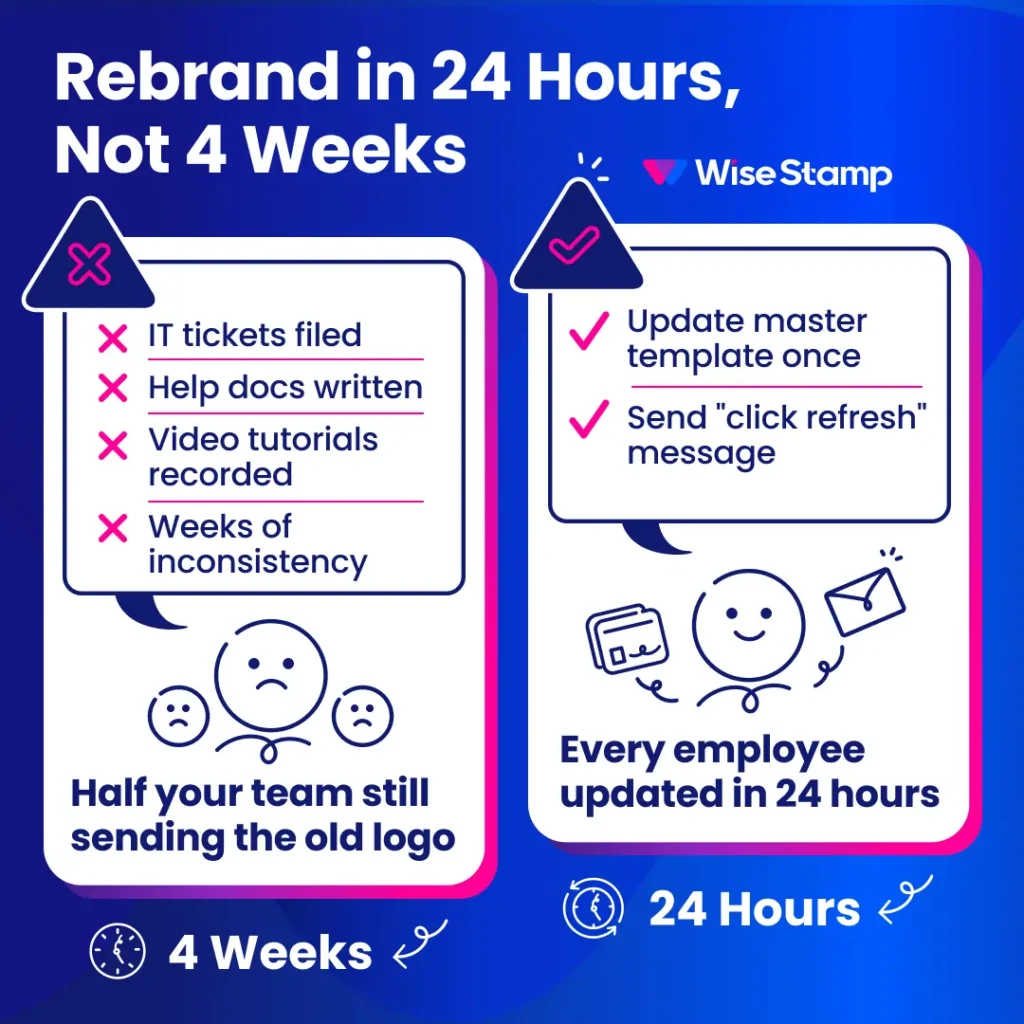
Email signatures are the fastest layer to update during a rebrand. The problem is distribution, not design. Without centralized management, pushing a new brand identity across 1,000 employees means IT tickets, help docs, and video tutorials.
Weeks of inconsistency follow, where half your team sends the old logo while the other half sends the new.
With WiseStamp, the timeline collapses. I’ve seen this with Bizzabo.
Amanda Gratz, their Design Operations Manager, told me: “They changed the logo and the look so quickly for us. It was ready within 24 hours.”
Rolling out to every employee? Just as painless.
“We just send out a message to everyone saying: hey, we’ve updated our email signatures for a new promotion, please click refresh. Everyone just clicks and it works,” she said.
That’s the difference between brand infrastructure and brand chaos: a 24-hour rollout vs. a 4-week manual process.
Marketing campaigns
How do you run marketing campaigns through employee email signatures?
Campaign banners in email signatures turn every outbound email into a campaign impression. A 100-person team running a campaign reaches roughly 50,000 contacts per month. Scale that to 1,000 employees and you’re reaching 500,000 contacts per month.
Matilde Bachino, Marketing Manager at Slantis, said something that stuck with me.
“Never thought about email signatures as a marketing channel, but thanks to WiseStamp now it definitely is.”
WiseStamp’s Marketing Suite makes this operational without IT:
- Launch campaign banners with a defined start and end date
- Target by department: Sales runs a different banner than HR
- Rotate creative automatically when a campaign ends
- Track impressions and clicks from a central dashboard
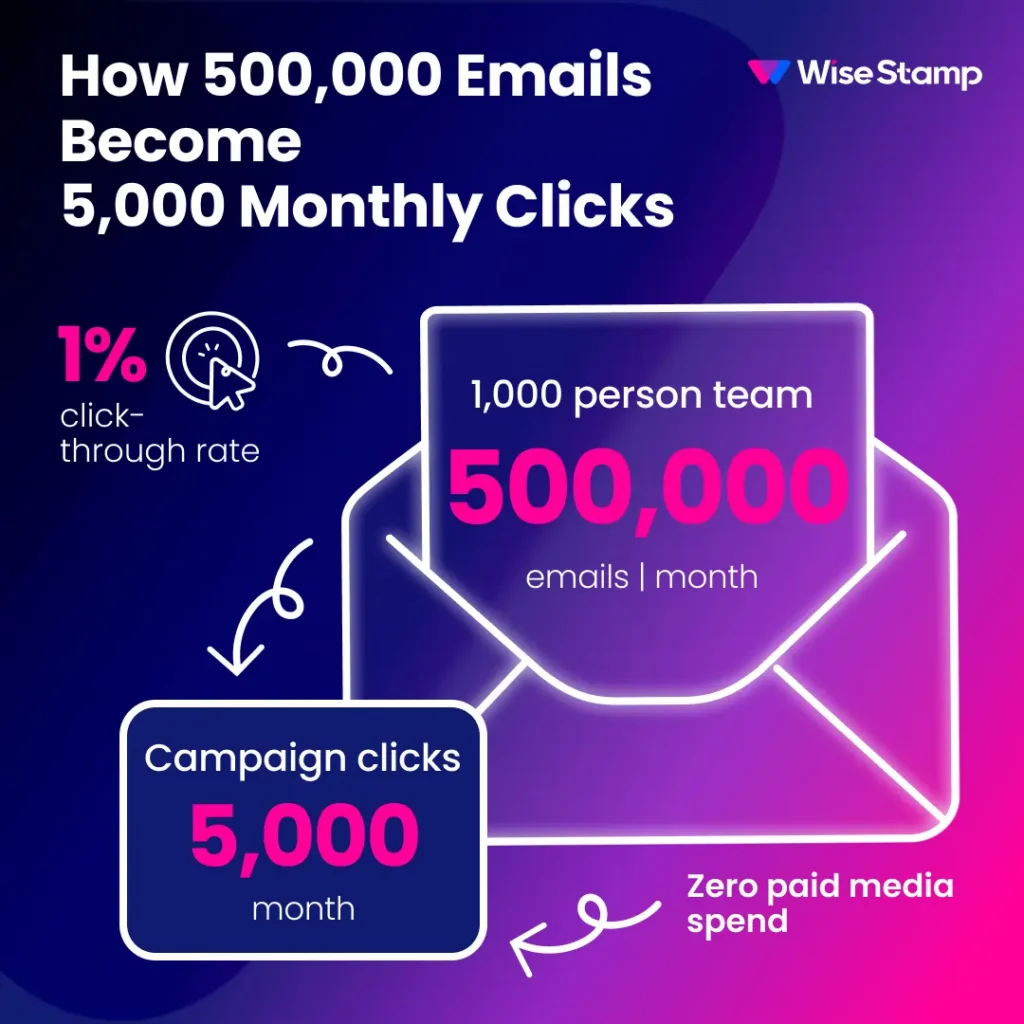
At a 1% CTR on 500,000 monthly emails, you’re generating 5,000 campaign clicks per month with zero paid media spend. No new channel to build. The audience is already there.
Michael Yehoshua, WiseStamp’s CMO, ran the numbers internally. The result: “+40% webinar registrations from email signature banners.” That’s from a channel most marketing teams treat as an afterthought.
Performance measurement
How do you measure email signature branding and campaign ROI?
Email signature performance is measured through the same metrics used for any other digital channel. WiseStamp’s analytics dashboard aggregates impressions, clicks, CTR, and conversion data across all employees and campaigns:
- Impressions: total emails sent with the campaign banner active
- Clicks: total and unique clicks on the banner CTA
- CTR: clicks divided by impressions, benchmarked against prior campaigns
- Trackable links: UTM-tagged URLs flowing through to Google Analytics or your CRM
Attribution is what makes this channel defensible in a marketing review.
Jane Mao, Marketing Consultant at Avenues Real Estate, ran the numbers and shared them with me.
“6% of our leads to the website actually come from WiseStamp. That comes out to about a hundred leads per month.”
A hundred leads a month. Zero paid media spend. That’s the kind of number that survives a planning cycle.
Rollout
What’s the fastest way to deploy branded email signatures across a large team?
Zero-touch deployment is the only rollout model that works at scale. With WiseStamp, that means:
- Connect directly to Microsoft 365 or Google Workspace via API (no MX record changes)
- Skip per-device plugin installation across individual devices
- Sync the directory with Microsoft Entra, Google Workspace, or Okta for automatic updates
- Assign new hires the correct on-brand signature on their first outgoing email
- Automate role changes and offboarding at the directory level, no manual step required
Avi Drucker, CIO at Sela Cloud, summed up the experience in a few words.
“We just had to configure WiseStamp one time. After that, each user was synced automatically. It works like a charm.”
Initial IT configuration takes 1-2 days. Publishing a template update to the entire organization takes minutes.
Conclusion
Email signatures are a brand channel that’s already running. Every employee sends dozens of emails a day to real contacts. The question is whether those signatures are working for your brand or quietly against it.
A locked template in WiseStamp’s Studio Editor, deployed via API to Microsoft 365 or Google Workspace, gives marketing consistent reach across every employee’s outbox.
The Marketing Suite adds campaign tools and measurable attribution, with no dependency on IT for day-to-day changes.
To see how this maps to your email environment and team size, get advice from an expert.