Home / Guides / Email Signature Image Size: Specs for Logos, Photos, and Banners
Email Signature Image Size: Specs for Logos, Photos, and Banners
Get the correct pixel dimensions, resolution, and file weight for logos, profile photos, and banners in your email signature. See exact specs
Reading time:
4 min
Author: Amotz Harari
Updated: August 25, 2026
Short Answer
What is the correct email signature image size?
Image type
Dimensions (px)
Format
Max file size
Horizontal logo
150-200 wide x 70-100 high
PNG
Under 120KB
Square/circular logo
150-200 x 150-200
PNG
Under 120KB
Profile photo
80-100 x 80-100
PNG or JPG
Under 120KB
Promotional banner
600 wide x 100-200 high
PNG or JPG
Under 120KB
Export every image at 2x your intended display size. Target 72dpi resolution.
Risk of Wrong image size
Wrong image sizes quietly undermine your brand across every email
Image sizing is something most brand managers address at the template level: fonts, colors, layout. Individual image assets often get skipped entirely.
The result lands in inboxes. A logo that renders correctly in one test but breaks on a colleague’s iPhone. A profile photo that looks fine in Outlook desktop but appears blurry in Gmail.
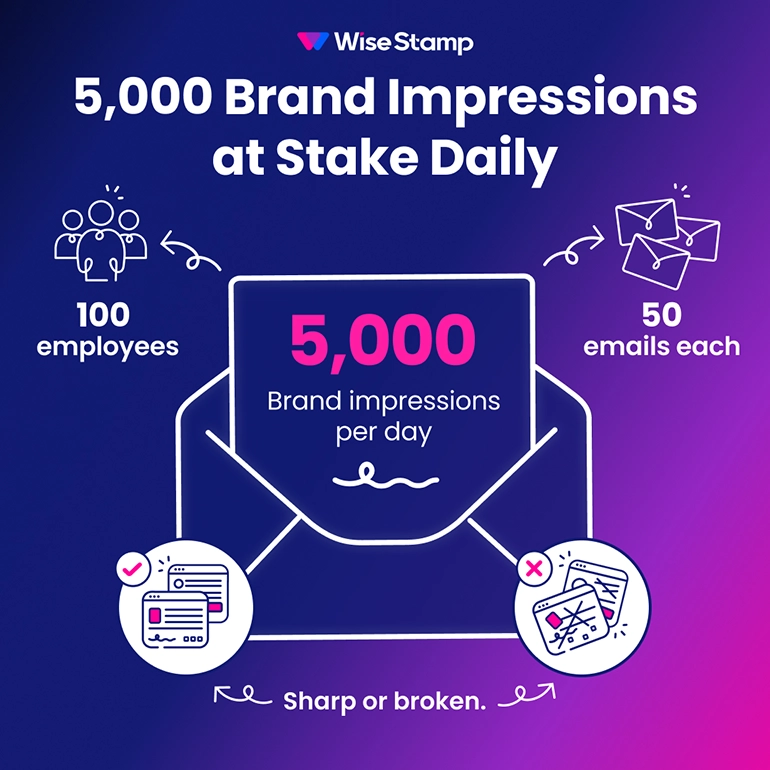
These aren’t isolated glitches. Every employee’s outgoing email carries those images. At 100 employees sending 50 emails each per day, that’s 5,000 brand impressions. Sharp or broken.
Logo Sizing
How to size an email signature logo correctly
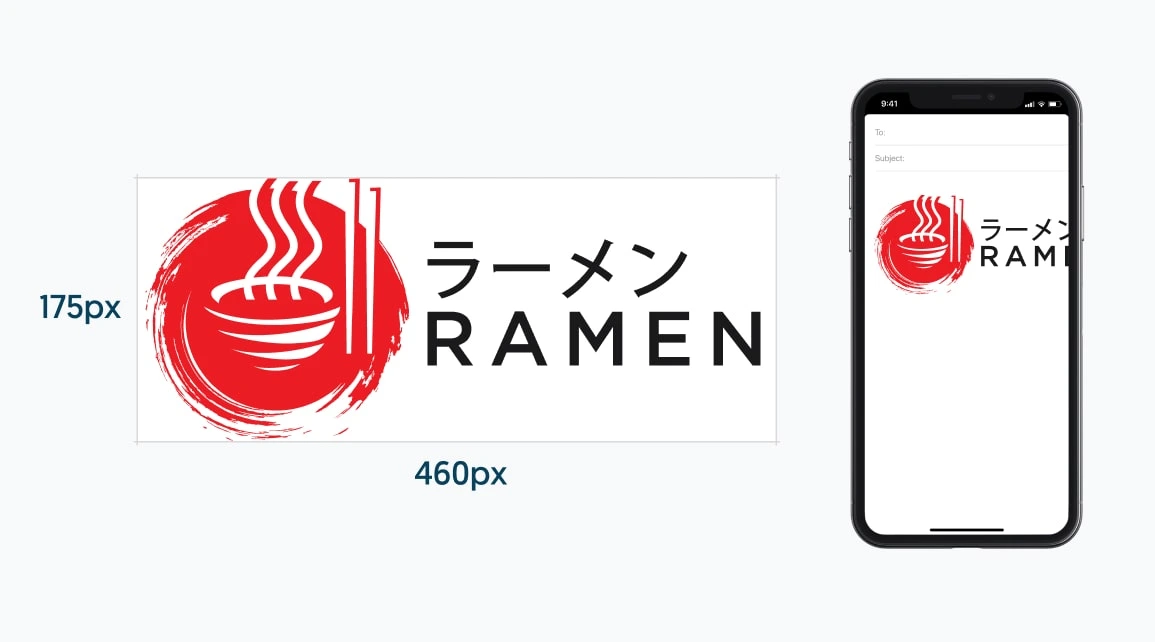
Logo dimensions depend on orientation. A horizontal logo should sit between 150-200px wide and 70-100px high. A vertical logo reverses those proportions. A square or circular logo works well at 150-200px on both dimensions.
For vertical logos, the same proportions apply in reverse: 70-100px wide and 150-200px high. The 2x export rule applies regardless of orientation.
Most mobile email clients render at roughly 400px wide. A logo wider than 200px will push your contact details and CTAs below the fold on smaller screens.
The sharpness trick: export at 2x your target display size. If you want the logo to display at 150px wide, save it at 300px. This doubles pixel density without adding visual bulk.
Our nice new Bizzabo logo is now very visible in every email we send, which considerably increases our brand recognition.
Amanda Gratz, Design Operations Manager at Bizzabo
Resolution And Format
Which file format and resolution work best for email signature images?
PNG is the right format for logos and profile photos. It preserves transparent backgrounds and renders crisply across Gmail, Outlook, and Apple Mail.
Resolution should be set to 72dpi. Email clients display at screen resolution; higher settings add file weight without visible benefit.
File weight affects deliverability. MailJet recommends keeping individual images under 120KB to prevent slow loading and spam filter friction. TinyPNG compresses images without visible quality loss and handles up to 20 files at once for free.
If your logo exists as a vector file (SVG, EPS, or AI), start there when resizing. Vector formats scale without quality loss and give you clean PNG exports at any size from Figma, Photoshop, GIMP, or Canva.
Managing Images At Scale
How can I handle email signature image sizing company-wide?
Getting image sizing right for one signature is straightforward. Keeping it consistent across 50, 200, or 1,000 employees is a different problem.
WiseStamp’s Studio editor lets you upload a logo or banner once and control how it displays across every employee’s signature. When you update the image, it pushes to every assigned mailbox instantly.
A marketing manager I spoke with summed it up this way: “Mobile and desktop signatures finally looked the same. That alone sold it for us.”
The same workflow applies whether you’re rolling out to a 1,000-person team or a 17,000-person enterprise.
Logo: 150-200px wide. Profile photo: 80-100px square. Banner: 600px wide. Export every image at 2x display size, set to 72dpi, and keep files under 120KB. Use PNG for logos and profile photos. Compress with TinyPNG before uploading.
FAQ
Email signature logo dimensions depend on the logo’s orientation:
– Horizontal logo: 150-200px wide, 70-100px high
– Square or circular logo: 150-200px on each side
– Vertical logo: 70-100px wide, 150-200px high
Most mobile email clients render at roughly 400px wide. Logos wider than 200px push contact details below the fold on smaller screens.
72dpi is the correct resolution for email signature images. Higher DPI adds file weight without visible benefit. Email clients display at screen resolution regardless of the original image DPI setting.
Email signature images appear blurry when the image file is exported at its intended display size instead of 2x. Export at twice the intended display size, then constrain width in your signature editor. A logo meant to display at 150px should be saved at 300px.
PNG is the recommended format for email signature logos and profile photos. PNG supports transparent backgrounds, preventing white boxes on colored email backgrounds or in dark mode. JPG is acceptable for profile photos where transparency is not needed.
Keep each email signature image under 120KB. MailJet recommends this threshold to prevent slow loading and spam filter friction. TinyPNG compresses images without visible quality loss and handles up to 20 files at once for free.
Email signature images resize incorrectly when HTML display dimensions conflict with the original file dimensions. Some email clients, including certain Outlook versions, ignore HTML resize instructions and render the original file size. Resize the image file before uploading rather than relying on the signature builder’s resize controls.
Email signature promotional banners should be 600px wide and 100-200px high. Keep the file under 120KB. PNG works well for banners with logos or text; JPG suits photo-based banners.
Email signature profile photos should be 80-100px square. Export at 2x that size (160-200px) for sharpness on high-resolution screens. PNG is better when the photo is cropped to a circle or non-rectangular shape; JPG is fine for standard rectangular crops.
Dark mode can invert or alter email signature images with solid white backgrounds, making logos appear with dark boxes or disappear entirely. PNG files with transparent backgrounds render correctly in dark mode across Gmail, Apple Mail, and Outlook.
The following tools resize email signature images correctly:
– Figma (web and desktop, free plan available)
– Adobe Photoshop (desktop, paid)
– GIMP (desktop, free)
– Pixlr (web, free)
– Canva (web, free plan available)
If your logo is a vector file (SVG, EPS, or AI), open it in any of these tools and export as PNG at the target size.
Email signature images are typically hosted externally via a URL rather than embedded inline. Inline embedding as Base64 significantly increases email file size and affects deliverability. Most signature management platforms, including WiseStamp, host images on their servers and reference them via URL in the signature HTML.
Email signature images may not display correctly in forwarded emails, depending on the recipient’s email client. Externally hosted images load more reliably than embedded ones. Some clients strip images in forwarded threads entirely. Inconsistent image rendering in forwarded emails is a known email client limitation, not a resizing issue.
WiseStamp’s Studio editor handles email signature image display sizing within the template. Admins upload a logo or banner once, and WiseStamp controls rendering across Gmail, Outlook, and Exchange. Image updates push to all assigned employees instantly on publish.
GIF is the only email signature image format that supports animation. Animated GIFs display in Gmail, Apple Mail, and most mobile email clients. Outlook for Windows replaces animated GIFs with a static first frame. Keep animated GIF files under 500KB to avoid deliverability issues.