Meet us at UNBOUND26 • SEP 15-18 • Boston, MA>> BOOK A CHAT

Free Yahoo Signature Generator by WiseStamp

Create a Yahoo email signature with your logo, photo, and clickable links in minutes, no code or design skills needed.
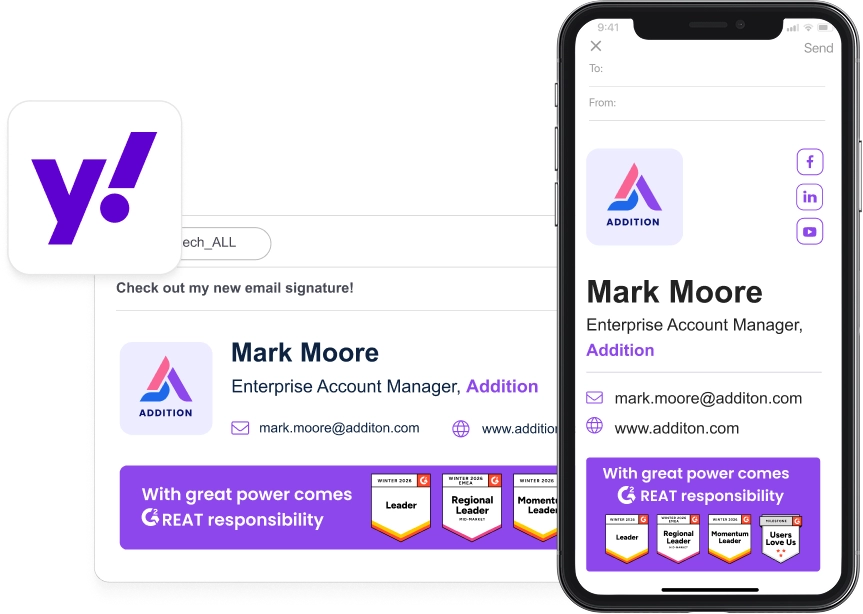
Yahoo Signature Generator

Get a signature that makes an impression

image blue icon

A logo and photo, not just plain text

click blue icon

Clickable links to your site and socials

activate icon blue

One-click copy into Yahoo Mail

signature blue icon

Free templates, zero design skills

responsive blue icon

Consistency cross devices

1 dark blue icon
Build.

Pick a template and add your details, logo, and links.

2 dark blue icon
Copy.

Copy your finished signature straight from the WiseStamp editor.

Open Yahoo Mail settings.

Go to Settings, then More Settings, then Writing email.

4 blue icon
Paste and save.

Paste your signature into the box and turn the toggle on.

Add your signature in 4 steps

Here’s the full walkthrough for how to add a signature in Yahoo Mail.

1 dark blue icon
Build.

Pick a template and add your details, logo, and links.

2 dark blue icon
Copy.

Copy your finished signature straight from the WiseStamp editor.

Open Yahoo Mail settings.

Go to Settings, then More Settings, then Writing email.

4 blue icon
Paste and save.

Paste your signature into the box and turn the toggle on.

Explore the tools inside the generator

No code signature editor

Upload your logo or headshot

Clickable social media icons

Custom call-to-action buttons

Promotional banner images

Battle tested ready-made signature templates

Live signature preview

One-click copy to Yahoo Mail

Show your logo, not just your name

Yahoo’s signature box wasn’t built to hold a logo. WiseStamp adds your logo and photo without fighting the editor.

Animate your image and logo in your email signature
create responsive Yahoo signature

Look the same on every device

Yahoo’s mobile app caps signatures at 250 characters and won’t show images. WiseStamp keeps your full signature everywhere you send.

create responsive Yahoo signature

Add your website, LinkedIn, or a booking link to every email you send. Recipients click through without a second thought.

Add social links to your yahoo email signature
Pick from pre-designed Yahoo email signatures

Get a professional Yahoo signature in minutes

Pick a template, fill in your details, and copy the result into Yahoo Mail. No design skills required.

Pick from pre-designed Yahoo email signatures

Give yourself a professional Yahoo signature

Make a professional impression with every email you send. Create your Yahoo signature with WiseStamp.

Create a professional yahoo mail signature with WiseStamp

FAQ

Building a Yahoo Mail signature with WiseStamp takes two steps.

  1. Build the signature in the WiseStamp editor and copy the finished code.
  2. In Yahoo Mail, go to Settings, then More Settings, then Writing email, and paste it into the signature box.

Yahoo Mail’s signature editor updates in place. Open Settings, then More Settings, then Writing email, and edit or replace the text in the signature box. Changes apply to every new email sent after saving. Already-sent emails keep the old signature.

Yes, a logo can be added to a Yahoo Mail signature using the WiseStamp editor. Upload the logo file in WiseStamp, position it inside the signature template, then copy and paste the finished signature into Yahoo Mail’s signature box.

Yahoo Mail’s native signature editor supports plain and limited rich text, not direct image uploads. Inserting a logo or photo through the native editor typically requires hosting the image file externally first. WiseStamp handles the image hosting automatically, so the logo displays correctly once pasted in.

A WiseStamp signature can be copied into the Yahoo Mail mobile app on iPhone and Android. The app enforces a 250 character limit on signatures and does not support inline images. For a full signature with a logo, sending from desktop or web keeps the complete design intact.

Open Yahoo Mail Settings, then More Settings, then Writing email, and delete the text in the signature box or turn the signature toggle off. Emails already sent keep the original signature. Only new messages composed after saving reflect the removal.

Yes. A WiseStamp signature supports clickable links to a website, LinkedIn profile, or booking page. Add the link in the WiseStamp editor, then copy and paste the finished signature into Yahoo Mail so the link stays clickable for recipients.

Yes. WiseStamp templates include clickable social icons linking directly to a profile once pasted into Yahoo Mail’s signature box. Supported platforms include:

  • LinkedIn
  • Instagram
  • X (formerly Twitter)
  • Facebook

The core WiseStamp signature generator is free, with no credit card required to build and copy a signature. Paid plans add features such as banner campaigns and multiple signature templates per account. Check the WiseStamp pricing page for current plan details.

No design skills are required to use the WiseStamp generator. Signatures start from pre-built templates, and the guided editor fills in these details automatically.

  • Name and job title
  • Company logo
  • Contact links (website, social profiles, booking page)

The finished signature is generated automatically and ready to paste into Yahoo Mail.

Yes. WiseStamp signatures are copied and pasted through Yahoo Mail’s Settings menu, the same signature location used in both the current and legacy Yahoo Mail interfaces. The setup steps stay the same regardless of which version of Yahoo Mail is active.

Yahoo Mail’s mobile app enforces a 250 character cap to keep signatures short on smaller screens. This limit applies only inside the mobile app itself, not to emails sent from Yahoo Mail on desktop or web, where a full WiseStamp signature displays without truncation.

A WiseStamp signature is built with standardized HTML, which renders consistently across major webmail clients. Some clients strip embedded styling or resize images differently. Testing a sent email to a personal address is the most reliable way to confirm how a signature displays for real recipients.

Yes. Changing a signature in Yahoo Mail only affects new messages composed after the update. Emails already sent, including replies already in a thread, keep whatever signature was active at the time they were sent.

WiseStamp does not require a Yahoo Mail password or account access to build a signature. The generator only uses details entered manually, such as:

  • Name and job title
  • Company or logo
  • Website and social links

The finished signature is copied and pasted manually, not installed automatically.

The WiseStamp generator is built for individual Yahoo Mail users, freelancers, and small business owners who want a polished signature without hiring a designer. It is not built for enterprise IT teams managing signatures across thousands of employee mailboxes, which use WiseStamp’s centralized management plans instead.