Email Signature Management Technical Review: IT’s Pre-Buy Checklist
Pre-buy review guide for IT of email signature management platforms. Covers directory sync, deployment methods, security, and governance
Short answer
What should IT check before choosing an email signature management tool?
- Directory sync with Google Workspace or Microsoft Entra ID
- Deployment methods (client-side, server-side, hybrid)
- Cross-platform rendering across Outlook and mobile
- Security certifications (SOC 2 Type II, ISO 27001, GDPR)
- Role-based access controls separating IT and marketing
The Risk
Why unmanaged email signatures become an IT liability
Unmanaged email signatures scale your problems with your headcount.
Required legal disclaimers go missing, rebrands leave old logos in circulation for months, and employees default to whatever font they feel like.
One IT operations contact I’ve seen in community discussions put it this way:
IT definitely spends close to — it could be anywhere from 30 minutes to 45 minutes on a call with these people, with each person.
That’s per employee. Multiply it across your hiring rate.
Directory Integration
How does directory sync work in email signature management platforms?
Directory sync is the highest-leverage capability to evaluate. It connects the signature platform to your identity provider and pulls employee records automatically, eliminating manual data entry at scale.
The standard expectation is native integration with both Google Workspace (via OAuth – Super Admin installs from Google Marketplace) and Microsoft Entra ID, formerly Azure AD (via Microsoft API – requires Global Admin permissions).
Daily automated sync is the baseline.
Verify these specifics during any evaluation:
- Sync scope control: limit sync to specific departments, OUs, cost centers, or Microsoft Security Groups
- Field-level sync toggle: choose which fields update from the directory vs. stay manually managed in the platform
- Conflict resolution: overwrite existing platform data or preserve it — configurable per field
- New-hire automation: new employees automatically assigned to a default group and activated on sync
I saw one IT professional say it clearly in an online forum: “Active Directory sync was critical. We didn’t want to manage user data in another system.”
That’s the right frame.
The signature platform should be a dependent of your HR system of record, not a separate system to maintain in parallel.
WiseStamp supports both Google Workspace and Microsoft Entra ID with daily automated sync, on-demand manual sync, and full field-level control from a single settings panel.
If you’re earlier in the process, back up to how to choose signature management software for the full evaluation criteria.
Deployment Methods
What deployment methods do email signature management platforms use?
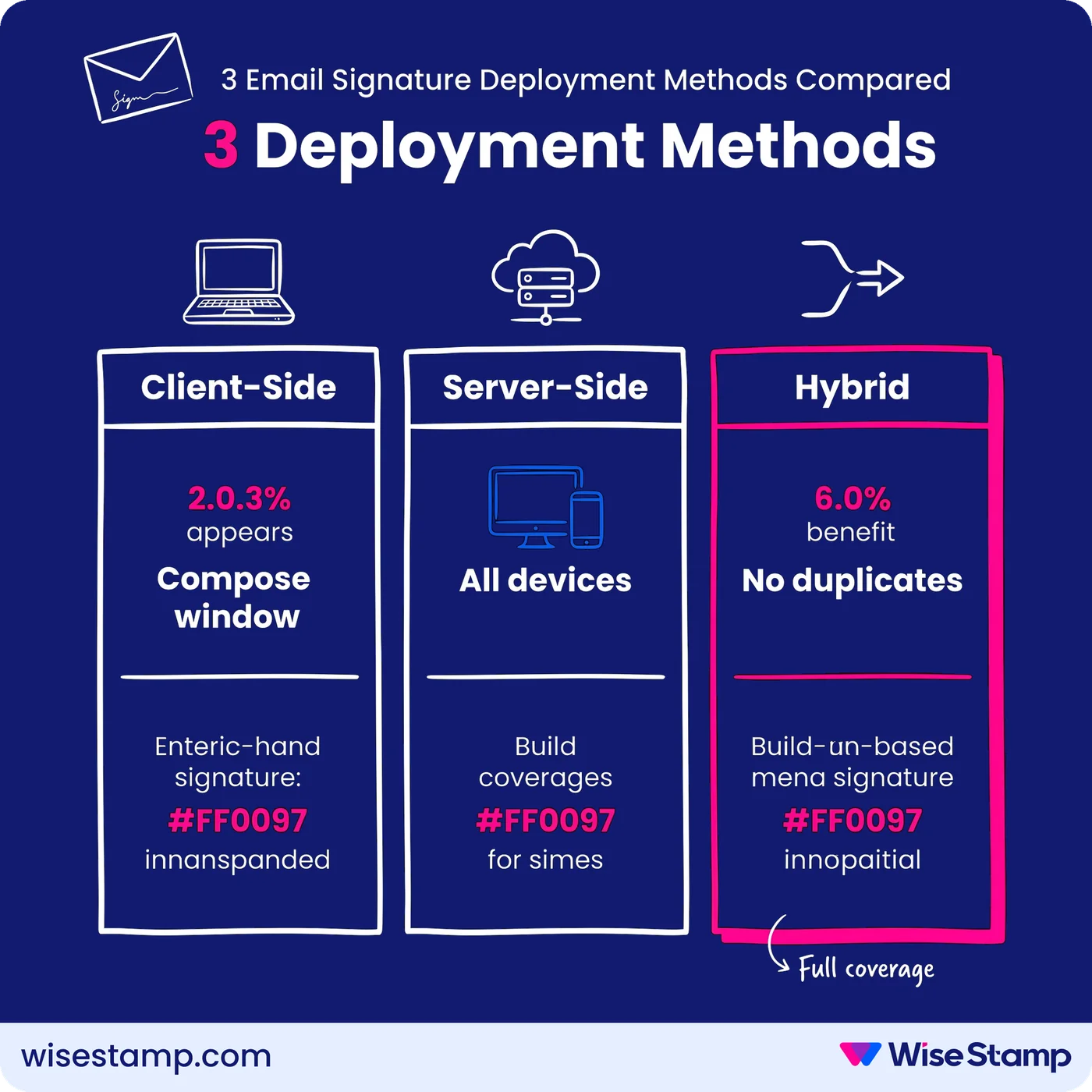
Deployment architecture determines whether signatures actually reach every device. There are 3 methods, and any serious platform supports all of them.
Client-side deployment inserts the signature during email composition. The sender sees it before sending.
Implementations include:
- Outlook Add-In (centrally deployable via MDM or GPO on Windows and Mac)
- WiseStamp Chrome Extension (Gmail Web, Outlook Web, Yahoo Mail)
- WiseStamp Desktop App (Outlook Desktop, Mac Mail)
- Google Workspace Auto-Inject (pushes the signature directly to Gmail settings without any employee action)
Server-side deployment appends signatures after sending, at the mail server level.
It covers every device — mobile, CRM-originated email, any unsupported client — without per-device software installation.
The platform intercepts the outgoing message, appends the correct signature based on the sender’s identity, and delivers it.
WiseStamp’s server-side architecture never stores or reads email content.
Hybrid mode combines both: the server-side layer checks whether a client-side WiseStamp signature is already present in the outgoing email and only injects when one is absent.
No duplicate signatures. Full mobile and CRM coverage.
Ask vendors to confirm hybrid mode support explicitly. Without it, you’re choosing between desktop coverage and mobile coverage — not both.
Cross-Platform Rendering
How do email signature management platforms handle cross-platform rendering?
Cross-platform rendering is where most homegrown approaches fall apart.
A signature that looks clean in Outlook Desktop can render with an oversized logo in iOS Mail and disappear in dark mode.
Ask any vendor to demonstrate identical rendering across:
- Outlook Desktop (Windows and Mac)
- Outlook Web and new Outlook for Windows
- Gmail Web
- Apple Mail
- iOS and Android mail apps
- Dark mode in Outlook and Gmail
Dark mode is a specific failure point. Transparent PNG logos and transparent background settings are required to prevent white-box artifacts in dark-mode email clients.
A well-built platform has a dark mode preview toggle inside its editor so you can verify rendering before publishing, not after an executive notices it.
I’ve seen an IT professional reviewing a platform describe the moment it clicked for him: “Mobile and desktop signatures finally looked the same. That alone sold it for us.”
That’s the standard to hold every vendor to.
Security Certifications
What security certifications should an email signature management platform hold?
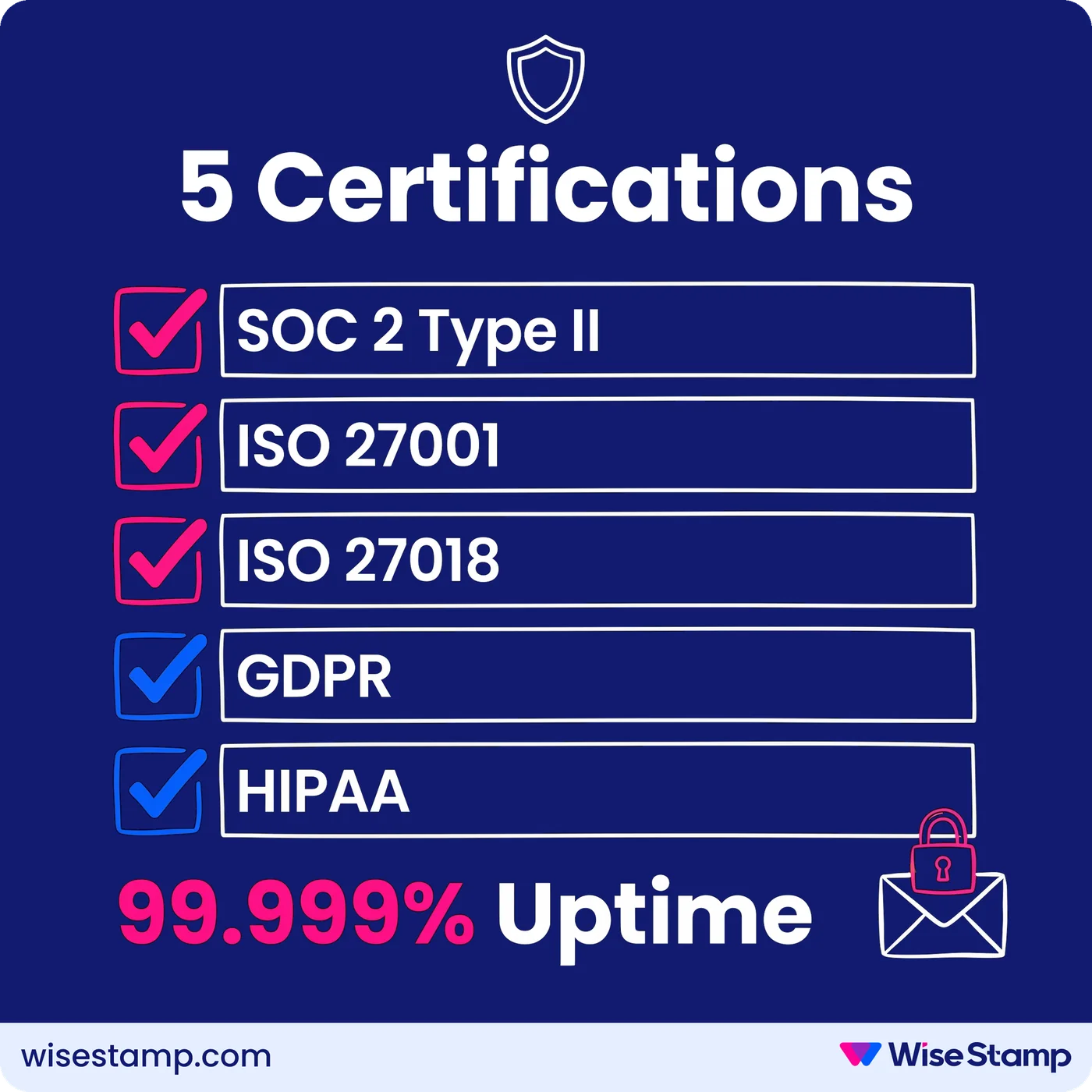
Security certifications are the first documents to request in an enterprise procurement review. The minimum acceptable set:
- SOC 2 Type II — independent audit of operational security controls
- ISO 27001 — certified information security management system
- ISO 27018 — cloud privacy standard for personally identifiable information
- GDPR compliance — mandatory for any organization handling EU employee or customer data
- HIPAA compliance — required for healthcare-adjacent or regulated-industry deployments
WiseStamp holds SOC 2 Type II, ISO 27001, ISO 27018, HIPAA, and GDPR certifications. Its server-side architecture processes emails without storing or reading content, with per-account tenant isolation. Documented uptime is 99.999% (five nines).
One technical limitation is worth raising explicitly:
Server-side injection cannot operate on end-to-end encrypted emails. S/MIME and PGP encryption prevent any server-side process from modifying the message.
Coverage for encrypted messages requires a client-side deployment method. This is a protocol limitation, not a platform defect — but ask vendors to document their recommended approach for encrypted environments.
A vendor who doesn’t immediately understand the question is a flag.
Governance Controls
What governance and access controls should an email signature platform provide?
Governance controls are where IT draws the boundary between what marketing can touch and what must stay locked across every outgoing email.
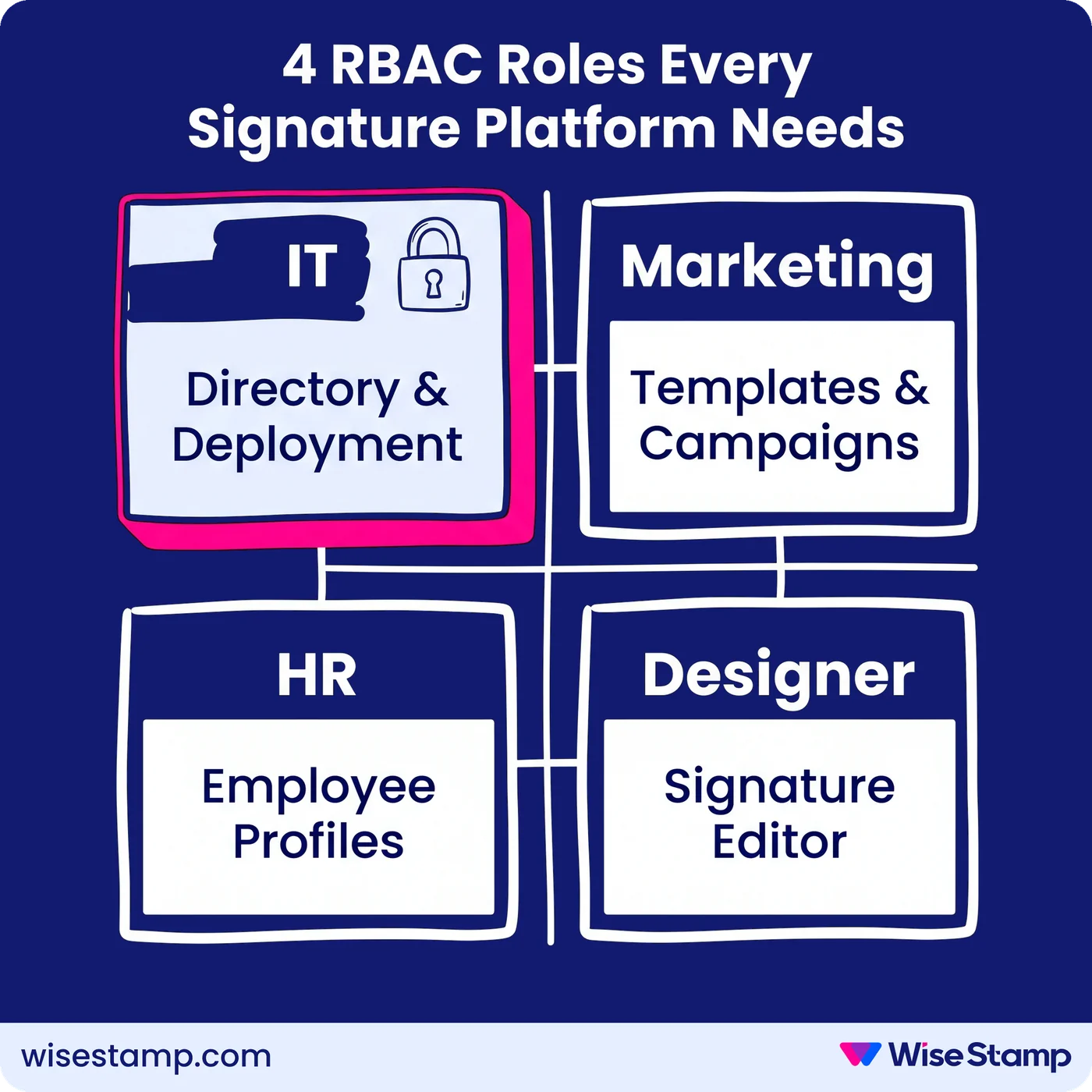
Role-based access control (RBAC) with distinct function-level roles is the minimum requirement. Look for at least these 4 discrete roles:
- IT: directory integration, deployment settings, employee lifecycle management
- Marketer: campaigns, analytics, and signature design
- HR: employee profile details and group assignments
- Designer: signature editing with read-only access to employee data
WiseStamp supports 7 roles: Owner, Admin, Organization Manager, Marketer, HR, Designer, and IT. Each is scoped to specific platform sections. In multi-brand environments, roles can be restricted to specific organizational units — so a brand-specific marketing manager can’t touch another brand’s templates.
Field-level locks are equally critical.
Admins need to lock governed fields — legal disclaimers, job titles, logos — while allowing employees to self-edit approved personal details like mobile numbers or headshots through the Employee Hub.
Without field-level granularity, you’re choosing between full central control (IT tickets for every profile update) and no control (brand drift at scale).
IT and Marketing Split
How should an email signature platform separate IT and marketing responsibilities?
The failure pattern is well-documented. Marketing buys the tool. IT implements it. Marketing never maintains it. 6 months later, signatures are still inconsistent — and everyone blames someone else.
The platform’s architecture should enforce a clean division from day one:
- IT handles once: directory integration, deployment configuration, user activation, security settings
- Marketing handles ongoing: template design, banner campaigns, scheduling, analytics, and publishing
Once IT setup is complete, marketing should publish a rebrand, launch a campaign, or swap a banner without opening a single ticket. That’s the operational test to apply during your evaluation demo.
I saw Ashley, Director of IT & Logistics, say it nicely on G2: “I do not have to set up new users. It happens automatically once they are created.”
Technical Edge Cases
What technical edge cases should IT raise before buying?
Technical edge cases reveal which vendors have built for enterprise environments and which haven’t. Raise these scenarios explicitly in every evaluation:
- Encrypted email: Client-side deployment is the only viable approach for S/MIME or PGP. Ask the vendor for documented guidance, not a vague ‘we support it.’
- CRM-originated email: Server-side covers Salesforce, HubSpot, Microsoft Dynamics 365, Marketo, Salesloft, and others — but only when routed through your mail server. Ask for an architecture diagram.
- Shared mailboxes: How are support@, billing@, and info@ addresses handled? Do they consume a billable seat? Ambiguity here turns into a licensing dispute later.
- Hybrid directory environments: If your organization runs both Google Workspace and Microsoft 365 across divisions, confirm the platform supports multiple organizations per account, each with its own domain and directory integration.
- New Outlook for Windows: The new Outlook has known compatibility gaps with some Add-In implementations. Ask for explicit documentation on current and roadmap coverage.
- Multi-brand or multi-region setups: Verify support for multiple organizations per account, each with its own domain, employee set, and signature templates. This is a hard requirement for multinational or multi-brand deployments, and many platforms treat it as an afterthought.
Any vendor that frames these as edge cases rather than routine questions isn’t building for enterprise-grade deployments.
Takeaway
Email signature management technical review checklist
A complete email signature management technical review covers 7 areas:
- Directory sync — native Google Workspace and Microsoft Entra ID integration, daily automated sync, field-level control over which data flows from the directory
- Deployment methods — client-side (Outlook Add-In, Chrome Extension, Auto-Inject), server-side, and hybrid mode for full device coverage without duplicate signatures
- Cross-platform rendering — Outlook Desktop, Outlook Web, new Outlook, Gmail, Apple Mail, iOS, Android, and dark mode
- Security certifications — SOC 2 Type II, ISO 27001, ISO 27018, GDPR; plus clear documentation on encrypted email handling
- Governance controls — RBAC with distinct IT, Marketing, HR, and Designer roles; field-level locks on governed signature fields
- IT/marketing separation — IT sets up once; marketing manages all ongoing updates without opening IT tickets
- Edge cases — CRM email coverage, shared mailbox handling, hybrid directory environments, new Outlook compatibility, multi-organization support