Home / Guides / Email Signature Marketing: Run Campaigns That Drive ROI

Email Signature Marketing: Run Campaigns That Drive ROI

A practical guide for marketing managers: how to run email signature campaigns, measure impressions and clicks, and deploy org-wide without involving IT.

Reading time: 6 min Author: Amotz Harari Updated: April 23, 2026
how to run email signature marketing

Short answer

What is email signature marketing?

Email signature marketing (ESM) is the practice of embedding campaign banners, CTAs, and trackable links into employee email signatures. It turns every outbound email into a branded, measurable touchpoint. Campaigns deploy centrally and update instantly across all senders.
Get expert advice on setting up email signatures as a marketing channel →

Hidden Campaign Cost


The hidden cost of leaving email signature campaigns unmanaged

A 200-person company sends roughly 1.7 million emails a year.

If those signatures carry no campaign content, no trackable CTA, and no analytics setup, that is 1.7 million unmonetized impressions.

Sent by your own team. Every year.

This is not a new channel. It is an existing one, running daily, with no one managing it.

Must-Have Signature Elements


What must a marketing-ready company email signature include?

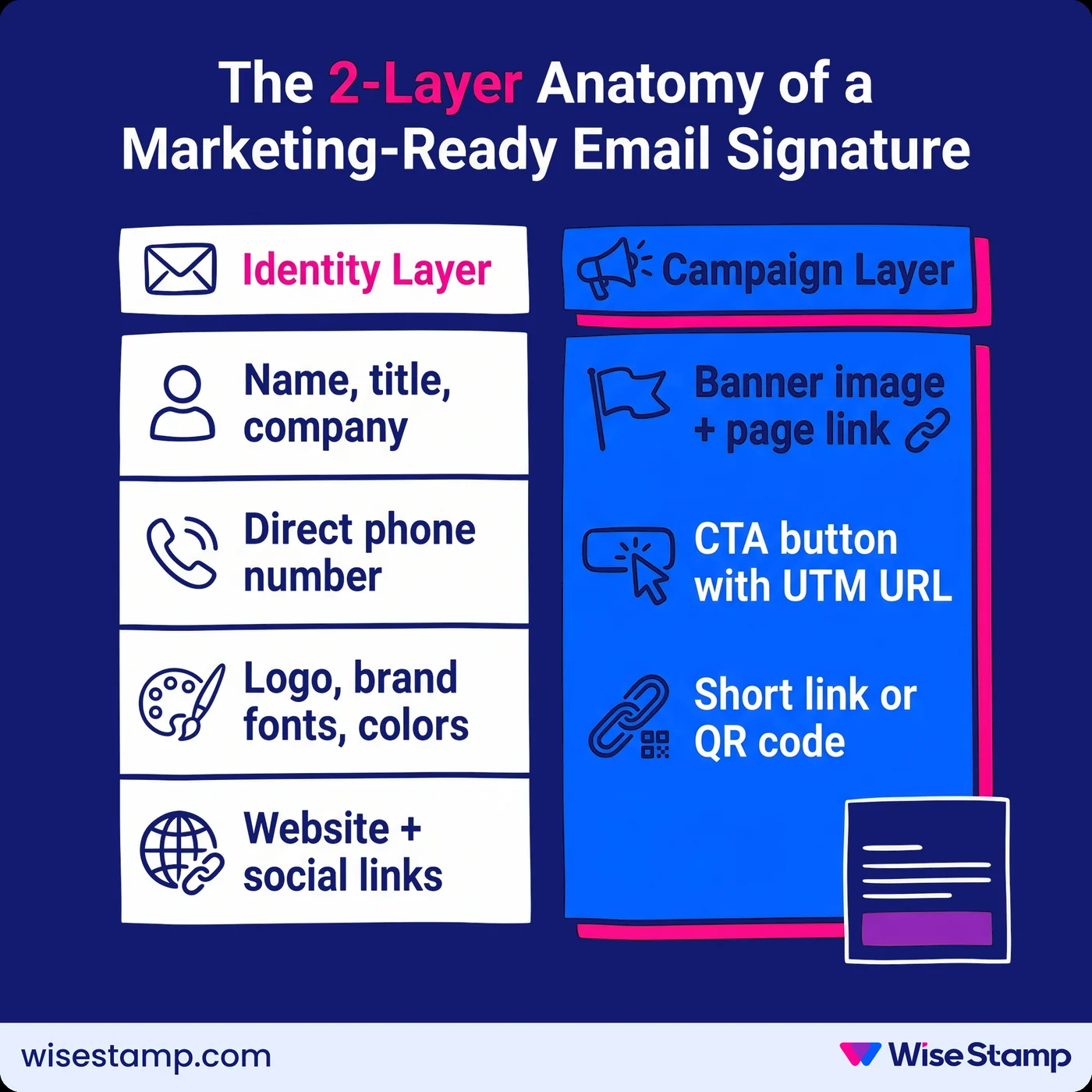
A marketing-ready email signature has two layers: an identity layer and a campaign layer.

The identity layer is always present:

  • Full name, job title, and company name
  • Direct phone number (editable by each employee within admin-set limits)
  • Company logo, approved brand fonts, and brand colors
  • Website URL and approved social profile links

The campaign layer activates when there is something to promote:

  • A banner image linked to a landing page, event registration, or product page
  • A CTA button with a trackable, UTM-tagged URL
  • A branded short link or QR code for high-visibility email threads

A signature without the campaign layer is a business card.

A signature with it is a live marketing channel.

“I never thought about email signatures as a marketing channel, but having tried it – it definitely is.”

— Matilde Bachino, Marketing Manager at Slantis

The 2-Layer Anatomy of a Marketing-Ready Email Signature

Email Signature Campaigns


How do email signature marketing campaigns work?

Email signature campaigns are time-bound.

A banner promoting a webinar runs from the moment the invitation goes out until registration closes.

It then flips to a product announcement, then a conference CTA, then a content download offer.

Each campaign targets a specific sender group.

The sales team runs a “book a demo” banner. Marketing runs a thought leadership promotion. HR runs an open roles banner during a hiring push.

In WiseStamp, campaigns are managed from a central dashboard.

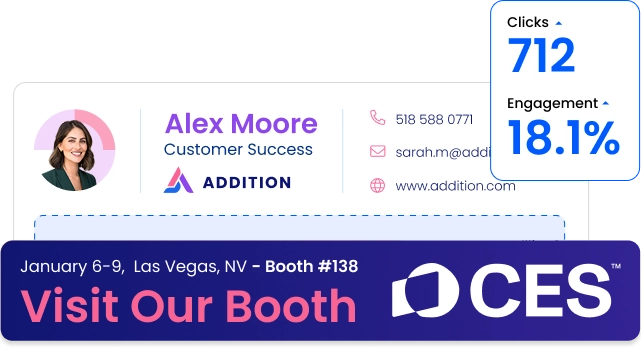
You set the banner image, destination URL, start and end dates, and which employee groups receive the campaign.

When it goes live, signatures update automatically across every assigned employee. No one on the team needs to touch their own settings.

Campaign types that consistently drive results:

  • Event and webinar registration (time-bound, high urgency)
  • Product launches (tied to announcement email waves)
  • Content downloads (ebooks, reports, industry guides)
  • Demo or consultation requests (sales-led campaigns)
  • Job openings (HR-driven, during active hiring periods)

I have seen this pattern across our customer reviews. Leslie L., an AVP of Marketing Operations, described the rotating banner as a turning point for her team.

“The rotating image is a game changer.” Her sister companies kept asking what tool they were using.

— Leslie L., AVP of Marketing Operations

Signature Banner Design


What makes an email signature banner generate clicks?

Signature banners that generate clicks share 4 characteristics:

  • A single clear CTA
  • One focal point
  • Brand-consistent design
  • A message that creates urgency

Keep the banner to one idea.

If you are promoting a webinar, the banner shows the webinar: date, topic, register button. Nothing else competes for attention.

You can build banners with drag-and-drop tools and pre-built templates using the WiseStamp Signature Studio. You don’t need design or coding skills.

You can animate banners, swap campaign assets between active promotions, and add CTA buttons without writing new HTML each time.

Banners that include a specific date, such as “Register by April 30,” consistently outperform those with a generic CTA like “Learn more.”

Urgency is the conversion driver.

If the banner does not give someone a reason to click today, most readers will not.

Tracking And Analytics


How can I track and measure email signature campaign performance?

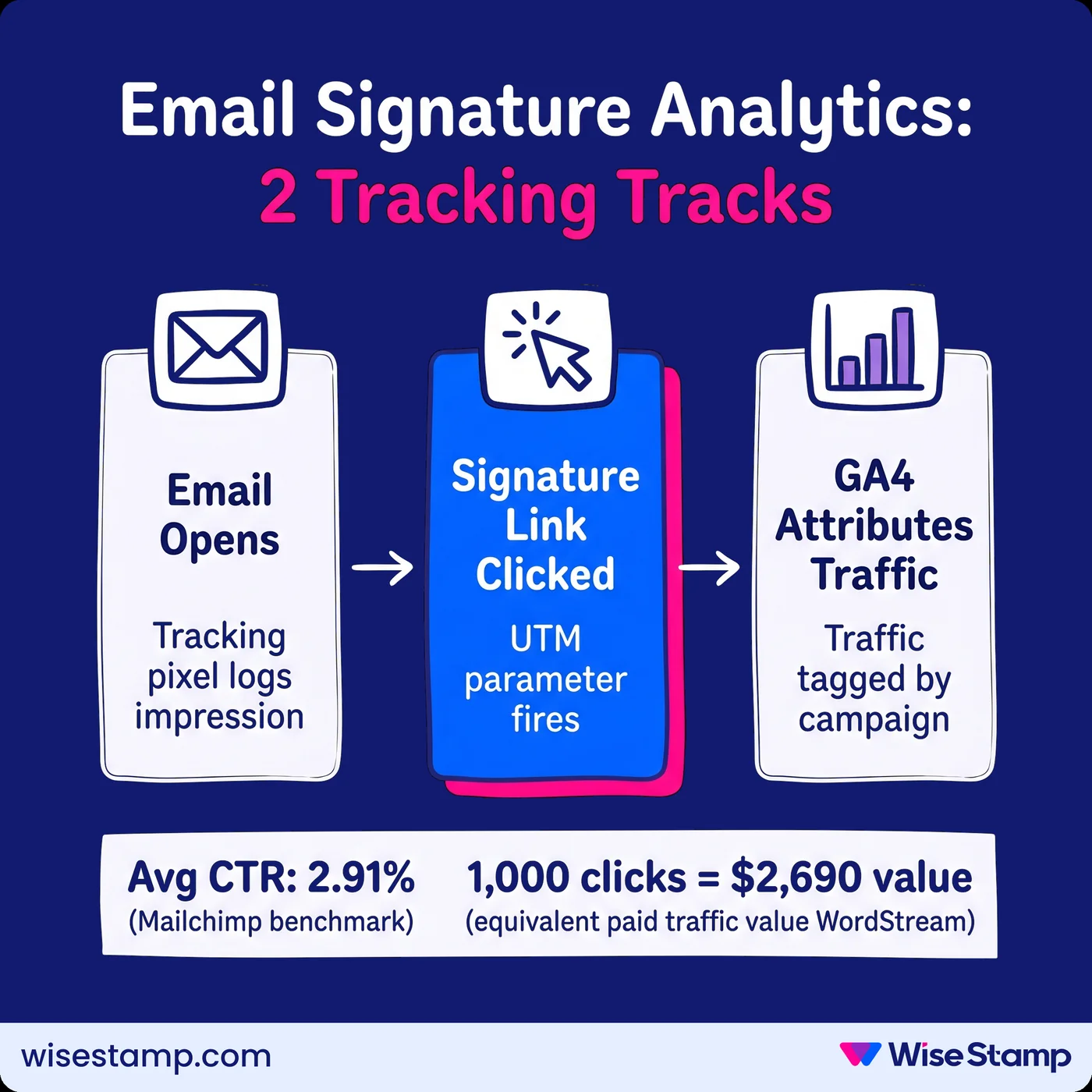
Email signature analytics run on 2 parallel tracks: impressions and clicks.

Impressions come from a tracking pixel embedded in the signature.

Every time an email opens and the signature renders, an impression is logged.

Click data comes from UTM parameters appended to every link in the signature.

With UTM parameters set correctly, Google Analytics 4 attributes signature traffic as a distinct acquisition source.

You can compare email signature performance directly against paid search, social, or organic channels in your GA4 acquisition report.

WiseStamp’s analytics dashboard shows impressions and CTR per campaign without requiring a GA4 login for routine checks.

For benchmarking, the average click-through rate for email signature campaigns is 2.91% (Mailchimp).

At a Google Ads average CPC of $2.69 (WordStream), 1,000 signature clicks represent approximately $2,690 in equivalent paid acquisition value.

The step most marketing teams skip is UTM configuration.

Without it, signature clicks appear as unattributed (direct) traffic in GA4. You cannot attribute that traffic to any campaign or channel.

Configure UTM parameters before any campaign goes live, not after.

Email Signature Analytics: 2 Tracking Tracks

Org-Wide Signature Rollout


How can I deploy email signature campaigns across my entire company?

Org-wide email signature deployment is where most email signature marketing programs stall.

Distributing a template by email and asking employees to install it manually achieves roughly 5% adoption.

For ESM to work at scale, deployment must be automatic.

The deployment path depends on which email platform your organization runs.

How to deploy email signature campaigns across Google Workspace

Google Workspace supports automatic signature injection through the Google Marketplace.

WiseStamp connects to your Google Workspace directory via Google OAuth and syncs user data automatically on an ongoing basis.

Steps to deploy:

  1. Install WiseStamp from the Google Marketplace into your Google Workspace admin console
  2. Design the signature template and campaign banners in WiseStamp’s Studio Editor
  3. Assign the template to your Google Workspace users or department groups
  4. The signature injects automatically into every outgoing Gmail message

Employees do not copy or paste anything.

Directory sync keeps names, titles, and phone numbers current from your Google Workspace user directory.

New hires are provisioned automatically when their account is created. Departures are removed without any manual work.

For organizations running both Google Workspace and Microsoft 365, hybrid deployment is supported.

Template assignment is handled at the group level by platform.

Esm Channel Roi


What return can I expect from email signature marketing?

Email signature marketing ROI scales directly with team size and email volume. The math is not complicated.

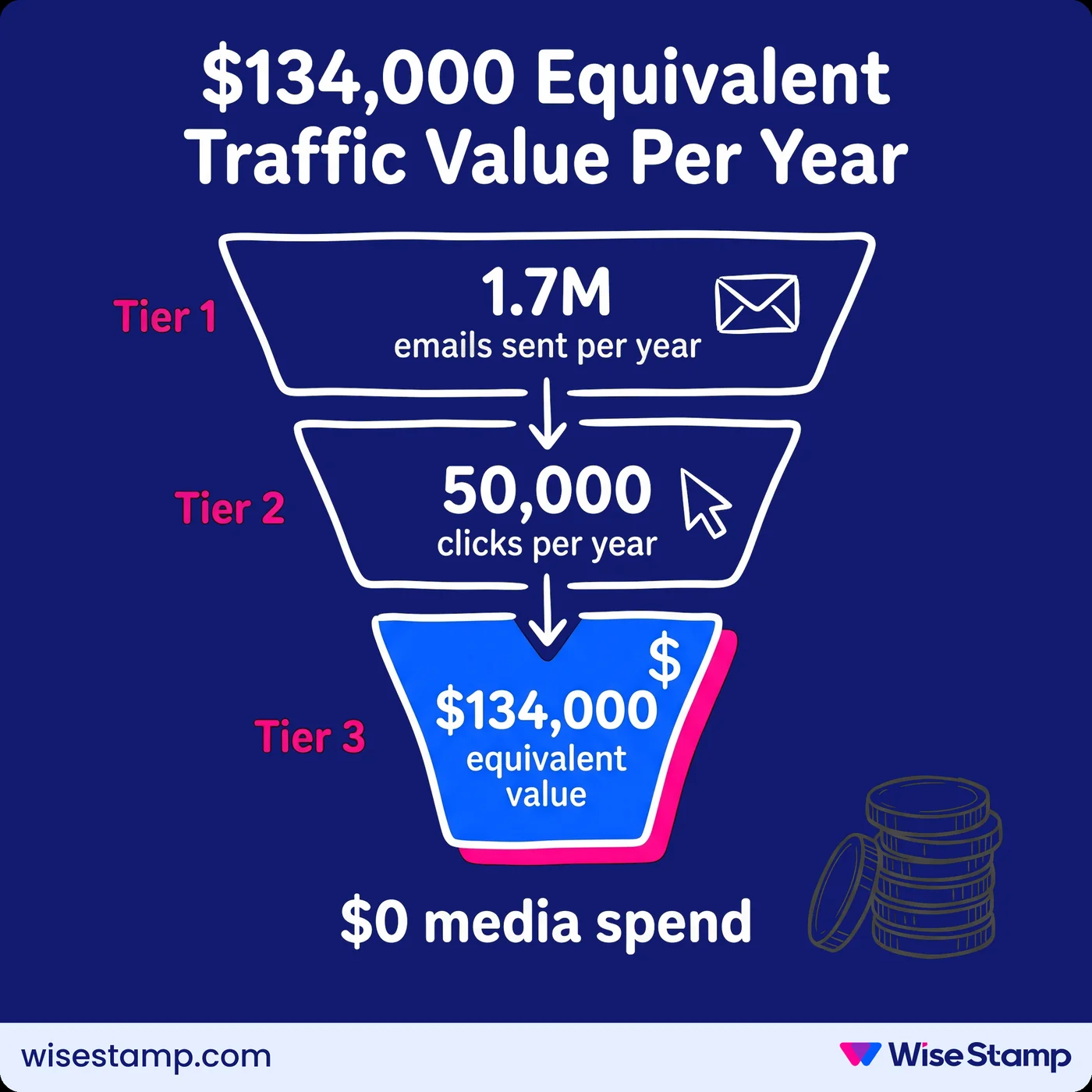
A 200-person company sending 33 emails per person per day generates roughly 1.7 million email sends per year.

At a 2.91% CTR on signature banners, that is approximately 50,000 clicks annually.

At $2.69 per equivalent paid click, email signature marketing delivers around $134,000 in equivalent traffic value from a channel that requires zero media spend.

Real results from companies using WiseStamp follow this pattern.

Jane Mao at Avenues Real Estate told us: “6% of our leads to the website actually come from WiseStamp. That comes out to be like a hundred leads or so per month.”

Event campaigns produce some of the sharpest ROI.

WiseStamp’s CMO Michael Yehoshua reported a 40% increase in webinar registrations after running a signature banner campaign.

One of our cybersecurity customers said: “We booked demos at Black Hat and RSA by linking the banner to our event landing page.”

WiseStamp platform data across active B2B campaigns shows:

  • 32% more replies on emails with optimized signatures
  • 15% more leads from signature-driven traffic
  • 22% more engagement overall

The channel does not replace paid search or email marketing. It runs alongside them, at zero incremental media cost.

The ESM ROI Math for a 200-Person Team

Takeaway


What a working email signature marketing program requires

Email signature marketing delivers results when it is centralized, campaign-driven, and tracked.

If any of those three elements is missing, you do not have a program.

You have signatures going out with whatever employees happen to put in them.

The four requirements for a functioning ESM program:

  • Centralized platform: one template source, deployed automatically to every sender, no copy-paste required
  • Campaign layer: time-bound banners and CTAs that update across all signatures from a single dashboard
  • UTM tracking: every link tagged so Google Analytics 4 can attribute traffic to the correct campaign
  • Analytics: impressions and click data at the campaign level, not just aggregate totals

Manual deployment across more than 10 employees is not a viable program.

The adoption rate does not support it. Neither does the maintenance overhead.

Run email signature campaigns with WiseStamp

FAQ

What is email signature marketing?

Email signature marketing is the practice of embedding campaign banners, CTAs, and trackable links into employee email signatures. It turns everyday outbound emails into a measurable marketing channel without any additional paid media spend.

How much reach does email signature marketing generate?

A 200-person company sends roughly 1.7 million emails per year. At a 2.91% average click-through rate (Mailchimp benchmark), that generates approximately 50,000 clicks annually from a channel that requires no media budget.

What campaign types work best in email signatures?

Webinar registration, product launches, content downloads, demo requests, and job openings are consistently the highest-performing campaign types. Time-bound messages with a specific date or deadline outperform generic learn more CTAs.

How do you measure email signature campaign performance?

Track impressions using a signature tracking pixel and track clicks using UTM parameters in Google Analytics 4. Email signature management platforms like WiseStamp provide a built-in analytics dashboard showing click-through rate and impressions per active campaign.

What are UTM parameters and why do they matter for email signature marketing?

UTM parameters are tracking tags appended to URLs that tell Google Analytics 4 where a click came from. Without UTM parameters, signature clicks appear as unattributed direct traffic in GA4 and cannot be credited to a specific campaign or channel.

How do you deploy email signature campaigns across an entire company?

Automatic deployment runs through Google Workspace via the Google Marketplace, or through Microsoft 365 via the Outlook Add-In pushed via GPO or Intune, or server-side Exchange transport rules. Manual copy-paste distribution achieves roughly 5% adoption and does not work at scale.

What dimensions should an email signature banner be?

Most major email clients including Gmail and Outlook render email content at 600 pixels wide. Keep banner height under 200 pixels to avoid the signature overpowering the email body. PNG and GIF formats are widely supported, including animated GIFs in Gmail and Outlook.

Is email signature marketing GDPR-compliant?

Yes, when the signature platform meets GDPR requirements. Look for platforms that hold GDPR, SOC 2, ISO 27001, and HIPAA certifications. WiseStamp is certified under all four standards and does not share tracked data with unauthorized third parties.