10 Email Signature Marketing Examples (That Drive Growth)
See how other companies and professionals are driving growth using email signature marketing campaigns and take inspiration to do it yourself

Short answer
What are the best Email Signature Marketing campaigns?
- Link to high-performance landing page
- Add social media links
- Offer e-commerce wares
- Offer to download your Ebook
- Promote your new services
- Offer to see a case study
- Promote an event
This guide is part of our Email Signature Marketing series:
- What is Email Signature Marketing (ESM)
- How to do Email Signature Marketing
- Email Signature Marketing examples (that bring results)
Email signature marketing can seem limited to many people starting off with this new marketing channel. But actually, with a bit of polish, you can turn this small but effective digital real estate into a lead-generation gem.
You can get creative with links, icons, images, and other signature features and add-ons.
Email signature marketing campaigns are proven time after time to be a high-ROI marketing channel. And ESM campaign automation can make this even more valuable and less time-consuming.
Here are some tried-and-tested methods to increase email engagement and capture new leads straight from your email signatures.

WiseStamp Signature Manager – ESM campaign automation
1. Link to high-performance landing page
At the end of your“marketing signature“, add a link to a specific page that contributes most to your bottom line or another business goal.
It can be your company’s home page, a landing page for a new product you want to promote, your most recent blog post, or even a link to your newest sale.
When you link to a page, be sure to use a convincing CTA to entice recipients to click on your link.
To make sure you peak attention and create incentives, use a descriptive link text – something like “click to see our sales” or “click here for 50% off all our online courses”.

2. Add social media links
Adding social media icons or buttons is a non-intrusive way to get people to visit your social media channels where they can better engage with you and build a relationship.
Social icons are a way to load your marketing signature with more depth.It’s your opportunity to show more of what you do and what you offer.
Adding social media icons will bring more people to your social channels, where you have the possibility to create familiarity and trust through prolonged engagement.
In time, this will help you increase brand awareness and bring you more clients.
Even if your goal is not sales but only to grow your social presence, then adding social links to your email signature will help you do that.
Solely by being visible, they could pull in your most loyal customers who are already on your mailing list. Think of it as another point of contact, like your phone number or email address.

3. Offer e-commerce wares
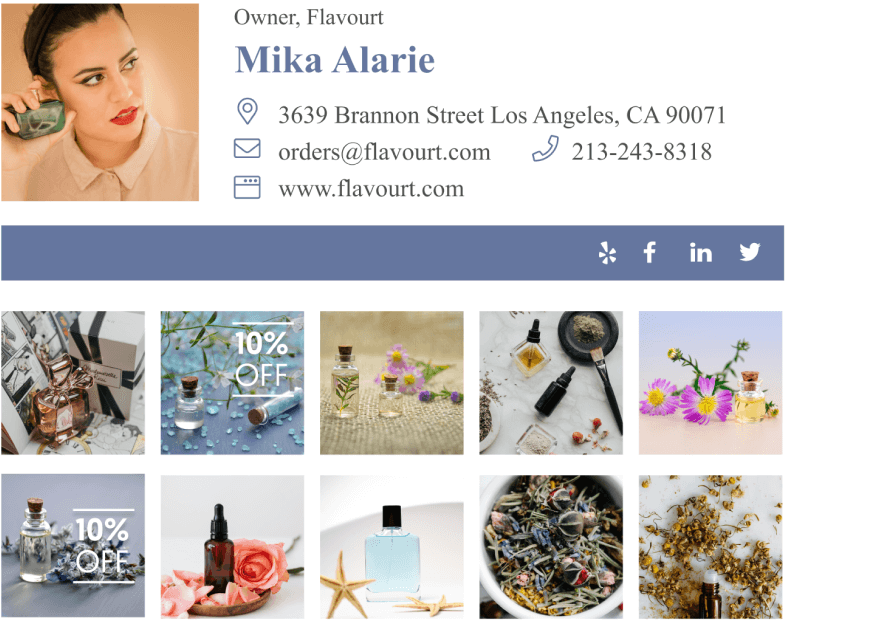
Adding some pretty images of your e-commerce store products in your email signature is an opportunity you shouldn’t pass up.
This little email signature marketing trick makes every email you send a mini-product page with a selection of your online store inventory.
It doesn’t matter whether you are a small local store or a huge multinational corporation – the people you most often email are usually the most sales qualified.
This means a significant percentage of your email recipients are primed for making an impulse purchase of your wares.
The links you add to the products in your email signature offer a very short route to completing an online purchase. Set this up right away to give yourself a high ROI marketing channel.
4. Offer to download your Ebook
There’s no reason not to use your email signature marketing to push specific products.
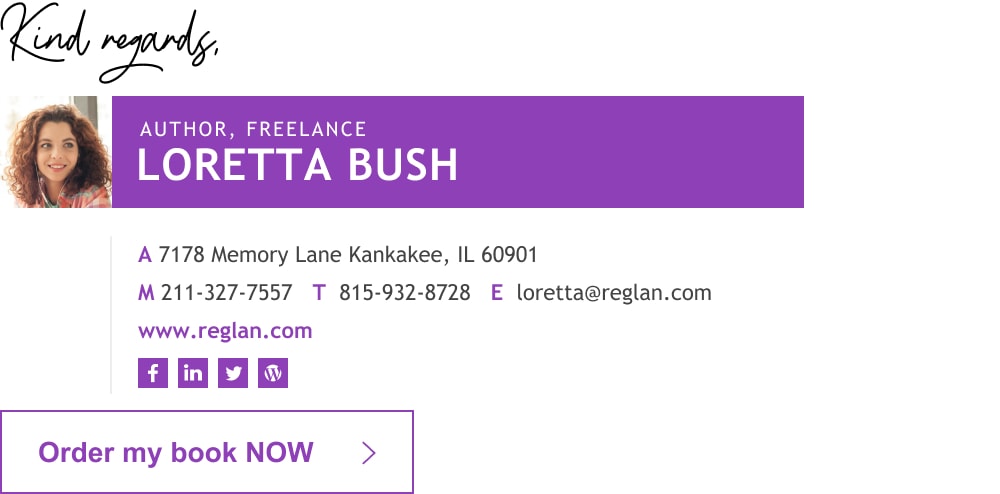
If you or your company have recently come out with an ebook, or any other digital and downloadable product, add it to your email signature.
This will help create more awareness around your digital product, help you reach more people, and also help cement your expertise in the topic your book is about.
Add a direct link to download, and your signature is ready to go.
5. Promote your new services
Adding new promotions, offers, or sales to your email signature is a great way to promote a campaign without actually outwardly saying it.
Sometimes, mentioning it in the body of an email can come off too “salesy” and might actually turn some customers off.
However, when placed in your signature, it seems like more of a supplement to your email.
The point of your email might have been to build a better relationship with your client, but by adding a link or banner to a promotion in your email signature, you’ve now accomplished more than just that.

6. Offer to see a case study
Case studies are a great way to demonstrate previous successes to potential clients.
By adding a banner, link, or image that goes to a page of case studies, you’re showing each email recipient that you and your company can be trusted.
You can also do this with customer reviews and testimonials. If it’s short enough. You can add the testimonial, or part of it, to the signature itself.
Otherwise, add a link and CTA that directs your recipient to a page containing your best case studies and testimonials.
7. Promote an event
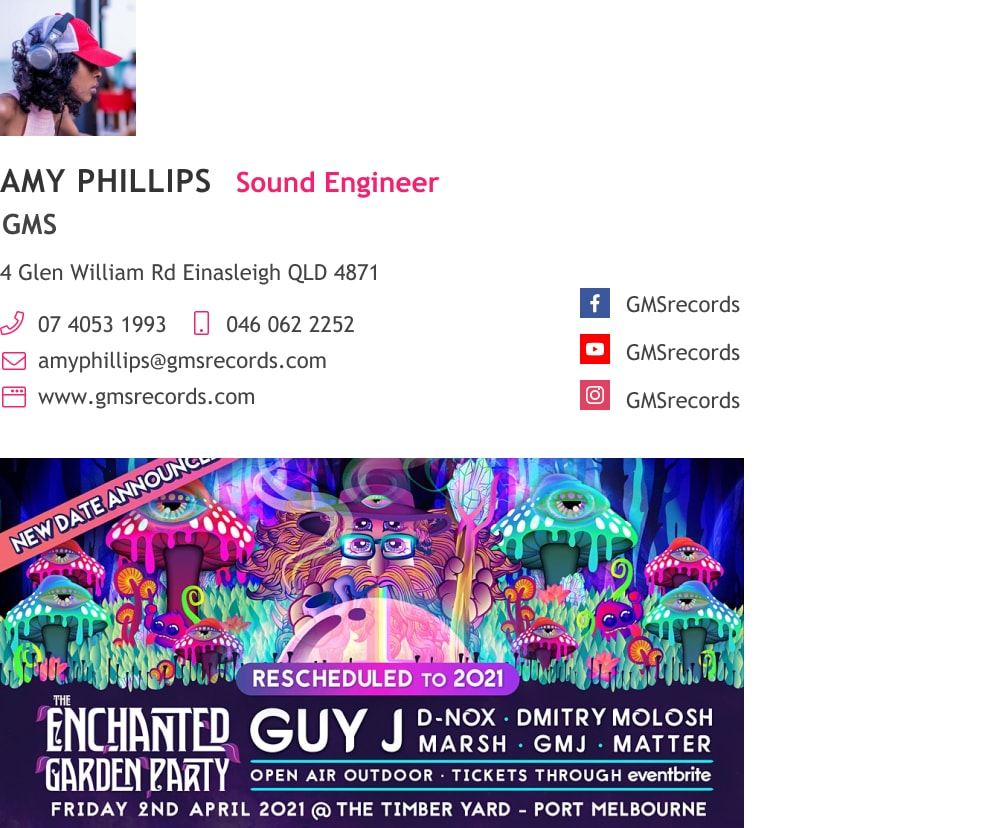
Hosting an event or conference? Spread the word by adding the details such as time, date, location, or a link to the invite to your email signature.
This is a great way to network and to allow your recipients the chance to attend an event and get to know you better.
If you’re not hosting but you’re going to a highly attended conference, make it known in your signature.
Add a line of text saying that you’ll be at a specific conference, including the dates, and then encourage people to set a meeting with you if they’ll be there as well.
8. Let users book a demo
If you’re sending cold emails, meaning to recipients who haven’t necessarily agreed to be on your mailing list, then it can be tricky to know what to include in your message.
There’s a lot you want to say, like introducing yourself, your product or service, learning about them, and then schedule a call.
Make your message more digestible by focusing first on establishing a connection with your recipient, and add a link to schedule a demo or consultation in your signature.
You’ll still have all the information you need in your message, but it will come off less pushy.

9. Suggest viewing a video
Email signatures don’t have to be entirely text-based. Sure, your basic details or links might be in text form, but you can also add images or videos to your signature.
An image of yourself is a great way to appear more professional, approachable, and trustworthy, especially when emailing a new client who may not know who you are.
Marketing videos make for great email signature marketing add-ons as well.
You can add a small-sized video that introduces your company, a new launch, or provides a tutorial on how to use a specific product.

10. Add a seasonal promo banner
Get into the festive mood by creating seasonal promotional banners that can be added to your signature.
You can add a banner that promotes things like Black Friday or holiday gift specials.
This also adds an eye-catching aspect to your signature, so don’t be afraid to add other items here. You can make a banner for a giveaway, a coupon code, a free trial, an event, or so much more.

11. Link to open job offers
Is your company currently recruiting? Add it to your email signature.
This can be a great way to reach a potential candidate for an open position, and your HR rep will surely appreciate the effort.
Not only that, but if you’re emailing clients, it’s a great way to let them know that your company is growing and successful without explicitly spelling it out for them.

Best practices for email signature marketing
While there are endless additions you can make to your email signature to increase your marketing efforts, there are some key things to keep in mind in order to make the most of it.
But before we get into that, let’s cover the basic information you should include at the start, before you optimize your signature for marketing.
What should an email signature for marketing include?
- Employee name
- Employee title
- Company name
- Company logo
- Company website address
- Employee email address
- Social media icons (linking to company social media pages)
- CTA
1) Optimize your email signature CTA:
Even having a CTA in your email signature puts you ahead of most companies. But beyond directing the recipient to take the action you desire there is still work to be done.
How to optimize email signature CTA?
- Track your CTR using UTMs
- Make sure your message is clear and concise
- Segment your CTA message and goal according to the employee job post (Sales – “Book a demo”, HR – “We’re hiring! Apply now”, Support – “Contact us 24/7”, etc.)
- Use Voice of Customer in your micro-copy
- Experiment with different types of CTA (button, text link, banner, video, image gallery, video conference button, etc.), to see which generates more clicks
- Experiment with CTA variations (copy, look, placement, etc.) to see which brings the most clicks
2) Stay true to your brand:
If your brand often uses a minimalist design and a specific color scheme, make sure any additions to your signature reflect this.
A huge, flashing colorful banner might look strange in this scenario, so always tailor any additions to your brand.
3) Keep it simple:
There are a lot of different ways you can use marketing in your email signature, but that doesn’t mean you should be using them all.
Stay simple in your design not to overwhelm your recipient and focus on what’s most important.
4) Ensure your signature is responsive:
You put a lot of effort into your email signature, so you want it to function well and look good across all screens. Runs some tests just to be sure before sending your message.
5) A/B test your signature:
You A/B test subject lines and messages, so why not the signature as well? See what works better with your audience, and if you need to, tailor certain signatures to a specific segmented list to maximize results.
6) Update your signature regularly:
Whether for seasonal sales, special events, or announcements, it’s a good idea to keep your signature fresh. Of course, don’t do it too often to maintain a sense of uniformity, but changing it once in a while is a good practice.
7) Use these techniques internally too
These email signature marketing ideas aren’t only for clients but can work well when emailing coworkers as well. You can add reminders of company events, targets, or updates in your signature to keep everyone on the same page.
8) Segment your email signature marketing campaigns
You can make as many signatures as you have departments.
Each department in your company has its own goals and KPIs, which means each would benefit from an ESM campaign that’s tailored to its specific needs. It may require a bit more work, but it’s worth it.
If you’re using WiseStamp to manage your company email signatures, you can save time and reduce your workload by assigning admin permission to team leaders or department heads so they can edit and manage their department signatures on their own.
Takeaways
Implementing new email signature marketing techniques is relatively simple and can be done with minimal effort, especially when you use simple signature tools like Wisestamp.
Update your signature from a basic name and phone number to a personalized, dynamic signature complete with marketing elements to see how it can positively impact your business.