Home / Guides / Correct Email Signature Dimensions: Width, Height & File Size

Correct Email Signature Dimensions: Width, Height & File Size

Width, height, image file size, and Retina tips — everything brand and marketing teams need before building a new signature. See the full spec guide
Reading time: 4 min Author: amotz.harari@wisestamp.com Updated: April 30, 2026
email Signature Size and Dimensions

Short answer

What are the correct dimensions for an email signature?

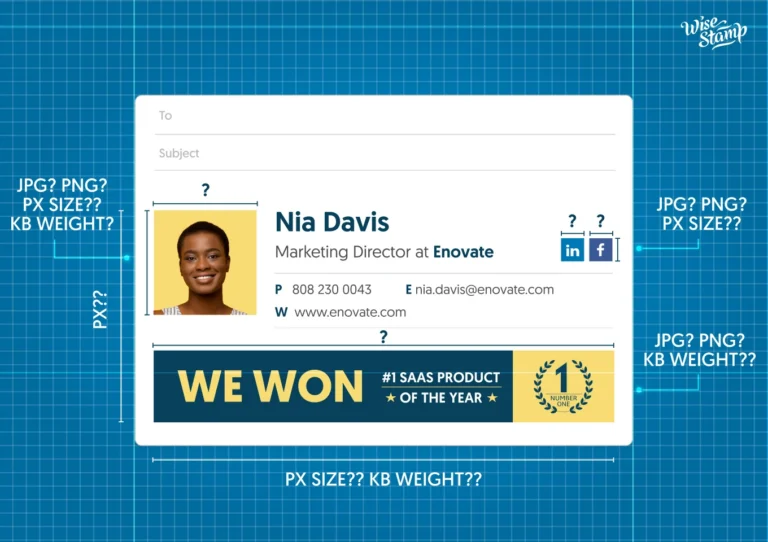
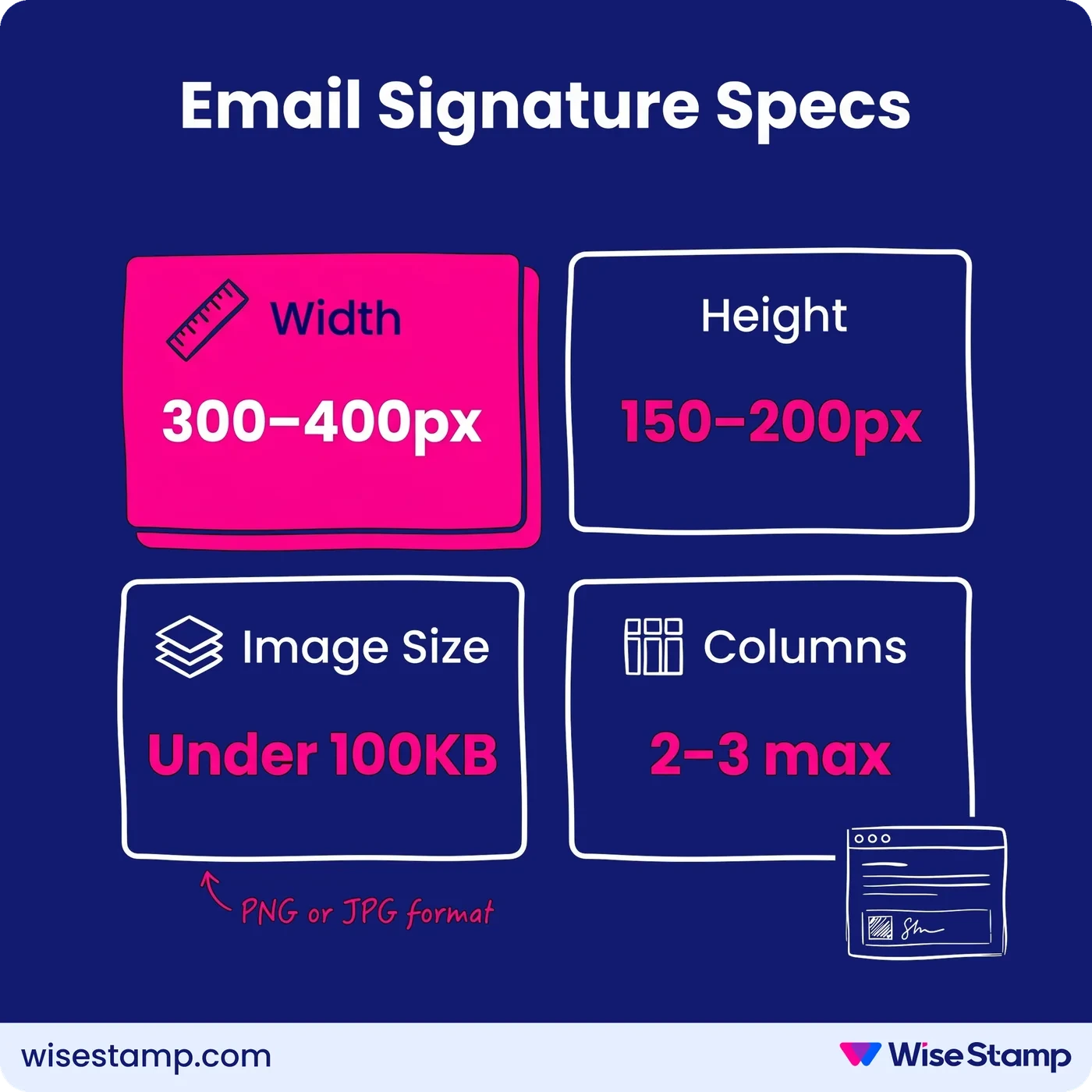
Email signature dimensions should be 300-400px wide and 150-200px tall. Keep all image files under 100KB in JPG or PNG format. Anything wider than 400px gets cropped or rescaled on mobile screens, breaking the layout your recipients actually see.
Generate your best email signature →

Short Answer


What are the correct dimensions for an email signature?

Email signature dimensions should be 300-400px wide and 150-200px tall. Keep all image files under 100KB in JPG or PNG format. Anything wider than 400px gets cropped or rescaled on mobile screens, breaking the layout your recipients actually see.

Generate your perfect email signature →

Email Signature Specs at a Glance

Signature Size Mistakes


When wrong email signature dimensions break your brand

Email signature dimensions above 400px in width get truncated or rescaled by Gmail, Outlook, and Apple Mail on mobile screens. The layout you carefully built on desktop does not transfer.

This is one of the most common brand presentation mistakes marketing teams discover after the fact, when off-spec signatures have already reached prospects and clients.

Getting dimensions right before design is a 5-minute spec check that prevents weeks of cleanup.

Email Signature Width And Height


What width and height should an email signature be?

Email signature width should stay between 300 and 400px. Most email clients scale signatures to fit their viewing pane, which means anything wider produces a smaller, compressed result on phones and tablets.

Email signature height should stay between 150 and 200px. This is a softer limit than width, but signatures that run taller signal information overload and distract from the email itself.

If your signature content is long, build it vertically rather than horizontally. Use a maximum of 2 columns, 3 at the absolute limit. Never exceed 3 columns in an email signature layout.

Image File Size And Format


What image file size should an email signature stay under?

Email signature images should stay under 100KB per file. Gmail limits the full HTML signature to 10,000 characters; Outlook limits it to 8,000.

But the practical constraint is image file size: heavy images fail to load, leaving recipients looking at broken layout boxes instead of your logo.

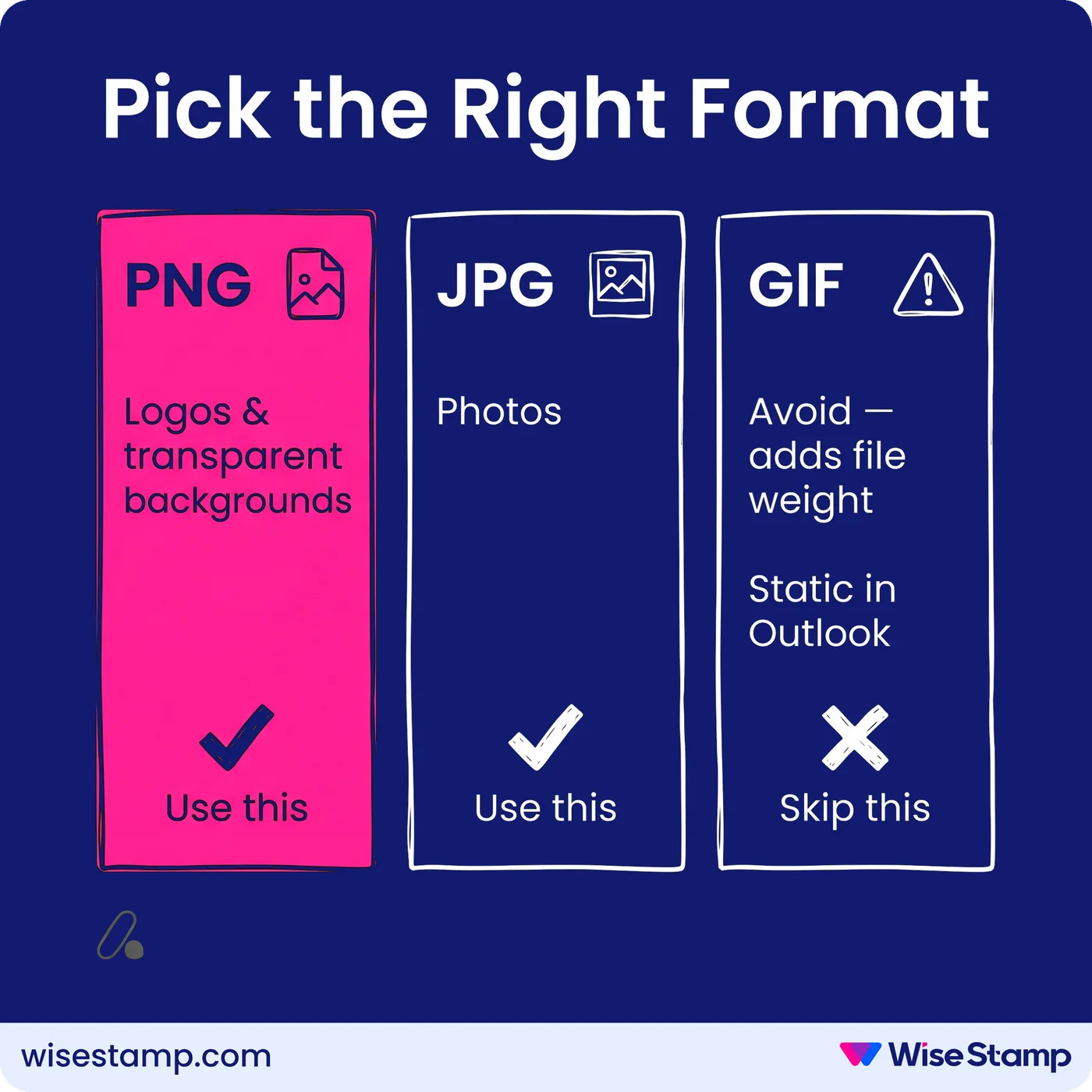
Use PNG for logos and anything with a transparent background. Use JPG for photos. Avoid animated GIFs unless they’re essential to your design since they add file weight fast.
Best email signature file format

2 techniques keep image size down:

  • Link to hosted images rather than embedding them as attachments. The image loads from a URL each time the email opens, adding zero weight to the HTML.
  • Compress images before uploading. Free tools like TinyPNG reduce file size by 60-80% without visible quality loss.

If you build signatures in WiseStamp’s Studio Editor, image compression and hosting are handled automatically on upload. You stay under the 100KB threshold without manually optimizing each file.

PNG, JPG, or GIF for Email Signatures?

signature HTML character limit


What is the character limit for an HTML email signature?

Every email client caps how much HTML your signature can contain. Gmail famously allows up to 10,000 characters but other email clients may be much more restrictive.

It’s important to note that the character limit is not something you can play with. It’s a hard stop. An HTML signature that crosses the hard limit will Prevent the email signature from being saved, or, worse yet, it will display the email signature broken.

Email signature HTML character limit by email client:

Email ClientLimitType
Outlook (classic)10,000 charactersHTML character limit
Outlook (new / 365)8,192 charactersHTML character limit
Microsoft 365 (OWA)8,192 charactersHTML character limit
Gmail10,000 charactersHTML character limit
Apple MailLess than 100 KBImage file size
AOL Mail1,000 charactersHTML character limit
Yahoo Mail1,000 charactersHTML character limit
ThunderbirdBelow 150 KBImage file size

Hosting images externally rather than embedding them keeps your HTML count low across all clients.
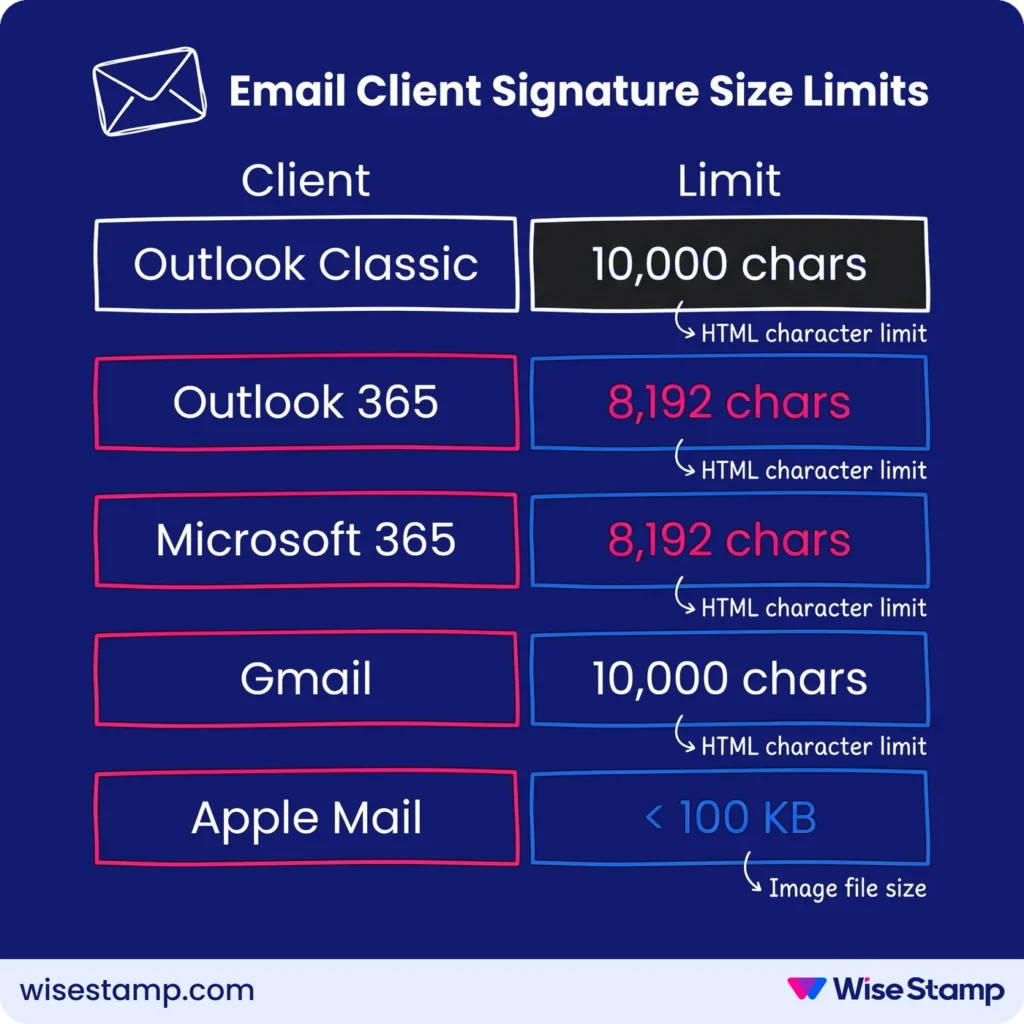
Email signature HTML character limit by email client

Retina Display Optimization


How should you size email signature images for Retina and HiDPI displays?

Retina displays (standard on modern MacBooks, iPhones, and iPads) render images at 2x pixel density. To keep your logo and photos sharp on these screens, upload images at exactly twice the display size.

If your logo displays at 150px wide in the signature, upload it at 300px wide, then set its display width to 150px in the template. This exact doubling prevents blurring. Approximate scaling does not.

Takeaway


Email signature size and dimensions best practices

Email signature dimensions that render correctly across Gmail, Outlook, and Apple Mail: 300-400px wide, 150-200px tall, with images under 100KB in PNG or JPG format.

Limit columns to 2-3. For Retina displays, upload images at exactly double their display size.

“WiseStamp creates professional, visually appealing signatures without needing design or coding skills.”

Jessica C., Director of Marketing at a mid-market company

The specs above are the foundation for that outcome.

Build a correctly-sized signature in WiseStamp Studio

FAQ

What is the maximum recommended width for an email signature?

Email signatures should not exceed 400px in width. The safe range is 300-400px, ensuring consistent display across Gmail, Outlook, Apple Mail, and mobile screens.

What is the ideal height for an email signature in pixels?

Email signature height should stay between 150 and 200px. Signatures taller than 200px distract from the email content itself. If your design runs long, build it vertically in a single column rather than expanding height.

How do email signature dimensions above 400px wide affect mobile display?

Email signature dimensions above 400px get rescaled by mobile email clients, producing compressed layouts that are difficult to read. Over 60% of emails are opened on mobile devices (Litmus, 2023), so off-spec signatures degrade the experience for the majority of recipients.

What image file format works best for email signatures — PNG or JPG?

  • PNG: best for logos and graphics with transparent backgrounds
  • JPG: best for photos and images without transparency
  • Animated GIFs: avoid unless essential — they add significant file weight and can push images over the 100KB threshold

What image file size should email signature images stay under?

Email signature images should stay under 100KB per file. Heavy images fail to load in many email clients, leaving broken empty boxes where logos and banners should appear.

What happens if an email signature image file exceeds 100KB?

Email signature images over 100KB may fail to load, displaying as empty boxes in the recipient’s inbox. Large image files also increase the probability of emails being flagged by spam filters.

How many columns should an email signature template have?

Email signature templates should use no more than 2-3 columns. Two columns is the recommended standard. Three is the absolute maximum — more than that breaks on mobile screens and makes each column too narrow to read.

How do you reduce email signature image file size without losing quality?

Compress images with a tool like TinyPNG (which reduces file size by 60-80% without visible quality loss) and host images externally by URL rather than embedding them, which eliminates their kilobyte weight from the HTML entirely.

Should email signature images be embedded as attachments or hosted externally?

Email signature images should be hosted externally and linked by URL, not embedded as attachments. Embedded images add kilobyte weight to every reply in a thread; hosted images load from a URL on open and add no weight to the HTML.

What is the Gmail HTML character limit for email signatures?

Gmail limits email signatures to 10,000 HTML characters. Images hosted externally rather than embedded keep signatures well within this limit, since the character count measures the code, not the visible text.

What is the Outlook HTML character limit for email signatures?

Outlook limits email signatures to 8,000 HTML characters, lower than Gmail’s 10,000 character limit. For organizations using both platforms, Outlook is the binding constraint. Hosting images externally keeps signatures comfortably within this limit.

What is the difference between an email signature’s HTML character count and its image file size?

An email signature’s HTML character count measures the code building the signature — Gmail caps this at 10,000 characters, Outlook at 8,000. Image file size measures the kilobyte weight of the image files themselves. Both limits apply independently and must be managed separately.

How should you size email signature images for Retina and HiDPI displays?

Upload email signature images at exactly double their intended display size for Retina and HiDPI screens. A logo displaying at 150px wide needs a 300px source file, with the display width set to 150px in the template. Exact doubling prevents blurring; approximate scaling does not.

What logo dimensions work best inside an email signature?

Email signature logos typically display at 100-200px wide in the signature template. Upload the source file at exactly double that width for Retina screens. Use PNG with a transparent background for clean rendering across both light and dark mode email clients.

Do animated GIFs work inside an email signature?

Animated GIFs display in Gmail and Apple Mail but render as a static first frame in Outlook. The main limitation is file weight — animated GIFs can push a signature well over the 100KB image threshold. Use them sparingly or avoid them entirely.

How do oversized email signature images affect email deliverability?

Oversized email signature images increase total email weight, raising the probability of spam filter flags. Keeping signature images under 100KB and hosting them externally rather than embedding them as attachments minimizes deliverability risk.