How to Control Email Signatures After a Rebrand
Stop sending emails with the old logo. Learn how to update every employee signature at once, lock brand elements, and confirm full rollout coverage.
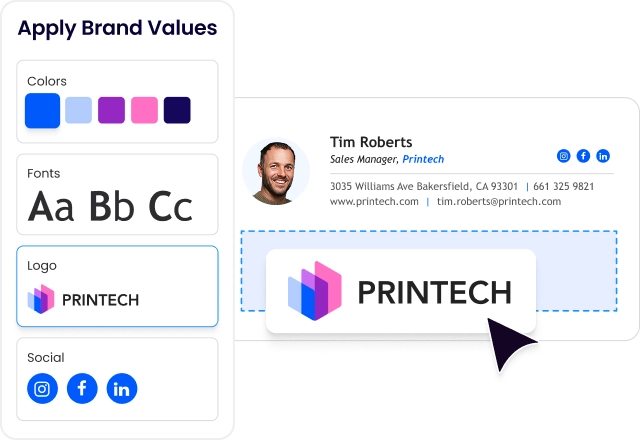
Stop sending emails with the old logo. Here’s how to update every employee signature simultaneously, lock brand elements, and confirm full rollout coverage.
Short answer
How do you control company email signatures after a rebrand?
There are 2 options for controlling email signatures after a rebrand: 1) manual rollout or 2) using a centralized email signature management platform.
The manual option gives you no enforcement or coverage verification, while signature management software pushes the rebrand to every mailbox in 1 action and locks brand fields.
Signature rebrand gap
Why are email signatures the last thing to update in a rebrand?
Email signatures live on employee devices, not in your brand system. Every other brand asset updates centrally. Signatures don’t.
Without a centralized platform, Marketing sends update instructions and hopes employees follow them.
The new brand goes live on the website, on social, in the pitch deck. Meanwhile, the team keeps sending emails with the old logo for weeks.
WiseStamp CMO Michael Yehoshua put it plainly: “Brand guidelines live in a deck. Employee signatures live in the wild.”
The gap isn’t a design problem. It’s a distribution problem.
Risk of inaction
What does sending emails with outdated signatures cost a brand after a rebrand?
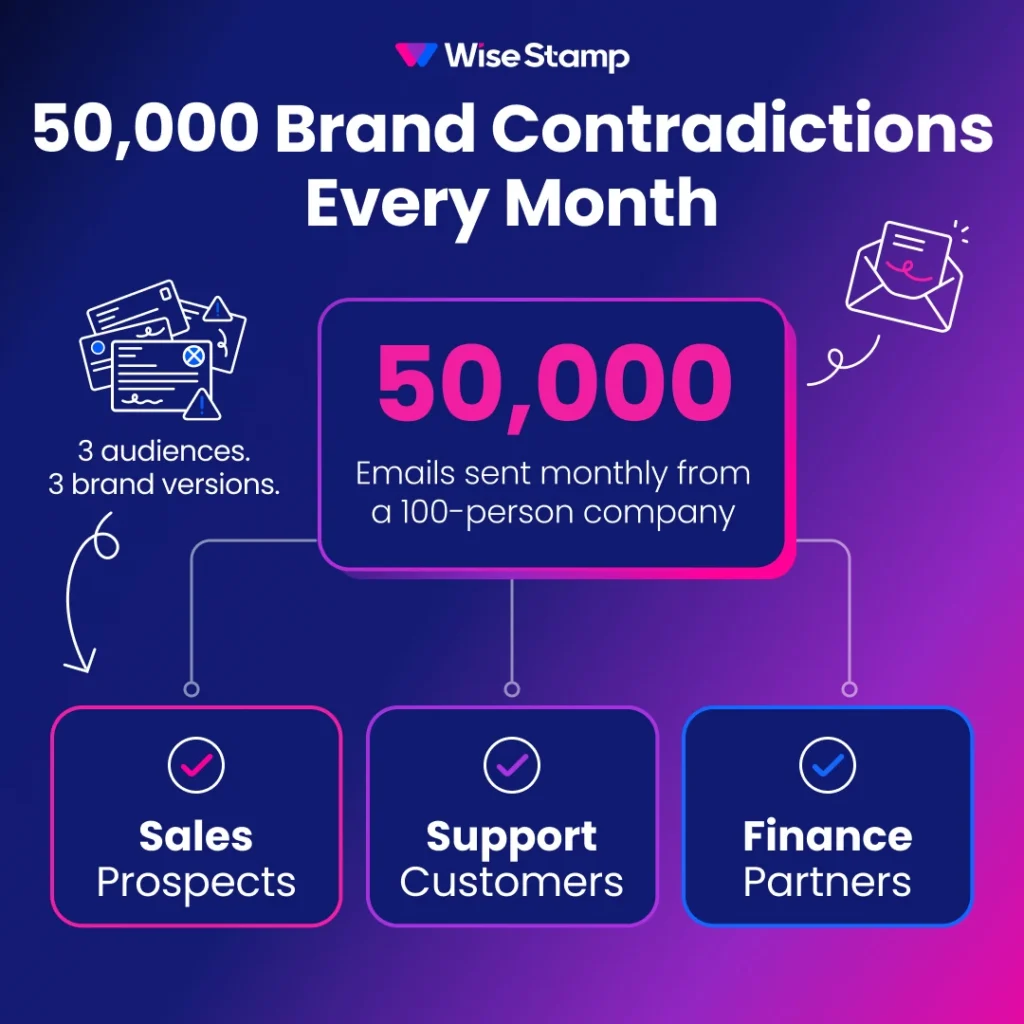
Outdated signatures contradict the rebrand from the moment they’re sent. A 100-person company sends roughly 50,000 outbound emails per month.
Each one carrying the old logo, discontinued color, or replaced tagline is a direct contradiction of the new identity.
Prospects see 1 version of the brand from Sales. Customers see another from Support. Partners see a third from Finance.
I came across a Brand Standards Manager describing this in a customer interview.
“We get a lot of people where I see this and show them: how did you even end up with that? Who approved that? Who let you do that?”
The damage is real, and it’s proportional to email volume. The longer the rollout takes, the more contradictions go out.
Centralizing signature design
How does centralizing signature design solve the rebrand rollout problem?
Centralized signature management replaces per-employee configuration with a single admin-controlled template. An admin designs the new branded signature once, with updated logo, colors, and fonts.
Publishing that template updates every assigned employee’s signature simultaneously. No instructions email. No IT tickets. No waiting for employees to act.
1 template change propagates to every inbox at the moment of publish. That’s the structural difference between a centralized platform and any approach that depends on employee compliance.
WiseStamp’s Studio Editor is a drag-and-drop canvas where admins build and update templates without design skills or code. One publish reaches every employee the platform is connected to.
Signature rollout
How quickly can a rebranded email signature reach every employee?
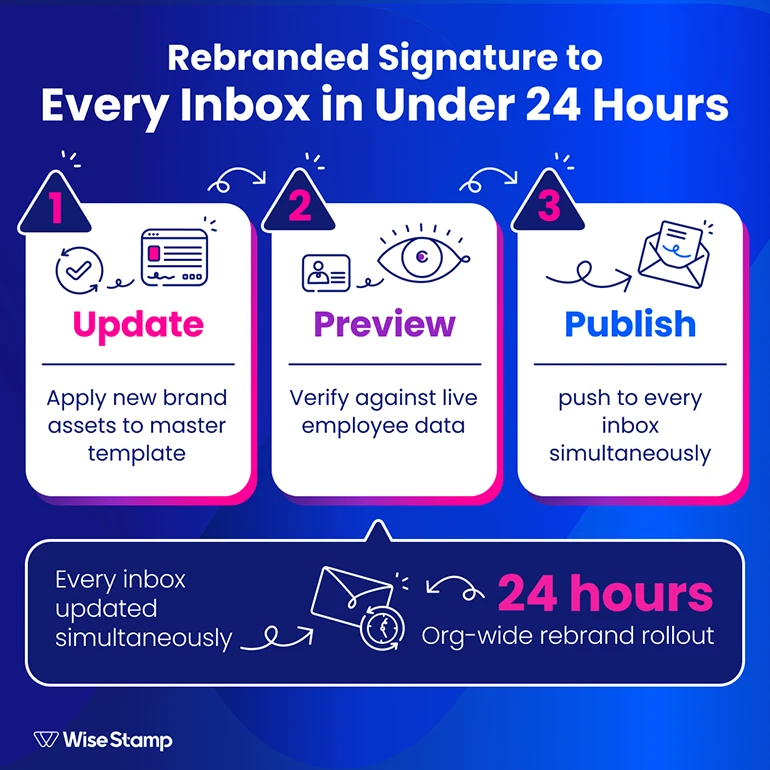
A full org-wide rebrand rollout using an email signature management platform can take less than a day.
The process: update the existing template with new brand assets (logo, color palette, tagline, updated imagery), preview it against live employee data, and publish.
When I spoke with Amanda Gratz, Design Operations Manager at Bizzabo, about their rebrand, this is what stayed with me:
“When we rebranded last year using WiseStamp’s signature manager, the team were amazing. They changed the logo and the look so quickly for us. It was ready within 24 hours.”
Day-to-day updates after the initial rollout are even faster.
Amanda told me: “We just send out a message to everyone saying: ‘hey, we’ve updated our email signatures, please click refresh.’ Everyone just clicks and it works.”
Signature chaos prevention
How do you prevent employees from reverting to old branding after a rebrand?
The enforcement problem with instructions-based rollouts is structural. There is no lock. Employees can keep the old signature, modify the new one, or ignore the update entirely.
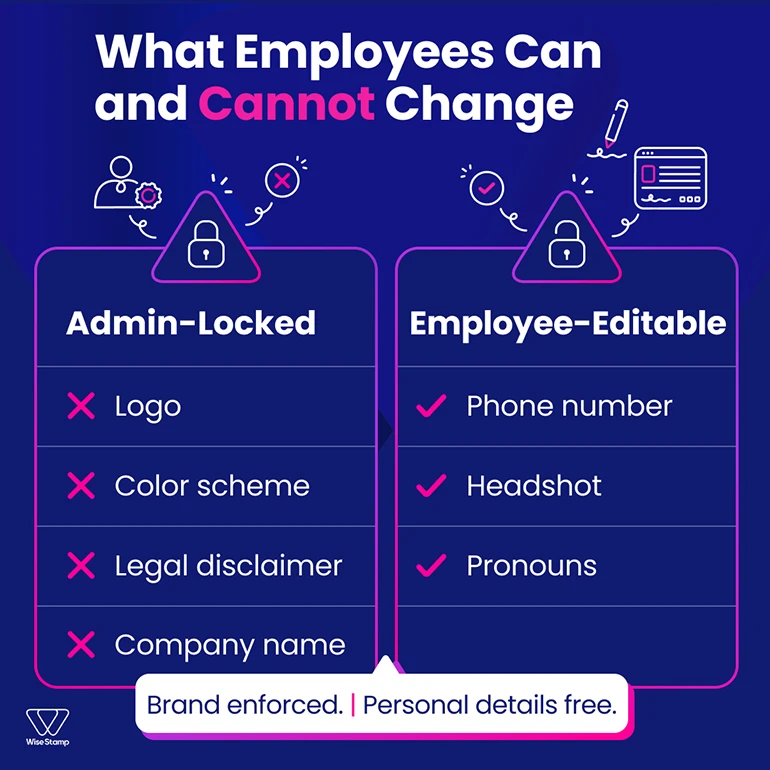
Role-based access controls (RBAC) solve this at the field level. Admins designate which fields are locked and which employees can edit.
Brand elements (logo, color scheme, legal disclaimer, company name) are locked. Personal details (phone number, headshot, pronouns) remain editable by employees through self-service.
An employee can update their mobile number without touching brand-critical fields. The reverse is also true: they cannot change the logo, even if they try. The brand standard is enforced, not requested.
Signature per department
How do you manage different signature requirements across departments during a rebrand?
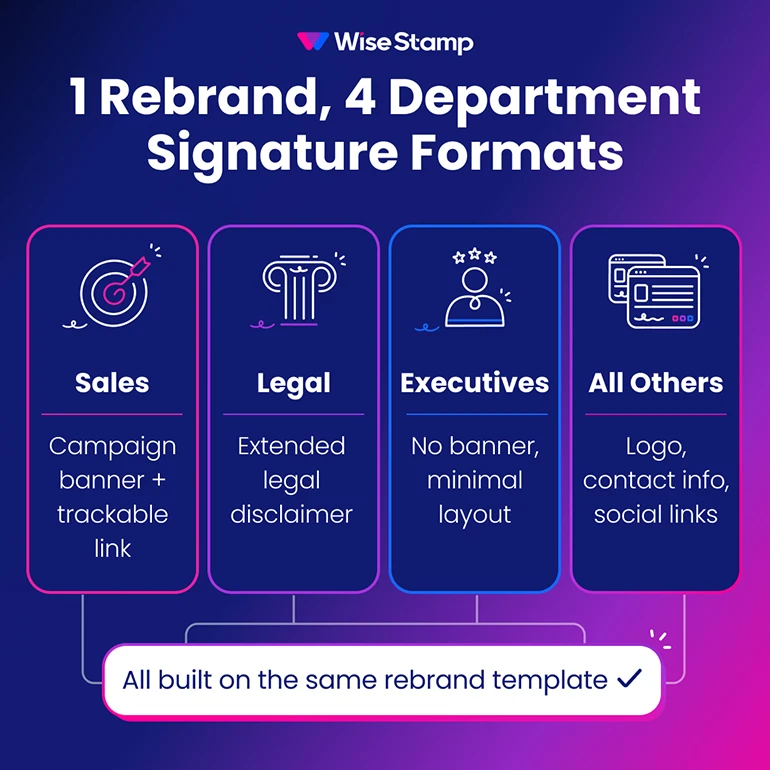
Not every department uses an identical signature format. Sales may carry a campaign banner. Legal requires a specific disclaimer. Executives use a stripped-down format.
During a rebrand, all templates need to update simultaneously without losing that differentiation.
Employee Groups in WiseStamp assign each department, team, or region its own signature template. A rebrand update means updating each group’s template once. Publishing propagates to every member of that group automatically.
| Department | Signature template | Distinct elements |
|---|---|---|
| Sales | Rebrand template + campaign banner | Trackable link, banner CTA |
| Legal | Rebrand template + disclaimer | Extended legal footer |
| Executives | Rebrand template, minimal layout | No banner, shorter format |
| All others | Standard rebrand template | Logo, contact info, social links |
Compliance verification
How do you confirm that every employee is using the rebranded signature?
The Studio Editor includes a “Preview with employee” function that substitutes a specific employee’s live directory data into the template preview. Admins verify how the rebranded signature renders for any individual before and after publish.
For coverage, directory integration with Google Workspace or Microsoft Entra ID ensures every active employee is accounted for. If an employee is active in WiseStamp, they receive the template update on publish automatically.
The remaining gap is employees who haven’t been activated. Bulk activation from the Employees page resolves this without individual outreach.
For organizations with compliance requirements, this coverage confirmation matters. An unactivated employee is a gap in the rebrand rollout and a potential brand inconsistency in every email they send.
Ongoing signature governance
What keeps email signatures on-brand after the rebrand rollout is complete?
The rollout is a one-time event. The ongoing challenge: new hires joining without the new signature, employees whose titles change, and future brand refreshes that need to propagate again.
Daily directory sync keeps employee data current in WiseStamp automatically. Name changes, title updates, and department moves pull from Google Workspace or Microsoft Entra ID on a daily schedule. No manual re-entry.
New hires receive the current branded signature on activation. No onboarding task, no IT ticket, no delay.
Locked fields maintain the brand baseline between refreshes. Whatever the admin configured at rebrand time stays enforced until the admin changes it.
Email signature marketing
How do you turn a rebranded email signature into an active marketing channel?
A rebranded signature is a design update. But your signatures can also be a marketing channel from day one.
The signature banner slot carries the highest visibility of any element below the contact block. After a rebrand, that space can carry a product announcement, an event registration, a campaign CTA, or a brand story.
WiseStamp’s Marketing Suite enables rotating banners, trackable links, and signature-level click analytics across all employee signatures. Marketing updates that banner directly, without an IT request, and measures engagement from every outbound send.
The difference between a static rebrand rollout and a live marketing channel: whether Marketing owns that banner space after the launch.
Takeaway
Email signature inconsistency after a rebrand is a distribution problem, not a design problem. The new brand is ready.
The issue is getting it to every inbox, locking it in, and keeping it current as the org changes.
Centralized signature management solves all 3: one publish reaches every employee simultaneously, RBAC prevents reversion, and directory sync handles ongoing drift automatically.
Need help rolling out signatures across your entire org? Get an expert consultation, or give WiseStamp a try.